Write a blog post
Give QuickCreator a topic, check a few settings, and get a researched, SEO-ready draft.
Before your first article, set up your Brand Profile. It takes a few minutes and makes every article fit your company.
1. Describe the article
On Home, type your topic in the writing box. One line is enough, for example How to fact-check an AI-written blog post before publishing. You can also add details: the reader, points to cover, a target length, or a full outline.
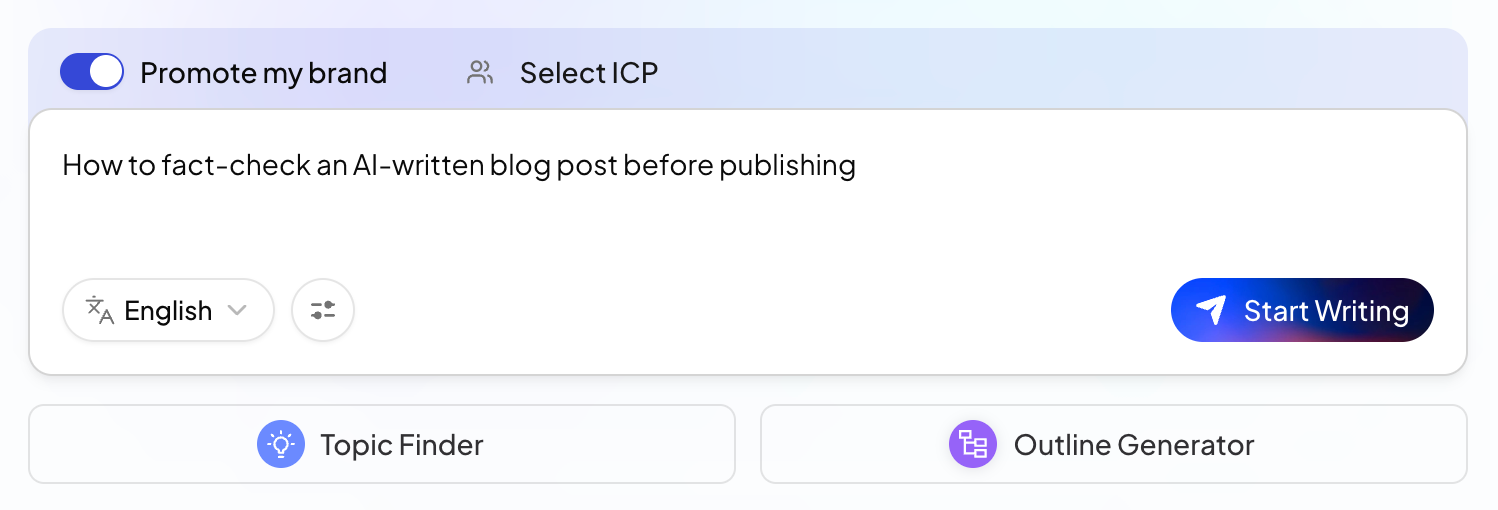
Above the box:
- Promote my brand: on, your products and value are presented where they fit; off, the article stays neutral.
- Select ICP: pick the buyer the article is for. See Create an Ideal Customer Profile.
Below the box:
- Language: the language the article is written in.
- The settings icon next to it opens Content Generation Settings: region, search area, Knowledge Base, images and more.
2. Start writing
Click Start Writing. The agents analyze your topic, research sources, plan an outline, write, check the draft and prepare the SEO metadata. Each step appears as a card. See What happens while an article is written.
Most articles take about 10 to 15 minutes. You can leave the page while it runs; the article keeps going, and you can reopen it from History in the sidebar.
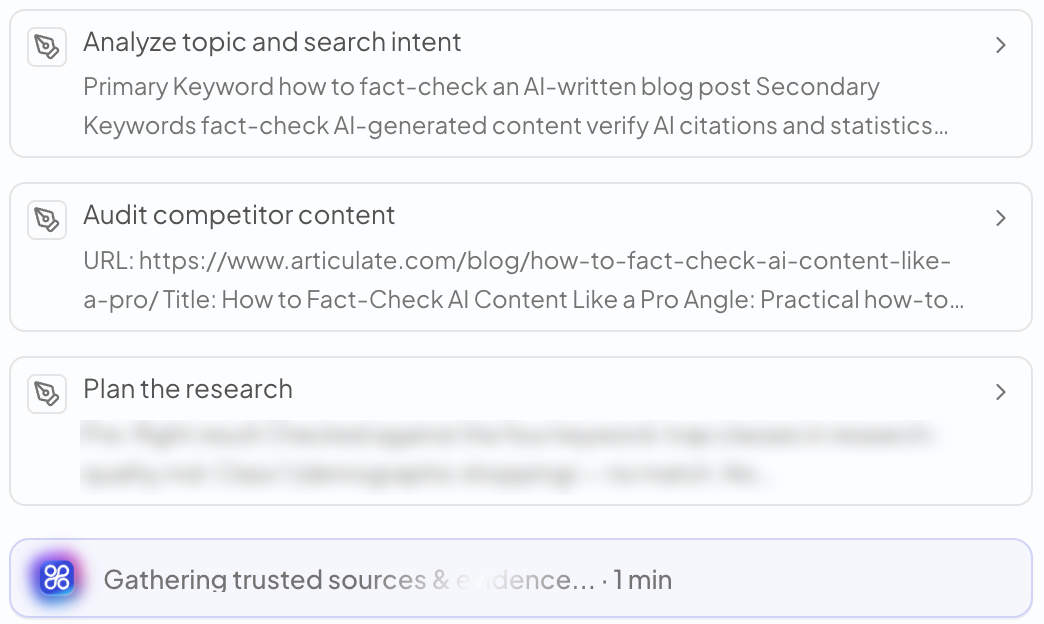
3. Answer questions if asked
For some topics the writer asks a few questions first, for example about the reader or the angle. Answer them and click Submit All Answers, or click Skip to let it decide.
4. Open the draft
When Your draft is ready! appears, the article opens on the right with its Content Quality Score.
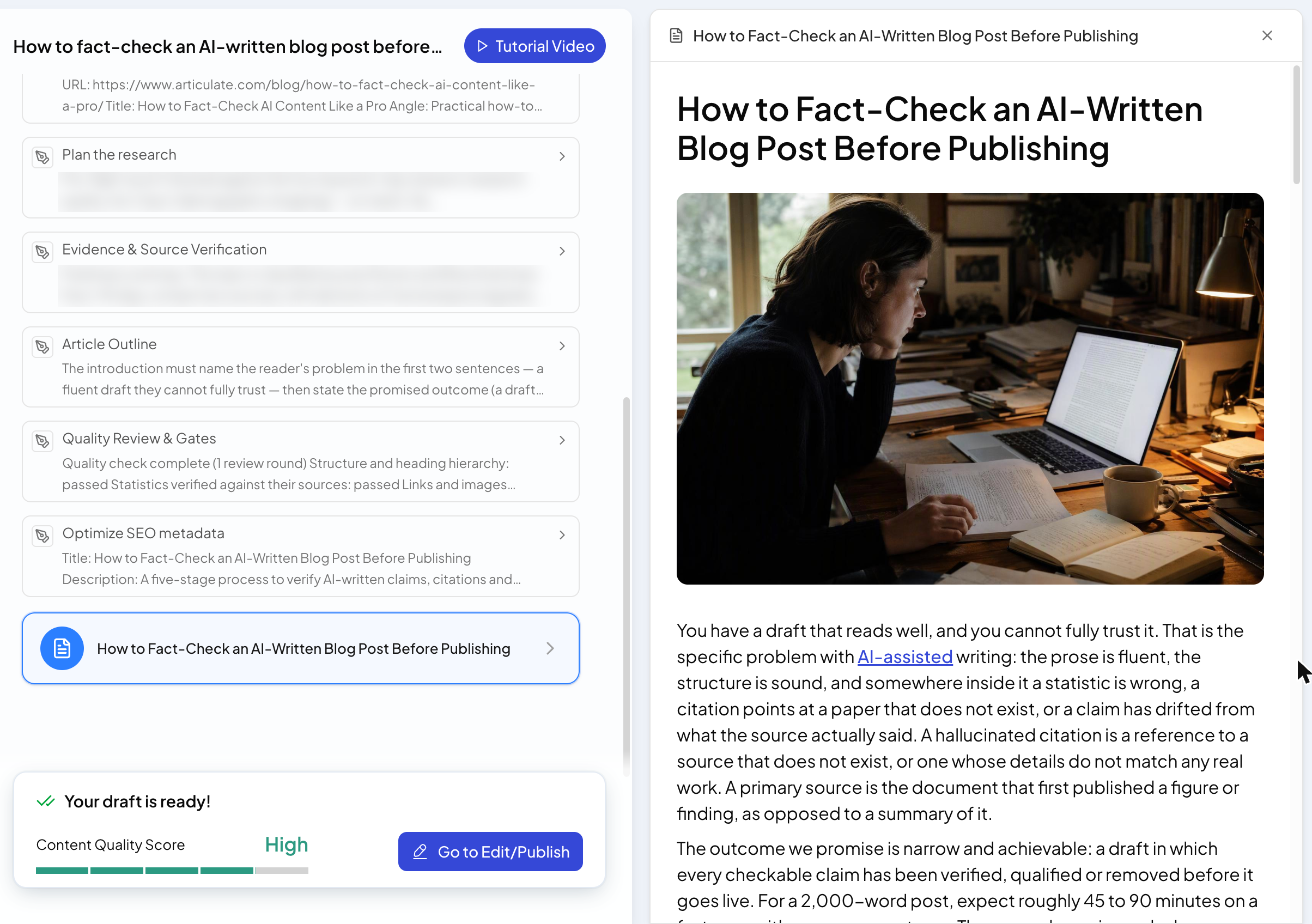
Click Go to Edit/Publish to review it in the editor, make changes and publish. See Edit an article.
Other ways to start
- From a topic in Topic Finder or Discovery
- From an outline you made in Outline Generator
Related articles
- What happens while an article is writtenThe steps QuickCreator's agents take, and how to read the cards you see during a run.
- Content Generation SettingsRegion, search area, Knowledge Base, key takeaways, YouTube videos, image style and blocked domains.
- Write in other languagesChoose from 36 article languages, and match the region and research sources to your market.