Blog SEO settings and categories
Set your blog's homepage title, description, structured data and canonical URL, and group posts into categories.
Publishing 1 min readUpdated 2026-10-20
Before you start
Open your site in Blog Sites.
SEO Settings
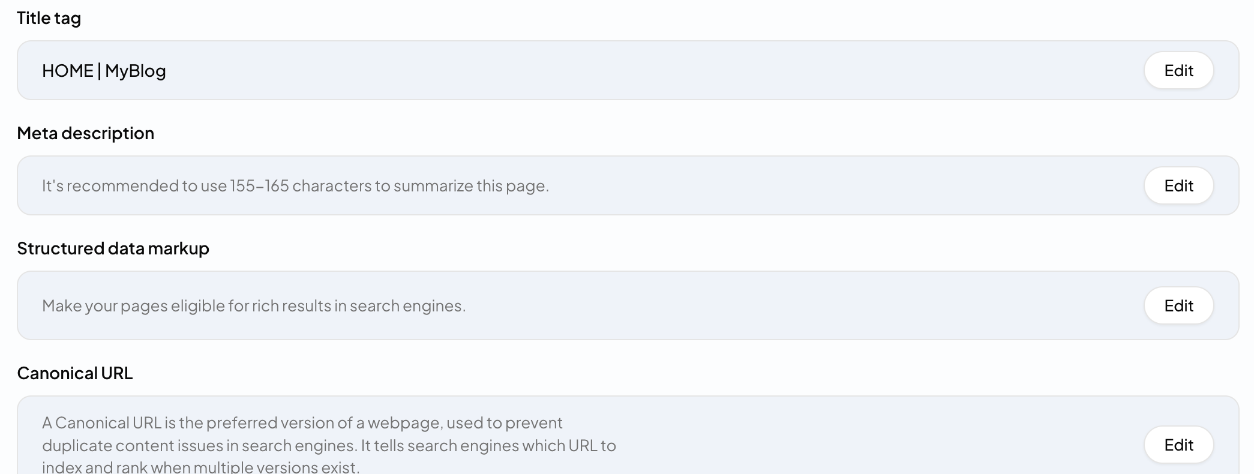
The SEO Settings tab controls how your blog's homepage appears in search. Click Edit next to each item:
- Title tag: the title shown in search results
- Meta description: a short summary of the page, about 155–165 characters
- Structured data markup: makes your pages eligible for rich results
- Canonical URL: the preferred address of the page, which prevents duplicate-content problems
Each article has its own SEO title, description and URL slug, written by QuickCreator. You can change them in the editor under Publish Settings.
Categories
The Categories tab groups related articles, which helps readers and search engines understand your blog.
- Click Add New Category.
- Enter a name and a slug (the category's URL).
When you publish an article, pick its categories in Publish Settings.
Related articles
- Create a hosted blog siteLaunch a blog that QuickCreator hosts, pick a theme, and manage its settings.
- Connect your own domainPut your hosted blog on a subdomain like blog.yourcompany.com, or in a folder like yourcompany.com/blog.
- Connect WordPressInstall the Quickcreator Agent plugin and publish articles to your WordPress site in one click.
- Publish to your own system with an HTTP requestSend finished articles to any CMS or app through an HTTPS endpoint you control.