Generate topics with Topic Finder
Turn one keyword into a set of blog topics across the funnel, each with a short brief you can write from.
Topic Finder starts from a keyword and a buyer. It researches what that buyer asks at each stage, from first learning about the problem to choosing a solution, and turns those questions into blog topics with a short brief for each.
Generate topics
- On Home, click Topic Finder below the topic box.
- Click Select ICP and choose the buyer you write for. Topics follow that buyer's goals and concerns. To create one, see Create an Ideal Customer Profile.
- Enter a specific keyword, for example how to fact-check AI-written blog posts.
- Choose the language and country of the articles you plan to write.
- Click Generate Topic. It usually takes a few minutes.
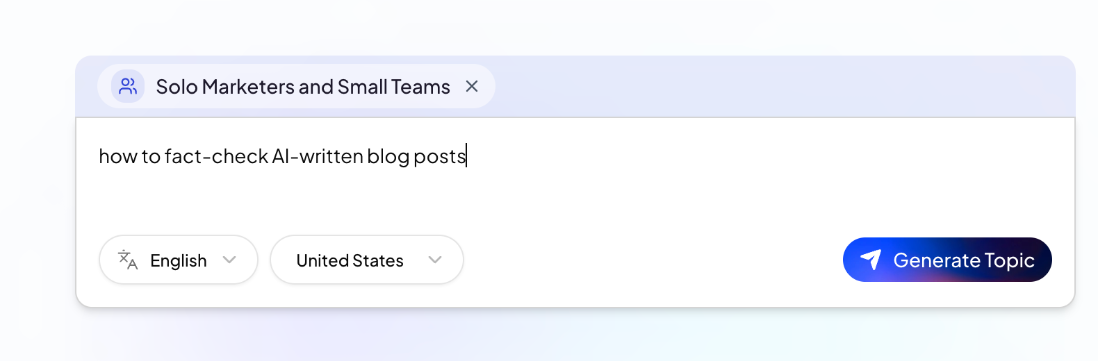
Use a long-tail keyword. A broad word such as SEO doesn't show a clear need. Topic Finder then suggests a few more specific keywords instead; type one of them and click Generate Topic again.
Read the results
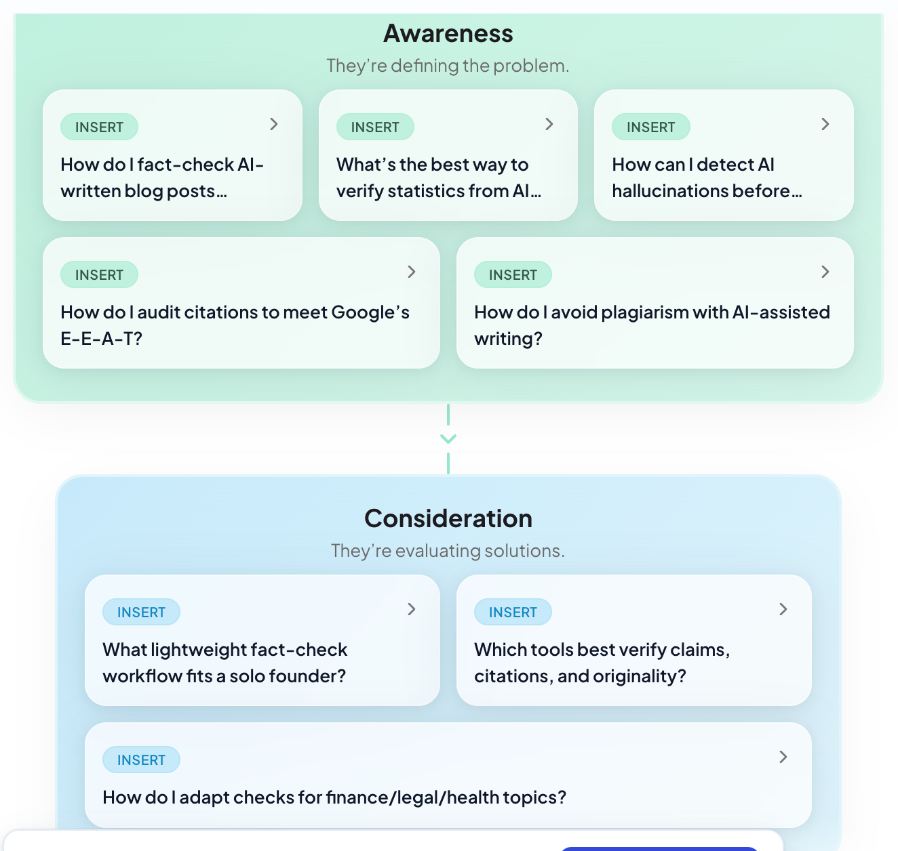
1. Questions by stage. First, Topic Finder lists the questions your buyer asks at three stages:
- Awareness: they're defining the problem.
- Consideration: they're evaluating solutions.
- Decision: they're ready to choose and act.
Each question is tagged with its search intent, for example informational (they want to understand something) or commercial (they are comparing options).
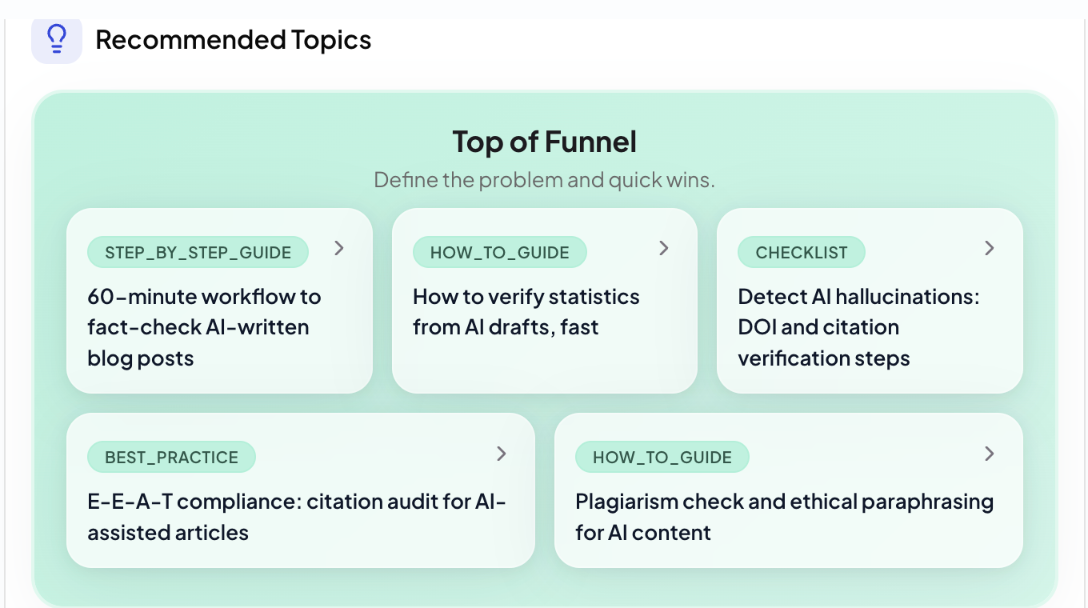
2. Recommended topics. It then turns the questions into topics for the top, middle and bottom of the funnel. Each topic shows its format, such as a step-by-step guide, how-to guide, checklist, comparison, best practice or product review.
Open a topic's brief
Click a topic to open its Content Strategy:
- Blog Topic and its format
- Question it answers, plus sub-questions the article should cover
- Writing Approach: how to structure and pitch the article
- Brand Integration: where and how to mention your brand
- Why This Topic: why it is worth writing for this buyer
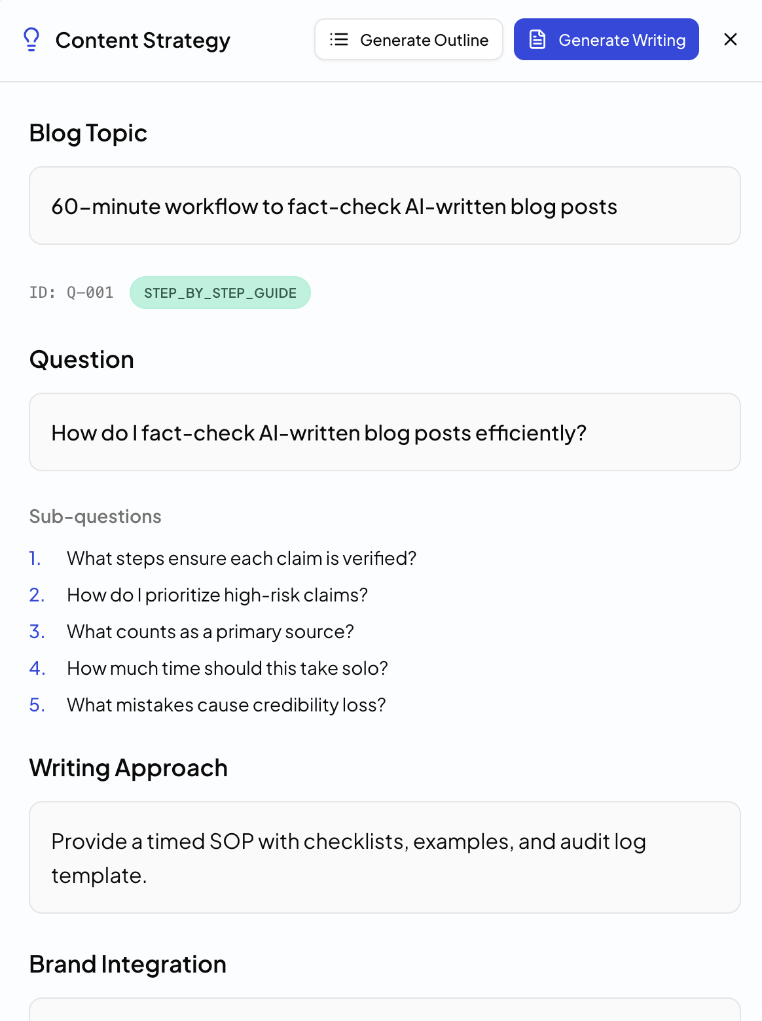
From here:
- Generate Writing opens Home in a new tab with the topic and its brief filled in. Check it, then click Start Writing.
- Generate Outline opens the Outline Generator in a new tab with the topic filled in, if you want to shape the structure first.
The ICP you chose is carried over in both cases.
Save your topics
Topics aren't saved in QuickCreator yet. When the run finishes, click Download CSV to keep the full list.

Tips
- Run Topic Finder once per buyer and keyword. The same keyword gives different topics for different ICPs.
- Bottom-of-funnel topics usually mention your product. Top-of-funnel topics bring in readers who don't know you yet. A healthy blog has both.