Follow your industry with Discovery
A daily feed of industry news, trends and competitor moves, with topic ideas you can write right away.
Discovery watches your field for you. Each day it collects news from your industry, trending stories and what your competitors publish, and turns them into topic ideas for your blog.
Set it up
- Open Discovery in the sidebar.
- Enter your website domain and click Next. QuickCreator analyzes your brand and suggests focus areas and competitors to track.
- Check them and click Confirm & Launch.
The first feed is ready after a short wait.
Read the feed
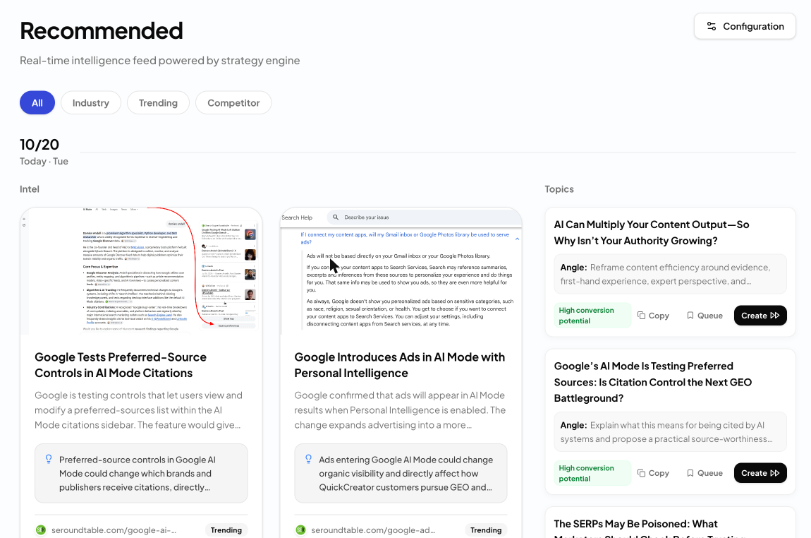
The feed is grouped by day. Each day has two columns:
- Intel: news and posts found for you, each with a short summary, why it matters to you, and the source. Tags show whether it is Industry, Trending or Competitor news.
- Topics: article ideas based on that day's intel, each with a suggested angle. Some are marked High conversion potential.
Use the filters at the top (All, Industry, Trending, Competitor) to narrow the feed. Scroll down and click View older intelligence to see earlier days.
Turn a topic into an article

- Create puts the topic title and angle into the writing box on Home, ready for you to start writing. The topic is then marked Submitted.
- Queue keeps the topic for later. Queued topics show Create now when you are ready.
- Copy copies the title and angle.
Change what it follows
Click Configuration at the top right:
- Under Focus Areas, click an area to turn it on or off.
- Under Track Competitors, remove a domain with ×, or type a new one and press Enter.
Click Save Configuration. The feed updates automatically.
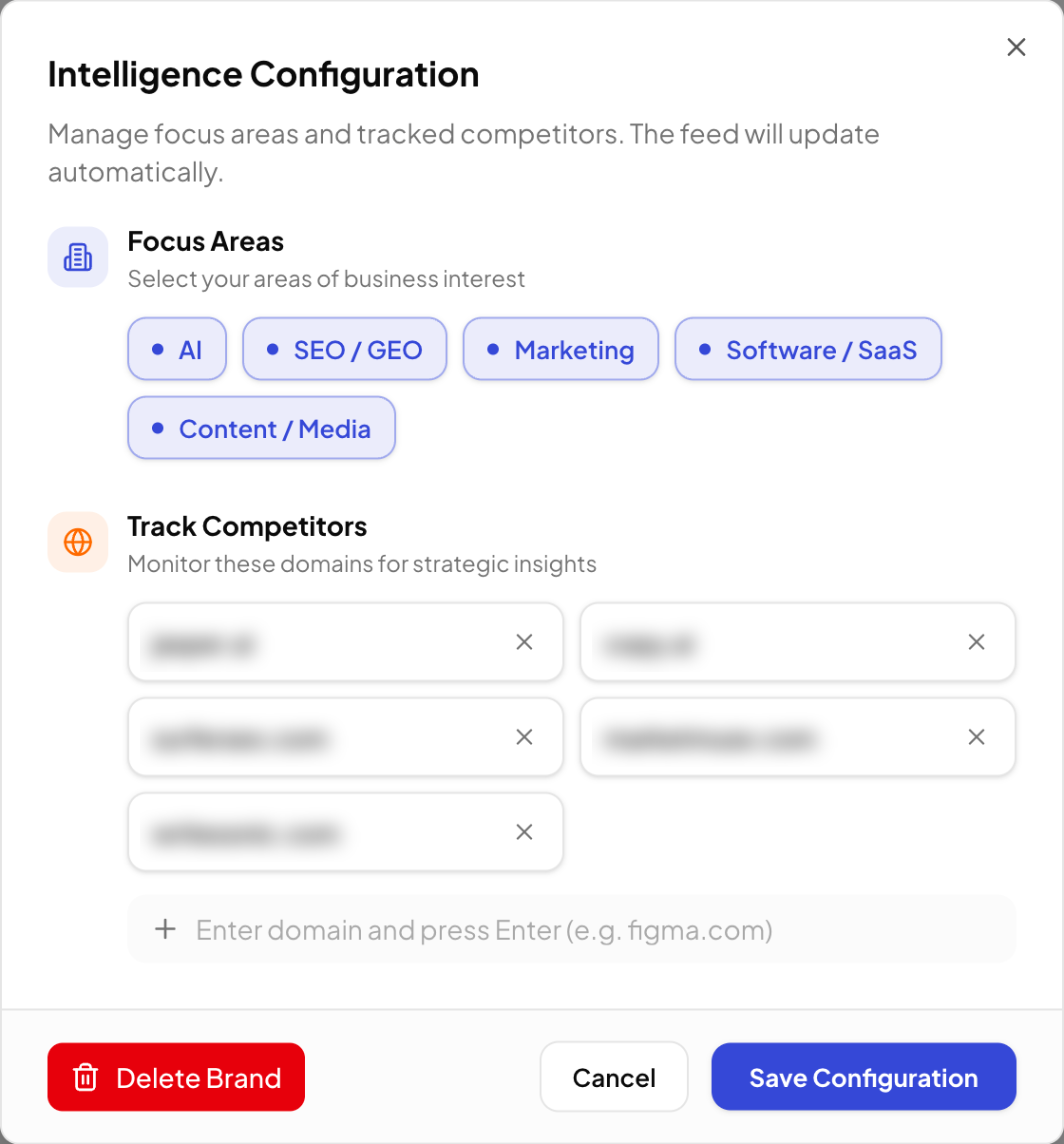
Delete Brand in the same dialog removes Discovery's brand setup: the feed and topics disappear and Discovery goes back to the setup screen.