Create an Ideal Customer Profile
Describe a buyer to the market research assistant, then refine their goals, pain points, objections and preferences.
An Ideal Customer Profile (ICP) tells QuickCreator who an article is for. When you pick an ICP before writing, the article speaks to that buyer's goals, pain points, objections and the formats they prefer. Topic Finder uses it too, to find the questions that buyer asks.
Before you start
- Set up your Brand Profile first. The ICP page needs your Brand Profile, because the assistant uses it to understand what you sell. If you haven't created one, the page sends you to Brand Profile.
- Check your plan. ICPs are available on the Professional plan (up to 10) and the Plus plan (unlimited), and during the free trial (up to 10).
Create an ICP
- In the sidebar, open Brand Center → Ideal Customer Profile.
- Click Create ICP. The market research assistant opens on the right.
- Describe the customer in a sentence or two, for example: "I want to reach marketing leads at SaaS startups with 1–50 employees. Their biggest headache is producing enough good content without a content team."
- The assistant recommends an ICP based on your description and your Brand Profile. If it isn't right, tell it what to change.
- When it looks right, click Create and Generate ICP on the recommendation card, or reply create ICP. QuickCreator builds the full profile, which takes about a minute.
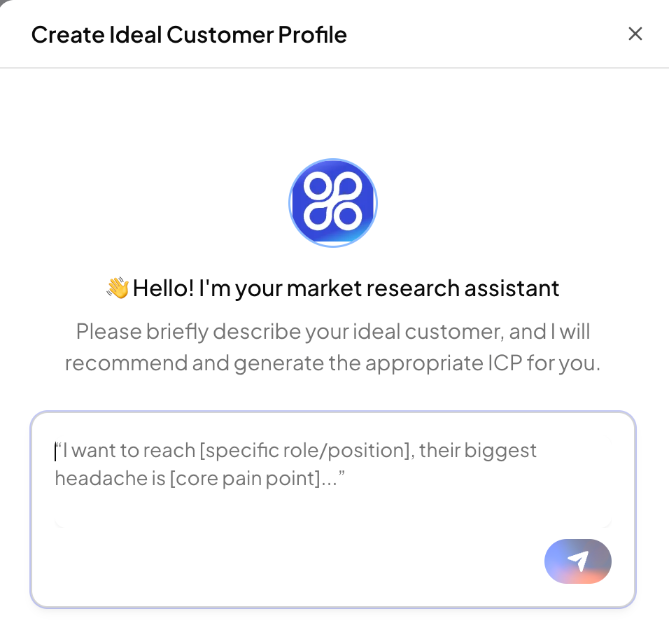
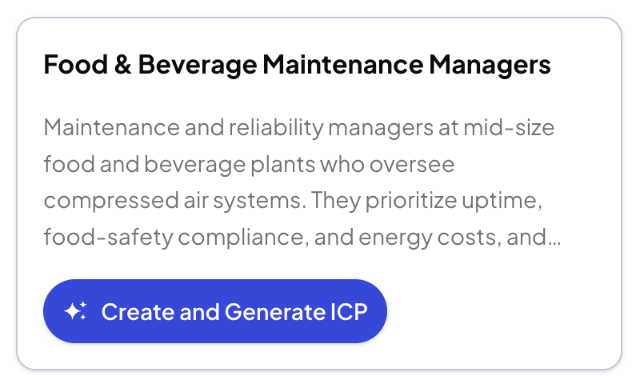
If you reply "create ICP" before the assistant has made a recommendation, nothing is created. Describe the customer first.
What an ICP contains
Each ICP card shows how complete the profile is and how many articles you have written for it.
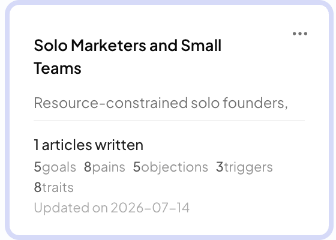
Click a card, or click ⋯ → Edit, to open the profile. It has three parts:
Basic information
- Name and Description: a short summary of who this person is and what they are responsible for.
- Additional characteristics (up to 10): details that change how you write for them, such as company size, annual revenue, region or growth stage.
Goals & challenges (up to 8 entries each)
- Core business goals: the outcomes they most want from their work.
- Main pain points / challenges: what gets in the way of those goals.
- Purchase triggers: what makes them start looking for a solution.
- Objections: why they might hesitate to buy.
Content preferences
- Preferred content style / tone
- Preferred content formats and disliked content formats
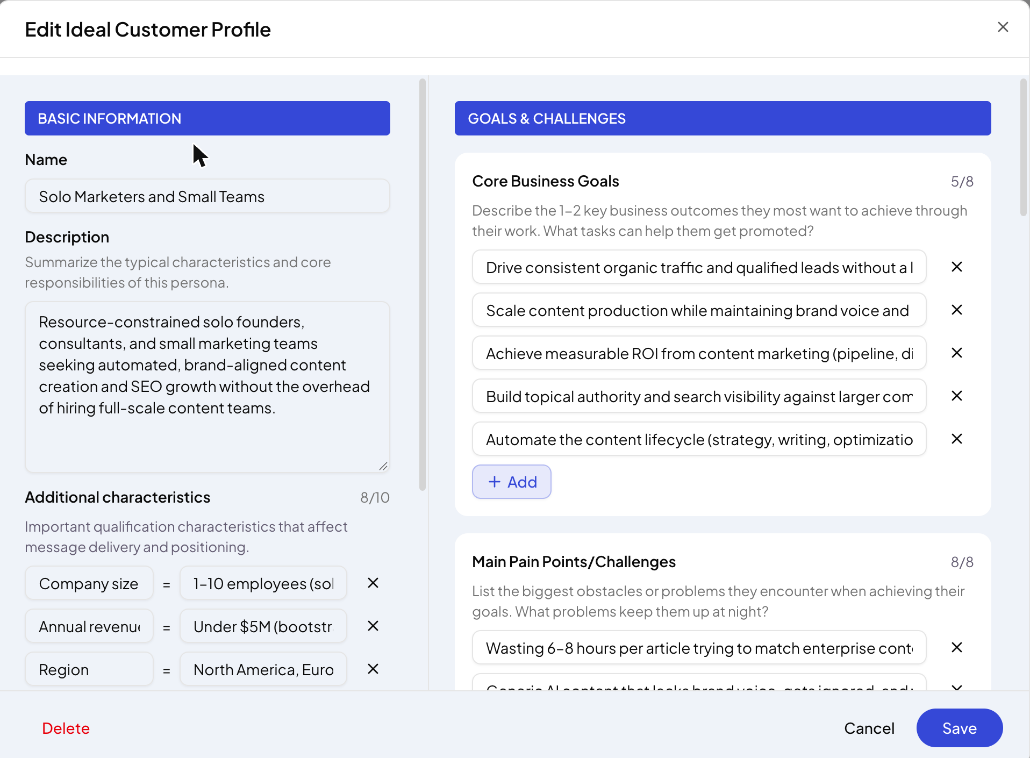
Change any entry, add new ones with + Add, then click Save. To remove a profile, click ⋯ → Delete.
Use an ICP
- When writing: on Home, click Select ICP above the topic box (it appears once you start typing) and choose a profile. The article is written for that buyer.
- In Topic Finder: choose an ICP before you enter a keyword. See Generate topics with Topic Finder.
Tips
- Create one ICP per distinct buyer. "Marketing lead at a SaaS startup" and "SEO lead at an agency" need different articles.
- Be specific in the goals and pain points. Specific entries lead to specific articles.
Related articles
- Set up your Brand ProfileLet QuickCreator read your website and build the profile every article is written from, then check and edit it.
- Add documents and web pages to your Knowledge BaseUpload files or add website links so articles get your product facts right.
- Search and organize your Knowledge BaseFind items with AI Semantic Search, filter by type and tag, and manage each item.
- Fix Knowledge Base items that can't be readWhat each failure message means and how to get the content in.