Add documents and web pages to your Knowledge Base
Upload files or add website links so articles get your product facts right.
The Knowledge Base is your private library: product documents, price lists, case studies, brand guidelines and web pages. When it is on, the research agent looks up your facts there while researching an article and uses them in the draft.
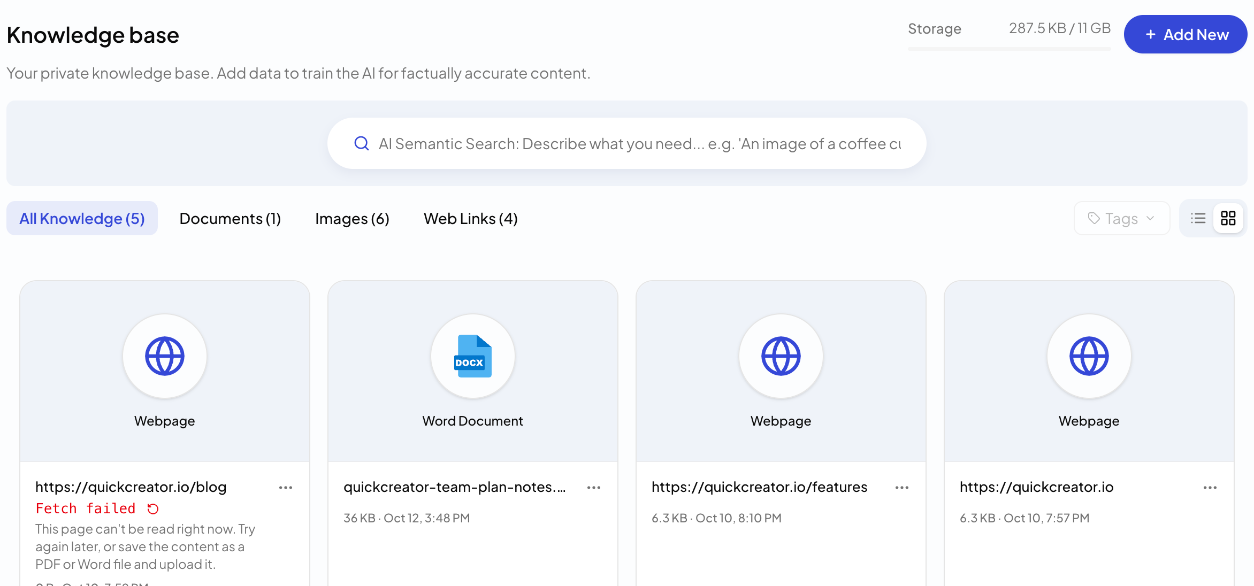
Upload files
- In the sidebar, open Brand Center → Knowledge Base.
- Click Add New → Upload.
- Drag files into the box, or click select files.
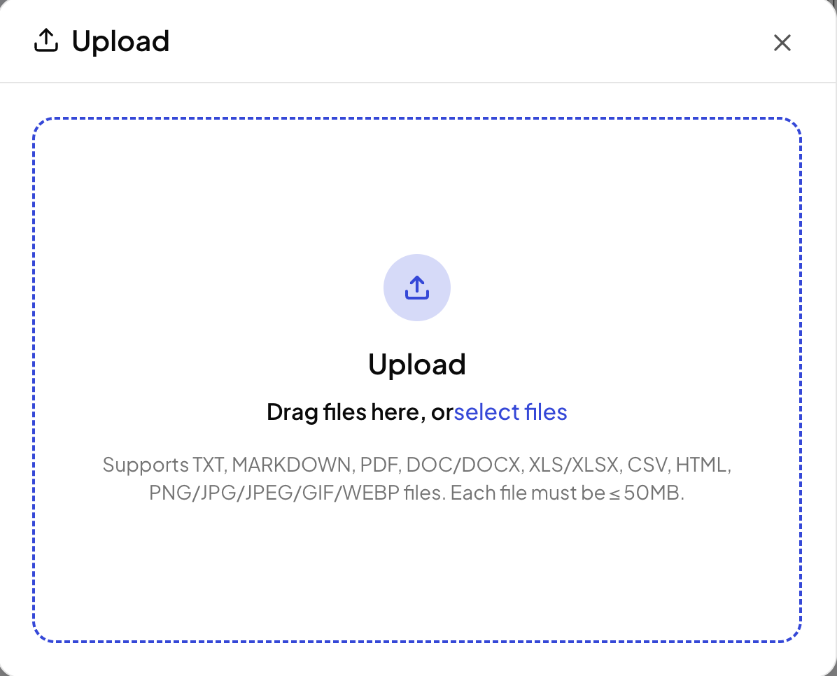
Supported files: TXT, Markdown, PDF, DOC/DOCX, XLS/XLSX, CSV, HTML, and PNG, JPG, JPEG, GIF or WEBP images. Each file can be up to 50 MB.
Scanned PDFs work too: QuickCreator recognizes the text page by page, up to 50 pages per PDF.
Add web pages
- Click Add New → Website URL.
- Paste one or more links, one per line or separated by commas. You can add up to 500 at a time.
- To keep the pictures from those pages as well, turn on Also save page images. Images must be at least 300 × 300 px and no larger than 50 MB.
- Click Import.
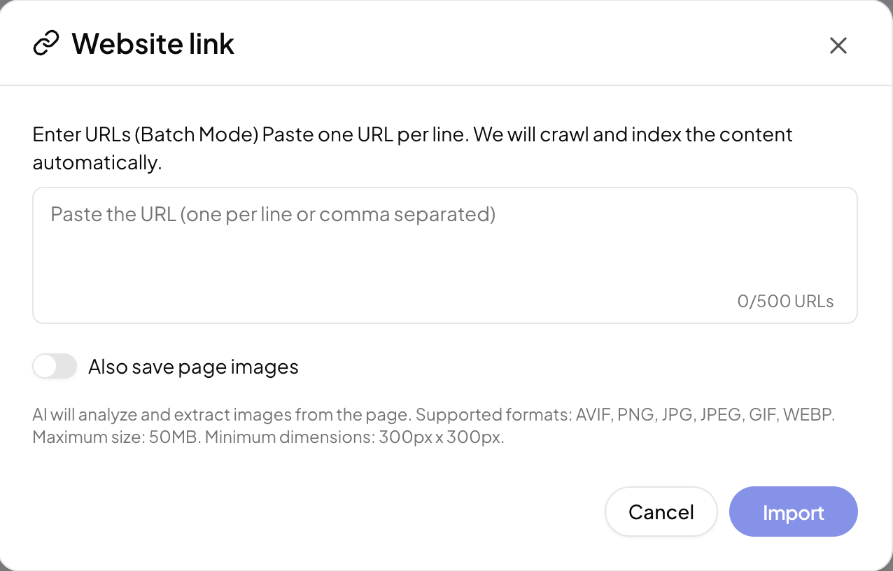
QuickCreator fetches each page and keeps its main text.
Wait for processing
New items are processed before they can be used. While that happens, the card shows a status such as Queued for fetch, Fetching content or File is being indexed. Once processing finishes, the item is ready. Search results can take a couple of minutes to include new items.
If an item can't be read, its card says why and what to do. See Fix items that can't be read.
Use it in your articles
Before you write, click the settings icon next to the language selector in the box on Home. In Content Generation Settings, under Reference source, make sure Knowledge Base is switched on. With it on, the research agent checks your Knowledge Base for product facts, terms and use cases.
Storage
Your storage use is shown at the top of the page. The Knowledge Base comes with the Professional plan (1 GB) and the Plus plan (3 GB), and with the free trial.
What to add
- Product sheets, specifications and price lists
- Case studies and customer results
- Brand and terminology guidelines
- Key pages of your website, such as product and pricing pages
Related articles
- Set up your Brand ProfileLet QuickCreator read your website and build the profile every article is written from, then check and edit it.
- Create an Ideal Customer ProfileDescribe a buyer to the market research assistant, then refine their goals, pain points, objections and preferences.
- Search and organize your Knowledge BaseFind items with AI Semantic Search, filter by type and tag, and manage each item.
- Fix Knowledge Base items that can't be readWhat each failure message means and how to get the content in.