
Your Product Facts,In Every Article.
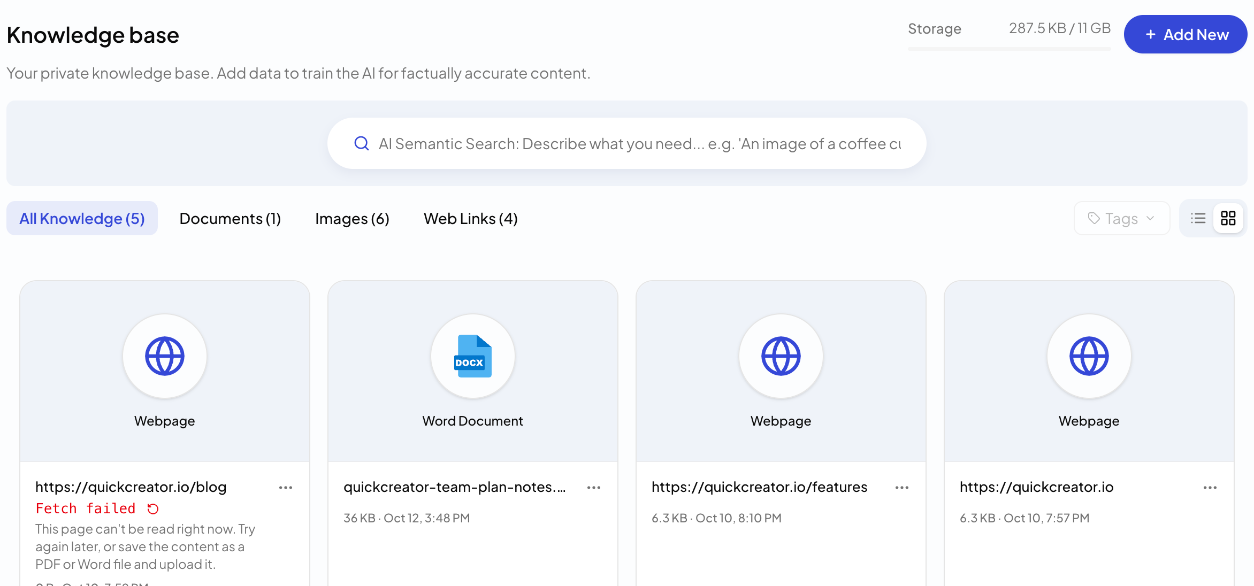
Your private knowledge base. Upload documents, images and web pages once; when it is on, the research agent looks up your facts and uses them in the article.
Why AI Gets Your
Product Wrong
A model only knows what is public. Your specs, pricing logic, case studies and positioning live in your own files—so generic AI guesses, or leaves them out.
Public information lags behind your latest product and pricing.
When the facts are missing, AI fills the gap with something plausible.
Without your own material, every article repeats what is already ranking.
Your Knowledge, Built Into Research
Add your material once. QuickCreator indexes it, and the research agent looks it up when it writes.
1. Upload Anything
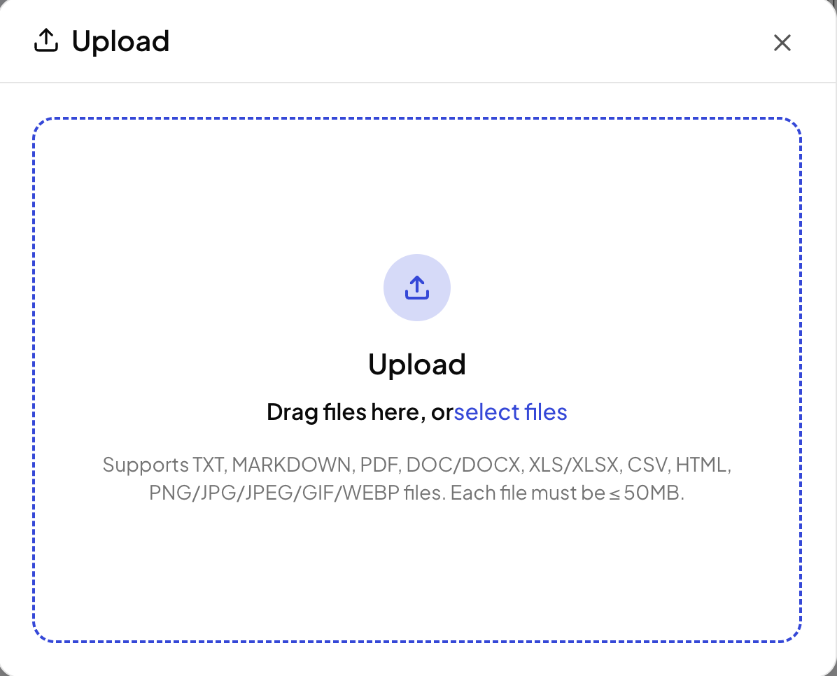
TXT, Markdown, PDF, Word, Excel, CSV, HTML and images, up to 50 MB per file.
2. Read and Indexed
Documents, scanned PDFs and web pages are read and indexed for search.
3. Used While Writing
With the Knowledge Base setting on, your facts are looked up during research and used in the draft.
Upload Once, Use in Every Article
Drag in documents and images, or add a website URL. Scanned PDFs are recognized page by page, up to 50 pages per PDF.
✓Key Benefit
Your product material becomes searchable without any manual sorting.
"Upload once. Every article can use it."
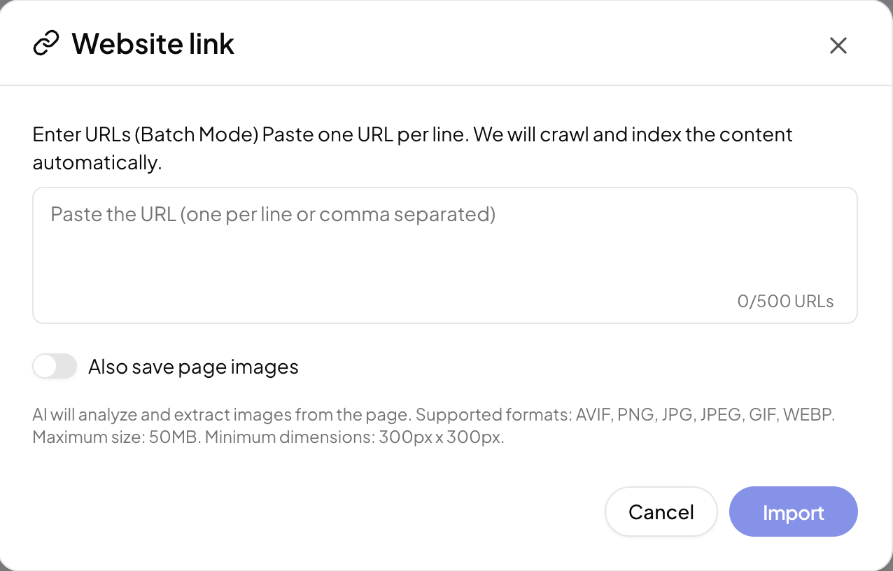
Web Pages Become Knowledge
Add a link to your site or any page you trust. Its content is fetched and stored; if a page cannot be read, you see why in plain language and can fetch it again.
✓Key Benefit
Keep your knowledge base in step with your website.
"Your website is already a knowledge base."
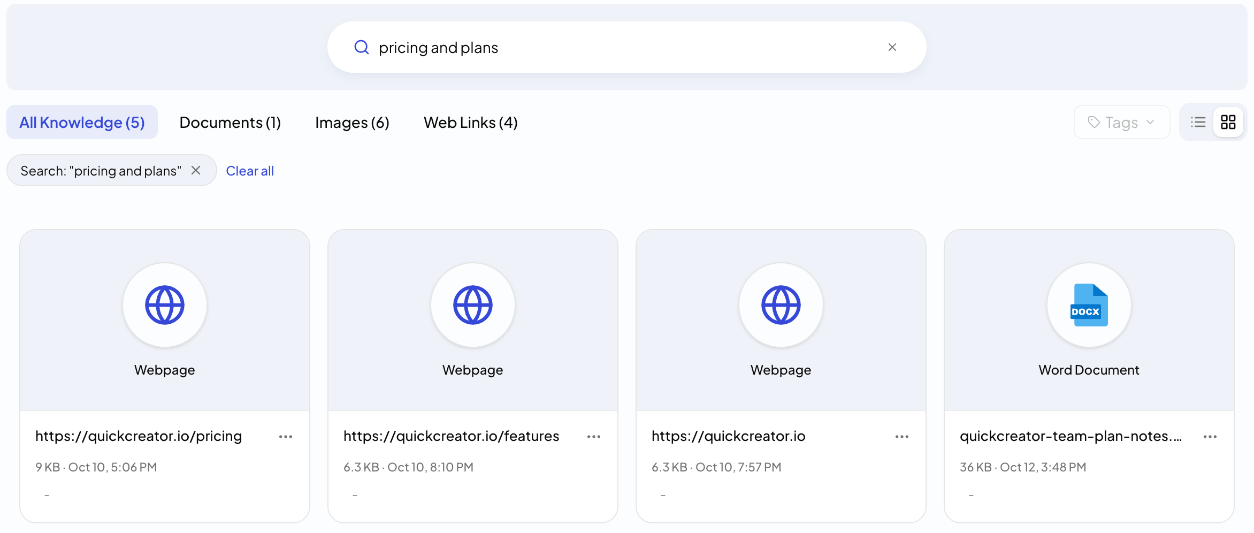
Find Anything by Describing It
AI semantic search finds documents, web pages and images by meaning. Tag items to keep them organized; storage use is shown at the top.
✓Key Benefit
See exactly what the writer can draw on.
"The model is shared. The knowledge is yours."
How It Works
From your files to articles that get your product right in 4 steps.
Upload
Add files, images or website links.
Index
QuickCreator reads each item, including scanned PDFs, and indexes it.
Research
When an article is written with Knowledge Base on, the research agent looks up your facts.
Write
The draft uses your product facts alongside public sources.
Not Just Public Data.
Your Private Knowledge.
Give the Writer
What Only You Know.
Upload your documents and pages once, and let every article get your product right.