
Content That Converts—Without Manual CTA Work
QuickCreator's Conversion Agent automatically places the right CTA, in the right format, at the right moment—turning high-quality content into measurable leads, without relying on designers or developers.

Why Most Content
Doesn't Convert
Many teams invest heavily in content—but struggle to turn traffic into pipeline. The reason isn't traffic. It's conversion friction.
Adding or changing CTAs often requires design and engineering support—so teams avoid iterating.
Too early feels pushy. Too late gets ignored. Most CTAs are placed based on instinct, not context.
Even when emails are collected, they often live in silos—never reaching CRM or follow-up workflows.

Built-In Conversion Intelligence for
Every Article
QuickCreator's Conversion Agent treats CTAs as a strategic layer of content, not an afterthought. It plans, places, and optimizes CTAs as part of the writing workflow—not after publishing.
Create and Customize CTAs—Without Developers
QuickCreator provides a full set of configurable conversion widgets, including:
You can:
- Customize copy, design, and behavior
- Reuse templates across content
- Optimize CTAs via agent-driven conversation

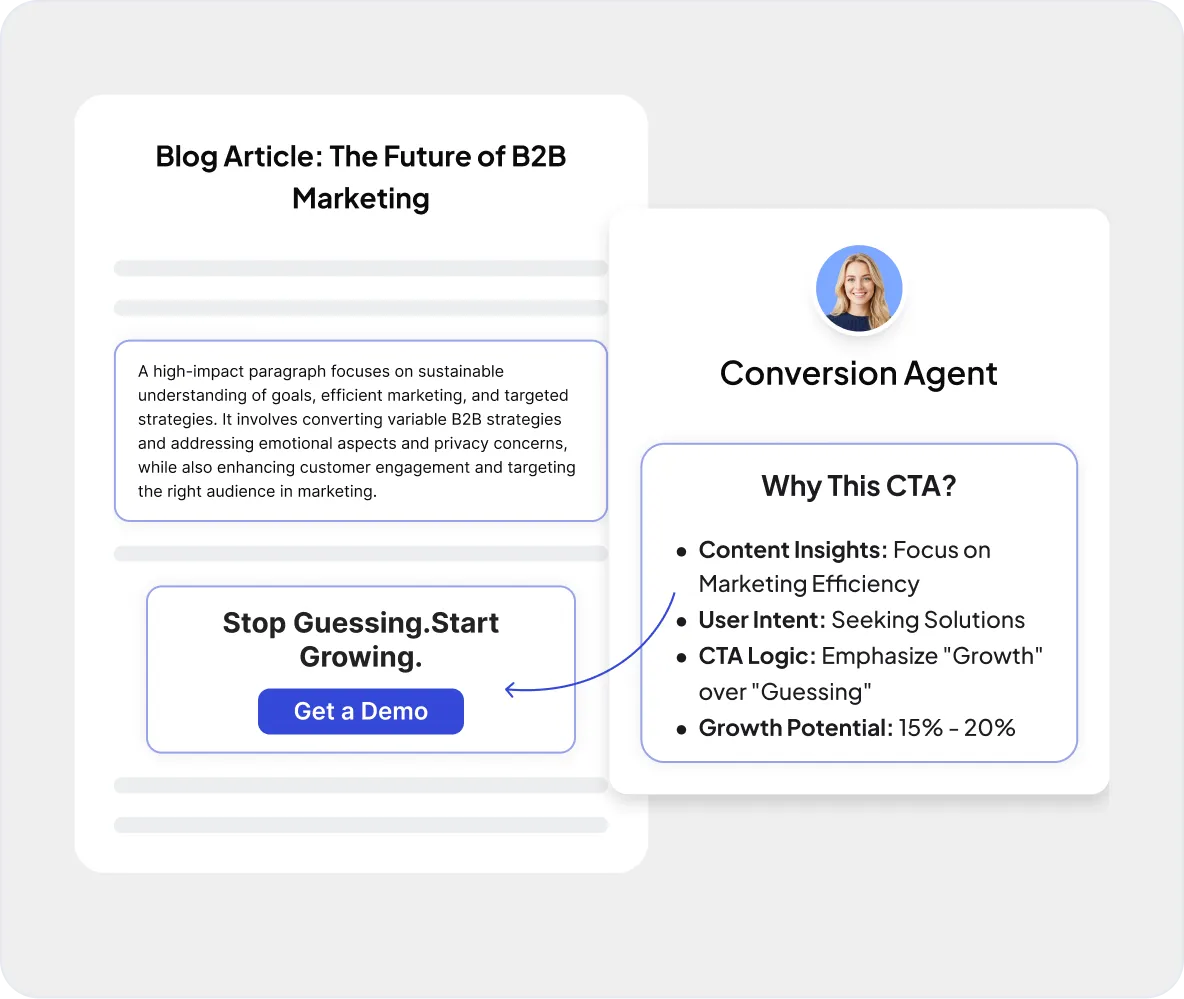
Place CTAs Where Readers Are Ready—Automatically
The Conversion Agent analyzes the writing context in real time, including:
Based on this context, it automatically decides:
- Which CTA to show
- Where to insert it
- How strong the ask should be
Convert With More Than Just Text
The Conversion Agent supports multimedia CTAs that increase engagement, such as:
These elements are placed inside content sections where attention is highest—maximizing conversion without harming readability.

From Content to CRM—Automatically
All leads collected through CTAs can be:
This enables:
- Clean lead attribution
- Faster sales follow-up
- Better insight into which content drives pipeline

How It Works
From Draft to Conversion in 5 Simple Steps
Content Context Analysis
The agent understands topic, intent, and audience.
CTA Strategy Selection
It selects the best CTA type for that section.
Automatic Embedding
CTAs are inserted naturally during writing.
Lead Capture & Tracking
User actions are tracked and attributed.
Continuous Optimization
CTA performance informs future placements.
Content That Drives Growth,
Not Just Views
Why QuickCreator Is Different
| Feature | Traditional Content | QuickCreator |
|---|---|---|
| CTA Flexibility | Static CTAs | Context-aware CTAs |
| Placement | Manual placement | Automatic embedding |
| Performance | Low conversion rates | Optimized engagement |
| Data Flow | Leads lost in silos | CRM-ready pipelines |

Stop Letting Your Best Content
Go Unconverted
Turn every article into a conversion opportunity—without extra tools, teams, or guesswork.