Create a conversion widget
Build a call to action, form, quiz or popup from a template, to turn readers into leads.
Conversion & social 1 min readUpdated 2026-10-20
Conversion widgets are calls to action, forms, quizzes and popups you can put in your articles. They are included in the Professional and Plus plans.
Create a widget
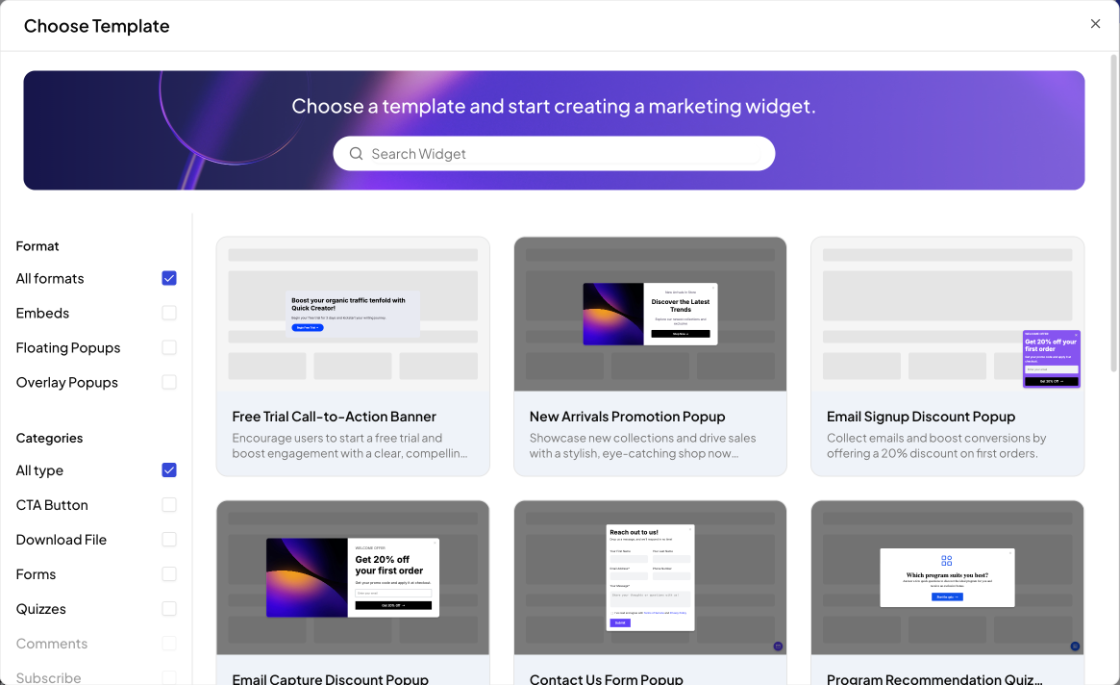
- Open Conversion Widgets in the sidebar and click Create Widget.
- Choose a template. Filter by Format (Embeds, Floating Popups, Overlay Popups) or by category (CTA Button, Download File, Forms, Quizzes, Comments, Subscribe, Live Chat), or search.
- Edit the text, fields, design and settings in the widget editor, then save.
Manage widgets
The Conversion Widgets page lists your widgets with the date they were last updated. Click the pencil to edit one, or the bin to delete it.

Next: Add a widget to an article.