What happens while an article is written
The steps QuickCreator's agents take, and how to read the cards you see during a run.
Writing 2 min readUpdated 2026-10-20
When you click Start Writing, several agents work on the article in turn. Each finished step appears as a card in the chat, and a status line at the bottom shows the current step and the time so far.
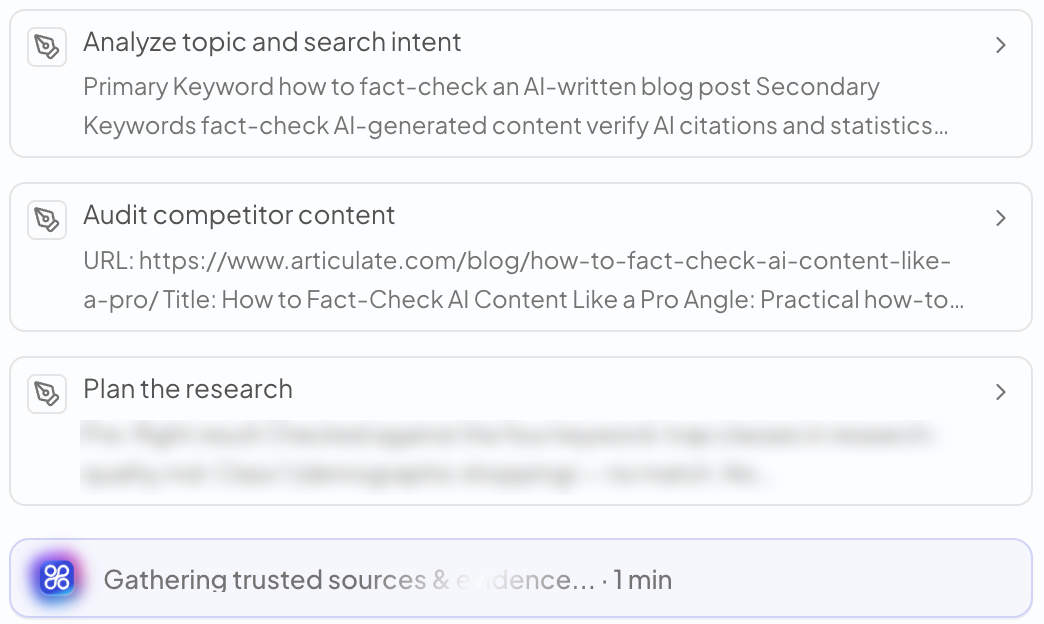
The steps
| Card | What happens |
|---|---|
| Analyze requirements | Reads your request: topic, reader, length, anything you asked for. |
| Sync brand style | Loads your brand and writing preferences. |
| Published site pages | Looks at pages already on your blog, to link to them and avoid repeating them. |
| Profile the audience | Uses your Brand Profile and the ICP you picked to define the reader. |
| Analyze topic and search intent | Chooses the main and secondary keywords and what searchers want to know. |
| Audit competitor content | Reads the top results for the topic to find what they miss. |
| Plan the research | Lists the questions the article must answer and the sources to look for. |
| Evidence & Source Verification | Reads the sources and checks facts and figures against them. Points that couldn't be confirmed are listed here. |
| Article Outline | Builds the H1 / H2 / H3 structure. |
| Quality Review & Gates | Checks headings, data and sources, links and images, SEO metadata and editorial quality. Problems are fixed before delivery. |
| Optimize SEO metadata | Writes the SEO title, meta description and URL slug. |
Not every card appears in every run.
Open a card
Click a card to see its full content on the right: the research report with its sources, the outline, or the quality review.
When it's done
The last card is the article itself. Below it, Your draft is ready! shows the Content Quality Score. Click Go to Edit/Publish to open it in the editor.
If a run stops with an error, see A run failed or stopped.
Related articles
- Write a blog postGive QuickCreator a topic, check a few settings, and get a researched, SEO-ready draft.
- Content Generation SettingsRegion, search area, Knowledge Base, key takeaways, YouTube videos, image style and blocked domains.
- Write in other languagesChoose from 36 article languages, and match the region and research sources to your market.