Use the AI assistant and Quick Edit
Ask the assistant to change your article, or pick a ready-made edit from Quick Edit.
The Assistant on the right side of the editor can rewrite, add to and check your article. It can search the web and your Knowledge Base while it works.
Ask in your own words
Type what you want in the box at the bottom, for example shorten the introduction or add a table comparing the three options, and press Cmd + Enter to send. The assistant then edits the article.
To start fresh, click the new-chat icon at the top of the panel. Past chats are under the history icon next to it.
Quick Edit
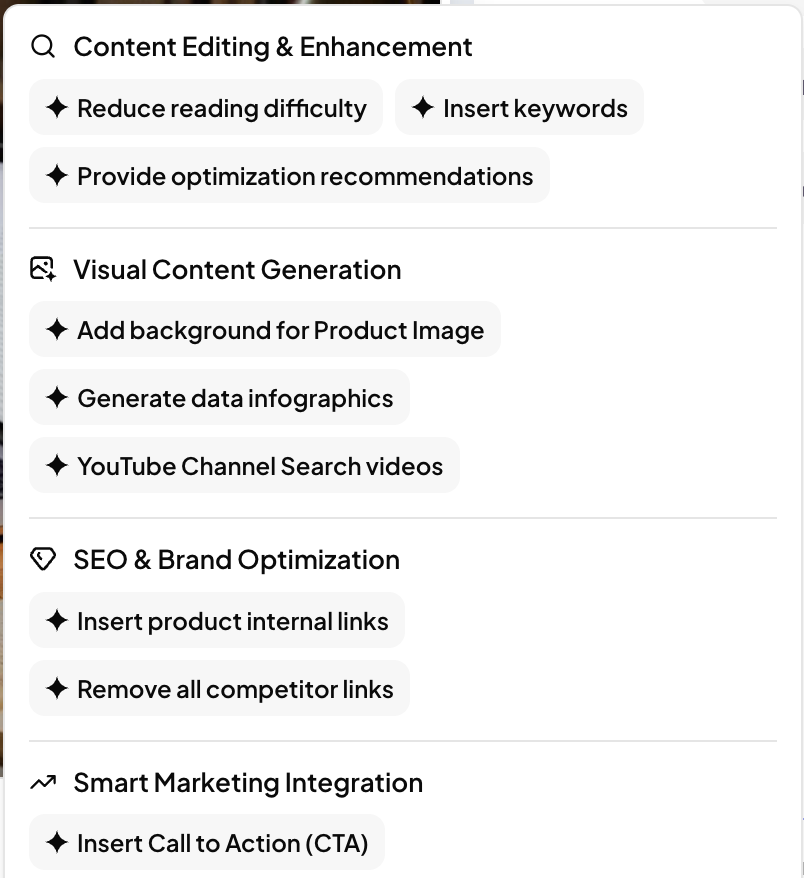
Click Quick Edit for ready-made edits:
| Group | Edits |
|---|---|
| Content Editing & Enhancement | Reduce reading difficulty · Insert keywords · Provide optimization recommendations |
| Visual Content Generation | Add background for Product Image · Generate data infographics · YouTube Channel Search videos |
| SEO & Brand Optimization | Insert product internal links · Remove all competitor links |
| Smart Marketing Integration | Insert Call to Action (CTA) |
The same shortcuts appear as buttons when a chat is empty: Optimize article, Insert Call to Action and Remove competitor.
Credits
Assistant edits use credits. If you don't have enough, you'll see how many the edit needs before anything is changed.
Related articles
- Edit an articleFind your articles, edit them in the editor, insert blocks, preview and export.
- Read your Quality AnalysisWhat the rating, the E-E-A-T radar and the notes mean, and when to reanalyze.
- Review links in Page AssetsSee every link in an article, edit where it points, or remove it.
- Import an article or start a blank postBring in an article you already have, or write one yourself in the editor.