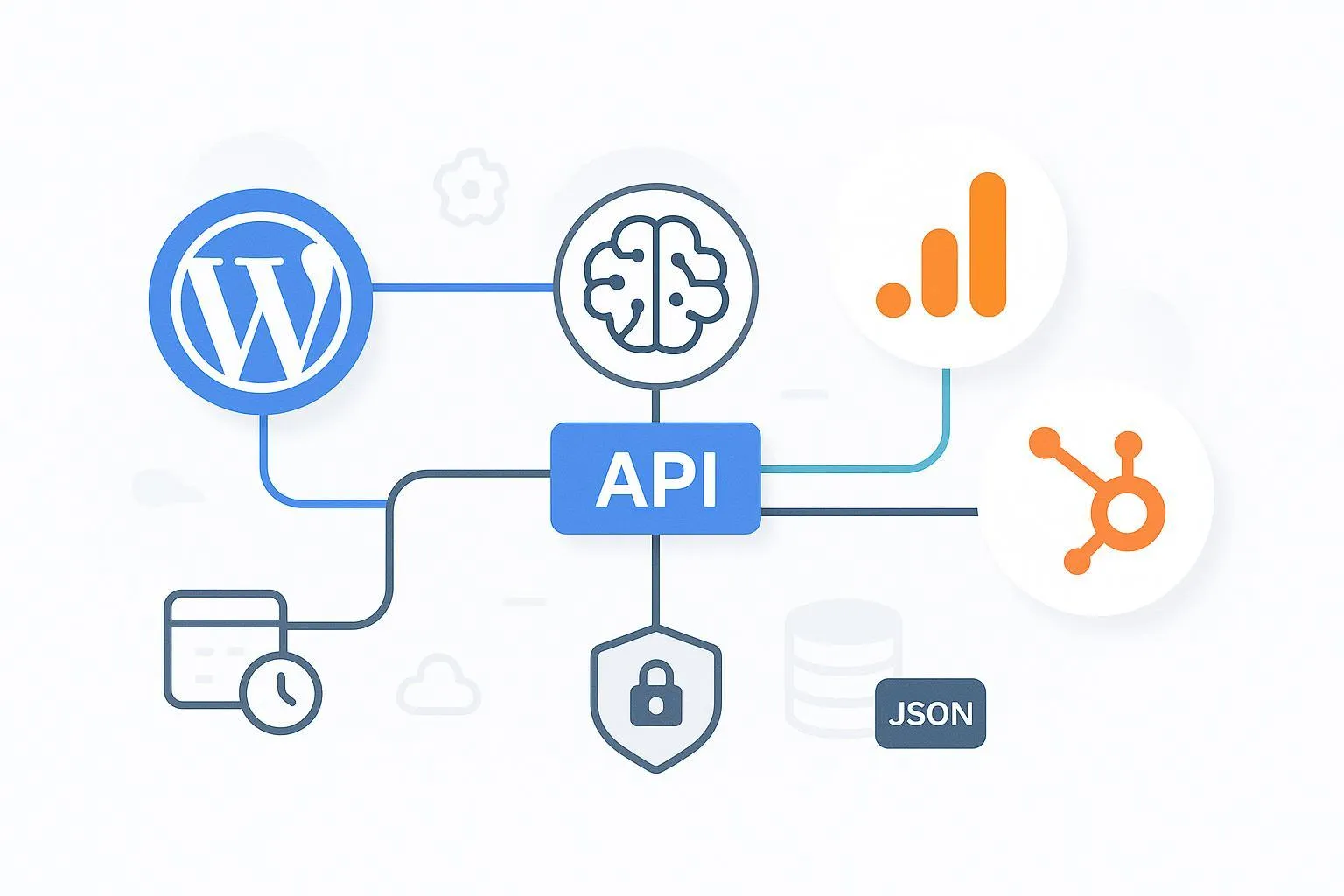
If your AI agents are drafting and shipping content, you need ironclad attribution and safe, repeatable publishing. This practitioner checklist prioritizes GA4 accuracy (events, UTMs, and content grouping), favors server‑to‑server jobs for control and reliability, and bakes in governance (RBAC, audit logs, key rotation). Keep this close as you operationalize an AI-to-content-to-revenue pipeline.
Integration matrix (SSO/SCIM, APIs, data mapping, maintenance)
Below is a compact matrix to scope identity, integration routes, data mapping, and upkeep across platforms. SSO and SCIM are optional add‑ons where supported; document your IdP mappings if you adopt them. QuickCreator is noted neutrally as a compatible WordPress publishing option when teams want an admin-owned path.
Capability | WordPress | GA4 | HubSpot | Notes / Compatible Options |
|---|---|---|---|---|
Identity & access | Native roles/capabilities (Admin, Editor, Author, Contributor). Optional SSO via third‑party plugins. Revisions support rollback. | GA4 Admin/IAM controls; restrict MP api_secret access. | Users, teams, and permissions; SSO for login on eligible tiers. | SSO/SCIM vary by stack; keep least‑privilege and quarterly reviews. |
Server integration | REST API for posts/media; webhooks; cron for scheduled tasks. | GA4 Measurement Protocol (s2s) to /mp/collect; batching and retries. | CRM v3 APIs for contacts/properties; OAuth or Private App token. | Emphasize server‑to‑server with scheduled jobs for control. |
Data mapping | Post meta for AI flags (e.g., ai_assist), taxonomy, content IDs. | Custom params/dimensions (e.g., content_author_type), UTMs, event schema. | Contact properties for UTMs and AI flags; lifecycle updates via workflows/API. | Keep a shared dictionary for names, types, and limits. |
Maintenance | Staging → production; plugin/theme updates; backups; rollback via revisions. | Monitor delivery, quotas; rotate secrets; BigQuery reconciliation. | Token rotation; rate‑limit/backoff monitoring; property hygiene. | Use calendars and runbooks; test sandboxes quarterly. |
Compatible option (neutral) | — | — | — | WordPress publishing can be orchestrated via the QuickCreator plugin; see the setup guide for connection and status controls: QuickCreator WordPress plugin how‑to |
Design GA4 attribution for AI-assisted content
The business goal is clear: attribute AI-assisted content and conversions correctly. Start with a crisp schema and UTM policy, then register custom definitions so reports remain stable.
Checklist — design decisions to lock before implementation:
Event schema and naming
- Define events such as ai_content_published, page_view (with AI markers), form_submit, and generate_lead. Respect GA4 naming limits and patterns (≤40 chars; lowercase; underscores). See Google’s guidance in the GA4 Measurement Protocol overview for required fields and limits: GA4 Measurement Protocol.
UTMs and AI taxonomy
- Reserve values to isolate AI distribution, for example: utm_medium=ai, utm_source=ai_agent, utm_campaign=ai_{campaign}, utm_content={agentName}-{generationId}. Standardize casing and delimiters.
Custom dimensions for grouping
- Send content_author_type with values ai_assisted or human_authored on page_view and conversions; register as an event‑scoped custom dimension. Add optional content_id and content_type.
Identifiers for joining
- Plan to include client_id at the top level of Measurement Protocol payloads and session_id in event params so server events join to web-tagged sessions.
Build the server-to-server pipeline for the AI agents WordPress GA4 HubSpot integration
Use server‑to‑server dispatch for reliability and control, backed by scheduled jobs. Validate first, then promote to production.
Key principles (keep this tight):
Endpoint and auth
- POST to https://www.google-analytics.com/mp/collect with measurement_id and api_secret query parameters. GA documents limits (≤25 events/request; ≤25 params/event) and verification patterns here: GA4 Measurement Protocol.
Identifiers and deduplication
- Include client_id; add session_id and event_id in event params for session continuity and idempotency. Expect HTTP 204 on success. Use a transaction/event ID to prevent duplicates on retries.
Batching and retries
- Batch up to 25 events; use exponential backoff with jitter on 5xx/429; dead‑letter after retry budget; monitor DLQ.
Validation then prod
- Use the Validation Server for structured errors before enabling production delivery, then verify in DebugView. See Google’s validation guidance: Validate and verify GA4 server events.
Example — single event payload (server‑to‑server):
POST /mp/collect?measurement_id=G-XXXXXXX&api_secret=YOUR_SECRET
{
  "client_id": "1234567890.9876543210",
  "user_id": "optional_user_123",
  "events": [
    {
      "name": "ai_content_published",
      "params": {
        "content_id": "post-10293",
        "content_type": "blog",
        "content_author_type": "ai_assisted",
        "session_id": 17100001,
        "event_id": "d1a5e9c2-0b7e-4e3e-9a27-1f3b2c6d8a10"
      }
    }
  ]
}
Example — batch with idempotency and UTM echoing:
{
  "client_id": "1234567890.9876543210",
  "events": [
    {
      "name": "page_view",
      "params": {
        "page_location": "https://example.com/blog/ga4-pipeline",
        "content_author_type": "ai_assisted",
        "utm_source": "ai_agent",
        "utm_medium": "ai",
        "utm_campaign": "ai_launch",
        "utm_content": "writerX-4482",
        "session_id": 17100002,
        "event_id": "b7a2aa1e-9c15-45a2-9d1a-8d3b5f75c1e1"
      }
    },
    {
      "name": "form_submit",
      "params": {
        "form_id": "hs-subscribe-01",
        "content_id": "post-10293",
        "session_id": 17100002,
        "event_id": "f0a5bb3f-0f1d-4d5e-a1ff-22e9c1a0d999"
      }
    }
  ]
}
Operational safeguards:
Schedule dispatch via cron/Cloud Scheduler. Log request/response codes; alert on non‑204 or validation errors. Maintain a retry budget and dead‑letter queue for triage.
Keep secrets in a vault; rotate api_secret alongside environment rotations.
Map WordPress posts and forms to HubSpot (properties and lifecycle)
Treat WordPress as the publishing hub and HubSpot as the contact-of-record. Mirror the same AI and UTM signals so CRM and analytics tell a consistent story.
Implementation notes (dev‑owned, server‑side):
- Add AI flags to posts on save to support content grouping downstream.
// functions.php — add AI meta when publishing from an agent
add_action('save_post', function ($post_id, $post, $update) {
  if (wp_is_post_revision($post_id)) return;
  if (get_post_type($post_id) !== 'post') return;
  // Example: infer or receive this from your agent pipeline
  update_post_meta($post_id, 'ai_assist_flag', true);
  update_post_meta($post_id, 'ai_agent_name', 'writerX');
});
- Define HubSpot contact properties for AI and ensure UTM capture is available to workflows. HubSpot’s CRM v3 endpoints support property management and contact updates; see the official contacts guide: HubSpot CRM v3 contacts API guide.
Example — update/create contact with AI and UTM properties (server‑to‑server PATCH/POST):
PATCH /crm/v3/objects/contacts/{contactId}
{
  "properties": {
    "email": "user@example.com",
    "ai_assist_flag": "true",
    "ai_agent_name": "writerX",
    "ai_generation_id": "4482",
    "lifecyclestage": "subscriber",
    "utm_source": "ai_agent",
    "utm_medium": "ai",
    "utm_campaign": "ai_launch",
    "utm_content": "writerX-4482"
  }
}
Don’t forget rate limits and retries; inspect HubSpot’s rate‑limit headers and back off accordingly. If you need to create custom properties first, use the Properties API referenced from the same documentation family.
Governance and security (RBAC, audit logs, rotation; SSO optional)
Prioritize practical controls that reduce risk without slowing the team.
RBAC: In WordPress, grant Editors the right to publish and Contributors the right to submit for review; restrict REST publishing tokens to service users. In GA4, limit who can view/rotate api_secret. In HubSpot, scope Private App tokens to only the CRM objects needed.
Audit: Centralize logs for job runners, GA4 dispatch (including validation responses), and HubSpot API calls. Review outliers weekly and any bulk changes same‑day.
Rotation: Keep a 30–90 day rotation cadence for MP api_secret and HubSpot Private App tokens; pair with key inventory and emergency revoke procedures.
SSO/SCIM: Optional. If adopted, document the IdP, mappings, and break‑glass accounts. Keep it separate from API credentials.
Publishing rollback: Use WordPress revisions and backups to revert bad pushes before traffic or leads are affected. WordPress outlines backup and restore practices here: Backups and restoration.
QA and validation (DebugView, BigQuery, sandbox)
Prove the pipeline before you trust it.
Validate payloads using Google’s Validation Server, then send test traffic and confirm events in Admin → DebugView. See Google’s verification guide for common issues and how to spot them in Realtime/DebugView: Verify GA4 server events.
Reconcile in BigQuery: Confirm custom params (e.g., content_author_type) appear under event_params and that UTMs map to traffic_source. Use duplicate detection on event_id and check missing client_id cases. Google documents the export schema here: GA4 BigQuery export schema.
HubSpot sandbox: Run through form submits and API writes with test contacts; verify workflows and lifecycle transitions.
WordPress staging: Exercise approval gates and rollback using revisions; confirm post meta for AI flags is present.
Maintenance and runbooks (keep it healthy)
Make the AI agents WordPress GA4 HubSpot integration boring—in the best possible way.
Monthly checklist
Rotate or verify secrets per policy; confirm GA4 api_secret and HubSpot tokens aren’t expired.
Review job runner error queues, retry counts, and dead‑letter backlog; fix root causes.
Update WordPress plugins and HubSpot app connectors in staging; smoke test and then promote.
Quarterly checklist
Access reviews for WordPress roles, GA4 Admin/IAM, and HubSpot app scopes.
Audit UTM taxonomy for drift; confirm custom dimensions and content grouping still match the policy.
BigQuery reconciliation spot‑checks for duplicate event_id spikes or missing client_id.
Incident response quick steps
Revoke compromised tokens/keys; rotate secrets; redeploy.
Pause affected scheduled jobs; drain the DLQ; replay only deduplicated events.
Roll back WordPress content via revisions/backups; communicate changes in the change log.
What “done” looks like
Every AI‑assisted post stores AI flags in WordPress, appears in GA4 with correct UTMs and custom dimensions, and can be tied to contacts in HubSpot with consistent properties.
Server‑to‑server jobs deliver events with client_id/session_id continuity, deduplicate via event_id, and pass GA4 Validation/DebugView checks.
RBAC, audit trails, and rotation calendars are documented and followed—so your pipeline is both accurate and safe.
Throughout this guide, we focused on the GA4 Measurement Protocol for reliable attribution and a developer‑owned, scheduled pipeline. If you maintain that discipline, the AI agents WordPress GA4 HubSpot integration will hold up under real‑world scale.