Free Backlink Checker
Check any website's backlinks online. See referring domains, anchor text, and link quality in seconds — no signup required.
How to Check Backlinks in 3 Steps
- Enter a domain or URL (e.g.
example.comorhttps://example.com/blog/post) in the search box above. - Pick a mode — Exact Domain checks only the URL you entered; Include Subdomains expands to every subdomain.
- Click Check Backlinks. Results appear in seconds: referring domains, anchor text, link type, and authority — all in one table.
No signup, no credit card, no daily limit.
What Is a Backlink (and Why It Matters in 2026)
A backlink is any hyperlink from another website pointing to yours. Google still treats backlinks as one of the top three ranking signals — pages with more high-quality referring domains consistently outrank pages without them.
Why this still matters when AI is rewriting search: answer engines like Google AI Overview, ChatGPT search, and Perplexity also lean on backlinks to decide which sources to trust and cite. A page nobody links to rarely ends up in an AI answer. Backlinks are no longer just an SEO signal — they are an AEO (Answer Engine Optimization) signal too.
Not all backlinks are equal. A single link from a respected industry publication can outweigh hundreds of links from low-quality directories. That's why a backlink checker exists: to show you not only how many links a site has, but where they come from and how much they're worth.
8 Quality Factors That Make a Backlink Valuable
When you read the results table, look beyond the raw link count. These are the eight factors that decide whether a backlink actually moves rankings:
- Referring Domain Authority — Links from high-authority domains (high DR / Authority Score) pass far more ranking weight than links from new or low-trust sites.
- Topical Relevance — A SaaS tool linked from a SaaS blog is worth more than the same link from an unrelated lifestyle site. Google reads context.
- Anchor Text Distribution — A healthy profile mixes branded, generic, partial-match, and exact-match anchors. 100% exact-match anchors look manipulated.
- Dofollow vs Nofollow vs UGC vs Sponsored — Only dofollow links pass full ranking weight. Nofollow, UGC, and Sponsored still drive referral traffic and diversify the profile, but Google discounts their SEO value.
- Link Position — In-content links carry more weight than footer or sidebar links. Google measures where on the page the link sits.
- Referring IP and C-Class IP Diversity — Many links from the same server (same C-Class IP block) look like a private link network. Diverse IPs look natural.
- Link Age and Stability — Old links that have stayed live for years signal stable trust. Links that appear and disappear quickly are flagged as suspicious.
- Outbound Link Density of the Referring Page — A link on a page that links out to 200 other sites is diluted. A link on a focused page passes more equity.
Use Cases
- Audit your own backlink profile. Spot toxic, broken, or low-quality links before they hurt rankings.
- Spy on competitors' link sources. See exactly which sites link to your top-ranking competitors — then go pitch the same editors.
- Find broken backlinks to recover. When a referring page links to a dead URL on your site, a quick redirect or republish recovers the equity.
- Vet new link prospects before outreach. Before pitching a guest post or paid placement, check the site's existing backlink profile to confirm it's worth your time.
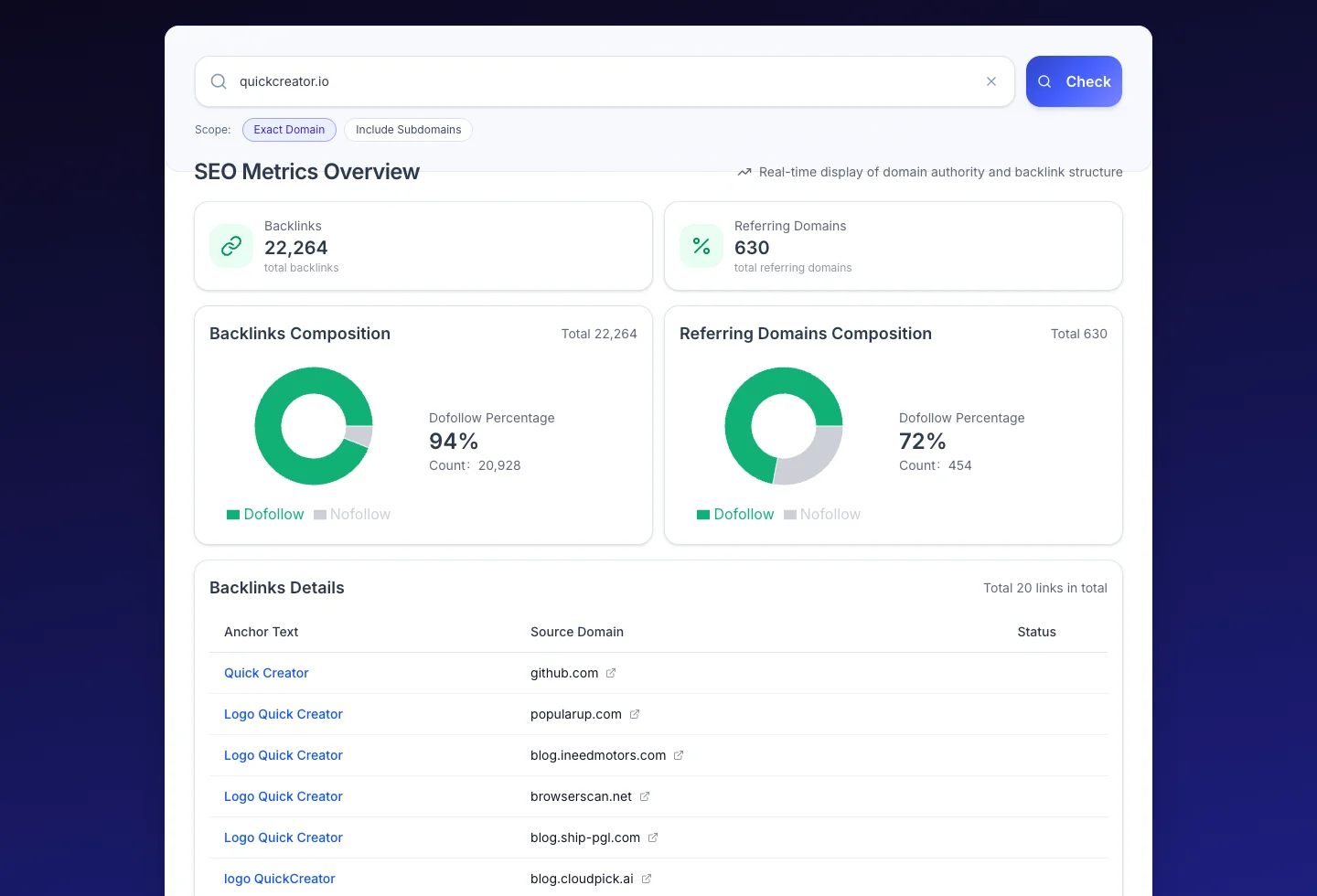
Sample output from the free backlink checker — total backlinks, referring domains, dofollow share, and the top referring domain list, all in one view.
Backlink Checker vs Other SEO Tools You'll Need
Backlinks are one piece of the SEO puzzle. Pair this checker with these companion tools on QuickCreator:
- Backlink Finder — Discover new backlink opportunities for your site, with personalized outreach suggestions.
- Link Checker — Audit every internal and external link on a page for status and SEO best practices.
- Dead Link Checker — Find broken links anywhere on a site, then turn them into recovery opportunities.
- Domain Age Checker — Vet a referring domain's age and registration history before chasing it as a link prospect.
- Page SEO Checker — Audit any page for on-page SEO basics — title, meta, headings, internal links.
- Traffic Trend Checker — Verify that the backlinks you build actually move traffic, not just rankings.
Next: Use the Backlink Finder to discover your competitors' best link sources and turn them into outreach targets.
FAQs
Is this backlink checker really free?
Yes — completely free. No signup, no credit card, no daily query cap. Enter any domain or URL and run as many checks as you need.
How do I check backlinks for any website?
Enter the domain or URL in the search box above, choose Exact Domain or Include Subdomains, then click Check Backlinks. You'll see all available referring domains, anchor text, link types, and authority metrics in seconds.
What's the difference between dofollow and nofollow backlinks?
A dofollow link passes ranking weight (link equity) to the target site — these are the links that directly help SEO. A nofollow link tells Google not to pass weight, but it still drives referral traffic and adds natural diversity. UGC and Sponsored are newer subtypes Google introduced in 2019 to label user-generated and paid links specifically. A healthy backlink profile contains a mix of all four.
Can backlinks help with AI search visibility (ChatGPT, Perplexity)?
Yes. Answer engines like Google AI Overview, ChatGPT search, and Perplexity rely heavily on link-based authority signals to decide which sources to cite. A page with more high-quality referring domains is far more likely to be surfaced as an AI answer source. Building backlinks is now part of AEO (Answer Engine Optimization), not just SEO.
How accurate is the backlink data?
The tool returns the backlinks available in our index at query time. Crawl coverage varies by site, so it should be used as directional analysis alongside Google Search Console for your own sites. For unknown sites, the data is the most accurate signal you can get without a paid enterprise tool.
Why are some backlinks marked as "Lost" or showing redirects?
Backlinks can disappear when the referring page is deleted, the link is removed, or the URL redirects elsewhere. The tool surfaces these so you can decide whether to ask for the link back, redirect the broken target, or move on.
Looking for a powerful tool to improve your content?
Try QuickCreator to Create professional, unique, and personalized content without hiring, outsourcing, or managing complex workflows.
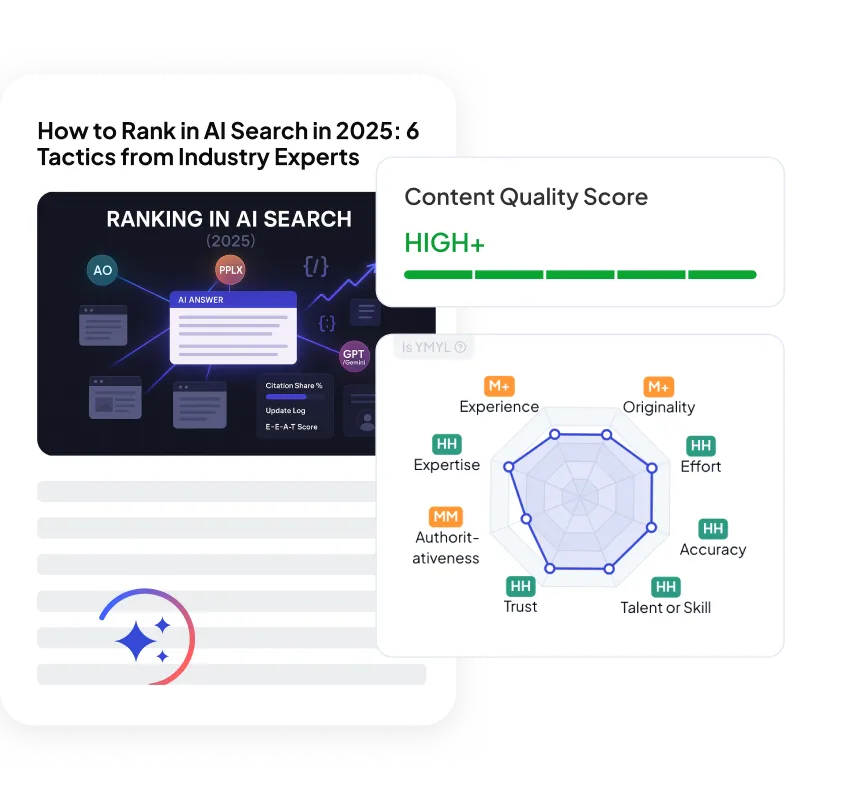
Other SEO Tools tools you may find helpful
Other free tools






Real SEO & GEO Growth for Small Teams.
Create professional, unique, and personalized content without hiring, outsourcing, or managing complex workflows.