Introduction
Creating a 3D asset rarely begins with a model.
More often, it starts with an idea — a product concept, a game character, a marketing visual, or a design direction. While modern AI tools and AI 3D model generators have made 3D generation significantly more accessible, many creators still face an earlier challenge: understanding what they want to build and why it should exist.
A rough idea may sound promising, but ideas rarely exist in isolation. Effective designs are shaped by context — who the asset is for, how it will be used, what visual language it should communicate, and what goals it needs to achieve.
Without that context, even the most advanced AI generation tools can produce results that feel inconsistent or disconnected from the original vision. In many cases, the quality of a 3D asset is determined long before the first polygon is generated.
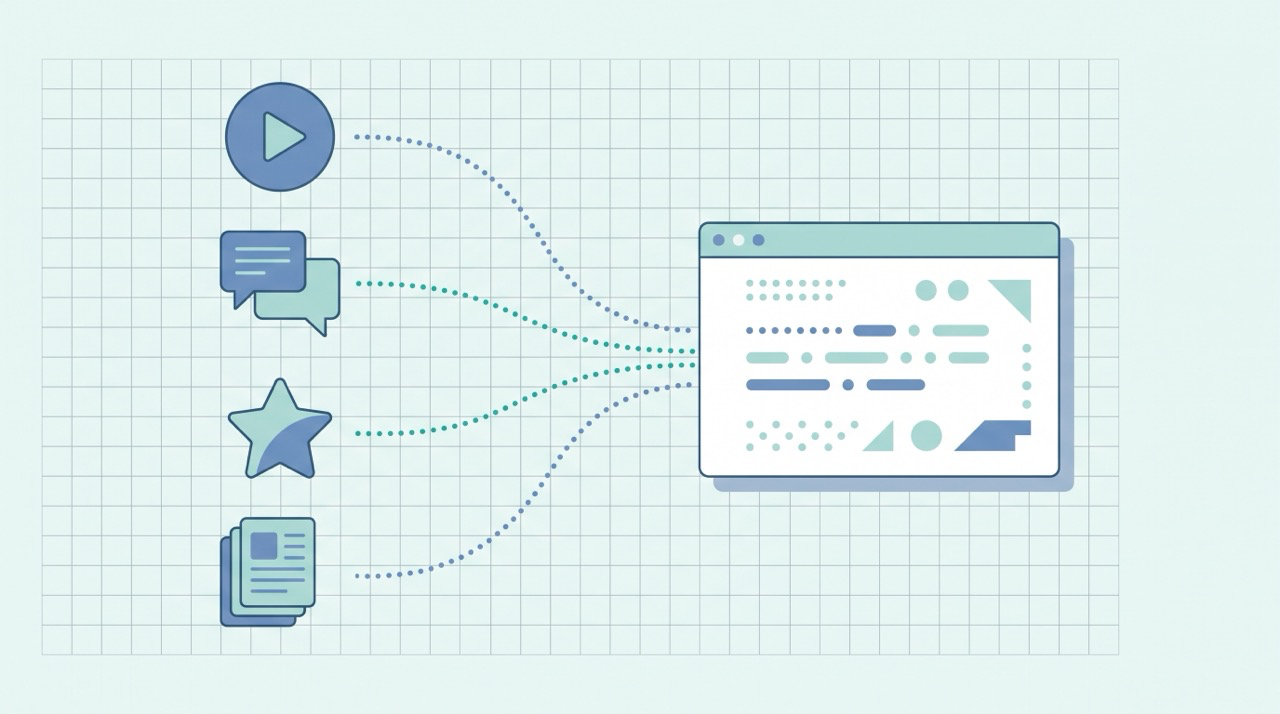
Most creators assume 3D generation starts with modeling. In reality, it starts with context. This is where QuickCreator and Tripo complement each other.
QuickCreator helps creators develop context-aware creative briefs by organizing ideas, clarifying intent, identifying target audiences, and refining creative direction. Those outputs can then serve as the foundation for Tripo's AI-powered 3D workflow, transforming structured concepts and visual references into production-ready 3D assets.
Together, they create a workflow that moves from context and concept development to AI-powered 3D realization — helping creators spend less time guessing what to build and more time bringing ideas to life.
Product Overview
QuickCreator: Contextualizing What to Build
QuickCreator is an AI-powered content creation platform that helps creators develop ideas within a meaningful context rather than treating them as isolated prompts.
In this workflow, QuickCreator is used before any 3D generation begins. Instead of immediately turning a rough idea into a prompt, creators can use QuickCreator to research, expand, and structure the concept through content planning, topic development, audience analysis, and creative brief creation.
This step is important because strong concepts rarely emerge from ideas alone. They are shaped by context. A companion robot designed for elderly care, for example, would require a very different personality, appearance, communication style, and interaction model than one designed for children or technology enthusiasts.
Using QuickCreator, creators can explore questions such as:
- Who is the target audience?
- What problem does the product solve?
- What design language should it communicate?
- What personality traits should it express?
- What visual characteristics should define it?
- How should it be positioned and described?
For example, a simple idea such as “a futuristic companion robot” can be expanded into a structured creative brief that includes target users, intended use cases, design goals, visual direction, material references, personality traits, and communication style.
Rather than generating content from a single prompt, QuickCreator helps creators build a more complete understanding of the concept before moving into production.
Within this workflow, QuickCreator serves as the contextualization layer: helping creators define not only what they want to build, but also why it should exist, who it is for, and how it should be presented.
Tripo: Transforming Creative Context into 3D Assets
Tripo Studio is an AI-powered 3D workstation and AI 3D model generator that helps creators transform text prompts or reference images into editable, exportable 3D models.
In this workflow, Tripo takes the context-aware creative brief developed with QuickCreator and turns it into a tangible 3D asset. Rather than generating from an isolated prompt, creators begin with a concept that has already been shaped by audience needs, design goals, visual direction, and intended use cases.
Using Tripo's Text-to-3D Model and Image to 3D Model workflows, creators can quickly translate those structured concepts into an initial 3D model. This allows ideas to move beyond written descriptions and become something that can be viewed, evaluated, and refined visually.
At this stage, Tripo functions not only as a generation tool, but also as a concept validation tool. Creators can assess whether the generated asset accurately reflects the original creative intent before investing additional time in production or iteration.
From there, Tripo provides additional tools for HD Model generation, AI texture enhancement, topology optimization, segmentation, and export preparation.
This makes Tripo more than a model generation platform. It serves as the realization stage of the creative process, helping creators move from creative briefs and design concepts to visual, editable, and production-ready AI 3D assets.
Models can be previewed, refined, optimized, exported, and integrated into downstream workflows such as product visualization, game development, marketing content creation, AR/VR experiences, and design prototyping.
Within this workflow, Tripo serves as the realization layer: transforming creative intent into a usable digital object.
Why Context Matters
Clear concepts create better models, but context creates better concepts.
Many creators focus on the generation stage while overlooking what happens before it. A prompt may describe what an object looks like, but context explains why it should look that way, who it is for, and how it will be used.
For a futuristic companion robot, this matters. A robot designed for elderly care should feel warm, approachable, and easy to understand. A robot designed for technology enthusiasts may look sleeker, sharper, and more experimental. Both could begin with the same basic idea, but the final 3D assets would need to communicate very different intentions.
This is why contextual planning is not an extra step in the workflow. It is what helps turn a rough idea into a creative brief that can guide more consistent AI 3D generation.
Workflow: From Creative Brief to a Production-Ready AI 3D Asset
A strong 3D asset rarely begins with generation alone.
Before a model can be created, creators must first define the context behind the idea—who it is for, what purpose it serves, and how it should be perceived. The clearer these decisions become, the easier it is to create assets that remain consistent throughout the design process.
To demonstrate how QuickCreator and Tripo work together, we'll use a simple concept: a futuristic companion robot designed to assist people in their daily lives.
Rather than jumping directly into AI 3D generation, we'll begin by developing the concept, refining its intended audience and visual direction, and transforming it into a structured creative brief. From there, we'll use Tripo to visualize, validate, refine, and export the concept as a production-ready AI 3D asset.
This workflow illustrates how context can evolve into a creative brief, and how a creative brief can ultimately become a tangible 3D asset.
Step 1: Establish the Context Behind the Concept
Every project starts with an idea, but successful designs are shaped by context.
For this example, we'll begin with a simple concept:
A futuristic companion robot designed to assist people in their daily lives.
At first glance, the idea seems straightforward. However, before any visual design decisions can be made, several important questions need to be answered.
- Who is the robot designed for?
- What problem is it solving?
- Should it feel warm and approachable, or highly advanced and technical?
- What role will it play in a user's daily life?
Using QuickCreator, creators can explore the broader context surrounding the concept by identifying target audiences, intended use cases, design goals, and communication styles.
By the end of this stage, the project evolves from a rough idea into a clearly defined creative direction with a specific purpose and audience.
Step 2: Develop a Context-Aware Creative Brief
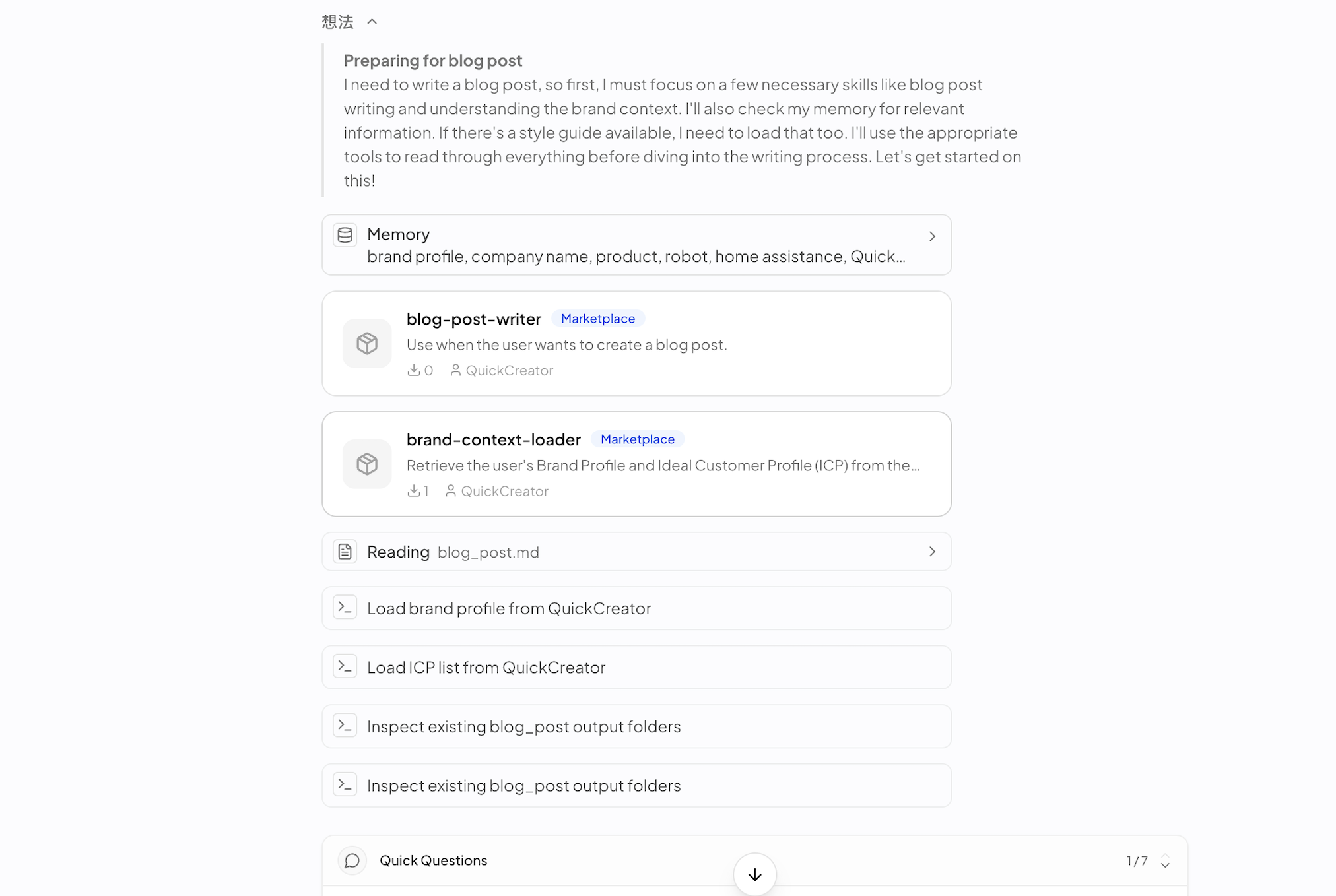
Once the broader context has been established, the next step is translating those decisions into a structured creative brief.
Using QuickCreator, creators can organize information such as personality traits, visual characteristics, design language, material references, and functional requirements into a more actionable design framework.
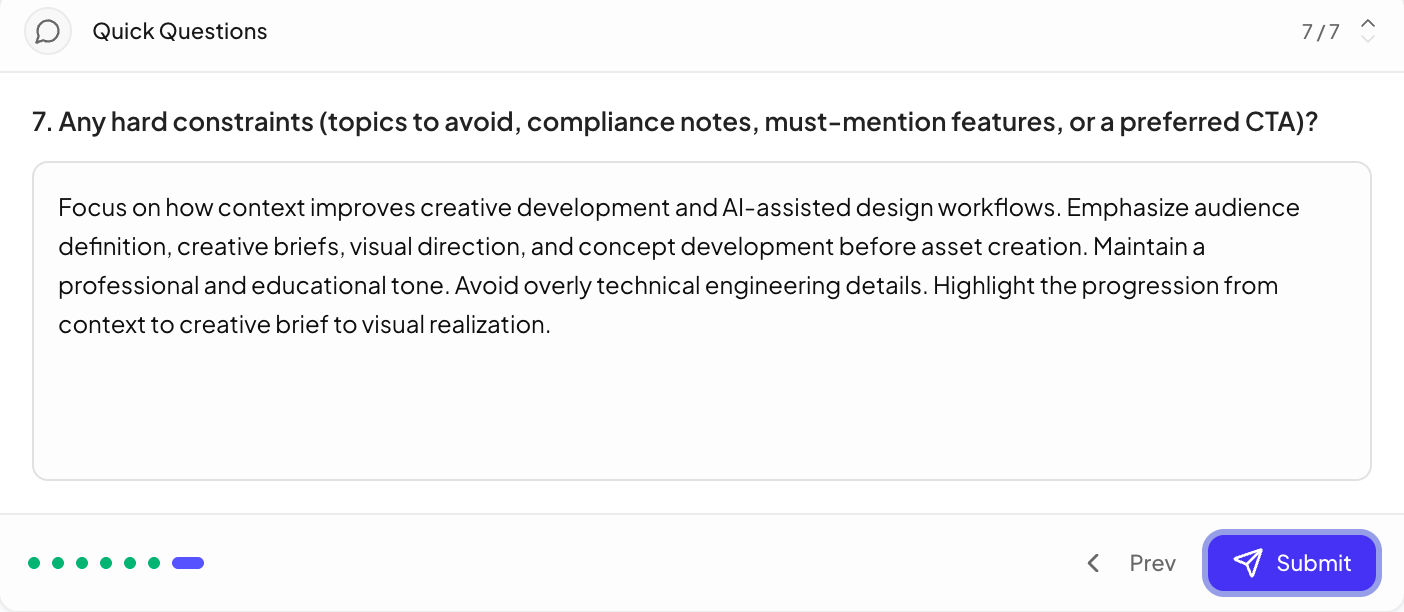
Based on the audience and use-case definitions established in QuickCreator, creators can begin identifying design decisions such as:
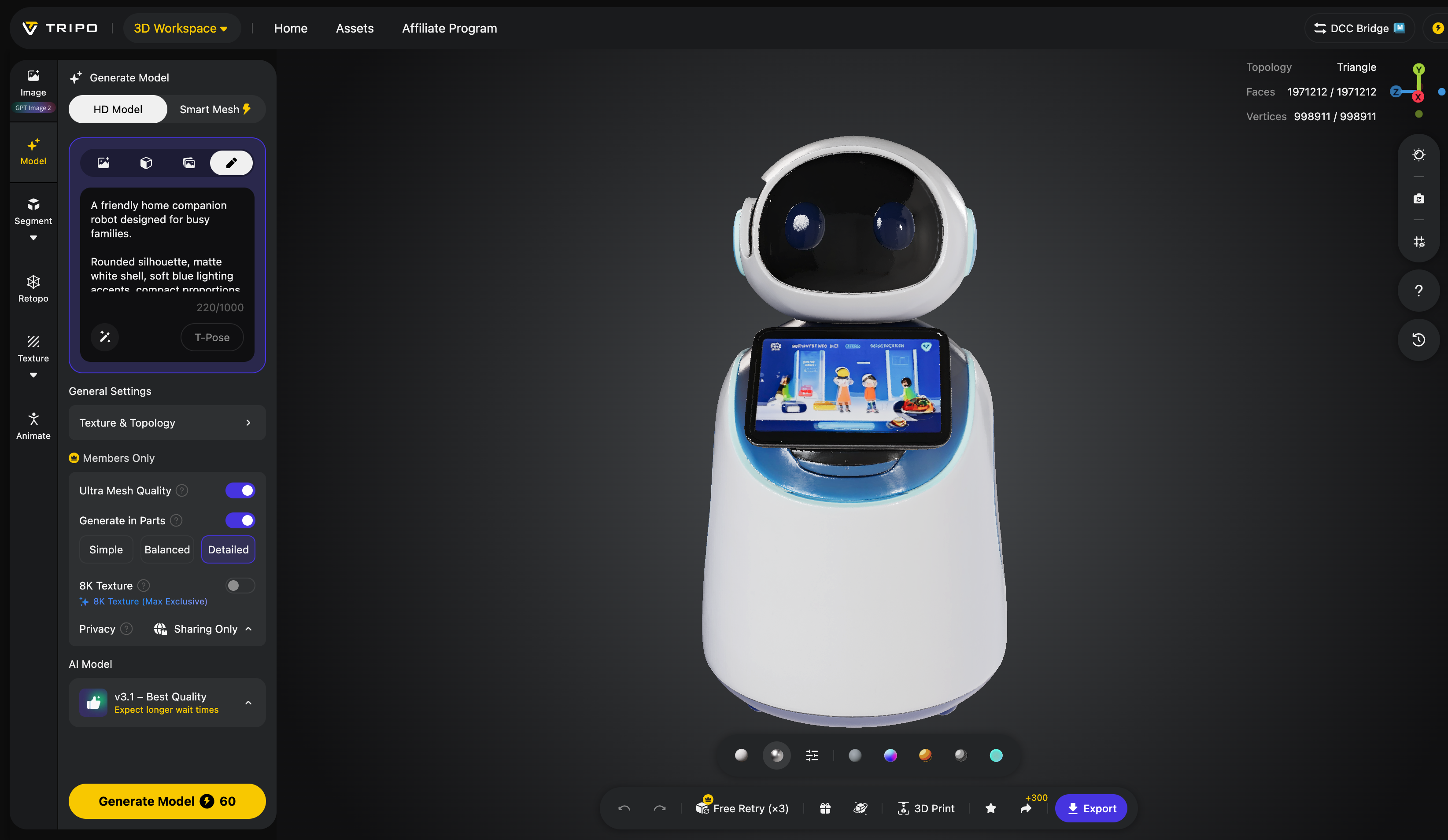
- Friendly and approachable personality
- Rounded silhouette
- Matte white exterior
- Soft blue lighting accents
- Compact proportions suitable for home environments
- Interactive display for communication
These details help transform abstract intentions into a clearer visual direction that can guide downstream AI 3D generation.

Step 3: Translate the Brief into Generation Inputs
With the creative brief in place, the next step is preparing assets for AI 3D generation.
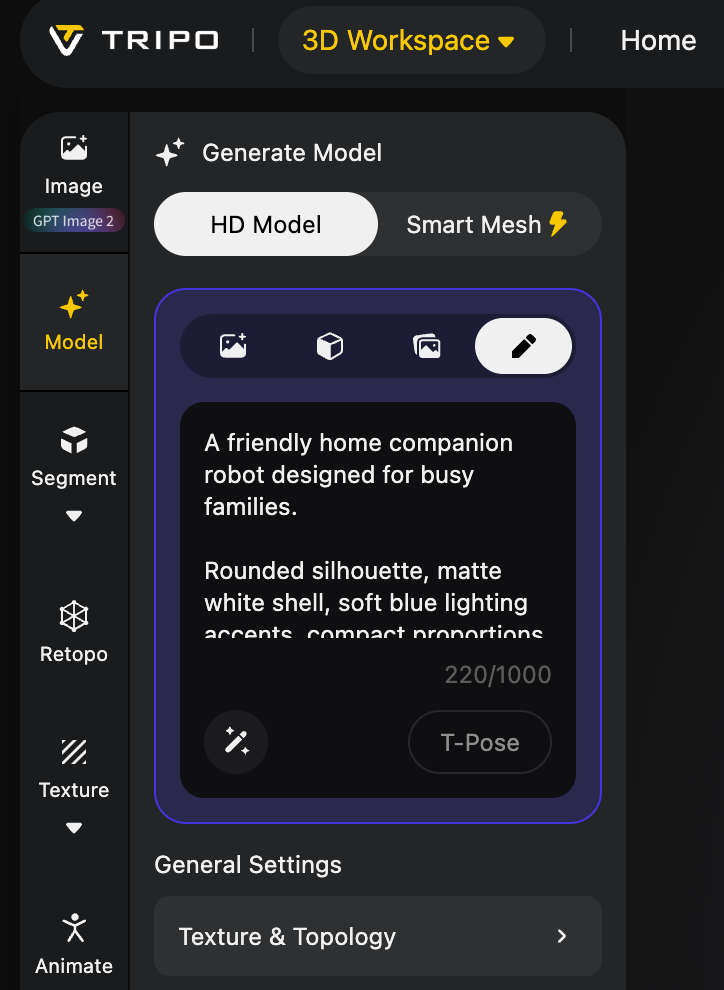
Using the concept, audience requirements, visual direction, and design language developed in QuickCreator, creators can prepare generation-ready inputs for Tripo.
These inputs may include:
- Detailed Text-to-3D prompts
- Visual reference images
- Mood boards
- Style references
- Design descriptions
Because these materials are derived from a structured creative brief rather than a single prompt, they provide a stronger foundation for consistent AI 3D generation.
This stage bridges creative strategy and AI 3D generation, ensuring that the final asset reflects the original intent rather than a loosely interpreted prompt.

Step 4: Generate the Initial 3D Model in Tripo
With the concept now clearly defined, it's time to move into Tripo Studio.
Creators can use either Text-to-3D Model or Image-to-3D Model workflows depending on the available inputs. For this example, we use the visual references and concept description developed in QuickCreator and upload them into Tripo.
By starting with a well-defined creative brief rather than a vague prompt, the generation process becomes more predictable and aligned with the original vision.
After generation, Tripo produces the first version of the companion robot, complete with its overall form, proportions, and key design characteristics. This initial model serves as the foundation for further refinement and optimization.
At this stage, creators can evaluate whether the generated result successfully captures the intended concept before moving into the next phase of the AI 3D workflow.
Step 5: Refine and Optimize the Asset
Generating a model is only the beginning.
Tripo provides a range of tools that help transform the initial output into a more production-ready 3D asset. Rather than treating generation as the final step, creators can continue improving the model based on project requirements and intended use cases.
Depending on the workflow, creators can:
- Generate HD models for greater geometric detail
- Generate AI textures for richer materials and improve texture quality for presentation-ready assets
- Use topology optimization and segmentation tools to prepare assets for production workflows
- Refine materials and surface appearance
- Prepare assets for game development, visualization, AR/VR, or marketing applications
These refinements help bridge the gap between an early concept model and a production-ready AI 3D asset.
By combining AI-powered generation with downstream optimization tools, creators can move beyond rapid prototyping and develop assets that are ready for real-world creative workflows.
Step 6: Export and Apply the Final Asset
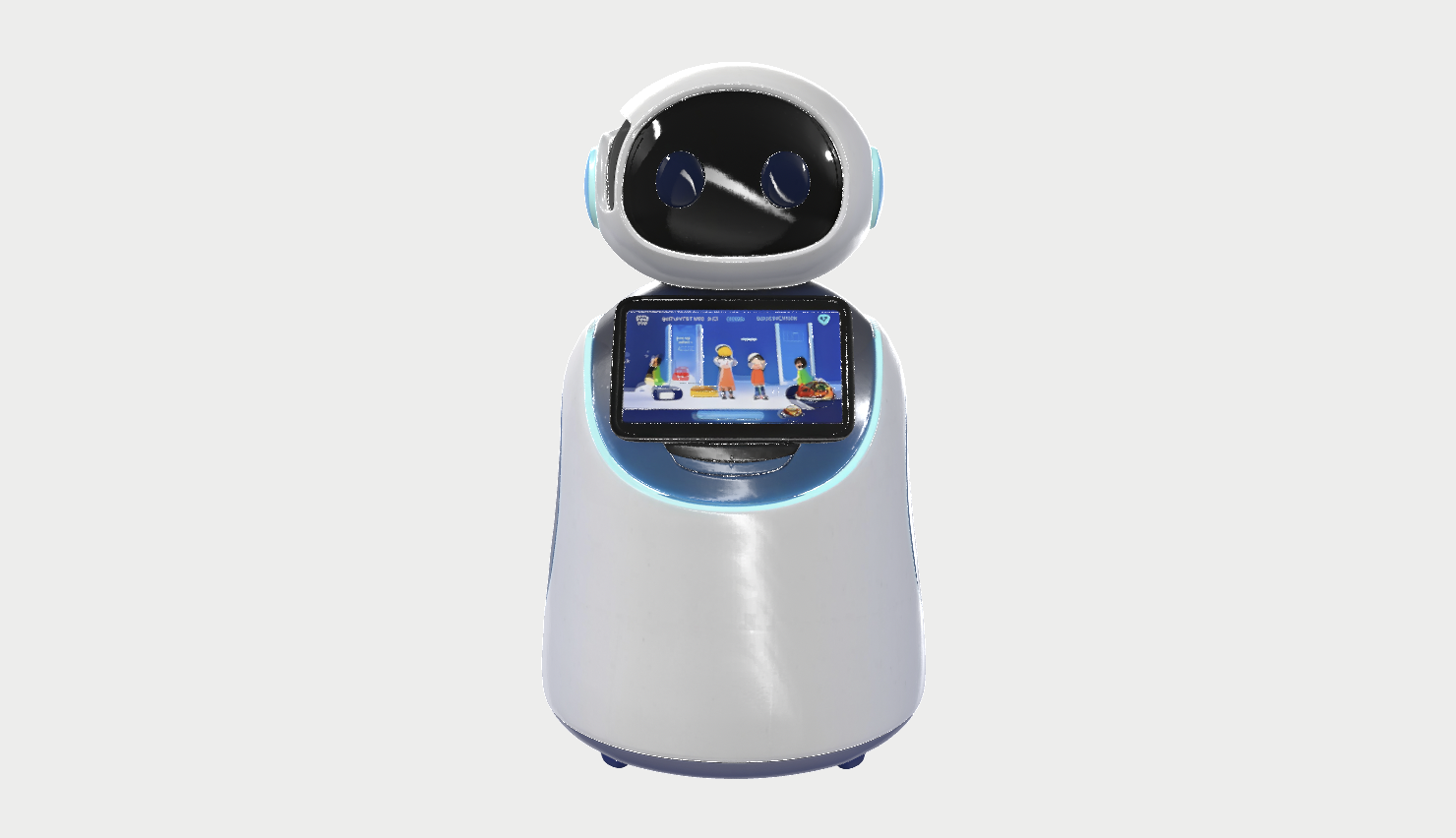
Once the model is finalized, it can be exported for a variety of creative workflows.
The companion robot can be used for:
- Product visualization
- Marketing campaigns
- Game development
- AR and VR experiences
- Design exploration and prototyping
Rather than starting with a blank canvas, creators now have a fully realized 3D asset that originated from a simple idea and evolved through a structured concept-to-creation workflow.
Use Cases
Product Concept Visualization
Many product ideas begin as rough descriptions rather than fully developed designs.
Before investing time in industrial design, modeling, or prototyping, teams often need a way to visualize and evaluate a concept. By using QuickCreator to define the audience, positioning, design goals, and visual direction, creators can build a stronger creative brief before moving into Tripo for AI 3D generation.
This allows early-stage concepts to be transformed into tangible 3D assets that support stakeholder reviews, product discussions, presentations, and design validation.
Game Asset Development
Game developers frequently explore multiple concepts before committing to production.
A character designed for a family-friendly adventure game, for example, requires a very different visual language than one intended for a science-fiction shooter. By establishing the context, personality, and design intent in QuickCreator first, teams can generate more consistent AI 3D assets in Tripo and reduce unnecessary iteration later in the pipeline.
This workflow helps accelerate concept exploration, prototyping, and creative decision-making.
Marketing and Campaign Visualization
Marketing campaigns often rely on products, mascots, characters, or futuristic concepts that do not yet exist.
QuickCreator can help teams develop the narrative, audience positioning, and creative direction behind these ideas, while Tripo transforms those concepts into visual assets that can be used for presentations, campaign planning, promotional materials, and content creation.
Instead of communicating an idea through text alone, teams can quickly create visual representations that are easier to share, evaluate, and refine.
Design Exploration and Rapid Prototyping
Creative teams rarely stop at their first idea.
By combining contextual planning with AI-powered 3D generation, creators can explore multiple directions, compare visual approaches, and validate concepts before committing resources to more intensive production workflows.
This makes it easier to experiment, iterate, and discover stronger design solutions while maintaining consistency between the original concept and the final 3D asset.
Final Result
Creating a successful 3D asset is often less about generation and more about understanding.
The strongest assets rarely begin as prompts. They begin as ideas that have been explored, refined, and shaped by context. The clearer the audience, purpose, visual direction, and creative intent become, the easier it is to transform those ideas into meaningful and consistent 3D assets.
By combining QuickCreator and Tripo, creators can move through this process more effectively. QuickCreator helps develop the context behind a concept, while Tripo transforms that context into a visual, editable, and production-ready AI 3D asset.
Rather than treating ideation, planning, visualization, and asset creation as separate steps, this workflow connects them into a continuous creative process. Concepts become creative briefs, creative briefs become visual models, and visual models become assets that can be refined, validated, and applied across real-world projects.
Ultimately, the goal is not simply to generate a model. It is to create assets that communicate a clear idea.
Great 3D assets do not begin with generation.
They begin with context.