How long does it take to build an independent website (business/ecommerce)?

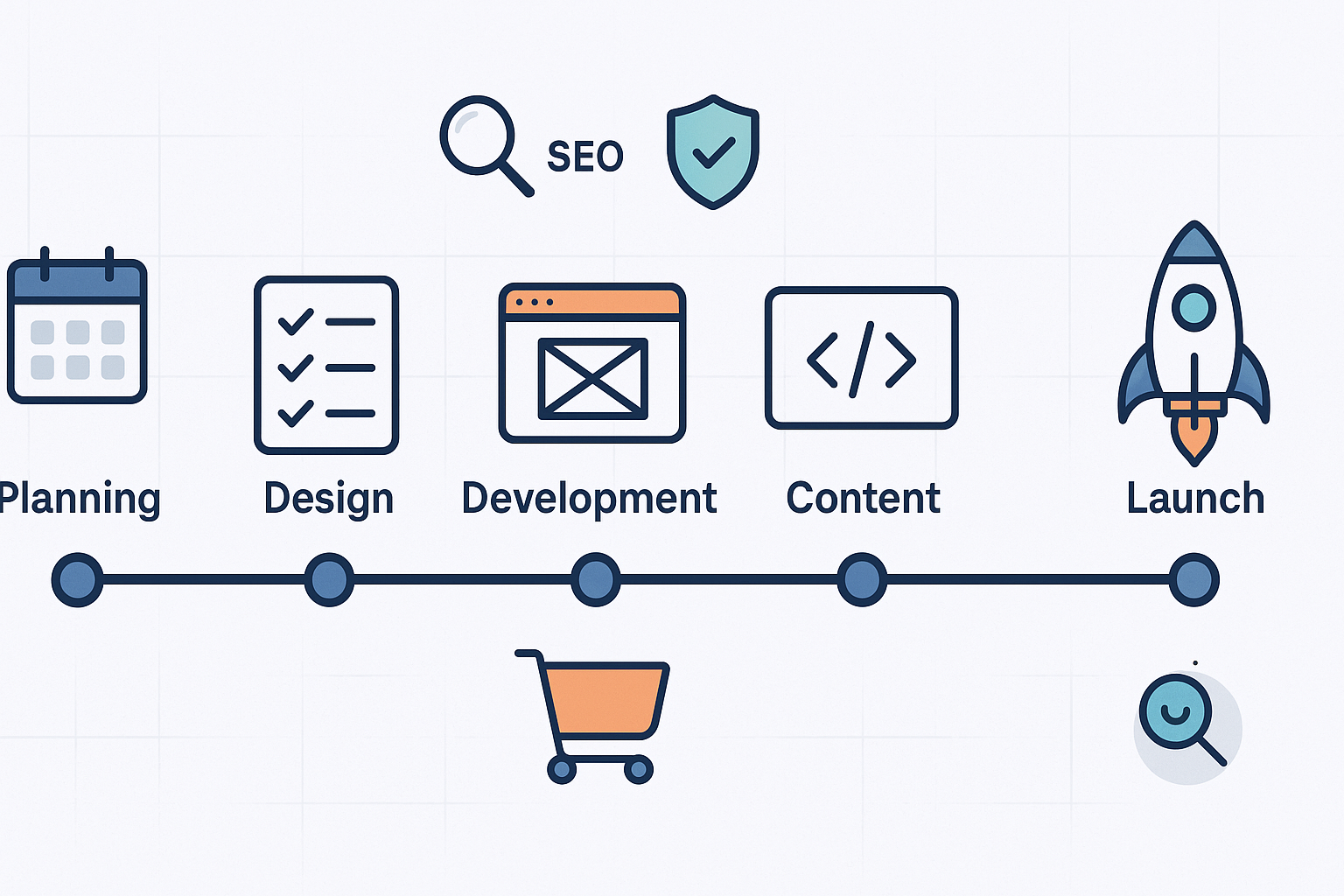
Building a standalone business or ecommerce site isn’t one-size-fits-all. Timelines depend on scope, content readiness, integrations, and how decisively stakeholders can approve work. Below are the questions most teams ask—and straight answers that help you set realistic expectations and keep your project on track.
1) What exactly counts as an “independent website,” and why does that matter for timing?
An independent website is your own standalone site (your domain, your hosting, your CMS/storefront), not a marketplace listing or platform-dependent page. Because you own the stack, your timeline includes planning, design, development/configuration, content production, SEO, compliance, testing, and launch. That broader responsibility is why estimates vary more than for a simple marketplace listing.
You might also want to know: timelines change a lot based on whether you build with a template on a hosted platform (e.g., Shopify, Webflow) versus a custom theme on WordPress or a headless stack.
2) So how long does it take by site type?
Short answer:
- Small business brochure or blog (5–10 pages): typically 4–10 weeks depending on content readiness and approvals.
- DIY template builds (Wix/Squarespace/WordPress/Elementor): 1–2 weeks for professional polish; “build in a day” usually means a basic placeholder without full content, QA, or SEO.
- Ecommerce stores: basic stores often take 8–20+ weeks; complex catalogs or custom features push into 3–12 months.
For 2024–2025 context, industry guides outline similar ranges. Shopify’s 2025 overview of steps and pacing aligns with these bands, see the concise breakdown in Shopify’s website timeline guide (2025). Agency and platform analyses also describe multi-week builds for brochure sites and multi-month builds for complex ecommerce, as summarized in Naturaily’s budget and timeline guide (2024) and hosting/platform perspectives like Bluehost’s 2025 small business timing overview.
3) What are the typical phases—and how much time do they need?
For a small business brochure/blog:
- Planning & discovery: 1–2 weeks (goals, sitemap, requirements)
- Design (UI/UX): 2–3 weeks (wireframes, visual system, accessibility)
- Development/configuration: 1–2 weeks (CMS setup, theme, plugins)
- Testing & QA: 3–5 days (functional checks, performance, accessibility)
- Launch: ~1 day (DNS, SSL, final deploy)
These phase ranges are consistent with 2024–2025 agency summaries, e.g., the breakdowns provided in Naturaily’s timeline guide and project planners like Ramotion’s 2024 overview (not linked here to maintain link density).
For ecommerce (scope drives variance):
- Planning & research: 1–2 weeks
- Design (UI/UX): 2–4 weeks
- Content & catalog prep: 2–3+ weeks (product data, photos)
- Development & integrations: 4–8+ weeks (themes, checkout, payments, tax, shipping)
- Testing, security & compliance: 1–2+ weeks
- Launch: 1–2 days
4) What speeds projects up—and what slows them down?
Accelerators:
- Use proven platforms/templates (Shopify, WooCommerce, Webflow) for faster configuration.
- Start with an MVP scope and plan phased releases (e.g., core pages first, advanced modules later).
- Keep the catalog small at launch (ecommerce) and expand after stabilizing operations.
- Tight feedback loops (e.g., weekly approvals) and clear change control.
Decelerators:
- Custom features, complex integrations (ERP/CRM/PIM), or large catalogs requiring data cleansing.
- Content delays (copy, imagery, video) and indecisive stakeholder reviews.
- Compliance and security tasks (e.g., payment page standards) that require extra testing.
- Technical debt or unexpected bugs discovered during QA.
You might also want to know: many teams underestimate content production time. If the copy, images, and product data aren’t truly ready, timelines slip—even if the build itself is simple.
5) What adds time specifically for ecommerce builds?
A few big timeline drivers:
- Catalog size and quality: cleaning and enriching product data (titles, descriptions, specs, imagery) can add weeks for medium/large catalogs.
- Payments: integrating popular gateways (e.g., Stripe/PayPal) is often a 1–2 week task including configuration and testing; custom or legacy gateways can take 3–6 weeks. See the 2024–2025 overview in Shopify’s payment gateway guide.
- Tax/shipping: single-region setups can be 1–2 weeks; multi-region rules and carriers often add several weeks.
- Checkout UX and performance: iterative testing to reduce friction (guest checkout, address validation, mobile flows) typically runs in parallel but can extend QA.
6) Do multilingual sites take longer—and by how much?
Yes. Even basic bilingual sites add setup, translation, and SEO steps:
- Two languages (EN +1): plan 5–10 weeks end-to-end (setup, translation, hreflang, QA).
- Five languages (EN +4): plan 12–20 weeks.
The technical foundation is well documented by Google. For example, Google’s international SEO documentation explains essential practices like bi-directional hreflang and consistent canonicals in Google Search Central’s “Localized versions” guide (current in 2025). Getting these right avoids misindexing and prevents costly rework.
7) We’re redesigning or migrating—what’s the timeline?
Ranges vary widely:
- WordPress-to-WordPress migrations: hours to a couple of days for small/medium sites, plus DNS propagation time; see the 2024 guidance in WP Engine’s migration resource.
- CMS/platform replatforming (e.g., Webflow to WordPress, or Shopify changes): a few weeks for small sites to several months for complex catalogs and integrations.
Key risks that extend schedules: URL redirects, metadata and structured data migration, plugin/app parity, integration rewrites, content audits, and full device/browser QA. Plan for DNS propagation buffers during cutover.
8) What pre-launch SEO and analytics steps should be scheduled (and how long do they take)?
Minimum checklist with typical durations:
- Core Web Vitals: audit with PageSpeed Insights/Lighthouse (1–3 hours initial fixes). Google’s current thresholds (e.g., LCP under ~2.5s; CLS under ~0.1) are documented in Google’s Web Vitals guidance.
- GA4 setup: account/property/stream (15–30 minutes), tag installation (10–30 minutes), with standard reports populating in 24–48 hours; see Google’s GA4 developer docs.
- Google Search Console: domain verification (10–20 minutes), sitemap submit (10–15 minutes), indexing/reporting typically visible within 24–48 hours; see Google’s verification instructions in Search Console help.
- Consent management (GDPR/CCPA): CMP setup and GA4 Consent Mode configuration usually 1–2 hours; follow the implementation notes in Google’s consent mode documentation (not re-linked here to manage link density).
- Technical SEO audit: crawl and fix basic issues (titles, meta, canonicals, robots, schema, 404s, internal links). Allocate 2–4 hours for the audit and 1–2 hours for fixes, depending on site size.
9) Are there compliance requirements that can extend a timeline—especially for ecommerce?
Yes. Ecommerce payment pages have additional requirements under PCI DSS v4.x, effective after March 31, 2025. Guidance covers topics like script authorization/integrity and change/tamper detection on payment pages. See the 2025 update notes and discussion in the PCI Security Standards Council’s blog and podcast overview. If you fully offload checkout via a redirect (SAQ A scope), some responsibilities differ; confirm with your payment provider and compliance lead.
Accessibility (WCAG) and privacy (GDPR/CCPA) also add tasks—such as keyboard navigation, alt text, semantic markup, consent management, and data rights workflows. Budget time for these in design and QA.
10) Can we compress the timeline without sacrificing quality?
Yes—if you manage scope and adopt a phased approach:
- MVP first: prioritize core pages and essential ecommerce flows; defer advanced features to phase two.
- Templates and design systems: use a high-quality theme or component library, then customize with your brand.
- Content readiness: write and approve copy early; maintain a shared checklist for imagery, product data, and legal pages.
- Weekly approvals: set fixed review cadences with decision-makers; track changes via a simple change-control log.
- Performance budget: agree on target page weights and vitals to avoid late-stage bloat.
- Parallelize QA: run accessibility, performance, and mobile responsiveness checks alongside development.
You might also want to know: even with an MVP, don’t skip analytics and basic SEO—otherwise you’ll lose time troubleshooting post-launch.
11) What should our launch checklist include to avoid last-minute delays?
A pragmatic list:
- DNS, SSL, and redirects tested
- 404/500 error handling
- Forms (contact, newsletter) and transactional emails
- Payment, tax, shipping flows (ecommerce)
- Core Web Vitals and mobile responsiveness
- Structured data and sitemaps
- GA4 and Search Console confirmations
- Accessibility screens: focus order, alt text, color contrast, keyboard navigation
- Backup and rollback plan
12) What if we hit delays—how do we recover?
- Re-baseline scope: split features into “now” vs. “later” and lock today’s MVP.
- Triage bottlenecks: if content is late, substitute temporary copy and publish core pages; if integrations stall, use interim workflows.
- Expand buffers: add contingency to QA and cutover windows; avoid weekend launches unless support is guaranteed.
- Communicate decisively: publish a single source of truth for decisions; enforce change control.
Next steps and helpful resources
If your timeline hinges on how quickly you can produce content and get your blog pages SEO-ready, QuickCreator can help you plan and publish efficiently across teams, with AI-assisted writing and one-click WordPress publishing. Disclosure: QuickCreator is our product.
- Explore the AI-assisted workflow and publishing overview in How QuickCreator works.
- Generate and optimize SEO-ready drafts with the AI Blog Writer.
- Considering multilingual content? Review beginner-friendly options and notes in 10 best free blog sites for beginners (2025).
Remember: the fastest launches come from clear scope, content readiness, and steady approvals—plus disciplined QA for performance, accessibility, and compliance. Stay pragmatic, ship the MVP, then iterate.
