Technical SEO for Ceramics & Glass (Tableware, Tiles, Décor) in 2025: Crawl Budget, Faceted Navigation & Page Speed

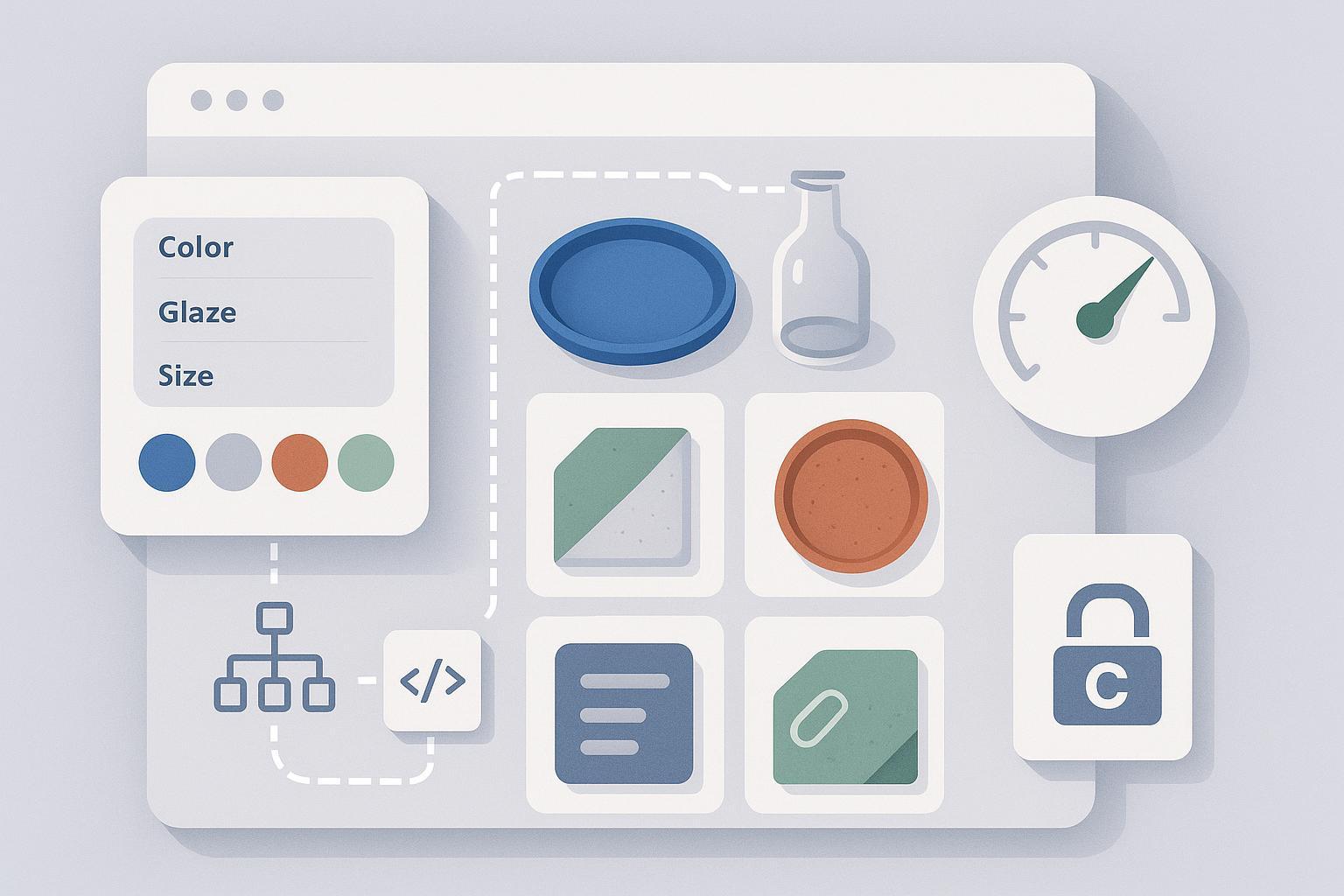
In my work with ceramics, tile, and glass ecommerce, three technical issues repeatedly undermine organic growth: crawl waste from endless filter combinations, index bloat from poorly handled parameters, and slow, image-heavy templates. This guide distills workflows I use to fix those problems—grounded in Google’s 2024–2025 guidance and tailored to catalogs where color, glaze, finish, size, and material drive both navigation and demand.
Current as of 2025. Where I cite a stat or method, you’ll see a direct link to the authoritative source.
1) Crawl Budget: Focus Googlebot on URLs That Matter
Large, filter-rich catalogs can generate thousands of low-value URLs. Your goal is to concentrate crawling on canonical categories, curated filtered landers, and products—without blocking essential rendering.
1.1 What to monitor and why
- Use the Crawl Stats report in Search Console to see crawl demand versus capacity and to spot availability throttling. Google explains how to correlate spikes and the “red line” (capacity limit) in the Crawl Stats UI in its 2024 documentation: see the guidance on the Crawl Stats report and large-site crawl management in the official Google Search Central docs (Crawl Stats report, Google 2024; Managing crawl budget for large sites, Google 2024–2025).
- If you’re on a CDN, Google’s December 2024 update notes its crawler can send more parallel requests when it detects CDN-backed sites, effectively raising your crawl capacity threshold (Google Search Central blog on crawling and CDNs, Dec 2024).
Practical signals to track monthly:
- % of Googlebot hits to target templates (category/product) vs. parameterized/filter URLs
- Availability errors (5xx) and response-time trends in Crawl Stats
- Indexed URL counts by template in Search Console Indexing
1.2 Sitemaps that steer crawl demand
Sitemaps are hints, not commands, but they’re one of your best levers to focus Google’s discovery.
- Include only canonical, indexable URLs; segment by type (e.g., /sitemaps/categories.xml, /sitemaps/products.xml) and locale. Follow Google’s size limits (50,000 URLs or 50MB uncompressed per file) and use a sitemap index as needed (Build sitemaps, Google 2024; Large sitemaps, Google 2024).
- Keep lastmod accurate to content changes; Google reiterated in 2023 that lastmod is useful when it reflects real updates (Google sitemaps lastmod guidance, 2023).
- For ceramics/glass, maintain dedicated maps for evergreen guides and categories; exclude filtered URLs and ephemeral search results.
1.3 Robots.txt: conserve crawl without hiding rendering resources
Use robots.txt to prevent crawling of obviously low-value surfaces. Do not block CSS/JS/image directories required for rendering or structured data.
Example patterns (adapt your parameters):
User-agent: *
# Internal search
Disallow: /*?q=
Disallow: /*&q=
# Sort and view modes
Disallow: /*?sort=
Disallow: /*&sort=
Disallow: /*?view=
Disallow: /*&view=
# Session/tracking params
Disallow: /*?sessionid=
Disallow: /*&utm_
# Carts/checkout/account
Disallow: /cart/
Disallow: /checkout/
Disallow: /account/
Remember the distinctions in Google’s docs: robots.txt blocks crawling, not indexing. If a disallowed URL is linked externally, it can still appear in results; use meta robots noindex on pages you explicitly don’t want indexed while allowing link equity to flow (Google block indexing vs. block crawling, 2024; Robots.txt intro, Google 2024).
1.4 After the URL Parameters tool: modern controls
Google deprecated the URL Parameters tool in 2022; its crawlers now learn parameter behavior automatically. You should control parameters via URL design, robots.txt, canonicalization, and meta robots—not legacy Search Console settings (URL Parameters tool deprecation, Google 2022). Pair this with high-quality sitemaps and hreflang (sitemap-supported) for multi-locale catalogs.
1.5 A crawl-budget workflow that works for ceramics/glass
- Baseline crawl: Use Screaming Frog or Sitebulb to inventory parameters, duplicate sets, and indexability. Export a URL list with query-string breakdowns (Screaming Frog SEO Spider).
- Inspect Crawl Stats: Look for availability dips and spikes; note example URLs Google lists in spikes (Google Crawl Stats, 2024).
- Analyze server logs: Quantify Googlebot hits by path/parameter; identify top wasteful patterns (e.g., sort=price, in-stock-only toggles, internal search).
- Implement minimal robots.txt disallows for non-SEO surfaces (sort, view, internal search). Do not block needed discovery paths.
- Clean sitemaps: Only canonical categories, curated filtered landers, and products. Remove discontinued products unless you maintain a helpful replacement strategy.
- Use meta robots and canonicals: noindex, follow for utility pages; canonical to base for near-duplicates when appropriate (see section 2).
- Re-measure after 2–4 weeks: Compare Googlebot hits distribution, Crawl Stats availability, and indexed URL counts. Iterate.
Common failure I see: Overusing robots.txt to block filters that are still critical for navigation. The fix is usually to replace disallow with meta robots noindex, follow on those pages and reduce internal linking to low-value combinations while curating a small set of high-value filtered landing pages (see section 2.2).
2) Faceted Navigation: Prevent Index Bloat and Preserve Demand
Color, glaze/finish, size, pattern, and material are central to ceramics/glass shopping. They’re also the fastest route to an index explosion if left uncontrolled. Google published new guidance around faceted navigation in late 2024, and the principles are now clear: be explicit about which facets deserve indexing, and handle the rest as utility states.
- For foundations and patterns to control crawlers around facets, review Google’s documentation and December 2024 blog explanations: the official page on managing crawling of faceted navigation URLs and the summary post (Managing faceted navigation URLs, Google 2024–2025; Google crawling blog on faceted navigation, Dec 2024). For synthesis across implementations, Ahrefs provides pragmatic examples and cautions (Ahrefs faceted navigation guide, 2024) and Search Engine Journal offers implementation patterns (SEJ faceted navigation guide, 2024).
2.1 Decision framework: what to index vs. suppress
Index (self-canonical) only when all of the following are true:
- The facet reflects a stable, high-intent search (keyword research supports it)
- The resulting page has a meaningful assortment (not a near-empty shelf)
- You add unique value: intro text, buying guide, internal links, and/or curated collections
- You can support it with internal navigation links (e.g., from category hubs)
Examples that often qualify in this vertical:
- Color families: blue dinner plates, white porcelain mugs
- Finish/glaze: matte white vases, gloss-finish tiles
- Material: stoneware bowls, porcelain tableware
- Size/profile combinations that map to real demand: 12-inch dinner plates
Suppress indexing for utility or near-duplicate states:
- Sort orders (price, popularity), grid/list view, items-per-page toggles
- Availability or shipping-speed toggles
- Fine-grained combinations that produce tiny assortments (e.g., color + glaze + minor size increment + price band)
Options to suppress while preserving crawl flow:
- meta robots noindex, follow
- Canonical to a base category or a curated filtered lander
- robots.txt disallow for infinite internal search surfaces
2.2 Implementation patterns (with code)
- Canonical back to base category (for near-duplicate filters):
<link rel="canonical" href="https://www.example.com/dinner-plates/" />
- Meta robots for sort/view parameters (preserve link equity):
<meta name="robots" content="noindex, follow" />
- Internal linking discipline: Avoid sitewide links to low-value filter states. Link prominently to the curated filter landers you intend to rank.
Caveat worth repeating: Canonicals are hints, not directives. If a filtered page has substantially unique content and strong internal links, Google may choose it as canonical anyway. Align your internal linking and content with your canonicalization strategy, per Google’s canonical consolidation guidance (Consolidate duplicate URLs, Google 2024).
2.3 Pagination and infinite scroll (post rel=next/prev)
Google no longer uses rel=next/prev; handle pagination as follows:
- Each page in a series should be indexable with a self-referencing canonical. Do not canonicalize page 2+ to page 1.
- Provide standard link-based pagination so all items are reachable. If you use infinite scroll/“Load More,” ensure there are crawlable paginated URLs via progressive enhancement.
- Only index a “view all” if performance meets Core Web Vitals; otherwise stick to paginated series.
See Google’s ecommerce guidance on pagination and incremental loading for specifics (Pagination & incremental page loading, Google 2024). Also cross-check the broader ecommerce site-structure recommendations (Help Google understand ecommerce site structure, Google 2024).
3) Page Speed for Image-Heavy Catalogs (Core Web Vitals)
For ceramics/glass, visuals drive conversion. That means your LCP element is often an image, and your grids can hurt CLS if dimensions are inconsistent.
3.1 2025 Core Web Vitals thresholds
- LCP (Largest Contentful Paint): good ≤ 2.5s
- INP (Interaction to Next Paint): good < 200 ms (INP replaced FID in 2024)
- CLS (Cumulative Layout Shift): good < 0.1
These thresholds and the INP transition are defined in Google’s documentation: see the Core Web Vitals overview and the 2023 announcement introducing INP (Core Web Vitals, Google 2024–2025; Introducing INP, Google 2023).
Monitor both lab and field data via PageSpeed Insights, which surfaces Lighthouse diagnostics plus Chrome UX Report field metrics (PageSpeed Insights, Google).
3.2 Image optimization workflow (ceramics-first)
- Use modern formats (AVIF preferred, WebP fallback). Google’s developer docs show WebP typically compresses images 25–34% vs. JPEG, and AVIF frequently outperforms WebP by ~35% while maintaining quality across major browsers in 2023–2024 testing (Google Developers on WebP; web.dev AVIF updates, 2023).
- Always specify width/height to mitigate CLS in grid/category templates.
- Use responsive images with srcset/sizes to avoid overserving.
- Lazy-load below-the-fold assets; consider eager loading for the LCP hero.
- Prefer an image CDN that auto-negotiates best format via Accept header or query parameters. Ensure product imagery metadata remains crawlable for Google Images (Google Images appearance guidance, 2024).
Example (responsive AVIF with lazy loading):
<img
  src="/images/plate-1200.avif"
  srcset="/images/plate-600.avif 600w, /images/plate-900.avif 900w, /images/plate-1200.avif 1200w"
  width="1200" height="800"
  loading="lazy" decoding="async"
  alt="Matte white ceramic dinner plate"
/>
3.3 Delivery, JS/CSS, and third parties
- Minimize render-blocking: inline critical CSS; defer or async non-critical JS; code-split bundles to cut initial payload and improve INP.
- Control third-party scripts (A/B testing, analytics, chat). Load them post-interaction or behind consent to reduce main-thread blocking.
- Serve via HTTP/2 or HTTP/3 with Brotli compression and a globally distributed CDN. Preload the LCP image and use priority hints where supported.
- Validate changes with PSI and watch which element is identified as LCP; on category pages it’s often the first product image or a hero banner.
For a thorough image-performance overview, the 2024–2025 web.dev curriculum is excellent (web.dev – image performance).
4) Hands-on Workflows and Checklists
4.1 Crawl-budget checklist (monthly)
- Run a site crawl (Screaming Frog/Sitebulb) capturing parameters
- Export canonicalization, indexability, duplicate content reports
- Review Search Console Crawl Stats: availability, host load spikes
- Analyze logs: top parameterized paths by Googlebot hits
- Update robots.txt for non-SEO parameters (sort, view, internal search)
- Prune sitemaps to indexable canonicals only; verify lastmod
- Apply noindex, follow to utility pages; verify canonicals
- Re-check indexed URL counts and coverage anomalies; iterate
4.2 Facet decision worksheet
For each facet (color, glaze/finish, size, material, pattern):
- Search demand: consistent monthly queries? (Yes/No)
- Assortment depth: > X products? (define X per category)
- Unique value: custom copy, buying guide, curated links? (Yes/No)
- Internal linking: included in nav or hubs? (Yes/No)
- Decision:
- All Yes → self-canonical indexable filtered lander
- Some No → canonical to base or noindex, follow
- Utility only → noindex, follow (and consider robots.txt if infinite)
4.3 Page speed checklist (template-level)
- Convert hero/LCP images to AVIF (fallback WebP)
- Add width/height to grid images; standardize aspect ratios to reduce CLS
- Implement responsive srcset/sizes; verify correct candidate selection
- Lazy-load below-the-fold product images; eager-load the LCP asset
- Inline critical CSS; defer non-critical JS; reduce third-party impact
- Enable HTTP/2 or HTTP/3, Brotli, and CDN edge caching
- Preload hero image; use priority hints where supported
- Validate with PSI and CrUX; watch LCP and INP by template
5) Real-world pitfalls and how to avoid them
- Over-blocking facets in robots.txt: This commonly breaks discovery to deeper items. Prefer meta robots noindex, follow on low-value filters, keep resource rendering open, and curate a handful of indexable filtered landers supported by internal links.
- Canonicals ignored due to internal linking: If you canonically point “/dinner-plates?color=blue” to the base category but link heavily to it in the nav, Google may treat it as canonical. Align your internal linking with your canonical strategy and add unique content where you want the canonical to win (Google canonicalization guidance, 2024).
- Infinite scroll without crawlable pagination: When all items load via JS without crawlable page URLs, deeper items become invisible. Implement progressive enhancement: keep link-based pagination that renders server-side (Google ecommerce pagination, 2024).
- Aggressive image compression: Ceramics and glass textures can band or artifact at low quality settings. Test AVIF/WebP quality per template and review on retina displays before rolling sitewide.
6) Toolbox: Content and Technical Work Helpers
- For supporting content (guides, care instructions, style lookbooks) that reinforces your category and filtered landing pages, consider using an AI-assisted writing platform. QuickCreator offers AI drafting, SERP-informed on-page optimization, multilingual output, and one-click publishing to WordPress, which can speed up content ops when paired with editorial review. Disclosure: This is our product mention and we may benefit if you choose it.
- Alternatives, depending on your workflow and budget:
- Jasper: strong long-form generation with brand tone controls; requires separate on-page auditing tools
- Writesonic: fast drafting and multiple templates; light on technical on-page checks
- Surfer SEO: robust on-page guidelines and SERP correlations; pairs with a separate writing stack
Trade-offs: Integrated platforms reduce tool-switching but can be opinionated; specialized tools offer depth in one area but add operational overhead. Whichever you choose, maintain human editorial standards—especially for technical accuracy and product details.
7) Example workflow: Launch a “Blue Dinner Plates” filtered lander
- Validate demand: Confirm stable search interest for “blue dinner plates” and related modifiers.
- Build the lander at a crawl-friendly URL (e.g., /dinner-plates/blue/). Add unique intro, care tips, and internal links to related guides.
- Set self-referencing canonical on this curated filtered page. Ensure it’s linked from the dinner plates category and the color filter group.
- For utility filters on this page (sort, view), apply meta robots noindex, follow.
- Add it to the categories sitemap if you intend it to be a canonical, indexable page (not to general filtered URL inventories).
- Verify pagination is crawlable; if using infinite scroll, expose paginated URLs.
- Optimize hero/LCP image (AVIF), set explicit dimensions, and preload if needed. Validate with PageSpeed Insights and check Core Web Vitals thresholds (Core Web Vitals overview, 2024–2025; PageSpeed Insights).
- Review performance in Search Console after indexing: impressions, clicks, and coverage status. Iterate internal links based on early signals.
Side note: For the blog/guide that supports this lander (e.g., “How to Style Blue Tableware”), an integrated platform like QuickCreator or any of the alternatives above can help produce SEO-aligned drafts; keep a subject-matter editor in the loop.
8) Platform-specific cautions
- Shopify: Lean on platform image transformations and native CDN. Limit app bloat (each app can add scripts) and configure collection pagination so items remain reachable via links (Shopify navigation basics, 2024).
- WordPress/WooCommerce: Use a reputable image optimization plugin/CDN, page caching, and ensure your faceted navigation plugin supports meta robots and canonical rules. Audit plugin-injected scripts.
9) Measurement cadence and iteration
- Monthly: Crawl inventory, Crawl Stats review, sitemaps/robots.txt verification
- Quarterly: Reassess facet decisions against search demand; promote/demote filtered landers
- Ongoing: Track Core Web Vitals in PSI/CrUX by template; watch for regressions after theme or app updates
Success looks like: a higher share of Googlebot requests to product/category URLs, stable index counts focused on intended pages, and CWV comfortably in the “good” range.
Key References (selected)
- Large-site crawl budget management and Crawl Stats: Google Search Central documentation (2024–2025) and Crawl Stats report (2024)
- Crawling and CDNs: Google Search Central blog (Dec 2024)
- Faceted navigation controls: Google – managing crawling of faceted navigation URLs (2024–2025) and Google blog on faceted nav (Dec 2024); synthesis by Ahrefs (2024) and SEJ (2024)
- URL structure and canonicalization: Google URL structure best practices (2024) and Consolidate duplicate URLs (2024)
- Pagination: Google ecommerce pagination & incremental loading (2024)
- Core Web Vitals and INP: Google CWV overview (2024–2025) and Introducing INP (2023)
- Image performance and formats: web.dev image performance course (2024–2025), Google Developers on WebP, and web.dev AVIF updates (2023)
- Diagnostics: PageSpeed Insights and Screaming Frog SEO Spider
Final takeaway
For ceramics and glass ecommerce, technical SEO wins come from disciplined control over crawl paths, deliberate selection of indexable filtered landers, and rigorous image and delivery optimization. Start with Crawl Stats and your server logs, codify facet decisions, and protect your Core Web Vitals—then iterate with data. The result is a leaner index, faster pages, and category pages that actually rank for the terms customers use.
