Social Media KPIs Template Checklist (U.S. Marketers)

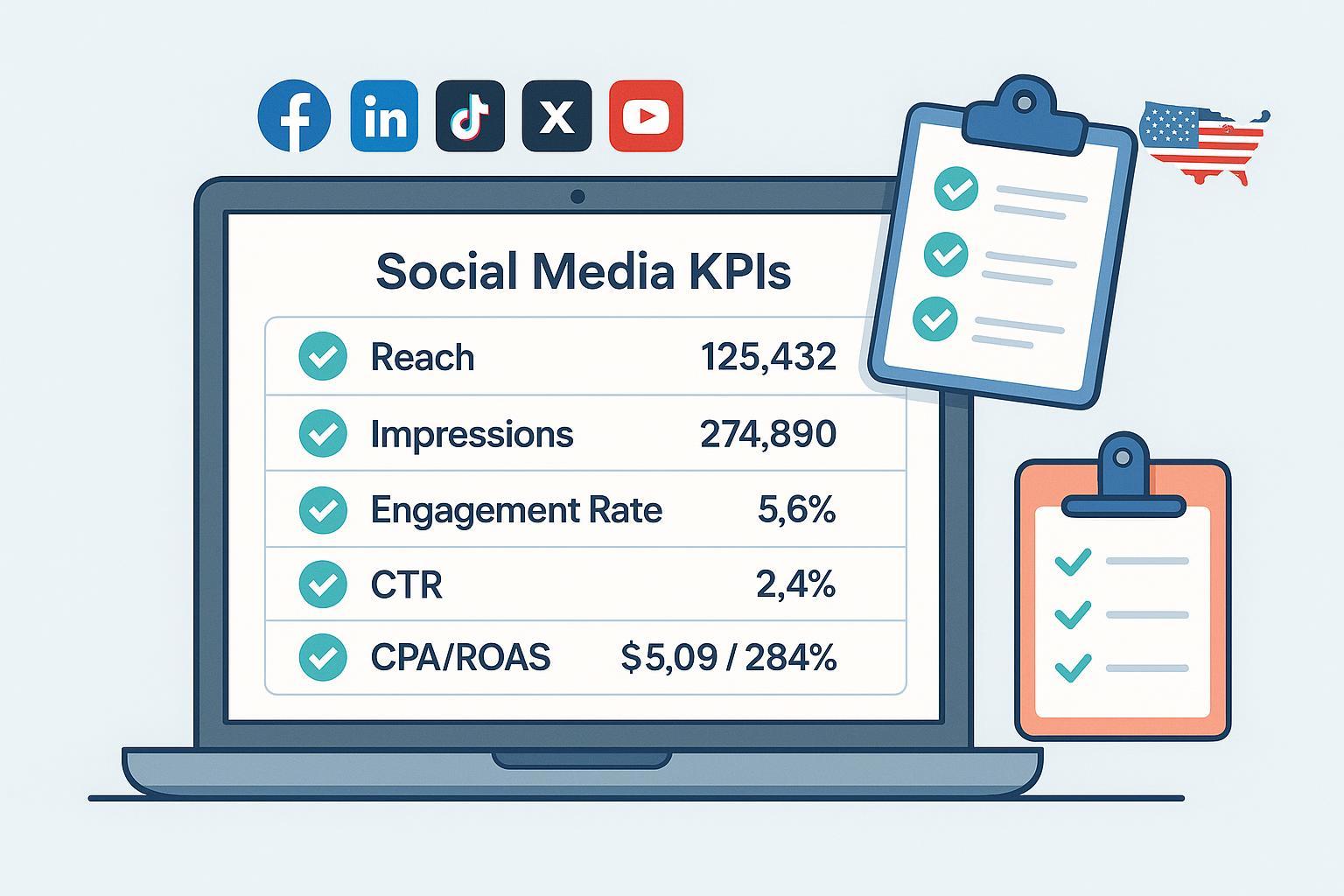
This is a practical, reusable checklist and fillable template you can copy into your workflow for campaign kickoffs, monthly reporting, and quarterly reviews. It’s aligned with 2024–2025 metric definitions and common platform nuances across Meta, LinkedIn, TikTok, X, YouTube, and Pinterest. Keep it handy as your operating standard for both organic and paid social in the United States.
Pro tip: Print this once for onboarding; then keep a live, editable version for ongoing reporting.
Quick-Start (5 KPIs + Setup) — Copy & Complete
Use this to get a campaign or monthly report off the ground fast. Fill it, then graduate into the detailed sections.
Campaign/Brand: __________________________
Reporting Period (TZ): _____________________
Primary Objective (Awareness/Traffic/Leads/Sales): __________________
Owner: ____________________   Cadence (W/M/Q): ________   Attribution Window: __________

KPIs (minimum viable set)
1) Reach (unique people)
   Target: ________   Actual: ________   Data Source: Platform analytics (specify) __________
2) Impressions (total displays)
   Target: ________   Actual: ________   Data Source: __________
3) Engagement Rate by Reach (ERR) = Engagements / Reach × 100%
   Target: ________%  Actual: ________%  Data Source: __________  Denominator: Reach
4) Click-Through Rate (CTR) = Clicks / Impressions × 100%
   Target: ________%  Actual: ________%  Data Source: __________  Denominator: Impressions
5) Cost KPI (choose one):
   • CPC = Cost / Clicks   • CPA = Cost / Conversions   • ROAS = Revenue / Cost
   Target: ________  Actual: ________  Data Source: __________  Notes: __________________

Notes/Insights: ________________________________________________________________
Setup must-haves (complete before reporting):
- [ ] Standardize UTMs (lowercase; source=platform, medium=social/paid_social; no spaces).
- [ ] Confirm GA4 conversions and key events are configured and firing.
- [ ] Verify pixel/tag installation and (when used) server-side events.
- [ ] Select and document attribution window(s) per platform.
- [ ] Separate organic vs paid in your reporting views.
Why this matters: This minimum set gives you comparable reach/efficiency signals while you finalize advanced KPIs and segmentation.
1) Goal Alignment and KPI Mapping
- [ ] Define the business objective (e.g., revenue, new customers, qualified leads).
- [ ] Translate to marketing objective (awareness, traffic, engagement, conversions, retention).
- [ ] Map to channel-level KPIs per platform (see sections below), including the denominator and attribution window you’ll use.
- [ ] Assign an owner and reporting cadence for each KPI.
Copyable mapping block:
Business Objective → Marketing Objective → Channel KPI → Denominator/Window → Target → Owner → Cadence
------------------------------------------------------------------------------------------------------
_____________________________________________________________________________________________________
_____________________________________________________________________________________________________
_____________________________________________________________________________________________________
Tip: Document KPI names exactly as defined in-platform to avoid confusion later.
2) Tracking and Data Integrity Setup
- [ ] Establish UTM taxonomy and log: utm_source=platform (facebook/instagram/linkedin/tiktok/x/youtube/pinterest), utm_medium=social or paid_social, utm_campaign=consistent naming, utm_content=creative/placement; lowercase; avoid spaces.
- [ ] Configure GA4 conversions: Mark key events (purchase, generate_lead, sign_up) as conversions; QA in DebugView.
- [ ] Set cross-domain tracking in GA4 when needed; ensure linker works and sessions aren’t split. See the step-by-step method in the 2024 guide by Analytics Mania on GA4 cross-domain tracking.
- [ ] Install/verify platform tags and (if applicable) server-side events; deduplicate using a shared event_id.
- [ ] Run link and redirect checks (UTMs intact, no broken 404s).
- [ ] Freeze time zone/date range standards for monthly close.
Why this matters: Consistent UTMs and validated conversions enable apples-to-apples analysis and prevent double counting.
Common mistakes to avoid:
- Mixing cases or spaces in UTMs; reusing campaign names.
- Tagging internal links with UTMs (inflates sessions/conversions).
- Failing to document the deployed attribution windows per platform.
3) KPI Definitions and Formulas (Document Your Denominator)
Use consistent definitions across channels. For disputed formulas like engagement rate variants, align with your stakeholders and document the denominator in your template.
- Reach: Unique people who saw your content (platform-provided unique viewers). See 2025 overview in Sprout Social’s social media metrics guide.
- Impressions: Total times content was displayed (non-unique). See 2025 overview in Sprout Social’s social media metrics guide.
- Engagements: Sum of interactions (reactions/likes, comments, shares; optionally saves, clicks depending on platform). Maintain a metric dictionary per platform.
- Engagement Rate by Reach (ERR) = Total Engagements / Reach × 100%; a widely used approach summarized in the 2025 update of Hootsuite’s engagement rate explainer.
- Engagement Rate by Impressions = Total Engagements / Impressions × 100%.
- Engagement Rate by Followers = Total Engagements / Followers × 100% (common in influencer contexts).
- CTR (ads standard) = Clicks / Impressions × 100%.
- CPC = Cost / Clicks.
- CPM = (Cost / Impressions) × 1000.
- Conversion Rate = Conversions / Clicks × 100% (or define as Conversions / Sessions in web analytics; be consistent).
- CPA (or CAC) = Cost / Conversions.
- ROAS = Revenue from Ads / Cost of Ads.
Note: Meta and other platforms expose “unique” vs. “non-unique” variants in their APIs; verify which metric your report pulls. See the Meta 2025 Graph API Insights reference for naming conventions like “_unique.”
4) Platform-Specific KPI Blocks (Organic + Paid)
Complete the items for the platforms you actively use. Keep separate rows or tabs for organic and paid.
Meta (Facebook + Instagram)
- [ ] Define KPIs: Reach, Impressions, ER variant (document denominator), CTR (for link posts/ads), CPC/CPM, Video views (specify threshold from current UI), Conversions, CPA/ROAS.
- [ ] Record Data Sources: Meta Insights (organic) and Ads Manager (paid); specify report name/view.
- [ ] Set Attribution Window: e.g., 7-day click/1-day view (confirm actual setting in account).
- [ ] Segment: Campaign → Ad Set → Ad; Audience; Placement; Creative format (image/video/reel).
- [ ] Owner + Cadence: __________________ / (W/M/Q)
- [ ] Notes: Any metric deprecations or definition changes observed this period.
- [ ] Define KPIs: Impressions, Reach/Unique (if available), ER variant, CTR, CPC/CPM, Leads/Conversions, CPL/CPA, ROAS (if revenue mapped).
- [ ] Data Sources: LinkedIn Page Analytics (organic), Campaign Manager (paid).
- [ ] Attribution Window: Confirm in account; document exact setting.
- [ ] Segment: Campaign Group → Campaign → Creative; Audience; Placement (feed/message ads).
- [ ] Owner + Cadence: __________________ / (W/M/Q)
TikTok
- [ ] Define KPIs: Views (document threshold per current UI), ER variant (e.g., engagements/views), CTR, CPC/CPM, Conversions, CPA/ROAS.
- [ ] Data Sources: TikTok Analytics (organic) and Ads Manager (paid).
- [ ] Attribution Window: Select and note click/view lookback; keep consistent with your cross-channel standard.
- [ ] Segment: Campaign → Ad Group → Ad; Creative concept; Audience; Placement.
- [ ] Owner + Cadence: __________________ / (W/M/Q)
X (Twitter)
- [ ] Define KPIs: Impressions, Engagements, ER by Impressions, Link CTR, CPC/CPM (ads), Conversions, CPA.
- [ ] Data Sources: X Analytics (organic) and Ads Manager (paid).
- [ ] Attribution Window: Confirm and document.
- [ ] Segment: Campaign → Ad Group/Line Item → Ad; Audience; Placement.
- [ ] Owner + Cadence: __________________ / (W/M/Q)
YouTube
- [ ] Define KPIs: Impressions (thumbnail), Views, Watch time, ER choice (engagements/views or engagements/impressions — document), CTR (thumbnail), CPV/CPM (ads), Conversions (site or YouTube actions), CPA/ROAS.
- [ ] Data Sources: YouTube Studio Analytics and Google Ads (if running ads).
- [ ] Attribution Window: If running ads, document Google Ads lookback and engaged-view settings.
- [ ] Segment: Channel/Playlist/Video; Campaign → Ad Group → Ad (for ads); Audience; Placement.
- [ ] Owner + Cadence: __________________ / (W/M/Q)
- [ ] Define KPIs: Impressions, Saves, Outbound clicks, ER variant, CTR, CPC/CPM (ads), Conversions, CPA/ROAS.
- [ ] Data Sources: Pinterest Analytics (organic) and Ads Manager (paid).
- [ ] Attribution Window: Confirm and document.
- [ ] Segment: Campaign → Ad Group → Ad; Audience; Pin format.
- [ ] Owner + Cadence: __________________ / (W/M/Q)
Why this matters: Platform blocks force clarity on definitions, attribution, and segmentation that otherwise drift across teams.
5) Targets, Benchmarks, and Reporting Cadence
Set targets using your historical baselines first, then pressure-test with directional industry benchmarks. Revisit targets quarterly and after any major platform policy or algorithm changes.
- [ ] Pull last 3–6 months of performance as your baseline per KPI.
- [ ] Choose improvement deltas (e.g., +10% CTR, −15% CPA) that are realistic given budget and audience saturation.
- [ ] Sense-check with industry reports. For 2025, review the channel-by-industry data in the Rival IQ 2025 Social Media Industry Benchmark Report.
- [ ] Lock reporting cadence: Weekly (monitoring/optimization), Monthly (summary vs. targets), Quarterly (strategic review).
- [ ] Assign owners for each KPI and the roll-up summary.
Note: Benchmarks are directional; don’t treat them as hard goals across different niches or creative strategies.
6) Attribution Windows and Consistency
- [ ] Select your primary lookback windows per platform and document them in the template.
- [ ] Prioritize click-through attribution for your core KPI comparisons; treat view-through as secondary unless stakeholders agree otherwise.
- ] For YouTube/Google Ads, confirm click lookbacks and any engaged-view conversion settings; see the current ranges in [Google Ads Help on conversion lookback windows (2025).
- [ ] Note any platform-specific constraints (e.g., privacy changes that limit view-through windows).
Why this matters: Mismatched windows create misleading CPA/ROAS comparisons and confuse optimization priorities.
7) Reporting Views and Visualization
- [ ] Separate Organic vs Paid views; never blend by default.
- [ ] Make denominator choices visible on every chart (e.g., “ER = engagements/reach”).
- [ ] Annotate attribution windows on KPI tiles and dashboards.
- [ ] Standardize colors and labels across platforms; define a legend.
- [ ] Include a one-slide KPI summary: targets vs actuals, variance, brief insights, next actions.
8) QA, Data Integrity, and Governance
Run this QA before publishing monthly/quarterly reports.
- [ ] Bot/spam and anomaly check (unusual spikes, regions, devices); document and exclude where appropriate.
- [ ] Invalid clicks review (platform filters, sudden CTR jumps without corresponding conversions).
- [ ] UTM audit (lowercase, correct parameters, no internal UTM tagging).
- [ ] Pixel/tag validation on key flows (client and server-side, dedup via event_id).
- [ ] Broken links and redirect checks (UTMs preserved after redirects).
- [ ] Naming conventions adhered to; update the metric dictionary and change log.
Why this matters: Clean data and documentation prevent rework and maintain trust with stakeholders.
9) U.S. Compliance and Accessibility Checklist
- [ ] FTC disclosures for influencer/UGC: Ensure clear, conspicuous “Ad”/“Sponsored” labels where a material connection exists. The FTC’s June 2023 update clarifies shared responsibility; see the official FTC Endorsement Guides and FAQs.
- [ ] Privacy (CCPA/CPRA): Provide opt-out for “sale/sharing,” honor Global Privacy Control where applicable, and disclose retention periods or criteria in your privacy notice (U.S., California scope). Reference the California Attorney General’s overview of the CCPA when aligning internal policies.
- [ ] Accessibility (WCAG 2.1 AA): Add alt text to images; captions/transcripts to video; maintain sufficient color contrast; use semantic headings in reports. See the W3C WCAG 2.1 technical standard for criteria.
- [ ] Data retention: Set GA4 retention (14 months standard; longer via 360) and document export plans.
- [ ] Ownership: Assign a compliance owner and review cadence (e.g., quarterly).
Why this matters: Compliance failures risk takedowns, fines, or eroded trust; accessibility expands audience reach and reduces legal risk.
10) Advanced Segmentation (Optional but Recommended)
- [ ] Break out performance by audience cohort (prospects vs. remarketing; key demographics).
- [ ] Analyze by creative concept and format (UGC vs. studio, image vs. video, short vs. long form).
- [ ] Compare placements (feed, stories, reels, in-stream, search, discovery).
- [ ] Attribute by funnel stage (awareness, consideration, conversion) if your model supports it.
- [ ] Time-based patterns (day-of-week, hour-of-day) where sample size allows.
11) Troubleshooting Guide (Common Pitfalls)
- [ ] Engagement rate confusion: Your report mixes ER by reach and ER by impressions without labels. Fix: Standardize and relabel all charts with denominator.
- [ ] Inconsistent UTMs: The same campaign has utm_medium=social and paid_social. Fix: Choose one and enforce with validation.
- [ ] Mismatched attribution windows: Meta uses 7-day click, LinkedIn 30-day click. Fix: Re-run comparisons with unified windows or annotate differences.
- [ ] Double-counted conversions: Platform and GA4 both counted as separate goals. Fix: Deduplicate or label source of truth; don’t sum across systems.
- [ ] Pixel firing issues: Client fires, server doesn’t (or vice versa). Fix: Align event_id for deduplication and re-test end-to-end.
12) Copyable KPI Row Template (Use Per KPI)
Paste this for each KPI you maintain.
KPI Name: ______________________  (e.g., CTR)
Definition: ______________________________________________________________
Formula: _________________________________________________________________
Denominator & Attribution Window: ________________________________________
Segment (Platform/Organic or Paid/Campaign/Creative): _____________________
Data Source (exact report/path): _________________________________________
Target (numeric): ___________________   Current (numeric): ________________
Owner: ____________________   Reporting Cadence: (W/M/Q)   Notes: __________
13) End-of-Month Closeout Checklist
- [ ] Lock date range and time zone; export raw extracts.
- [ ] Snapshot dashboards with annotations (attribution windows, major changes).
- [ ] Update metric dictionary and change log (new definitions, deprecations).
- [ ] Summarize wins, risks, and next actions in one slide.
- [ ] Archive reports per your retention policy and access controls.
Source Notes (for your internal documentation)
The KPI formulas and platform nuances align with widely used industry references. For quick refreshers and deeper explanations, see:
- Engagement rate variants and formulas (2025): Hootsuite’s engagement rate explainer
- Definitions and metric overviews (2025): Sprout Social’s social media metrics guide
- GA4 cross-domain method (2024): Analytics Mania on GA4 cross-domain tracking
- Lookback windows and engaged-view considerations (2025): Google Ads Help on conversion lookback windows
- U.S. disclosures (2023): FTC Endorsement Guides and FAQs
- Accessibility standard: W3C WCAG 2.1 technical standard
- Benchmarks (2025): Rival IQ Social Media Industry Benchmark Report
Use these to maintain your internal metric dictionary and update policies as platforms evolve.
