PPC Budget Calculator for LinkedIn Ads (United States): 2025 CPC Benchmarks and Proven Strategies

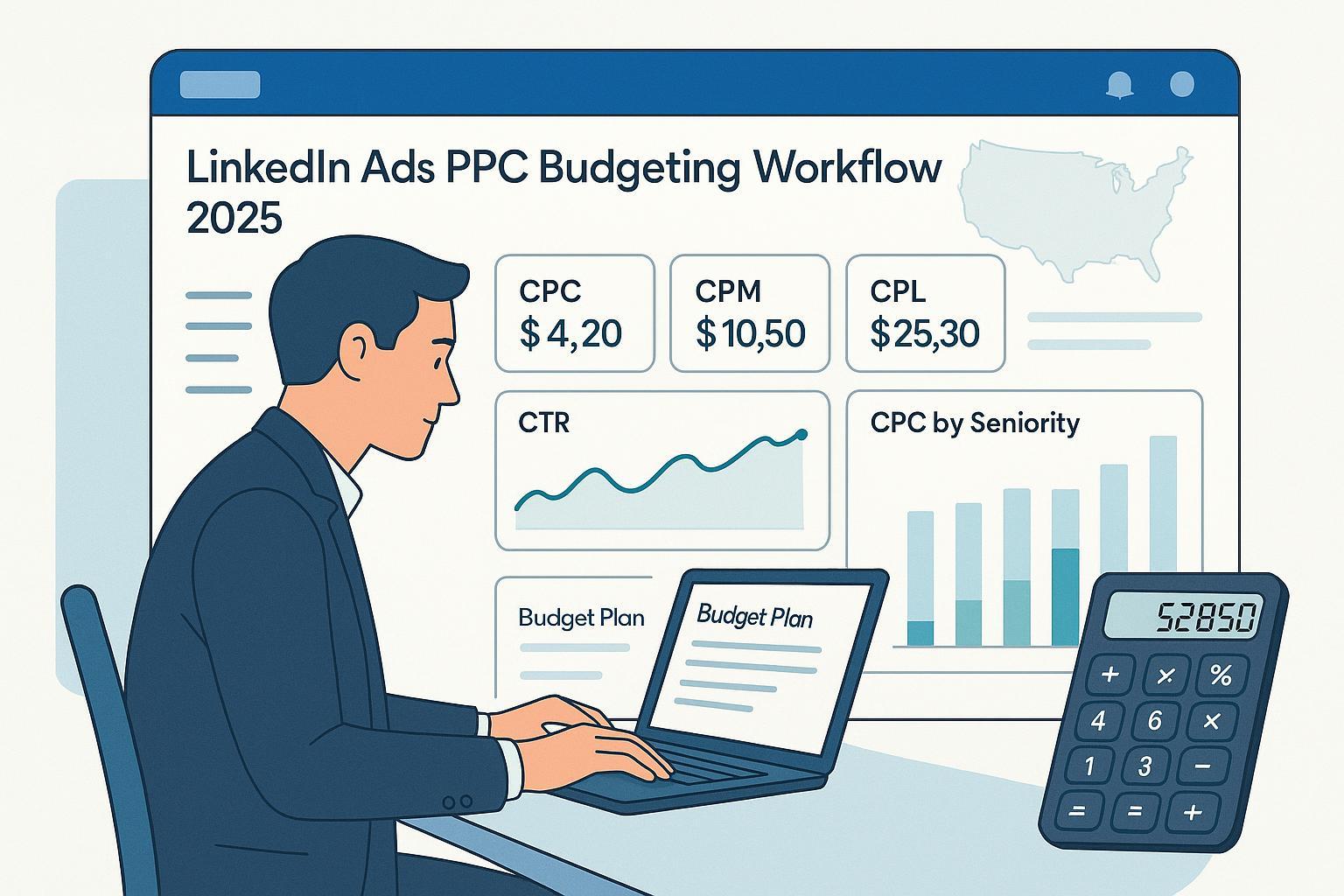
As a PPC lead who manages multi-million-dollar B2B budgets, I’ve learned that LinkedIn doesn’t forgive vague planning—especially in the U.S. in 2025. Costs have shifted, targeting has tightened, and the difference between a profitable campaign and an expensive experiment comes down to disciplined budget math paired with rigorous audience strategy.
Below is a practice-first calculator workflow and the U.S.-anchored cost benchmarks I use to set budgets, defend them to finance, and scale with control.
What LinkedIn Ads cost in the U.S. in 2025
Plan with ranges, not single-point guesses. Here’s what I’ve seen align with current, U.S.-relevant datasets and agency reports in 2025:
- CPC (Sponsored Content, B2B): typically $6–$10+, with senior decision-maker targeting commonly $8–$10+ in the U.S., as echoed by the 2025 overview from Blue Atlas Marketing on average LinkedIn CPC.
- Costs have trended upward; 2025 agency reports note LinkedIn CPLs frequently surpassing $100 for B2B tech, per the NAV43 2025 LinkedIn benchmarks.
- CPM: Expect roughly $50–$100 in U.S. delivery depending on competition, creative quality, and audience size, consistent with the 2024/2025 ranges surfaced in the SpeedworkSocial LinkedIn benchmarks explainer.
- Dataset variance exists. Some rollups report lower median CPCs, but methodology differs by industry mix, objectives, and geographies. The 2025 rollup from AgencyAnalytics on LinkedIn benchmarks shows how median CPC/CTR can shift by dataset, and Huble’s 2025 regional view underscores that North America is typically among the costliest regions (NA CPA/CPL figures are high), see Huble’s 2025 LinkedIn benchmark guide.
- For qualified B2B lead gen in the U.S., I plan initial CPL ranges of ~$100–$250 (higher for enterprise ABM), consistent with the directionality in the 2025 roundups from Powered By Search on LinkedIn costs.
Important: benchmarks are guardrails, not promises. Use them to design tests and sanity-check outcomes; then replace them with your observed data as quickly as your sample sizes allow.
How LinkedIn budgets and bidding actually work (so you don’t plan in the dark)
Before we calculate, align on mechanics that affect spend and pacing:
- Budget types: Daily and Lifetime (Total). If both are set, the campaign will stop spending when either limit is hit. Lifetime pacing distributes spend across the whole period to stabilize delivery and cost. See Microsoft’s official docs, LinkedIn Create and Manage Campaigns (2025 view).
- Bid strategies: Maximum Delivery (automated), Cost Cap (targets an average cost), and Manual bidding; availability varies by objective. Confirm options in the 2025 docs: LinkedIn Ads getting started overview on Microsoft Learn.
- Overdelivery/pacing: On high-opportunity days the platform may pace more aggressively while honoring total budget limits over time; expect day-to-day variance.
- Minimum budgets: Many practitioners reference ~$10/day and ~$100 lifetime as practical minimums; verify in your account as enforcement can change. A commonly cited breakdown is in Cleverly’s 2025 LinkedIn pricing guide.
Why this matters: These mechanics influence whether your budget gets distributed smoothly, whether you can hit learning thresholds, and how quickly you can adopt Cost Cap once you’ve established baseline performance.
The calculator: turn business targets into a LinkedIn budget
Here’s the workflow I use with stakeholders. Start with clean assumptions, then iterate every 2–4 weeks.
Foundational formulas:
- Budget from traffic goals: Budget = Avg CPC × Target Clicks
- Clicks from budget: Clicks = Budget ÷ Avg CPC
- Leads from clicks (Lead Gen Forms): Leads = Clicks × CVR (form completion rate)
- CPL estimate: CPL = Budget ÷ Leads
- CAC (ad-sourced): CAC = CPL ÷ Lead-to-Customer rate (or use MQL→SQL→Closed-Won chain)
Typical starting inputs for U.S. B2B in 2025:
- Avg CPC: $8–$10 for senior roles; $6–$8 for broader functions
- CTR (Sponsored Content): 0.44–0.65% common; I use 0.5% as a planning anchor (datasets vary; see the 2025 rollup from AgencyAnalytics on LinkedIn benchmarks)
- Lead Gen Form CVR: 6–10% typical for SaaS/tech; NAV43’s 2025 report references that range in practical examples (see the NAV43 2025 LinkedIn benchmarks)
- CPM: Plan $60–$80 mid-range for awareness math; update based on delivery (see SpeedworkSocial’s CPM context)
Example A — Brand awareness (impression-first planning)
- Goal: 1,000,000 impressions in 30 days (U.S.)
- CPM assumption: $60
- Budget (CPM path): (1,000,000 ÷ 1,000) × $60 = $60,000
- Expected clicks (CTR 0.5%): 1,000,000 × 0.005 = 5,000 clicks → implied CPC ≈ $12.00
- Reality check: If your observed CPC is typically $8–$10, your actual CTR or CPM may differ from assumptions. Use the first 7–14 days to reconcile.
Example B — Lead generation (Lead Gen Forms)
- Target: 200 qualified form fills in 30 days (U.S., senior roles)
- Assumptions: CPC $9; CTR 0.5%; form CVR 8%
- Clicks required: 200 ÷ 0.08 = 2,500
- Budget (CPC path): 2,500 × $9 = $22,500
- Impressions needed: 2,500 ÷ 0.005 = 500,000
- CPM reality check: If CPM delivers at $70, impressions budget ≈ (500,000 ÷ 1,000) × $70 = $35,000. That’s a signal your CTR, CPC, or CPM assumption is off. Use a 2–4 week test to lock your real inputs, then re-forecast.
If you want a refresher on the math beyond LinkedIn specifics, see this clear walk-through of foundational PPC budgeting formulas.
Translate pipeline targets to budget
Many B2B teams plan from pipeline or revenue rather than lead counts. Here’s the quick path:
- Define Target Pipeline (e.g., $600,000 for the quarter)
- Define Pipeline-to-Customer rate and average deal size (e.g., 30% close rate from SQL; $50,000 average deal size)
- Back into required SQLs and MQLs using your historical stage conversion rates
- Calculate required leads, then required clicks, then required budget using CPL/CVR/CPC assumptions
Example: If you need 12 Closed-Won deals at $50k to hit $600k, and SQL→Closed-Won is 30%, you need 40 SQLs. If MQL→SQL is 25%, you need 160 MQLs. If Lead Gen CVR is 8%, you need 2,000 clicks. At $9 CPC, that’s $18,000 in ad spend to cover the lead volume (not including pipeline quality adjustments). Always sanity-check with CPM delivery.
Calibrate your assumptions with 2025 benchmarks (U.S. context)
- CTR: Plan 0.44–0.65% for Sponsored Content; validate early. See the 2025 median ranges compiled by AgencyAnalytics for LinkedIn.
- CPC: For U.S. senior decision-makers, start at $8–$10+ as summarized by Blue Atlas (2025) on LinkedIn CPC. Expect the high end in crowded SaaS/Finance/Enterprise niches.
- CPL: B2B tech CPLs routinely exceed $100 in 2025. NAV43’s 2025 dataset highlights $75–$150 ranges in optimized scenarios, see NAV43’s LinkedIn benchmarks. Broader rollups corroborate that NA is often most expensive, see Huble’s 2025 regional benchmark view.
Note on variance: Different datasets handle geographies, objectives, and verticals differently. Treat the first month as calibration to replace these priors with your account’s truth.
Advanced audience strategy that protects your budget
LinkedIn’s power is B2B precision—but precision costs more and can throttle delivery if you go too narrow. What consistently works in the U.S.:
- Tiered ABM lists (Matched Audiences): Upload Tier 1–3 account lists from CRM or intent data. Layer job function + seniority; use job titles sparingly to keep scale. This structure typically improves lead quality and keeps CPLs predictable, a pattern echoed in agency playbooks and the 2025 discussions found in the AgencyAnalytics LinkedIn Ads guide.
- Smart exclusions: Exclude current customers, competitors, and recent converters (via Insight Tag or lead lists). This cuts wasted impressions and lowers CPL.
- Retargeting sequencing: Build pools from site visitors, video viewers, and form openers. Serve progressively deeper content/offers by funnel stage. The mechanics are also described in mainstream platform guides like Hootsuite’s 2025 overview (see their LinkedIn ads guide context).
- Lookalikes from quality seeds: Expand from high-LTV customers and high-intent engagers. Keep an eye on audience overlap and frequency.
- Audience size: I aim for ≥30,000 in the U.S. per ad set for stability at moderate budgets. If smaller, raise budgets cautiously and monitor frequency.
Trade-off: Over-layering (titles + functions + skills + degrees + narrow geos) often drives CPC and CPL up while suppressing scale. Start with function + seniority and refine from performance data.
Cost-control workflow: how to test, scale, and optimize without burning budget
Test phase (2–4 weeks)
- Allocation: ~60% on audience hypotheses (2–3 distinct segments), ~40% on creative/offers.
- Bidding: Start with Maximum Delivery to learn real CPC/CPM and CVR. Once stable, test Cost Cap against your target CPL.
- Guardrails: Aim for CTR ≥0.5% on Sponsored Content; Lead Gen Form CVR ≥6–10% in U.S. SaaS/Tech, consistent with 2025 agency observations like those in NAV43’s benchmark review.
- Cadence: Let tests run to statistically meaningful samples (e.g., 1,000+ clicks across variants if feasible) before re-allocating.
Scale phase
- Budget ramps: Increase winners by 20–30% weekly to maintain pacing stability.
- Expansion: Add lookalikes, widen functions/seniority, or introduce net-new ABM tiers. Maintain audience size ≥30k for steadier delivery.
- Creative freshness: Refresh every 4–6 weeks to protect CTR and CPC.
Ongoing optimization
- Weekly: Check CTR, CPC, CPL; audience penetration; frequency; conversion quality. Adjust bids/caps modestly.
- Bi-weekly: Test offers, landing experiences, or Lead Gen Form lengths. Shorter forms typically raise CVR; qualified CPL may go down even if top-of-funnel CPL rises.
- Monthly: Rebalance funnel budgets (Awareness vs. Consideration vs. Demand Capture/Retargeting) based on pipeline influence and sales feedback.
Budget allocation patterns that actually hold up
- Lead Gen–first motion (SaaS/Tech mid-market): 60–70% to demand creation (Sponsored Content: single image + document + video), 20–30% to retargeting, 10% to brand.
- Enterprise ABM: 40–50% to Tier 1 accounts (high-touch content + Conversation Ads or InMail variants if applicable), 30–40% to Tier 2, 10–20% to retargeting/brand.
- Awareness push (category marketing): 70–80% to reach/impressions with clear frequency caps and creative rotation; 20–30% to retargeting that harvests engaged users.
Daily vs. Lifetime budgets
- Daily gives you granular control and conservative pacing; useful for strict cashflow governance. Lifetime with pacing smooths delivery over the flight and can stabilize average costs. Platform guidance on pacing trade-offs is covered in Microsoft’s 2025 campaign management docs.
Common pitfalls I still see (and how to fix them)
- Over-targeting to tiny audiences: Delivery stalls, CPC spikes. Fix by broadening to function + seniority, then refine with exclusions.
- Misaligned objectives: Using Traffic to collect leads or Lead Gen for pure awareness. Pick objectives that match the outcome you’re funding.
- Neglecting exclusions: Paying to reach customers, competitors, or recent form-fillers. Maintain exclusion lists weekly.
- Constant bid/budget thrash: Large daily adjustments reset learning. Keep changes within ~20–30% per week unless performance is breaking.
- Weak offer vs. high-intent ask: Senior U.S. audiences won’t convert on generic ebooks at high CPLs. Use stronger mid-funnel value (ungated deep-dives, benchmarks, calculators) and let retargeting harvest.
Quick-reference: from business goal to budget (cheat sheet)
- Choose planning path
- Awareness: plan with CPM and sanity-check implied CPC/CTR
- Lead Gen: plan with CPC/CVR math and sanity-check CPM delivery
- Define inputs
- CTR (start 0.5% for Sponsored Content)
- CPC (start $8–$10 for senior roles in U.S.)
- Lead Gen Form CVR (start 6–10%)
- Audience size (aim ≥30k)
- Calculate
- Clicks needed = Leads ÷ CVR
- Budget (CPC path) = Clicks × CPC
- Impressions needed = Clicks ÷ CTR
- Budget (CPM path) = (Impressions ÷ 1,000) × CPM
- Reconcile CPM vs. CPC
- If CPM-based budget is much higher than CPC-based, your CTR assumption is too optimistic (or vice versa). Adjust after week 2.
- Sanity-check against 2025 benchmarks
- Cross-check CTR/CPC/CPL versus the ranges summarized by AgencyAnalytics’ 2025 LinkedIn benchmarks and the North America context in Huble’s 2025 guide.
When to re-estimate your LinkedIn budget in 2025
- After 2–4 weeks of a new segment or offer: Replace assumptions with observed CPC, CTR, CVR; re-forecast.
- After major targeting changes: New functions/seniority/ABM tiers usually change CPC and CPM.
- After creative overhauls: CTR shifts cascade into CPC and CPM.
- After seasonality/market shifts: Costs can move meaningfully around fiscal year ends or industry events.
Final notes on source hygiene and platform rules
- Platform mechanics change. Confirm current options and definitions in the 2025 Microsoft Learn documentation for LinkedIn Ads: Create and manage campaigns and the getting started overview.
- Benchmarks are not a guarantee. Use 2025 agency datasets for directional planning, including NAV43’s LinkedIn Ads benchmarks, Blue Atlas on average CPC for 2025, Powered By Search’s cost summary, and U.S. CPM/CTR context from SpeedworkSocial’s explainer.
If you apply this calculator with disciplined testing windows and audience architecture, you’ll find your account’s true CPC, CTR, and CVR faster—and that’s what turns planning ranges into predictable pipeline.
