On-Page SEO for Ceramics & Glass Product and Category Pages: Titles, H1s, and Internal Links That Actually Move the Needle

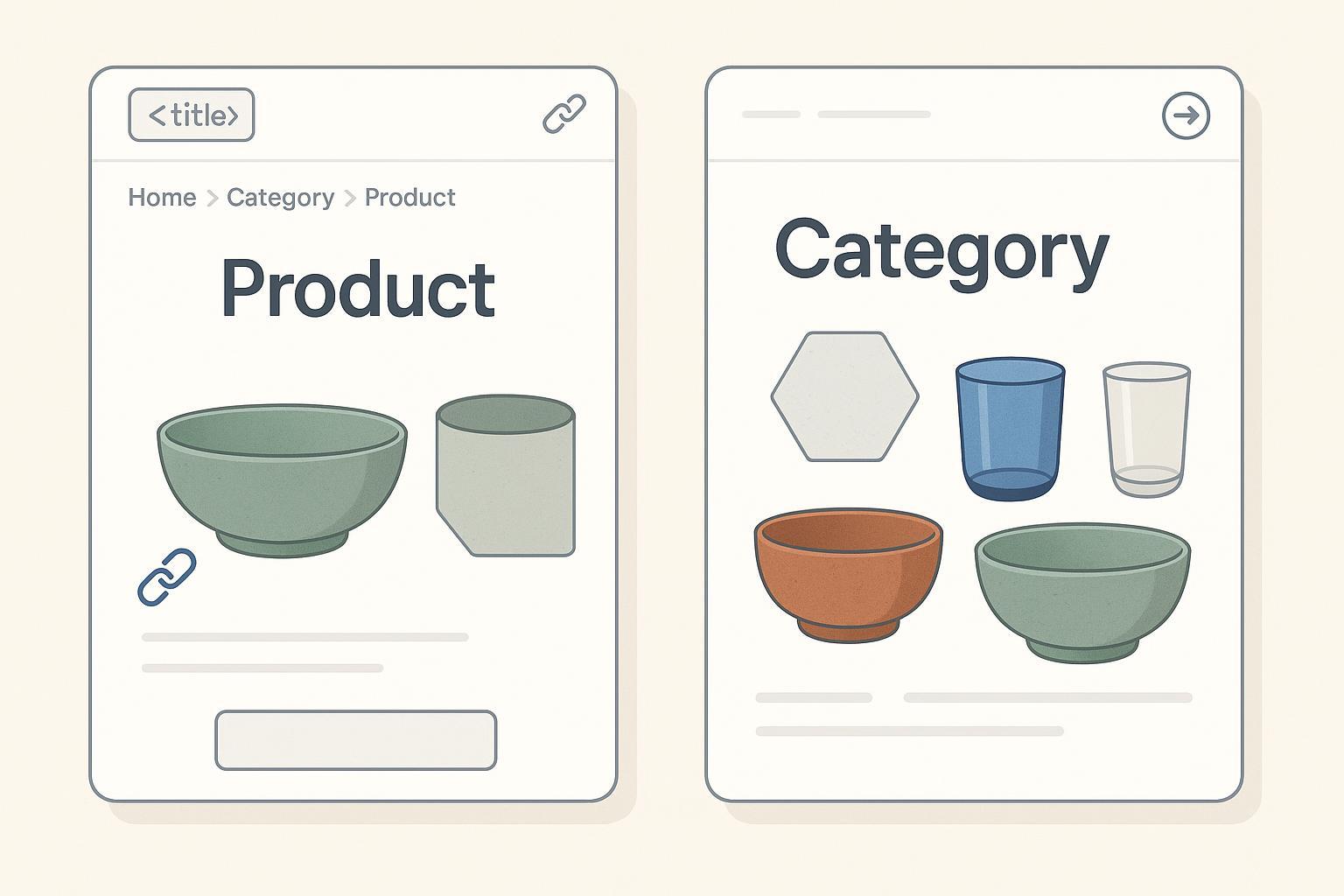
If you sell ceramics or glass online—tableware, tiles, décor—you win organic traffic by getting three things consistently right: your Titles, your H1s, and your internal links. In practice, these are the levers that clarify intent for searchers, improve crawlability, and lift click-through rates in crowded SERPs.
Two 2024–2025 trends make this work urgent:
- Title clarity matters more as SERP features compete for attention; well-structured titles influence clicks even when AI Overviews appear. Industry analyses in 2024–2025 report that AI Overviews show up in roughly 15% of queries and heavily overlap with top organic sources, so ranking well and earning clicks still depends on classic relevance and clarity, as summarized by the Search Engine Land coverage of AI Overviews’ prevalence and overlap (2024–2025).
- Internal linking and topical clustering are still foundational to being understood as an authority. Shopify’s 2025 perspective directly ties internal linking and topic clusters to “topical authority,” improving discoverability and crawl paths, as outlined in the Shopify topical authority guide (2025).
Below is the step-by-step playbook I’ve used across ceramics and tile catalogs—from 50 to 10,000 SKUs—to tighten Titles/H1s and build internal links that scale.
A) Title Tags that Win Clicks and Set Relevance
Non-negotiables I’ve learned to apply on every product and category page:
- Keep titles concise and front-load the primary keyword. In practice, aim for 50–60 characters (~600 px) to avoid truncation; place the core term at the beginning to preserve meaning on mobile. This range aligns with the HigherVisibility e-commerce best practices (2025).
- Differentiate products with meaningful attributes, not fluff. For ceramics and tiles, that usually means material, size, finish, and 1 buyer benefit or spec (e.g., PEI rating).
- Keep brand at the end unless it’s a high-intent brand query driver.
- Align the Title with your H1 and on-page copy to satisfy Google’s people-first guidance in 2024–2025. See Google’s direction on descriptive titles/headings in the Search Central ecommerce overview.
Practical patterns
-
Product (Tableware)
- Title: “Stoneware Cereal Bowl, 20oz – Matte Sage | Brand”
- Why: “Stoneware cereal bowl” is the core query; “20oz” and “Matte Sage” disambiguate; brand is present but de-emphasized.
-
Product (Tile)
- Title: “Porcelain Floor Tile 12x24 – Matte White, PEI 4 | Brand”
- Why: “Porcelain floor tile 12x24” is an intent-heavy query; “Matte White” + “PEI 4” catch spec-driven shoppers.
-
Category (Tableware)
- Title: “Porcelain Dinnerware Sets – Service for 4 & 6 | Brand”
- Why: “Porcelain dinnerware sets” leads; “Service for 4 & 6” matches common filtering behavior.
-
Category (Tile)
- Title: “Hexagon Mosaic Tile – Porcelain & Ceramic | Brand”
- Why: Aligns with a popular taxonomy term and captures both materials.
Fill-in-the-blank templates you can paste into your CMS
-
Product, ceramics/tableware:
- “{Material} {Product Type}, {Size/Capacity} – {Finish/Color} | {Brand}”
- Example: “Bone China Teacup, 6oz – Gloss Ivory | Atelier L.”
-
Product, tiles:
- “{Material} {Use} Tile {Size} – {Finish}, PEI {Rating} | {Brand}”
- Example: “Porcelain Floor Tile 24x24 – Matte Grey, PEI 4 | Casa Terra.”
-
Category:
- “{Material} {Category Name} – {Key Modifiers} | {Brand}”
- Example: “Glass Vases – Clear & Smoked, Modern | Brand.”
Trade-offs and testing
- Longer Titles can pack in attributes like “Free Returns” or “Gift-Ready,” but risk truncation. Test CTR in Search Console by variant over 2–4 weeks; keep the winning structure as your standard. HigherVisibility’s 50–60 character guidance is a helpful guardrail for default templates (2025).
Micro-checklist for Titles
- Primary keyword up front; ≤60 chars typical
- Material + key attribute(s) where relevant
- Distinguish similar variants (color, size, finish)
- Brand at the end (unless brand-first queries dominate)
- Title matches H1 theme and on-page copy
B) H1s That Match Intent and Reduce Ambiguity
H1s do heavy lifting for clarity—especially for variant-rich inventory like tiles and dinnerware sets.
Rules that hold up in 2025:
- One H1 per page that names the product or category clearly. Google emphasizes descriptive headings in its helpful content documentation.
- Product pages: H1 = product name + at least one differentiating attribute users actually shop by (size, finish, capacity). Example: “Stoneware Dinner Plate, 10-inch, Matte Black.”
- Category pages: H1 = category name your shoppers expect to see (e.g., “Porcelain Wall Tile”). Keep intro copy brief and helpful (80–120 words), and add synonyms naturally.
- Variants: Expose the selected variant attribute in the H1 or near it, and ensure each variant URL is unique, consolidated properly with canonical signals where needed. Google’s 2024 guidance on product variants and ProductGroup is detailed in the Search Central product variants update (2024).
Examples
-
Product H1s
- “Ceramic Serving Platter, 14-inch, Crackle Glaze”
- “Porcelain Wall Tile 12x24, Gloss White (PEI 3)”
-
Category H1s
- “Stoneware Mugs”
- “Hexagon Mosaic Tile”
H1 pitfalls I see often
- Duplicate H1s across color variants; solve by appending the color/finish to the H1.
- Stuffed H1s that read like a keyword list; maintain human readability per Google’s people-first guidance.
Micro-checklist for H1s
- One clear H1 per page
- Product H1 includes 1–2 attributes users care about
- Category H1 matches expected taxonomy term
- Variant clarity without keyword stuffing
C) Internal Linking Systems That Scale (And Survive Catalog Changes)
Internal links are your site’s circulatory system. They tell Google which pages matter and help shoppers move from browsing to buying.
Non-negotiables
- Use crawlable HTML links with descriptive anchor text. Avoid JS-only links for primary navigation and make sure important pages are reachable by links, as Google’s documentation reiterates in its guidance on links that are crawlable.
- Respect hierarchy: navigation → categories → subcategories → products. Expose breadcrumbs (Home > Category > Subcategory > Product). Google and practitioners continue to endorse hierarchical clarity in the ecommerce site structure guidance.
- Build topical clusters: connect buying guides, care guides, and brand/artist pages to relevant categories and products. This supports topical authority and discoverability, as emphasized in the Shopify topical authority guide (2025) and reinforced by ecommerce practitioners like OuterBox on internal linking techniques.
Linking patterns that work in ceramics and tiles
- Category → Product: On “Stoneware Mugs,” include a Featured Products module with descriptive anchors like “12oz Stoneware Mug – Blue Speckle.”
- Product → Category: On a product page, link back to its parent category (“Stoneware Mugs”) and to closely related categories (“Coffee Sets,” “Saucers”).
- Content → Commerce: From “How to Care for Porcelain Dinnerware,” link to “Porcelain Dinnerware Sets” and 2–3 bestsellers.
- Brand/Artist hubs: Create a landing page for each artist or brand with a short bio and links to all their collections and top pieces; link back to the hub from product pages.
Anchor text guidance
- Be descriptive yet natural: “Matte Black 10-inch Dinner Plate” beats “view product.”
- Avoid over-optimizing exact matches in every link; vary phrasing to match copy.
Faceted navigation and pagination
- Pagination: Provide unique URLs for page 2, 3, etc., use self-referencing canonicals, and allow Google to crawl them; don’t rely on deprecated rel=prev/next. See Google’s pagination and incremental loading guidance (2024–2025).
- Facets: Limit crawlable combinations to avoid index bloat; use robots.txt and/or noindex for low-value parameters; only link to canonical versions in your navigation. Ahrefs provides a solid overview in its discussion of faceted navigation best practices.
Example internal linking workflow (tool-assisted, 88 words)
- Export a list of categories and top 50 SKUs by conversions.
- Map 3–5 contextual anchors per category to its top SKUs.
- Add a “Related” block on each product to its parent category and 2 accessory categories.
- Publish or update one care/buying guide per top category and link to that category and 2–3 SKUs.
- Use analytics to find high-traffic guides and add 3–5 links to related categories.
- Optionally draft link modules and anchor text variants in a content tool like QuickCreator before implementing in your CMS.
Pitfalls to avoid
- Linking to parameterized facet URLs from body copy; always link to canonical category URLs.
- Overlinking: dozens of links in a small block dilutes value and distracts shoppers.
- Orphan products: run periodic audits to ensure every product is linked from at least one category and one content page.
D) Ceramics, Glass, and Tiles Taxonomy: How Attributes Drive Titles, H1s, and Anchors
In this niche, shoppers rely on a few consistent decision-makers. Reflect those in Titles, H1s, and anchors.
Core attribute sets
- Material: Porcelain, Ceramic, Stoneware, Bone China, Glass
- Size: Plates (8–12 inch), Bowls (12–24oz), Tiles (e.g., 12x24, 24x24)
- Finish/Color: Matte, Gloss, Crackle, Speckle; color families (white, sage, cobalt)
- Performance (Tiles): PEI rating, slip resistance (COF), thickness
- Use/Application: Floor, Wall, Outdoor; Microwave- and Dishwasher-safe (tableware)
- Style: Hexagon, Subway, Mosaic; Modern, Rustic, Minimalist
Mobile filtering UX matters for discoverability and conversion. Baymard’s 2024–2025 research recommends multi-select facets, prominent key filters on mobile, explanations for industry-specific terms like PEI and COF, and visual filters for distinct finishes/patterns. See the Baymard guidance on promoting product filters on mobile (2024) and their overview of the current state of product list and filtering (2024).
How to apply attributes in Titles/H1s/anchors
- Default to Material + Product Type in both Title and H1.
- Add Size for tiles and capacity for bowls/mugs; add PEI for tiles when shoppers care.
- Use Finish/Color when it’s a major differentiator or variant selector.
- In anchors from content hubs, include the attribute that mirrors search intent: “Hexagon Mosaic Tile – Matte White,” “Stoneware Bowl 20oz.”
E) Implementation Checklists You Can Ship This Week
Product page checklist
- Title: Primary keyword first; ≤60 chars; include material + one differentiator
- H1: Product name + size/finish/capacity as applicable
- Unique description plus key specs table (size, PEI/COF, weight, care)
- Breadcrumbs visible; links to parent category + 2 related categories/products
- Compressed images with descriptive alt text (“Matte Sage Stoneware Bowl 20oz”)
- Product structured data: price, availability, condition, shipping and return policy; validate with Rich Results Test based on Google’s Product structured data
Category page checklist
- Title: Category + key modifiers; brand at end
- H1: Exact category term users expect; short intro (80–120 words)
- Featured products module with descriptive anchors to top SKUs
- Filters: Multi-select; explain PEI/COF; surface 2–3 most used facets on mobile (Baymard)
- BreadcrumbList structured data and CollectionPage where applicable; see Google’s structured data intro and BreadcrumbList
- Pagination: discoverable page 2+ with self-referencing canonicals; see Google’s pagination guidance
Internal linking maintenance checklist
- Quarterly audit for orphan products; ensure each is linked from a category and at least one guide
- Rebalance links so top categories receive links from guides and brand/artist hubs
- Remove links to parameterized URLs; link only canonicals
- Spot-check anchors for descriptive clarity, not keyword stuffing
F) Toolbox: Neutral, Practitioner-Grade Options (≤150 words)
- QuickCreator: Drafts Titles/H1s/meta based on live SERP context and helps assemble internal link modules before publishing. Best for teams needing fast, template-driven on-page optimization across many SKUs. Disclosure: QuickCreator is our product; evaluate it alongside peers and choose what fits your stack.
- SEMrush Site Audit: Flags duplicate/missing titles, multiple H1s, orphan pages, and analyzes internal link distribution—useful for large catalogs.
- Moz Pro: Internal link analysis and on-page suggestions; handy for identifying high-authority pages to link from.
- Yoast SEO (WordPress): Enforces focus keyphrase usage, suggests internal links, and manages breadcrumbs.
When to choose: Small catalogs on WordPress often combine Yoast + Moz; larger tile catalogs (1k–10k SKUs) benefit from SEMrush audits plus a drafting tool for scaled on-page work.
G) Common Pitfalls and How to Avoid Them
- Duplicate Titles/H1s across variants. Fix with attribute-specific naming (size, finish, color).
- Titles that bury the primary keyword. Front-load the core term.
- JS-only links for core navigation. Replace with HTML links and ensure crawl paths exist.
- Linking to filtered parameter URLs from content. Link to the canonical category page.
- Overly complex or mismatched structured data. Keep markup aligned with visible content and validate against Google’s guidance on Product and Merchant listings.
- Aggressive blocking of facets. Start with a whitelist of crawlable high-value combinations; test before broad noindex rules.
H) Mini Test Plan: Prove What Works in Your Catalog
Title A/Bs in Search Console
- Identify 20 SKUs with enough impressions.
- Variant A (Control): Brand-forward or current Title.
- Variant B (Test): Keyword-first with 1–2 attributes; ≤60 chars.
- Run 2–4 weeks; compare CTR and position. Keep the structure that wins.
H1 clarity test
- For a category, rewrite 10 product H1s to add a key attribute (size/finish).
- Track bounce and add-to-cart rate for 2–4 weeks.
Internal link module rollout
- Add Featured Products to 5 categories and “Related” blocks to 50 products.
- In parallel, publish one care/buying guide per category and link into the commerce pages.
- Track indexation rate and category page entrances from internal referrers. While internal links help crawlability and semantic connection (see the Shopify topical authority guide, 2025), attribute improvements cautiously and look for corroborating signals (time on page, conversions).
Reference Highlights (Why These Practices Hold Up in 2025)
- Title length and composition guidance: HigherVisibility e-commerce best practices (2025)
- Descriptive, crawlable links and site structure: Google on links that are crawlable and ecommerce site structure
- Product variants and structured data: Google product variants (2024) and Product structured data
- Internal linking and topical authority: Shopify topical authority guide (2025) and OuterBox’s ecommerce internal linking techniques
- Faceted navigation and pagination: Ahrefs on faceted navigation and Google pagination guidance
- Filtering UX that supports findability: Baymard on promoting filters (2024) and the current state of product list & filtering (2024)
- AI Overviews context and CTR implications: Search Engine Land’s AI Overviews reporting (2024–2025)
Quick Start: Copy-and-Paste Title/H1 Snippets
-
Product (Tableware)
- Title: “Stoneware Dinner Plate, 10-inch – Matte White | Brand”
- H1: “Stoneware Dinner Plate, 10-inch, Matte White”
-
Product (Tile)
- Title: “Porcelain Wall Tile 12x24 – Gloss White, PEI 3 | Brand”
- H1: “Porcelain Wall Tile 12x24, Gloss White (PEI 3)”
-
Category (Tableware)
- Title: “Glassware Sets – Highball, Tumblers & Stemless | Brand”
- H1: “Glassware Sets”
-
Category (Tile)
- Title: “Subway Tile – Ceramic & Porcelain | Brand”
- H1: “Subway Tile”
Ship these, then iterate based on CTR and conversions.
