Do multilingual website URLs need to be translated, and will they be considered duplicate content?

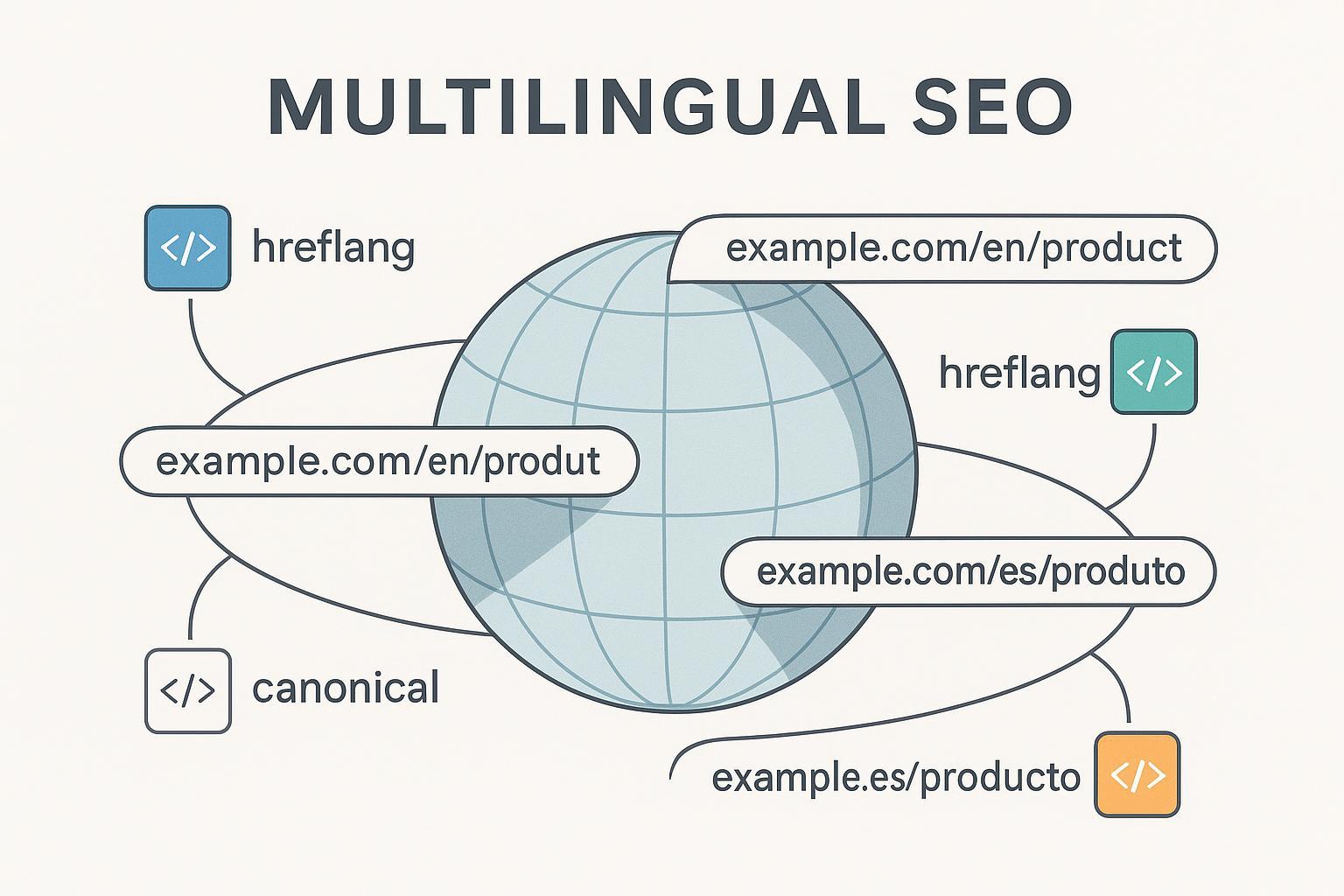
If you’re rolling out a multilingual or multi‑regional site, two questions come up immediately: Should you translate your URL slugs, and will language variants be treated as duplicate content? Below is a practical FAQ that answers those questions directly, then shows you how to implement hreflang and canonicalization correctly so each audience reaches the right version.
1) Do multilingual URLs need to be translated?
Short answer: No requirement—but it’s perfectly fine (and often helpful) to translate slugs. Google explicitly supports localized words in URLs (and IDNs) as long as you use proper UTF‑8 encoding, per Google Search Central’s guidance on multilingual sites in Managing multi‑regional and multilingual sites.
What this means in practice:
- Translating slugs can improve user comprehension and click confidence.
- Keep slugs short, descriptive, lowercase, and hyphen‑separated.
- Be consistent in path patterns across locales, e.g., /en/product/, /fr/produit/, /es/producto/.
- Confirm your CMS, server, and analytics handle UTF‑8 and percent‑encoding correctly.
Example patterns:
- English: https://example.com/en/product/how-to-choose-a-router
- French: https://example.com/fr/produit/comment-choisir-un-routeur
- Spanish: https://example.com/es/producto/como-elegir-un-router
Further reading: Google’s overview on structures, encoding, and localized words in URLs in Managing multi‑regional and multilingual sites (Google Search Central).
2) Will translated and original pages be considered duplicate content?
Short answer: Not when implemented as language/region alternates. Use hreflang to declare equivalence across locales, and use self‑referencing canonicals for each page. Google treats these as alternate versions intended for different audiences, not duplicates to collapse via canonicalization. See Localized versions of your pages (Google Search Central) for hreflang fundamentals and Consolidate duplicate URLs (Google Search Central) for canonical principles.
Steps to avoid duplicate‑content confusion:
- Give each locale its own unique URL.
- Add a self‑referencing canonical on every locale page.
- Annotate all alternates with reciprocal hreflang entries (including self and, where appropriate, x‑default).
- Ensure each alternate returns 200, is indexable, and isn’t a redirect.
3) How should hreflang and canonical work together?
Short answer: Each language/region URL should canonicalize to itself and list alternates with hreflang. Do not canonicalize one language to another. Canonical is for consolidating duplicates; hreflang is for mapping equivalents across languages/regions. See Consolidate duplicate URLs (Google Search Central) and Localized versions of your pages (Google Search Central) for the respective roles.
HTML head example (English page):
<link rel="canonical" href="https://example.com/en/product" />
<link rel="alternate" hreflang="en" href="https://example.com/en/product" />
<link rel="alternate" hreflang="fr" href="https://example.com/fr/produit" />
<link rel="alternate" hreflang="es" href="https://example.com/es/producto" />
<link rel="alternate" hreflang="x-default" href="https://example.com/" />
French page mirrors the pattern:
<link rel="canonical" href="https://example.com/fr/produit" />
<link rel="alternate" hreflang="fr" href="https://example.com/fr/produit" />
<link rel="alternate" hreflang="en" href="https://example.com/en/product" />
<link rel="alternate" hreflang="es" href="https://example.com/es/producto" />
<link rel="alternate" hreflang="x-default" href="https://example.com/" />
4) Which URL structure should I choose: ccTLD, subdomain, or subdirectory?
Short answer: All can work. Choose based on your resources and goals. Google’s Managing multi‑regional and multilingual sites (Google Search Central) outlines the trade‑offs.
Quick decision framework:
- ccTLD (example.fr): Strongest country signal; higher cost/complexity; separate SEO per domain; legal/registration considerations.
- Subdomain (fr.example.com): Clear separation; flexible infrastructure; may dilute authority without strong internal linking.
- Subdirectory (example.com/fr/): Easiest for most SMBs; authority consolidation; slightly weaker geo signal but mitigated by hreflang and on‑page/local cues.
If you’re unsure, subdirectories are a safe, scalable default for most teams.
5) How do I handle same‑language regional variants (e.g., en‑US vs en‑GB)?
Short answer: Use valid language‑region codes (ISO 639‑1 + ISO 3166‑1), include a generic language fallback where sensible, and ensure full reciprocity across all alternates. See Localized versions of your pages (Google Search Central) for hreflang value rules and examples.
Pattern:
<link rel="alternate" hreflang="en-US" href="https://example.com/us/product" />
<link rel="alternate" hreflang="en-GB" href="https://example.com/uk/product" />
<link rel="alternate" hreflang="en" href="https://example.com/en/product" />
<link rel="alternate" hreflang="x-default" href="https://example.com/" />
Tips:
- Tailor currency, spelling, measurements, and availability.
- Keep the same URL path naming where possible to simplify maintenance.
6) Can I use non‑ASCII characters and IDNs in URLs? What about UTF‑8?
Short answer: Yes. Google supports localized characters in paths and internationalized domain names (IDNs). Use UTF‑8 encoding; avoid ambiguous mixed‑language slugs. See Managing multi‑regional and multilingual sites (Google Search Central) for encoding and IDN guidance.
Practical cautions:
- Verify server, CMS, and analytics support for encoded characters (including percent‑encoding in logs and reports).
- Prefer readability (don’t overuse diacritics if they confuse users or tooling).
- Test your sitemap and internal links for correct encoding.
7) Should I auto‑redirect users by IP or browser language?
Short answer: Avoid automatic redirects. Instead, provide explicit, crawlable URLs per locale and a clear language selector. Google cautions that locale‑adaptive pages can hinder crawling and indexing. See Locale‑adaptive pages (Google Search Central) for the risks and recommended alternatives.
Safer approach:
- Show a non‑intrusive prompt or banner suggesting the local version.
- Remember the user’s choice with a cookie—but do not block crawlers or force redirects.
- Keep a visible language selector on every page.
8) What’s the safest way to translate slugs without hurting SEO?
Short answer: Translate carefully, favor clarity, and keep structure consistent across locales. There’s no ranking bonus for translating vs. not translating slugs; it’s mainly a UX and clarity decision supported by Google’s guidance on localized words in URLs (Search Central, Managing multi‑regional and multilingual sites).
Checklist:
- Human review for critical slugs to avoid awkward or ambiguous phrasing.
- Keep slugs short; use hyphens; avoid stop‑word inflation.
- Ensure consistent parent paths across locales (e.g., /en/product/ → /fr/produit/).
- Confirm UTF‑8 encoding and test percent‑encoded variants.
- Update internal links and sitemaps when slug changes.
9) How do I implement hreflang: HTML, XML sitemaps, or HTTP headers?
Short answer: Any method works—HTML head tags, XML sitemap annotations, or HTTP headers (for non‑HTML files). Choose the one you can maintain reliably at scale. See Localized versions of your pages (Google Search Central) for implementation options and code patterns; also consider the x‑default guidance on Google’s 2023 blog post, How x‑default can help you.
HTML head method:
<link rel="alternate" hreflang="en" href="https://example.com/en/article" />
<link rel="alternate" hreflang="fr" href="https://example.com/fr/article" />
<link rel="alternate" hreflang="es" href="https://example.com/es/articulo" />
<link rel="alternate" hreflang="x-default" href="https://example.com/" />
XML sitemap method (namespace required):
<url>
  <loc>https://example.com/en/article</loc>
  <xhtml:link rel="alternate" hreflang="en" href="https://example.com/en/article" />
  <xhtml:link rel="alternate" hreflang="fr" href="https://example.com/fr/article" />
  <xhtml:link rel="alternate" hreflang="es" href="https://example.com/es/articulo" />
  <xhtml:link rel="alternate" hreflang="x-default" href="https://example.com/" />
</url>
HTTP header method (for PDFs, etc.):
Link: <https://example.com/en/brochure.pdf>; rel="alternate"; hreflang="en",
      <https://example.com/fr/brochure.pdf>; rel="alternate"; hreflang="fr",
      <https://example.com/>; rel="alternate"; hreflang="x-default"
Best practices:
- Ensure reciprocity across all URLs in the alternate set.
- Include a self‑reference (hreflang that matches the page’s own language/region).
- Use absolute URLs.
10) What common errors break hreflang or cause “wrong‑language” rankings?
Frequent pitfalls and how to fix them:
- Cross‑language canonicals: Each locale should self‑canonicalize; don’t point fr → en. See Consolidate duplicate URLs (Google Search Central) for canonical usage principles.
- Missing reciprocity: If en lists fr, fr must list en (and so on) in every alternate set; otherwise, clusters break.
- Invalid codes: Use ISO 639‑1 for language and ISO 3166‑1 Alpha‑2 for region (e.g., en‑GB, not en‑UK). Rules are documented in Localized versions of your pages (Google Search Central).
- Redirect chains: Alternate URLs should return 200 (no 301/302 chains).
- Noindex + hreflang: Don’t mark alternates noindex; they need to be indexable to be served.
- Locale‑adaptive content: Avoid server‑side variation by headers alone; maintain dedicated URLs. See Locale‑adaptive pages (Google Search Central).
11) How do I QA and monitor a multilingual setup over time?
Short answer: Validate indexability, canonical alignment, and hreflang reciprocity at launch—and re‑check continuously.
A practical QA checklist:
- Status codes: All locale URLs return 200; no redirecting alternates.
- Robots: Not blocked by robots.txt or meta robots; server allows crawling.
- Canonicals: Self‑referencing; absolute URLs.
- Hreflang: Correct ISO codes; reciprocal across all alternates; include x‑default where useful; absolute URLs.
- Sitemaps: Keep xhtml:link alternates synchronized with reality; update on changes.
- Encoding: UTF‑8 confirmed; test non‑ASCII slugs and sitemap parsing.
- Internal links: Language selector is present and accessible; links between alternates work.
- Monitoring: Use Search Console to observe indexing and international coverage, and consider specialized crawlers to validate hreflang clusters over time.
Why it matters: Misalignments often lead to Google choosing an unintended canonical or surfacing the wrong language. Canonical concepts are outlined in Consolidate duplicate URLs (Google Search Central), while hreflang implementation details live in Localized versions of your pages (Google Search Central).
12) How should I handle partially translated pages?
Short answer: Publish only what’s useful to users in that language, keep the page indexable if it provides value, and still wire it into your hreflang clusters—just avoid mixing languages in a way that confuses users or search engines.
Practical approach:
- If the bulk of content is untranslated, consider delaying publication or providing a “coming soon” note in the target language.
- Keep the same template and path structure so you can add translated content later without changing URLs.
- Maintain self‑canonical and hreflang links so alternates continue to map correctly.
- If you must temporarily ship a lighter translation, ensure the primary on‑page elements (title, headings, navigation, CTAs) are localized.
Reference highlights and why they matter
- Google Search Central — Managing multi‑regional and multilingual sites: Defines supported URL structures, allows localized words/IDNs, and stresses explicit URLs for locales. Useful for choosing structures and confirming that translated slugs are fine. https://developers.google.com/search/docs/specialty/international/managing-multi-regional-sites
- Google Search Central — Localized versions of your pages: Explains hreflang values, methods (HTML, sitemap, HTTP headers), and usage of language‑region codes and x‑default behavior. https://developers.google.com/search/docs/specialty/international/localized-versions
- Google Search Central — How x‑default can help you (2023 blog): Clarifies when to use x‑default as a language/region‑neutral fallback (often a selector page). https://developers.google.com/search/blog/2023/05/x-default
- Google Search Central — Consolidate duplicate URLs: Canonical best practices, emphasizing that canonical is for duplicates—not for cross‑language alternates. https://developers.google.com/search/docs/crawling-indexing/consolidate-duplicate-urls
- Google Search Central — Locale‑adaptive pages: Warns against automatic language/geo redirects and recommends separate locale URLs. https://developers.google.com/search/docs/specialty/international/locale-adaptive-pages
- Google Search Central — Translated results in Search: Context on Google’s translated results feature; helpful to understand that you should still implement proper internationalization. https://developers.google.com/search/docs/appearance/translated-results
By aligning your setup with these documents, you’ll avoid accidental “duplicates,” help Google serve the right version to the right audience, and give users clear, predictable language experiences.
