Master Local SEO Competition with Expert Strategies


Mastering Local SEO Competition means you take control of your online presence and attract more customers in your area. Almost every consumer looks for businesses like yours online:
- 98% of U.S. consumers search for local businesses online.
- 80% search weekly.
- 74% use Google Search or Maps to find local businesses.
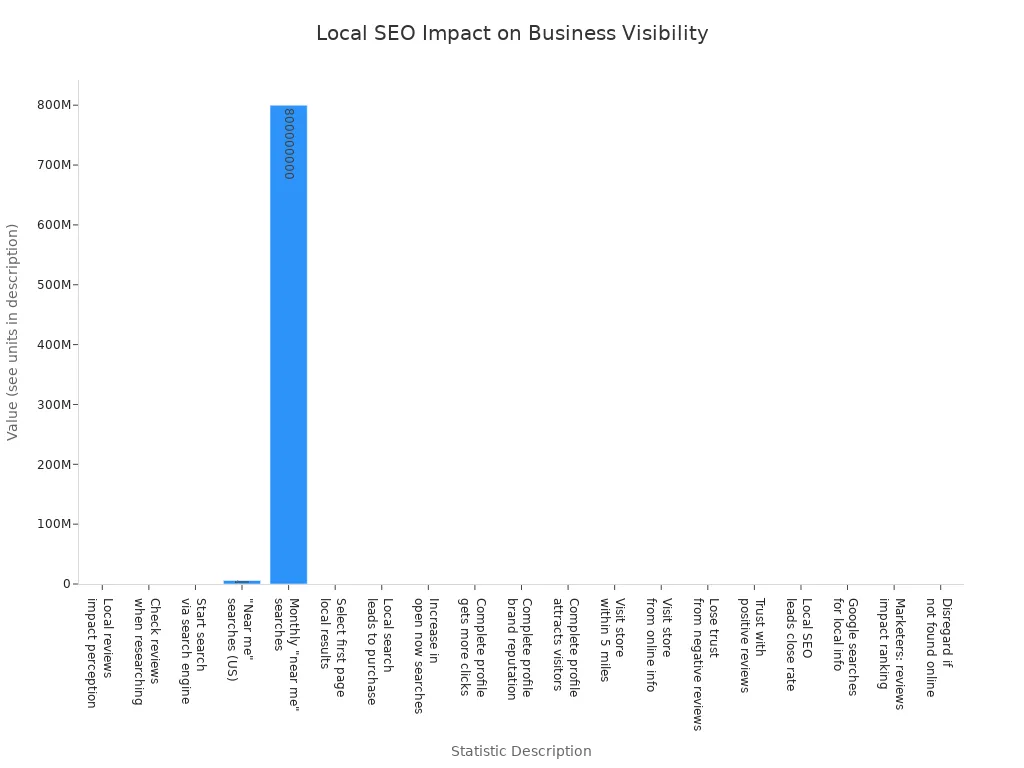
You can boost your business growth by focusing on local keywords, working with a local seo agency, and building a strong online presence. Local seo strategies help you get noticed, increase store visits, and earn trust in your community. A local seo agency can guide you in using local keywords and adapting your approach to stay ahead.
Local SEO Competition

Why It Matters
You face local seo competition every time someone searches for a business like yours in your area. Local search shapes how customers find you and decide where to spend their money. When you outperform others in local seo competition, your business can see up to 17% higher revenue. This boost happens because higher rankings in local search bring more people to your website and store.
Local seo competition is tough. You compete with both local businesses and big national chains that have strong online authority. Many business owners struggle with local search because they lack seo expertise or have limited resources. Common challenges include:
- Intense competition from nearby businesses and larger brands
- Inconsistent Name, Address, and Phone number (NAP) details across platforms
- Poorly optimized Google Business Profiles that miss key information
- Not enough localized content to connect with your community
- Technical issues like mobile-friendliness and schema markup
- Ignoring customer reviews or making citation mistakes
You need to overcome these hurdles to stand out in local searches. When you do, you increase your visibility, attract more customers, and build trust in your area.
Key Ranking Factors
Google uses many factors to decide which businesses appear first in local search results. You can improve your rankings by focusing on what matters most. Here are the top ranking factors for local seo competition:
- Choose the right Google Business Profile category for your business.
- Keep your business hours accurate and consistent everywhere.
- Avoid keyword stuffing in your business name.
- Collect genuine, detailed reviews and respond to feedback.
- Create content that speaks to local events and uses local keywords.
- Build high-quality citations and backlinks from trusted local sources.
Other important factors include your distance from the searcher, the quality of photos and videos on your Google profile, and the services you list. Relevance plays a big role in location-based searches, so make sure your information matches what people want. When you focus on these ranking factors, you improve your local search rankings and win the local seo competition.
Competitor Analysis
Identify Local Competitors
You need to know who your real local competitors are before you can win in local SEO. Many businesses think they know their competition, but the true local competitors are the ones who show up in google’s local pack, Google Maps, and organic search results for your target keywords. Here is a step-by-step process to help you identify them:
- Start with local keyword research. Find out which search terms your customers use when looking for services like yours.
- Use these keywords to perform google searches from your target location. Look at which businesses appear in google’s local pack, Google Maps, and organic results.
- Record important details. Note the keyword, ranking position, search location, and how often each business appears in different sections of the search results.
- Use location spoofing tools such as BrightLocal’s Local Search Results Checker or GS Location Changer. These tools let you simulate searches from different areas, giving you a broader view of local competitors.
- Create a spreadsheet to track your findings. Focus on businesses that appear often across multiple keywords and sections.
- Analyze each competitor’s Google Business Profile. Look at their categories, reviews, engagement, and posted content.
- Review their landing pages and conversion funnels. See what makes their websites strong.
- Use competitor analysis tools like BrightLocal’s Local SEO tools to automate and verify your findings.
- Exclude directory sites like Yelp or Tripadvisor. These are platforms, not direct local competitors.
Tip: Focus on businesses that show up repeatedly in google’s local pack and Google Maps. These are your main local competitors.
Analyze Google Rankings
Tracking google rankings helps you see where you stand against local competitors. You need to know which businesses rank above you and why. Here is how you can analyze rankings effectively:
- Use tools that support multi-location tracking. Monitor your rankings across different cities, zip codes, or neighborhoods.
- Track several keywords that matter to your business. This helps you understand your position for each search term.
- Choose tools that give you accurate, real-time ranking data. This prevents mistakes and keeps your information fresh.
- Watch for changes in rankings. Check regularly so you can respond quickly if your position drops or improves.
- Use geographic targeting features. Zoom in on specific areas to get precise insights about your local competitors.
- Look for tools that offer detailed and customizable reports. Visual maps and video breakdowns help you spot trends in rankings.
- Automate your tracking with scheduled scans. This saves time and ensures you never miss important changes.
- Use competitor analysis features to compare your rankings side-by-side with local competitors.
- Integrate your rank tracking tools with platforms like Looker Studio or Zapier. This helps you manage your workflow and reporting.
| Tool Name | Key Features | Benefits | Pros | Cons |
|---|---|---|---|---|
| Synup | Tracks rankings across customizable grids; unlimited keywords and locations; AI-driven analysis; integrates with Zapier and Looker Studio | Real-time rank tracking; location-specific insights; fixes listing errors before ranking drops | Accurate real-time data; automation support | Lacks deep SEO analysis; higher-tier plans needed for agencies |
| Local Falcon | Hyper-local rank tracking; scheduled automated scans | Detailed local rank tracking; AI insights; automation | Highly detailed tracking; API support | Limited SEO tools; agency features costly |
| BrightLocal | Tracks Google Business Profile across cities/zip codes; audits citations and SEO; monitors competitors | Improves local visibility; simplifies review management; syncs business data | Strong local SEO and citation management | No advanced SEO tools; some add-ons required |
| Local Dominator | Interactive grid scans; side-by-side competitor reports; live rank maps sharing | Improves local visibility; competitor tracking; automated scans | Strong competitor tracking; white-label reports | Credit-based system limits heavy use; lacks backlink analysis |
| Vendasta | Full digital marketing platform; local listings, reviews, SEO services under white-label | Comprehensive agency platform; local rank checking | Powerful for agencies | Best suited for agencies, not individual businesses |
| Localo | Tracks keyword performance with visual maps; AI-generated posts and review responses | Boosts visibility; automates tasks; competitor tracking | Easy dashboard; strong automation | Higher pricing for agencies |
| GMB Crush | Audits Google Business Profiles; geo-grid scans; SEO proposals | Improves visibility; automates audits and competitor tracking | Strong geo-grid tracking; AI SEO tools | Focused only on GBP; advanced features costly |
| SEMrush | SEO and marketing suite with local SEO tools in higher-tier plans | Deep data insights for agencies and enterprises | Comprehensive SEO tools | Not primarily a Google Maps rank checker |
Note: Use tools that let you compare your google rankings with those of your local competitors. This helps you spot gaps and opportunities.
Use Local SEO Tools
You can make competitor analysis easier and more accurate with the right local SEO tools. These tools help you map, track, and analyze your local competitors’ performance in google’s local pack and Google Maps. Here are some of the best options:
- EmbedSocial’s Local SEO Heatmap uses exact map coordinates to track local keyword rankings. It shows competitor visibility at each grid point and provides real-time, shareable reports. This tool helps you see where you rank in google’s local pack and where your local competitors have an edge.
- Semrush’s Map Rank Tracker lets you monitor your business profile rankings on Google Maps. You can track up to 100 local keywords across different locations. The tool uses a map grid system to show detailed ranking positions for each keyword and area. You can run manual or scheduled scans and get comprehensive competitor analysis.
- LocalRanking GBP Audit Tool gives you a detailed audit of your competitors’ Google Business Profiles. It checks info, posts, reviews, photos, and categories, then provides a score and improvement tips.
- SEOptimer audits competitor websites for on-page SEO, backlinks, usability, and local SEO elements like NAP consistency and schema markup.
- Moz Local Citation Tracker compares local citations and helps you find new listing opportunities.
- BrightLocal’s Local SEO tools automate competitor analysis, track rankings, and audit citations.
- Local Falcon offers hyper-local rank tracking and scheduled scans, making it easy to see how you and your local competitors perform in google’s local pack.
Pro Tip: Use a mix of tools to get a full picture of your local competitors. Some tools focus on google’s local pack, while others give you insights into website SEO and citations.
Competitor analysis is not a one-time task. You need to repeat these steps often to keep up with changes in google’s local pack and rankings. By using the right tools and tracking your local competitors, you can spot new opportunities, fix weaknesses, and improve your position in local search.
Google Business Profile

Claim and Optimize
You must claim your google my business listing to control your online presence. Start by verifying your business with google. Once you have access, focus on optimising google my business for local SEO. Complete every section with accurate information. Use a clear, keyword-rich business description. Select the right primary and secondary categories to match your services. Set your business hours and keep them updated. Add your website and phone number. List your products and services with detailed, keyword-focused descriptions. Enable bookings or appointments if your business offers them. Use attributes to highlight special features, such as wheelchair access or free Wi-Fi.
Tip: Regularly update your google my business profile to reflect changes in your business. This keeps your information fresh and helps you stay competitive.
Consistency Across Listings
Consistency is key for local SEO. Google checks your business information across the web. If your name, address, or phone number (NAP) is inconsistent, google may lower your ranking. Always use the same format for your NAP on your google my business, website, and all directories. Inconsistent details confuse search engines and customers. This can hurt your visibility in the local pack and reduce trust. Regularly audit your listings to catch errors. Use data aggregators to help manage your information across many sites. Accurate and consistent NAP details support your credibility and improve your local search rankings.
- Consistent NAP helps google connect your business to local searches.
- Inconsistent data can cause you to lose citation value and authority.
- Regular audits and updates keep your information accurate everywhere.
Visual Content & Updates
Visual content makes your google my business stand out. High-quality photos and videos build trust and attract more customers. Add profile photos that match your brand, such as your logo or a professional headshot. Use cover photos to tell your business story. Show interior and exterior shots so customers can recognize your location. Post product and service photos to highlight what you offer. Team photos humanize your brand and help people connect with you. 360-degree virtual tours give customers an immersive look at your space. Encourage customers to share their own photos in reviews for added authenticity.
- Visual content gets almost twice as many views as text-only profiles.
- Regularly update your images for seasonal events or new products.
- Google favors active profiles with fresh content.
Keep your google my business profile dynamic by posting updates, offers, and news. Respond to reviews and answer questions in the Q&A section. Use google insights to track performance and refine your strategy. By optimising google my business and keeping your profile active, you boost engagement and improve your local SEO.
Local Keywords & Content
Research Local Keywords
You need to start your seo localisation for businesses by finding the right local keywords. Think like your customers. What would they type when searching for your services in local search? Use keyword modifiers such as city names, neighborhoods, or even landmarks. Tools like Google Keyword Planner, Semrush, and Ahrefs help you discover which local keywords have high search volume and low competition. You can also use Google Autocomplete and related searches to expand your ideas. Analyze your competitors’ websites and reviews to spot real phrases people use in local searches. Always balance keyword relevance with search volume. Long-tail local keywords often bring better results because they match local intent and have less competition. Export your keyword lists and keep your Google Business Profile updated to boost your local search optimisation.
Tip: Use filters in keyword tools to narrow down your list by location and local intent. This helps you target the right audience in local searches.
Optimize for Local Search
You improve your local search rankings by using local keywords in the right places. Start with an audit of your website and Google Business Profile. Make sure your business name, address, and phone number are consistent everywhere. Add local keywords to your page titles, headers, and meta descriptions. Create unique landing pages for each location you serve. Include maps, photos, and directions to increase relevance for local searches. Use local business schema so search engines understand your content. Fast website speed and good user experience also help your seo localisation for businesses. When you manage reviews and build local links, you show authority in local search.
| On-Page Optimizations | Why It Matters for Local Search |
|---|---|
| Local keywords in titles and headers | Increases relevance for local searches |
| Location-specific landing pages | Matches local intent and boosts rankings |
| Consistent business info | Builds trust and supports seo localisation for businesses |
Create Local Content
You attract more customers by creating content that speaks to your community. Write blog posts about local events, festivals, or news. Share guides to local attractions, restaurants, or parks. Interview local business owners or community leaders. These types of local content encourage backlinks and engagement, which support your seo localisation for businesses. Collaborate with other local businesses or influencers to reach a wider audience. Share infographics and updates on social media to keep your business visible in local search. When you focus on local keywords and relevance, your content stands out in local searches and helps your business grow.
Note: Consistency in local citations and directories also supports your seo localisation for businesses and helps you earn valuable backlinks.
Citations & Backlinks
Build Local Citations
You build trust and boost your online presence by creating local citations on trusted platforms. Local citations list your business name, address, and phone number on directories, review sites, and social media. These listings help search engines confirm your business details and improve your local authority.
Some of the most trusted sources for local citations include:
- Google My Business
- Yelp
- Yellow Pages
- Citysearch
- Superpages
- BBB (Better Business Bureau)
- Angie’s List
- Manta
- MerchantCircle
If you work in construction or home services, you can also use:
- HomeAdvisor
- Porch
- BuildZoom
- The Blue Book
- GuildQuality
You should also submit your business to data aggregators, local blogs, Chamber of Commerce websites, and business associations. Always keep your information accurate and consistent. Encourage customer reviews on these platforms to strengthen your online presence.
Tip: Consistent local citations across all platforms help you build local authority and improve your rankings in local search.
Earn Authoritative Backlinks
You increase your online presence and local authority by earning high-quality local backlinks. These links come from reputable, industry-related websites and show search engines that your business is trustworthy. Strong local backlinks from local partnerships, such as guest posts on community blogs or sponsorships with local organizations, can boost your rankings.
Use location-specific anchor text in your backlinks. For example, a Houston law firm improved its rankings by getting a guest post on a respected legal website. A Chicago dentist gained more visibility after earning links from health blogs. Local partnerships with schools, charities, or business groups help you earn high-quality local backlinks and stand out in your area.
Note: In competitive markets, strong local backlinks from local partnerships often matter more than local citations alone.
Audit Existing Listings
You need to audit your local citations regularly to keep your online presence strong. Start by making a list of all your business listings. Check each one for errors in your name, address, phone number, hours, and categories. Document any mistakes you find.
Follow these steps to audit your listings:
- Make an inventory of all local citations.
- Look for inconsistencies or outdated information.
- Record any errors.
- Fix mistakes by hand or use tools like Whitespark or BrightLocal.
- Check your Google Business Profile for accuracy.
- Compare your listings with competitors to find ways to improve.
- Use data aggregators to update your information everywhere.
- Monitor your listings often to keep them correct.
- Avoid keyword stuffing and always update special hours.
- Use spreadsheets for managing many locations.
Keeping your local citations accurate helps you maintain your local authority and ensures customers always find the right information.
Reviews & Reputation
Encourage Customer Reviews
You build trust and boost your local SEO by encouraging customers to leave reviews. Many people rely on online reviews when choosing a business. The table below shows how much consumers trust online reviews compared to personal recommendations:
| Statistic Description | Percentage |
|---|---|
| People trusting online reviews as much as personal recommendations | 88% |
| Consumers aged 18-34 | 91% |
| Overall Consumers | 42% |
You can use several proven methods to get more reviews:
- Provide excellent customer service so customers want to share their experience.
- Ask for reviews directly in person, by email, or on your website.
- Make it easy by sharing direct links or QR codes to your review page.
- Use polite scripts and friendly language like “drop a quick review.”
- Respond to all reviews to show you value feedback.
- Remind customers with in-store signs or social media posts.
- Create short videos showing how to leave a review.
- Monitor which methods work best and adjust your approach.
Tip: Never pay for positive reviews or filter out negative ones. Genuine feedback builds real trust.
Manage Feedback
You protect your reputation by managing feedback carefully. Responding to reviews, especially negative ones, shows you care about your customers. Here are steps you can follow:
- Respond quickly and thank the customer for their feedback.
- Apologize sincerely if someone had a bad experience.
- Stay professional and avoid defensive language.
- Offer a solution and invite the customer to talk privately if needed.
- Use feedback to improve your products or services.
- Encourage happy customers to leave positive reviews.
- Watch review sites often so you can reply in a timely manner.
When you handle negative feedback well, you show future customers that you listen and want to improve. This builds trust and can even turn unhappy customers into loyal fans.
Showcase Testimonials
You can boost local trust by displaying customer testimonials in smart ways. Most people read reviews and testimonials before making a decision. In fact, 92% of consumers read testimonials, and 88% trust them as much as personal recommendations.
Try these best practices:
- Show top testimonials on your homepage for instant social proof.
- Add customer photos and job titles to make testimonials more believable.
- Use tools like TrustPulse to display real-time review activity.
- Turn detailed testimonials into case studies to highlight results.
- Share testimonials on your social media and product pages.
- Collect new testimonials through surveys and social listening.
- Use video testimonials or interactive widgets for more impact.
Note: Keep your testimonials fresh and easy to find. This helps new customers trust your business and encourages more people to share their experiences.
Outrank Your Competitors
Local PPC Strategies
You can outrank your competition in local search by using smart local PPC strategies. Paid ads give you instant visibility when customers search for businesses like yours. Start by setting clear goals for your campaigns. Decide if you want more store visits, leads, or brand awareness. Use geo-targeting to show your ads only in specific neighborhoods or cities. This helps you reach people who are most likely to visit your business.
Analyze your audience using google’s tools. Learn what your local customers want and tailor your ads to match their needs. Choose keywords that include your city, neighborhood, or even landmarks. Create ad groups that focus on these local keywords. Write ad copy that mentions your location and includes a strong call-to-action. Add location extensions so your address and phone number appear right in the ad.
Optimize your landing pages for local search. Make sure they load fast and show your location clearly. Use google analytics to track how many people click your ads, call your business, or fill out a form. Test different ads and landing pages to see what works best. Adjust your budget to focus on the areas and keywords that bring the most results.
Here are some steps to boost your visibility and outrank your competitors with local PPC:
- Define your campaign goals using SMART criteria.
- Audit your current online presence and marketing.
- Research your target audience and create buyer personas.
- Analyze your competitors’ PPC strategies.
- Set a budget based on industry costs and your priorities.
- Build a keyword list with high-intent, location-specific terms.
- Organize keywords into focused ad groups.
- Use geo-targeting and geo-fencing to reach the right people.
- Write compelling, location-rich ad copy.
- Track and refine your campaigns using real-time data.
Tip: Local PPC lets you focus your budget on the areas that matter most. You gain a competitive edge by showing up when local customers search for your services.
Combine Paid & Organic
You can outrank your competition in local search by combining paid and organic strategies. Start by building a strong foundation with organic SEO. Optimize your google business profile, use local keywords, and create quality local content. Earn local backlinks to boost your authority.
Use paid ads on google and social media to get immediate visibility. This works well for competitive keywords where organic rankings take time. Align your keyword strategy across both paid and organic campaigns. This keeps your messaging consistent and reinforces your brand.
Test keywords and ad formats with PPC. Use the data you collect to improve your organic content. Promote your best organic content with paid ads for even more reach. Allocate your budget between long-term organic growth and short-term paid promotions. Measure your return on investment and adjust your strategy based on what works.
Here is how you can combine paid and organic efforts to outrank your competitors:
- Align your content and ad messaging for a unified brand experience.
- Use PPC to test keywords and landing pages, then apply insights to SEO.
- Monitor and adjust both strategies as user behavior changes.
- Combine the quick results of PPC with the lasting power of organic SEO.
- Use data from paid campaigns to guide your organic content.
- Keep your brand visible in both paid and organic search results.
- Repurpose content to keep your messaging fresh across all channels.
- Focus on search intent to improve relevance and engagement.
- Audit your paid campaigns often to optimize spending.
- Improve technical SEO, like site speed and mobile-friendliness, to support both strategies.
Note: When you appear in both paid and organic results, you build trust and authority. This helps you outrank your competition and attract more local customers.
Monitor & Adapt
To outrank your competitors in local search, you must track your progress and adapt your strategies. Use google analytics and google search console to monitor your website traffic and keyword performance. Track your rankings for local keywords and see how you compare to others in your area.
Watch your google business profile insights. Look at how many people view your profile, request directions, call, or visit your website. Keep an eye on customer reviews and star ratings. Make sure your business information stays accurate across all directories.
Check your click-through rates to see if your listings attract attention. Analyze website traffic from local searches. Track mobile engagement and conversion rates. Use tools like SEOptimer, Moz Local, and BrightLocal to help with tracking.
Here is a table of key metrics to monitor:
| Metric | Description | Tools/Notes |
|---|---|---|
| Local Keyword Rankings | Track rankings for geo-targeted keywords to monitor visibility and competition. | SEOptimer Rank Tracking Tool |
| Google Business Profile Insights | Monitor search queries, views, direction requests, calls, website clicks, messages, and bookings. | Google Business Profile Manager |
| Customer Reviews | Track number, quality, and recency of reviews to impact rankings and reputation. | Google Business Profile, Review Tools |
| Local Citation Consistency | Ensure NAP accuracy across directories to maintain local authority. | Moz Local, Yext, Whitespark |
| Click-Through Rates (CTR) | Measure how often users click your listing after seeing it in search results. | Google Search Console, GBP Dashboard |
| Website Traffic | Analyze visits from local searches, page engagement, and session duration. | Google Analytics 4 |
| Mobile Traffic Behavior | Track mobile user engagement metrics like bounce rate and conversions. | Google Analytics 4 |
| Conversion Rates | Measure form fills, calls, bookings, or sales resulting from local SEO efforts. | CallRail, Google Analytics |
| Phone Calls | Attribute calls to local SEO campaigns and keywords to measure ROI. | CallRail |
| Google Business Map Pack Rankings | Track rankings in the local 3-pack to assess local visibility and consumer behavior impact. | Local Rank Tracker, GeoGrid Tools |
Review your analytics often. Look for trends and spot areas where you can improve. If you see a drop in rankings or traffic, adjust your strategy. Stay updated on changes in google’s algorithms and local search trends. Watch your competitors and learn from their successes and mistakes.
Pro Tip: Continuous monitoring and adaptation help you stay ahead. You can outrank your competition by making data-driven decisions and responding quickly to changes.
You can outrank your competitors in local search by using these expert strategies. Focus on local PPC, combine paid and organic efforts, and always monitor your results. When you adapt quickly, you stay ahead in google and win the local search game.
You can outrank your competition in local search by using a multi-faceted approach. Focus on optimizing your google profile, building local authority, and engaging your community.
- Keep your online presence consistent and use local keywords to connect with customers.
- Analyze competitors often to spot new ways to outrank your competition and adapt quickly.
- Track your google rankings, reviews, and website traffic to measure results.
- Businesses that follow these steps see more local search visibility, higher google engagement, and increased sales.
Start today and outrank your competition in local search for lasting success!
FAQ
What is the most important factor for local SEO success?
You need to keep your business information accurate and consistent everywhere online. Google checks your name, address, and phone number. This helps you rank higher in local searches and builds trust with customers.
How often should you update your Google Business Profile?
You should update your Google Business Profile at least once a month. Add new photos, respond to reviews, and check your business hours. Regular updates show Google and customers that your business stays active.
Can you do local SEO without a website?
Yes, you can use Google Business Profile and local directories to get found. However, a website gives you more control and helps you share more information. You get better results when you use both.
How do you handle negative reviews?
Stay calm and reply quickly. Thank the customer for feedback. Apologize if needed and offer to fix the problem. This shows you care and helps build trust with future customers.
Which tools help track local SEO rankings?
- BrightLocal
- Local Falcon
- SEMrush
These tools help you see where your business ranks in local searches. You can track changes and find ways to improve your position.
See Also
Effective Link Exchange Techniques To Enhance SEO Strategy
Using SEO Writing Tools To Boost Website Rankings
Winning Content Distribution Plans For SEO And Marketing
