Image Compliance Best Practices for Independently Hosted Websites in 2025

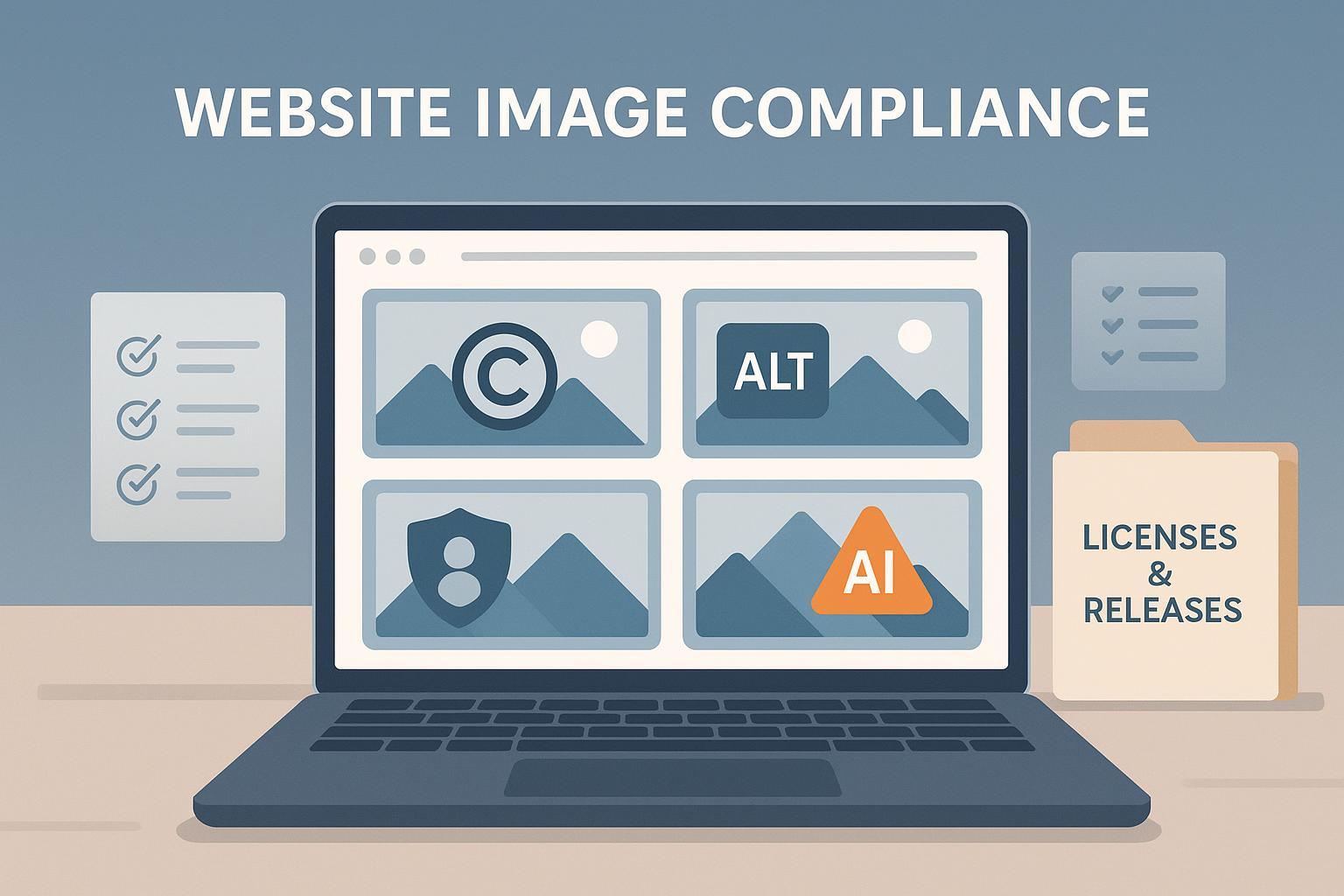
If you run a self-hosted site, the guardrails aren’t the platform’s community rules—they’re the law. In practice, image compliance breaks into four pillars: copyright/licensing, accessibility, privacy/publicity (including biometrics), and AI/deepfake/NCII. The workflows below come from hands-on experience maintaining compliance for SMB sites and content-heavy blogs, paired with authoritative sources. This is experience-based guidance, not legal advice; when in doubt, consult qualified counsel.
What’s different for independent hosting?
- You set the policies, but you also shoulder the risk. There’s no platform doing pre-checks or providing takedown tooling by default.
- “Conservatism” should track enforceable rules. You don’t need stricter-than-law policies unless your risk appetite or audience requires them, but you do need documented, repeatable processes.
- Your incident response speed matters. Without platform intermediaries, delays in removing infringing or harmful images increase exposure.
1) Copyright and Licensing: A zero-excuses workflow
I’ve found most SMB image issues are preventable with disciplined sourcing and documentation. Here’s the workflow we use on independent sites:
A. Source validation before download
- Prefer owned assets (your photography/design) or reputable stock libraries with clear licensing.
- For AI-generated images, confirm you have rights to use the output and any human-authored elements you combined; see the AI section below.
- Never “right-click save” from social media, forums, or competitors—even with attribution. Attribution does not equal a license.
B. License type checks
- Royalty-free (RF): typically one-time fee, broad use; still check restrictions (e.g., “no logo use,” “no sensitive subjects”).
- Rights-managed (RM): usage bounded by medium, territory, duration, and audience size. Write those limits into your asset notes.
C. Usage parameters and sensitive contexts
- Avoid implying endorsement or sensitive-topic association without explicit permission.
- For editorial vs. commercial use, confirm the license permits your use case.
D. Recordkeeping that actually protects you
- Save the full license terms (PDF or screenshot), invoice/receipt, source URL, asset ID, and the final image you used.
- Maintain an asset ledger: image filename, license type, permitted uses, expiry/renewal dates, model/property release status, and where it appears on your site.
E. Know your exposure and act fast
- Statutory damages in U.S. law range from $750–$30,000 per work, up to $150,000 for willful infringement, with an innocent minimum potentially as low as $200, per 17 U.S.C. §504(c) statutory damages (Title 17; 2025 edition reference). That’s per image, not per page.
- When you receive a credible claim, remove or replace first; then investigate. Fighting while the image remains live usually worsens outcomes.
F. DMCA safe harbor basics for self-hosts
If you host user-generated content (UGC) or allow uploads, follow the core steps the U.S. Copyright Office outlines in the USCO DMCA safe harbor FAQ (2025):
- Publish a DMCA policy page and designate a DMCA agent (and register with USCO). Include contact details.
- Implement a repeat infringer policy.
- On receiving a valid takedown notice (check §512(c)(3) elements), promptly remove/disable access.
- Notify the uploader and accept counter-notices; if you receive one, restore after 10–14 business days unless the claimant files suit.
- Log all notices, actions, and policy updates.
Mini-playbook: Responding to a DMCA notice in under 24 hours
- Verify the notice contains contact details, identification of the copyrighted work, the specific URL on your site, good-faith statements, and a signature.
- Disable access to the image or the page section immediately.
- Acknowledge receipt; inform the uploader (if any). Offer counter-notice instructions.
- Record the event in your ledger: date/time, requester, action taken, and follow-up deadlines.
2) Accessibility: Treat images as content, not decoration
Accessibility lawsuits keep rising, and images are frequent culprits. Rather than guess, align to WCAG.
- Use WCAG 2.2/2.1 AA as your benchmark. The official spec is the definitive reference: see WCAG 2.2 guidelines (W3C TR) (W3C, current in 2025).
- For public-sector sites, the DOJ’s April 2024 Title II rule requires conformance to WCAG 2.1 AA on specific timelines; review the DOJ ADA Title II fact sheet (2024) for deadlines. While private-sector sites don’t have a final DOJ rule yet, courts frequently treat WCAG AA as a de facto benchmark.
- Lawsuit trends: federal website accessibility suits decreased in 2024 to 2,452 filings but remain substantial; more actions are expected in 2025. See the Seyfarth analysis, 2024 federal website suits count (2025).
Alt text that helps users and reduces risk
- Meaningful images: write concise, objective descriptions. Focus on purpose, not pixel-by-pixel detail.
- Decorative images: use empty alt (alt="") to skip redundant content for screen readers.
- Complex images (charts/graphs): provide a nearby long description or link to a data table. Summarize trends and callouts.
Example pattern:
- Product screenshot: “Analytics dashboard showing monthly signups rising 18% from June to August.”
- Team photo: “Four-person marketing team standing in front of the office mural.”
- Decorative flourish: alt="" and ensure it’s marked as decorative in your CMS.
Contrast and readability
- Maintain 4.5:1 contrast for text and images of text; 3:1 for large text and UI components per WCAG AA. Avoid text baked into images unless essential.
Lightweight accessibility audit cadence
- Quarterly: sample 50 images across templates; check alt text, decorative flags, and color contrast.
- When shipping new templates or image-heavy pages: run a spot audit.
- Document defects and fixes in your accessibility log.
3) Privacy, Publicity, and Biometrics: Consent isn’t optional
If an image identifies a person, you may implicate rights of publicity and privacy laws—even when you legally own the photo.
Model releases and commercial use
- For commercial use of identifiable individuals, obtain a signed model release covering scope, media, territory, and duration. States vary; California and Illinois are strict.
- Store releases with your asset ledger; tie file names to image IDs used on your site.
- For minors, obtain parental/guardian consent and keep age verification records.
For background reading on unauthorized image use and publicity rights, see Nolo’s practical explainer, noted in 2025 references.
Images with personal data and biometrics
- Images may contain personal data (faces, license plates, badges) and biometric identifiers (face geometry). If you process images of EU or California residents, GDPR/CPRA obligations may apply.
- Illinois updated BIPA in 2024 (limits on per-scan damages; clarifies electronic consent). See the GTLaw summary of BIPA’s 2024 amendment (2024).
- Texas CUBI requires notice and consent before capture and restricts use/disclosure of biometrics; review the statute text, Texas Business & Commerce Code Chapter 503 (current), and note high-profile enforcement, including the 2024 $1.4B settlement.
Practical privacy workflow for images
- Before publishing, scan images for PII (faces, badges, addresses). Blur or crop as needed.
- Confirm consent coverage (model release) for identifiable individuals in commercial contexts.
- For user-upload features, require users to warrant they have rights and consent for identifiable people.
- Update your privacy notice to acknowledge image data processing, retention, and user rights.
- Maintain a release vault linked to your asset ledger.
Internal resources that help with the policy paperwork: QuickCreator’s guide with legal page templates can accelerate your DMCA, privacy, and terms pages without duplicating content here. For broader data issues, see this privacy and data security overview.
4) AI-Generated Images, Deepfakes, and NCII: New rules, real consequences
Human authorship and copyright registration
The U.S. Copyright Office’s 2025 report clarifies that copyright protection attaches to human-authored elements; purely machine-generated outputs are not protected. Disclose AI use in registrations and limit claims to your human contributions. See the USCO 2025 AI copyrightability report.
Labeling and provenance
- Internally label AI-generated images in your CMS and asset ledger.
- Where appropriate, provide captions indicating that an image is AI-generated to avoid misrepresentation.
- Retain prompts and editing notes as part of your documentation.
NCII and deepfake removal obligations
The federal TAKE IT DOWN Act (enacted in 2025) targets non-consensual intimate imagery, including deepfakes. If you operate features that make you a covered platform, establish a removal workflow that meets statutory timelines. Review the official legislative text at Congress.gov’s TAKE IT DOWN Act page.
Practical workflow for NCII complaints:
- Provide a reporting lane (form or email) prominently on your site.
- On receipt of a credible NCII claim, remove the image within 48 hours.
- Make reasonable efforts to remove duplicates or derivatives across your site.
- Preserve logs and cooperate with law enforcement when appropriate.
For policy alignment on AI content more broadly, QuickCreator’s AI-generated content compliance guide offers deeper context.
5) Records and Governance: Compliance lives in your documentation
In practice, independent sites stay compliant by making documentation part of the publishing routine. Here’s a one-page governance checklist you can adapt:
Asset ledger entries (for every image)
- Source and license type (RF/RM/owned/AI-generated), full terms saved, invoice/receipt
- Permitted uses and any restrictions; expiry dates
- Model/property release status; link to release PDF
- Page(s) where the image appears; publish date
- Alt text written, decorative flag or long description link
- PII/biometric review outcome; edits made (blur/crop)
Policy and page-level controls
- DMCA policy page published and DMCA agent designated
- Accessibility policy and quarterly audit log maintained
- Privacy notice includes image/biometric handling where applicable
- NCII/deepfake reporting instructions published; internal SOP documented
Incident logs
- DMCA notices and counter-notices (dates, actions)
- Accessibility defect reports and fixes
Review cadence
- Quarterly: sample audit (copyright licenses, alt text, privacy flags)
- Biannually: renew expiring licenses; rotate sensitive images; refresh policy pages
Trade-offs: Recordkeeping adds operational overhead. I’ve found it’s far cheaper than litigation or emergency rebuilds after a complaint.
6) Sector-specific playbooks
A) Photographer and artist portfolios
- Licensing/Consent: Prefer owned images; maintain signed model/property releases for identifiable people and locations. Clarify whether portfolio images are editorial or commercial.
- Alt Text: Describe subject and intent (“Portrait of a jazz musician performing under blue stage lights”). Provide long descriptions for complex composites.
- Privacy/Publicity: Avoid publishing minors without parental consent; be careful with sensitive contexts (medical, legal, intimate).
- Incident Response: Publish a DMCA page; designate an agent; keep takedown logs.
B) SaaS and product sites (screenshots and dashboards)
- Licensing/Consent: Use your own product screenshots; obtain client consent for case studies; anonymize customer data.
- Alt Text: Summarize what the UI shows and why it matters. For charts, link to accessible data tables.
- Privacy/Biometrics: Scrub PII (names, emails, photos). Assess GDPR/CPRA implications if your images depict identifiable users.
- Incident Response: DMCA policy/agent; NCII/deepfake reporting if any user sharing occurs.
C) User-upload platforms (forums, marketplaces)
- Licensing/Consent: Require users to warrant rights and obtain consent for identifiable people; include clear prohibited content rules (NCII, deepfakes, PII).
- Alt Text: Provide an input field or auto-suggestion for alt text; review AI auto-alt for accuracy.
- Privacy/Biometrics: Prohibit biometric capture without consent; provide reporting channels.
- Incident Response: Takedown within statutory timelines; log duplicates removed; communicate outcomes to reporters and uploaders.
7) Practical tools and resources (neutral suggestions)
- Stock licensing: Use reputable libraries and store license PDFs in your asset vault.
- Accessibility: Adopt a checklist and run quarterly audits; consider automated checks plus human review.
- Policy pages: Template your DMCA, privacy, terms, and NCII reporting SOPs to accelerate publishing.
First mention of product resource: QuickCreator offers templates and compliance-oriented content resources you can adapt to your site. Disclosure: I have an affiliation with QuickCreator and may reference its educational materials.
Common pitfalls and how to avoid them
- “We credited the photographer, so we’re safe.” Attribution isn’t a license. Obtain rights or don’t use the image.
- “Our images are decorative; we can skip alt text.” Decorative images require alt=""; meaningful images need alt text. Don’t guess—apply WCAG.
- “It’s our customer screenshot; consent is implied.” Not if it contains PII or identifiable people. Get written consent and scrub data.
- “AI made it; it’s free to use.” AI output may still implicate datasets, prompts, and human contributions. Label and document; avoid misrepresentation.
- “We’ll deal with complaints when they arrive.” Without a DMCA/NCII SOP and logs, you lose the benefits of safe harbor doctrines and risk regulatory penalties.
When to escalate to counsel
- You receive a demand letter seeking damages for a published image.
- An NCII/deepfake complaint involves cross-jurisdictional issues or criminal exposure.
- Your images routinely depict identifiable individuals or contain biometric data in regulated states.
- You plan to run high-visibility campaigns using sensitive images (health, finance, minors).
Counsel can help tailor releases, privacy notices, and incident workflows to your jurisdiction and audience.
Final notes
Independent hosting doesn’t require more conservatism than the law—just better process. If you implement the sourcing, alt text, consent, and incident response routines outlined here, you’ll reduce both legal risk and operational drag. Keep your documentation tight, your audits regular, and your removal timelines fast.
