How to Use Google inURL Search Operators: Step-by-Step Guide

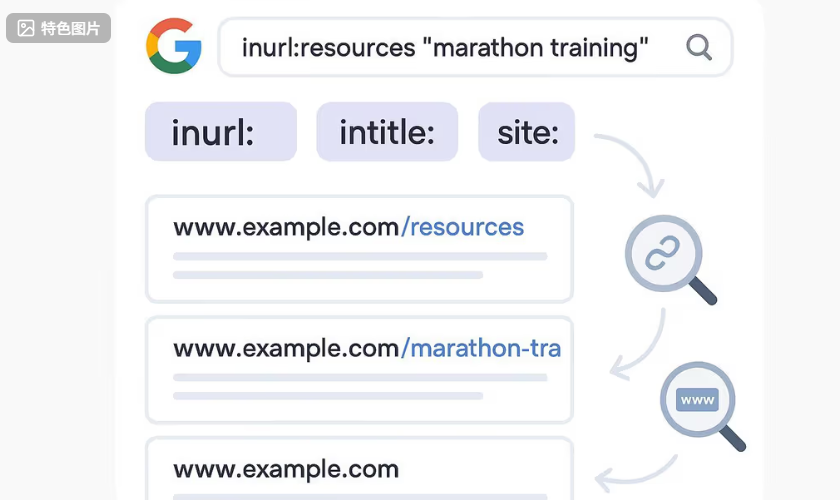
If you want a fast, repeatable way to find link prospects and study competitor content without fancy tools, the inurl operator is your friend. This guide shows you how to use inurl (and when to avoid allinurl) with simple, copy-ready searches and two beginner workflows you can run today.
What inurl and allinurl actually do
inurl finds pages where your keyword appears in the URL path. Syntax is simple: inurl:keyword or inurl:"exact phrase". You can combine it with normal words and other operators like site:, intitle:, and filetype:. According to the practical reference by Moz in their overview of advanced Google search operators, inurl is reliable for locating common URL patterns such as /blog/, /resources/, and hyphenated slugs (e.g., seo-checklist) and plays well with other operators (Moz: Search Operators).
allinurl requires every word that follows to appear in the URL. For example, allinurl:guest post guidelines forces those three tokens into the URL. That’s powerful—but also very restrictive—so it can reduce results dramatically. As noted by Search Engine Land’s explainer on advanced operators, treat allinurl like a scalpel: short tokens only, and use it sparingly (Search Engine Land: Advanced Google search operators).
A quick comparison to complementary operators:
site: restricts results to a domain or TLD pattern (site:example.com or site:*.edu). Google’s help page stresses keeping no space between operator and value, and it documents other basics like quotes, minus, and OR (Google Help: Refine Google searches).
intitle: targets words in the title tag; often great to pair with inurl when you want a specific page type.
filetype: filters by file extension (e.g., filetype:pdf), useful for guides and checklists.
Two quick examples you can test: "marathon training" inurl:resources; and intitle:"write for us" inurl:write-for-us.
Link prospecting with inurl (beginner workflow)
The goal here is to uncover resource hubs, contribution pages, and curated lists in your niche—pages that commonly link out. We’ll build from broad to focused. Ready?
Define 1–3 short niche tokens. Think of the exact terms your target audience uses (e.g., marathon training, keto recipes, B2B SaaS). Short tokens match more URL patterns than long phrases.
Start with a broad URL focus, then tighten. Try "keyword" inurl:resources. If it’s too thin, broaden with OR: "keyword" (inurl:resources OR inurl:links). Ahrefs’ link prospecting playbooks often start with resource/list footprints because they’re link-friendly hubs (Ahrefs: Link prospecting workflows).
Layer a title hint if needed. Add intitle:resources or intitle:links to reinforce intent: "keyword" (inurl:resources OR inurl:links) intitle:resources. This keeps the feel of a resource page while not over-constraining.
Target contribution pages. Try "keyword" intitle:"write for us" inurl:write-for-us or "keyword" intitle:guest inurl:blog. These patterns surface invitation pages and blogs that accept contributions. SpyFu’s operator guide showcases how mixing intitle and inurl can narrow to page types without going overboard (SpyFu: Google search operators guide).
Find listicles and roundups. Use "keyword" (intitle:best OR intitle:"top 10" OR intitle:roundup) inurl:blog to spot list posts likely to include external resources. According to Ahrefs’ content outreach guidance, these pages are natural fits for inclusion pitches because they already curate external links (Ahrefs: Link prospecting workflows).
Add domain-type filters for authority. Try "keyword" site:.edu inurl:resources or "keyword" site:.org inurl:resources to surface institutional hubs. Keep tokens short; switch between plural/singular (resource/resources) and related terms (guide/guides) to expand coverage.
Save and qualify quickly. Open 5–10 promising results in new tabs. Skim for freshness, topical fit, and an obvious contact or guidelines link. Note your best prospects in a spreadsheet with URL, page type, date, and contact path. You’ll refine as you go.
Why this works: Many sites use descriptive slugs for navigation and templates. inurl lets you target those repeatable footprints—resources, blog, write-for-us—then your quoted keywords and title hints keep results relevant to your niche.
Pro tip: If you hit a wall, drop a constraint. For instance, replace inurl:resources with inurl:blog and add intitle:resources, or remove the title operator and rely on your quoted keyword plus URL pattern.
Competitor and content research with operators (beginner workflow)
Let’s use the same tools to map competitor coverage and uncover third-party pages that cite them—perfect for gap analysis and outreach.
List known competitors, then expand. Run related:competitor.com to surface adjacent domains. Validate manually from the SERP before adding to your list.
Audit coverage by URL and title. Use site:competitor.com inurl:"topic" and site:competitor.com intitle:"topic" to spot how they organize content (e.g., /blog/seo-audit/ vs. /resources/seo-audit-guide/). This quickly shows depth by topic and the types of pages they prefer.
Find hubs that cite competitors. Search for "competitor brand" inurl:resources -site:competitor.com. You can OR multiple brands if needed. Pages that curate resources and mention a rival are prime candidates for outreach once your equivalent or better content exists.
Explore the niche without a dominant rival. Try "keyword" inurl:blog -site:competitor.com to see who else publishes in the space. If one brand floods the SERP, excluding it reveals fresh targets.
Collect listicles for inclusion research. Use "keyword" (intitle:best OR intitle:"top 10" OR intitle:roundup) inurl:blog to find comparison and roundup posts. Record patterns: do these posts prefer tools, tutorials, or checklists? That hints at content angles you might need.
Note your gaps. Where a competitor has a resource hub or popular guide that you don’t, mark it for content creation. Then circle back to the resource and roundup pages you found.
Prioritize outreach. Start with pages that already cite rivals and have visible contact methods. You’ll have a stronger pitch when your content directly fills a gap they care about.
You’ll notice we didn’t use allinurl here. Why? It’s often too strict for real-world competitor names and topic phrases. inurl plus site:, intitle:, and a quoted brand or topic usually yields a better starting set.
Quick qualification checklist (no paid tools)
Freshness: Prefer pages updated within the past 6–12 months. Use Google’s Tools > Time filter to narrow to the past year.
Topical fit: Skim headings and intro. You want ≥70% overlap with your specific niche, not a generic directory.
Authority proxies: .edu/.org domains, clear editorial standards, sensible URL structure (/resources/, /guides/, /blog/), and pages that already link out editorially.
Outreach suitability: Look for a contact, guidelines, or write-for-us page. Scan for heavy “nofollow/sponsored” usage if editorial links are your goal.
Duplicate risk: Check if the same domain shows multiple similar pages—pick the most recent and relevant.
Common pitfalls and troubleshooting
Getting zero or irrelevant results? Remove one constraint at a time. Swap allinurl for inurl, drop intitle, or replace an exact phrase with a single short token. Google’s own help notes that operators like site: and quotes have strict spacing and scope rules; a small syntax mistake (like a stray space) can change results, so double-check the basics (Google Help: Refine Google searches).
Seeing too few results with allinurl? That’s expected. As highlighted in the Search Engine Land guide, allinurl forces every term into the URL. Use it only with short, distinctive tokens (e.g., write-for-us), or switch to inurl plus a title hint to regain volume (Search Engine Land: Advanced Google search operators).
Modern URLs can be messy—think query strings and rewritten paths. Aim for durable path segments like /blog/, /resources/, /guides/, and hyphenated slugs (e.g., content-brief). SpyFu’s operator roundup shows how inurl pairs well with these stable patterns when combined with quoted keywords or intitle for context (SpyFu: Google search operators guide).
Results look different across devices or locations? That’s normal. Personalization, location, and time influence SERPs. Try Incognito, sign out, or adjust the Time filter for more consistent comparisons. You won’t fully standardize results—but you’ll get close enough to make decisions.
One more thing: don’t stack too many “allin” operators (like allinurl with allintitle). In practice, a single inurl plus a quoted keyword and a site: or intitle constraint is more stable than multiple “allin” operators. For general operator behavior and combos, Moz’s reference remains a helpful cross-check (Moz: Search Operators).
Put it into practice
Run a couple of starter searches like "your core topic" (inurl:resources OR inurl:links) and "your core topic" intitle:"write for us" inurl:write-for-us. Open 5–10 promising tabs, skim for freshness and fit, then note contact paths. From there, broaden with synonyms, test hyphenated vs. non-hyphenated tokens, and add or remove intitle as needed. Here’s the deal: small edits to operators can unlock entire new pockets of prospects. Try a few tweaks, and you’ll feel the difference within minutes.
