How to find long-tail keywords

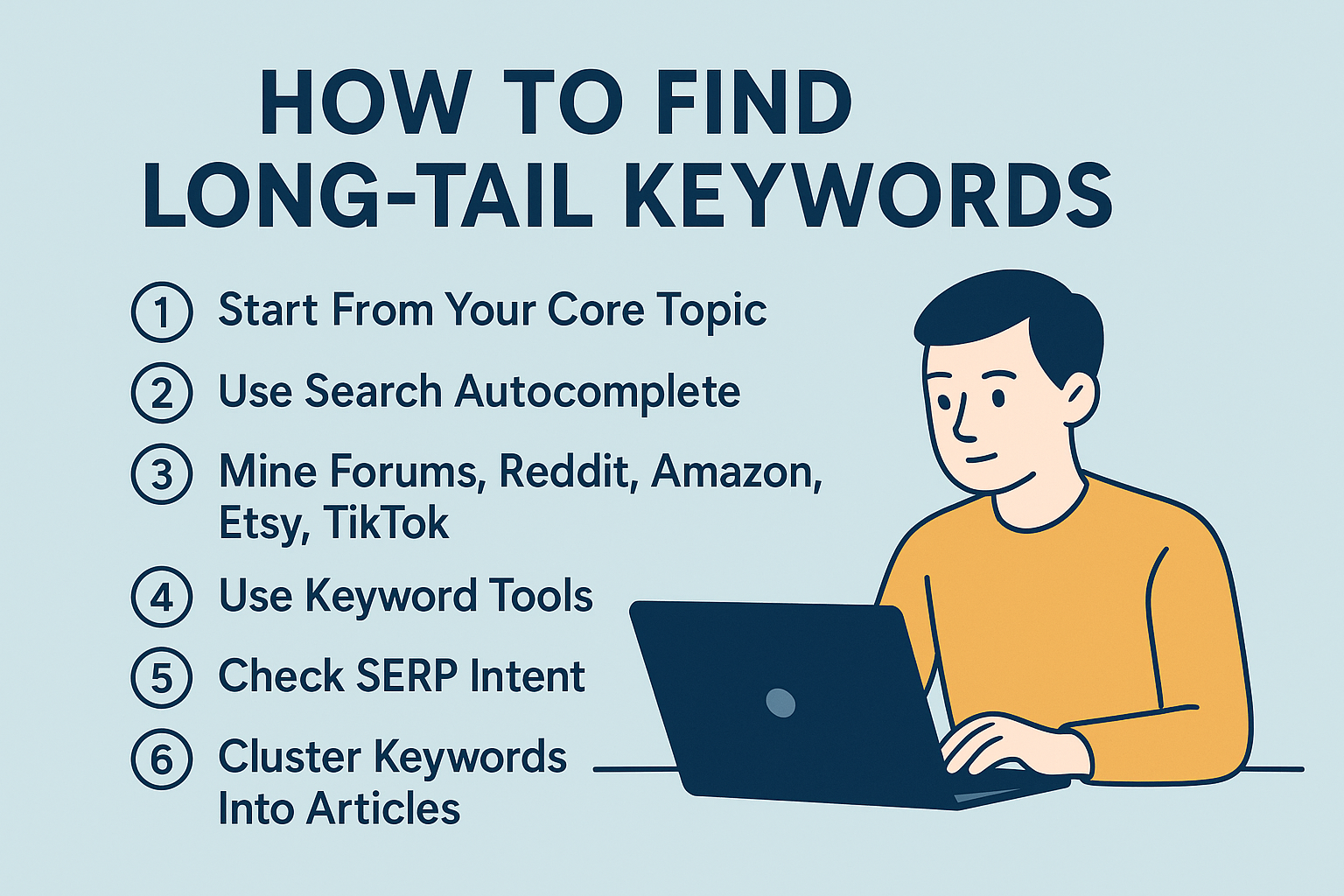
Long-tail keywords are the fastest path to publish content that can actually rank and convert. This guide gives you a practical, copy-and-apply workflow to discover, validate, and prioritize long-tail phrases—using free-first methods plus optional paid tools.
Objective: Build a vetted list of 25–75 long-tail keywords, grouped into intent-based clusters and mapped to content types you can publish.
Time and difficulty: 60–90 minutes for the first pass; beginner-friendly.
Prerequisites: Access to Google Search Console (GSC) for your site is helpful but not required.
Deliverables: A spreadsheet of candidates with notes on intent, SERP features, trend viability, and page assignment.
Why this matters: Long-tail phrases tend to have more specific intent, lower competition, and better conversion potential than head terms. That’s a widely accepted principle in SEO practice, reflected in industry guides such as the Search Engine Land long-tail keywords guide and Bruce Clay’s walkthrough on finding long-tail keywords.
Before you start: set up a simple tracking sheet
Create a spreadsheet with these columns:
Keyword
Intent (informational, commercial investigation, transactional, navigational)
Approx. search volume (range is fine)
Keyword difficulty (KD) or relative competition
Trend (steady, rising, seasonal, declining)
SERP features present (e.g., Featured snippet, People Also Ask, AI Overview)
Click potential notes
Assigned URL or content plan
Tip: If you’re new to SEO terminology, skim this short primer on what keywords and topics mean to stay consistent in your notes.
Step 1: Use Google’s SERP signals to discover long-tail ideas
Start with one or two seed topics (e.g., “yoga mats”).
Use Autocomplete (Suggest)
Type your seed into Google and note the dropdown suggestions.
Add modifiers like “for,” “near,” “vs,” “best,” “how to,” “with,” “without,” “for [audience],” “for [problem].”
Iterate letter by letter (seed + “a”, “b”, …) to surface more suggestions.
Copy promising phrases into your sheet.
Why this works: Suggestions reflect real, current search activity and intent patterns, as discussed in guides like the Search Engine Land long-tail overview.
Expand People Also Ask (PAA)
Search the seed and expand a few PAA questions until it reveals more.
Save question-style long-tail phrases that match your audience’s problems.
Prefer questions you can answer comprehensively in one page.
Collect Related searches
Scroll to the bottom of the SERP.
Click into related queries to “snowball” variations and clusters.
Verification checkpoint: You should capture at least 15 viable candidates and see organic listings beneath SERP features (not fully suppressed by instant answers). If you don’t, widen modifiers or try a nearby seed.
Step 2: Mine your own data in Google Search Console (near wins + 3+ word queries)
If your site is verified in GSC, this step can reveal long-tail terms where you’re already close to ranking.
Find near-win queries
Open GSC > Performance (Search results).
Set Date to the last 28–90 days.
Open Queries and sort by Position; eyeball average positions ~8–20 with non-trivial impressions (e.g., >100 in 28 days).
Click a query, then Pages, to see which URL ranks. Optimize that page to better match the query’s intent.
Filter for 3+ word queries with regex
Performance > + New > Query > Custom (regex).
Use RE2-compatible patterns (supported in the Search Analytics API and reflected in GSC filtering). See Google’s documentation for the Search Analytics API query endpoint.
Example patterns:
^(\w+\s){2,}\w+$      # matches 3+ words
^(\w+\s){4,}\w+$      # matches 5+ words
Many practitioners confirm these work in GSC’s regex filter; for a practical walk-through, consult community explainers like RankMath’s guide to regex in Google Search Console.
Verification checkpoint: You should identify several multi-word queries with impressions and positions in the 8–20 range. Add them to your sheet and note the current ranking page.
Step 3: Validate stability and seasonality with Google Trends
Use Trends to avoid investing in declining topics and to time seasonal content.
Compare candidate phrases
Open Google Trends > Explore.
Enter your candidates and use + Compare to add more.
Keep terms vs topics consistent; set 12–36 months and your target region.
Assess trajectories and seasonality
Favor steady or rising lines unless you have a strategic reason.
Note recurring peaks for seasonal queries and schedule content accordingly.
Mine Related queries
Scroll to Related queries and capture “Rising” or “Breakout” terms for emerging long-tail opportunities.
Why this matters: Trends helps spot relative interest, breakout topics, and seasonality windows. For fundamentals and best practices, see the Backlinko Google Trends hub and Google’s training in the News Initiative: Basics of Google Trends.
Verification checkpoint: You should keep candidates with steady or rising interest and add 5+ “Rising/Breakout” related queries to your list.
Step 4: Check click potential and SERP features (including AI Overviews)
Some queries attract SERP features that reduce clicks to organic results. Adjust expectations—or choose alternatives.
Run each target query and list SERP features present
Featured snippet, People Also Ask, Knowledge panel, video packs, and whether an AI Overview appears.
Estimate click potential
Prefer queries where organic results are visible above the fold and not fully answered in a box.
Context: Studies estimate high “zero-click” rates, with 2024 US panels showing around 58.5% according to the Sparktoro zero-click study. CTR varies by position; Semrush’s 2023 mobile benchmark reports roughly 22.4% for position 1 and lower for subsequent positions, detailed in their Google search statistics summary.
Verification checkpoint: Keep targets where there’s clear organic opportunity. If the SERP is dominated by instant answers, aim to be cited (featured snippet or AI Overview) and adjust traffic expectations.
Step 5: Spot competitor gaps and reverse-engineer winning content types
Identify competitors for your topic
Use SERP checks to list sites consistently ranking for your seeds.
Find their content/keyword gaps
Review the pages that rank and note the content type and angle (how-to guide, comparison, checklist, product page).
Choose terms where the SERP’s dominant intent matches what you intend to publish.
For a succinct overview of reversing SERP intent and content type, see Backlinko’s guide on conducting keyword analysis.
Verification checkpoint: Confirm that your chosen keyword’s SERP intent matches your planned page type. If it’s mixed intent, consider splitting into separate pages.
Step 6: Optional paid tools (with realistic filters)
Paid keyword tools can speed up discovery, but remember their KD metrics are not cross-comparable.
Ahrefs: Use Phrase match and Questions; target lower KD (e.g., < ~30) while reviewing SERP strength manually.
Semrush: Use Keyword Magic Tool; filter Questions and intent; manually pick 3–5+ word phrases.
Mangools (KWFinder) or SE Ranking: Favor long-tail reports and questions; aim for Elementary/Medium difficulty.
Why this matters: KD varies by vendor methodology; corroborate across at least two sources and rely on real SERP checks. For approachable long-tail tactics, see Mangools’ keyword research overview and SE Ranking’s guide to long-tail keywords.
Verification checkpoint: Cross-check volume and difficulty in 2 tools where possible; if numbers conflict, trust the SERP reality and your GSC/Trends signals.
Step 7: Cluster keywords and map them to content types
Group similar phrases by theme and intent, then assign one primary page per cluster to avoid cannibalization.
Informational clusters → how-to guides, FAQs, tutorials
Commercial investigation → comparisons, “best” lists, reviews, “vs” pages
Transactional → product/service pages, category pages
Short example cluster for “yoga mats”:
Informational: “how to clean a yoga mat,” “yoga mat thickness for bad knees,” “non-slip yoga mat for beginners”
Commercial: “best yoga mats for sweaty hands,” “eco-friendly yoga mat vs rubber”
Transactional: “buy cork yoga mat,” “non-slip yoga mat near me”
For deeper background on aligning content to intent, see our practical overview on aligning keywords with search intent. When you’re ready to write, use an on-page checklist like this SEO-optimized article guide.
Verification checkpoint: Each cluster should have one primary page assigned; subtopics become supporting sections or separate posts. Confirm there’s no overlap causing cannibalization.
Practical example: apply the workflow to “yoga mats”
SERP discovery
Autocomplete yields “best yoga mats for sweaty hands,” “yoga mat thickness for bad knees,” “non-slip yoga mat for beginners.”
PAA adds “How do I stop my yoga mat from slipping?” and “What thickness is best for knees?”
Related searches surface “cork yoga mat benefits,” “yoga mat material comparison.”
GSC mining (if you have a fitness blog)
You spot impressions for “how to clean a yoga mat” at position 12. Optimize your cleaning guide to answer specific sub-questions and add a step-by-step checklist.
Regex filter uncovers multi-word queries like “best yoga mat for hot yoga beginners.”
Trends validation
“yoga mat thickness for bad knees” is steady; “cork yoga mat” shows seasonal peaks.
Related queries include “non-toxic yoga mat” (Rising), which you add to your list.
Click potential check
“best yoga mats for sweaty hands” has a featured snippet but multiple organic results visible; promising.
Cluster and assign
Create one guide for cleaning, one for thickness/comfort, one comparison for materials, and a commercial listicle for “best for sweaty hands.”
Where AI can help responsibly
You can use QuickCreator to synthesize SERP/topic ideas into draft briefs and cluster suggestions based on real-time signals. Disclosure: QuickCreator is our product.
Use it as a time-saver, not a replacement for your SERP/Trends checks.
Verification summary and troubleshooting
Verification recap
After SERP discovery: At least 15 viable candidates; organic listings visible under features.
After GSC pass: Multi-word queries with impressions and positions ~8–20; pages identified for optimization.
After Trends: Steady/rising trajectories; 5+ Rising/Breakout additions.
After click-potential check: Targets with real organic space; notes on feature presence.
After clustering: One primary page per cluster; no cannibalization.
Troubleshooting
Volume looks tiny: Step up one level in specificity (e.g., from “for beginners” to “for beginners in hot yoga”), or target the cluster as a whole. Confirm at least some demand via GSC impressions.
SERP dominated by giants: Narrow the angle (local, audience segment, specific use case), or pursue question-type queries where smaller sites often win.
Mixed intent SERP: Split the topic into separate pages (information vs comparison vs transactional) and target the dominant intent first.
Sparse PAA: Mine Reddit, Quora, niche forums, and your site’s internal search logs to capture real-world phrasing.
For context on evolving SERP behavior and intent optimization, see Search Engine Land’s practical advice on optimizing for search intent.
Next steps
Prioritize clusters by business fit, click potential, and your current authority.
Publish the highest-fit pages first and measure impressions, CTR, and positions weekly in GSC.
Refresh content as Trends and SERP features evolve.
Optional: If you want to streamline topic suggestions and create AI-assisted briefs that respect SERP signals, QuickCreator can help. Use it alongside your manual validation for best results.
FAQs
What counts as a long-tail keyword?
Typically 3–5+ words with specific intent and lower competition. Industry guides such as the Search Engine Land long-tail guide and Surfer’s overview of long-tail keywords offer practical examples.
How do I avoid chasing vanity terms?
Trust SERP reality, validate with GSC impressions, and use Trends to ensure steady interest. If SERP features suppress clicks, aim for being cited in features and adjust expectations. Semrush’s benchmarks in their Google search statistics provide helpful CTR context.
Can I rely solely on KD scores?
No. KD differs by tool methodology. Cross-check numbers in at least two tools and always run a manual SERP review. Mangools’ keyword research guide and SE Ranking’s long-tail overview explain useful filters while reinforcing that human review matters.
