How to Analyze and Understand Search Intent for SEO

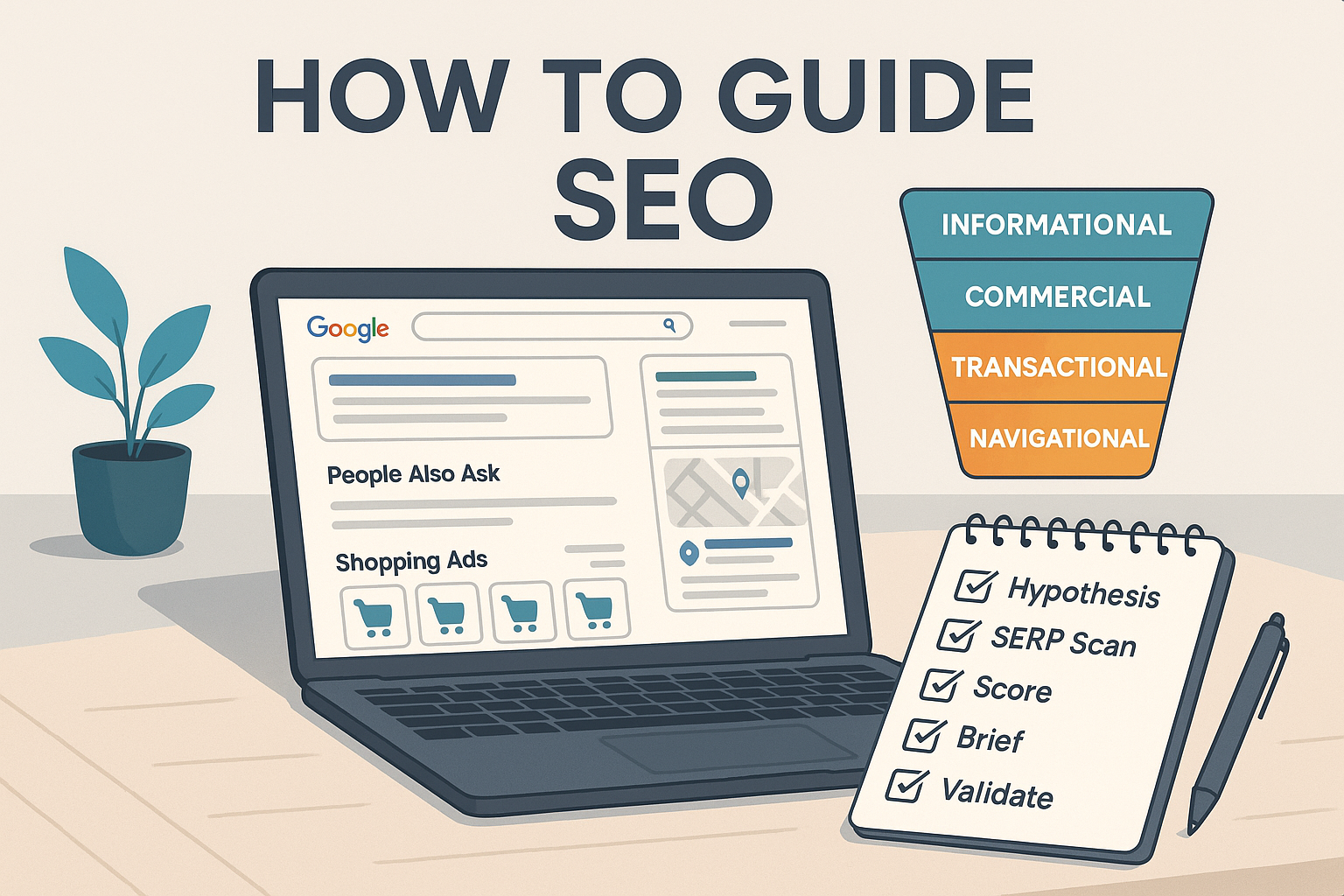
Author: Senior SEO strategist with hands-on SERP analysis and content operations experience for high-growth brands and Fortune 500 teams.
If you can reliably identify what searchers want from a query, you’ll choose the right content type, format, and call to action—and your pages will earn higher CTR, better engagement, and more conversions. This guide gives you a repeatable workflow to infer and validate search intent from live SERPs, match your content to that intent, troubleshoot misalignment, and scale across hundreds of keywords. Difficulty: moderate. Time per keyword: 3–5 minutes manual; under 1 minute with tools. Prerequisites: Google Search; optional Google Search Console (GSC) and GA4; any SEO suite is helpful but not required.
Step 1: Set your business goal and an intent hypothesis
Start with the outcome you want for the page (awareness, consideration, purchase). From the seed keyword, write a one-line hypothesis about the likely intent.
- Map common modifiers to a tentative intent:
- Informational: who/what/why/how, guide, tutorial, definition
- Commercial investigation: best, top, vs, compare, alternatives, review, pros & cons
- Transactional: buy, order, pricing, coupon, near me, download, subscribe
- Navigational: brand names + login, pricing, docs, support
- Note that modifiers are secondary signals. Always confirm using the actual SERP. Practical over theory is the goal, as emphasized in the widely cited Search Engine Land guide on search intent.
Verify you did this right:
- You’ve recorded the business goal and a hypothesis intent for each keyword.
- You’re treating modifiers as clues to test, not as final answers.
Helpful foundational reading: What are keywords, topics, and differences?
Step 2: Reverse‑engineer the SERP (desktop and mobile)
Open the query in Google on desktop and mobile (incognito or a clean profile to reduce personalization). Scan the top 10 organic results and note:
- Content types: how‑to/explainer, comparison/buying guide, category (PLP), product (PDP), tool/calculator, docs/FAQ
- Formats and angles: listicle, tutorial/steps, checklist, review roundup, table/specs, video‑first
- Publisher types: brand sites, retailers/marketplaces, media, forums (Reddit/Quora), UGC
- SERP features present and their prevalence: Featured Snippet (FS), People Also Ask (PAA), Discussions & forums, Video carousel, Top stories, Local pack, Shopping units (ads/organic), Knowledge panel, sitelinks, AI Overviews
Use recognized references while you scan:
- For a concise catalogue of features, see the Semrush SERP features guide.
- For Google’s view of AI experiences, review Google Search Central: AI features and your website.
Decision rules you can apply immediately:
- If 7 of the top 10 results are how‑to articles and there’s a prominent Featured Snippet plus PAA, dominant intent is informational.
- If PLP/PDP pages dominate and you see Shopping and product‑rich results, dominant intent is transactional.
- If comparisons/buying guides with review snippets dominate, dominant intent is commercial investigation.
- If brand homepages/login pages with sitelinks appear, dominant intent is navigational.
Verify you did this right:
- You’ve captured a quick inventory of top result types and features for both desktop and mobile.
- You can articulate the dominant pattern in one sentence.
Troubleshooting:
- If the SERP is mixed (e.g., half listicles, half product pages), you may need either separate assets for different intents or a single hub page with clearly sectioned “learn” vs “buy.”
Step 3: Score the intent and set a confidence level
Use a simple rubric to avoid guesswork. A practical split that works well in teams:
- Dominant SERP pattern (content type mix) = 60%
- Query modifiers (from Step 1) = 20%
- SERP features (from Step 2) = 20%
If your total confidence is ≥80%, proceed. If 60–79%, validate in 2–4 weeks post‑publish and be ready to adjust. If <60%, split the topic or re‑run the SERP analysis. This rubric approach aligns with operational guidance seen in the SurferSEO 5‑step intent tracking guide and the programmatic frameworks in the Search Engine Land search intent guide.
Example: “best standing desk for home office”
- SERP pattern: 8/10 are comparison roundup articles → 60% score = 56
- Modifiers: “best” → strong commercial investigation signal → 20% score = 18
- Features: review snippets + PAA → 20% score = 16
- Confidence = 56 + 18 + 16 = 90% (high)
Verify you did this right:
- You’ve documented scores and a single intent label per keyword.
- Low confidence triggers either deeper validation or content splitting.
Practical example: Label and validate a keyword’s intent (tool + manual)
In practice, you’ll often use a tool to speed up pattern detection—then double‑check manually.
- Tool‑assisted flow: Use QuickCreator to generate a draft brief and review its SERP/topic recommendations for a seed like “best standing desk for home office.” If the suggestion leans toward a comparison roundup, label the keyword “commercial investigation” and proceed to build a comparison‑style page with a clear methodology, pros/cons, and top picks. Disclosure: QuickCreator is our product.
- Manual parity flow: Run the query in Google, tally top 10 result types (e.g., 8/10 comparison roundups), note features (review snippets, PAA), assign the rubric scores, and record confidence.
Verification:
- Both flows should lead to the same label. If they differ, trust the live SERP and re‑score.
Step 4: Choose the content type, format, and enhancements that match intent
Match the dominant intent with an explicit plan for page type, structure, and enhancements:
- Informational
- Page type: tutorial or explanatory article.
- Must‑haves: concise definition or answer up top; clear steps; PAA‑style subheads; scannable list formatting; supportive visuals.
- Enhancements: consider FAQ schema; short video or gifs; internal links to deeper topics.
- Commercial investigation
- Page type: comparison/buying guide or “best X for Y.”
- Must‑haves: transparent criteria and methodology; comparison table; pros/cons; “best for” picks; alternatives.
- Enhancements: review/product schema where appropriate; clear outbound citations to authoritative sources.
- Transactional
- Page type: PLP/PDP or solution page.
- Must‑haves: clear CTAs, price/availability, filters, trust badges, shipping/returns, social proof.
- Enhancements: product schema; performance UX; fast path to conversion.
- Navigational
- Page type: brand homepage or the destination page users seek (login, pricing, docs).
- Must‑haves: prominent paths/sitelinks; clean architecture; speed and clarity.
When you turn this into a brief, lean on proven structures and on‑page guidance: How to Write SEO‑Optimized Articles: A Comprehensive Guide
Verify you did this right:
- Your planned page type and format mirror what already wins on the SERP.
- You’ve identified any schema opportunities (FAQ, product, local) relevant to the intent.
Step 5: Build a tight brief and align clusters
Create a one‑page brief that contains:
- Target intent label and confidence score
- Primary angle (e.g., “best for X” methodology or “how to” steps)
- Outline with PAA‑inspired subheads and any tables or visuals needed
- Required enhancements (schema, FAQs, jump links)
- Internal links to next‑step pages (e.g., category page for transactional, deeper guides for informational)
Cluster alignment:
- Group related keywords by shared intent and topic; decide whether they fit as sub‑sections of one page or require separate assets.
- For mixed SERPs, consider a hub‑and‑spoke model: one comprehensive hub page with supporting spokes for transactional or comparison variants. Practical models for clusters are discussed in the Search Engine Land topic clusters overview.
Verify you did this right:
- Your brief clearly states the intent and page type, with an outline that matches SERP expectations.
- Each cluster has a content plan (single page vs hub‑and‑spoke) based on SERP evidence.
Step 6: Publish, then validate with GSC and GA4
Connect your analytics and search data, then review after 2–4 weeks.
- GSC (Performance report): Check queries, clicks, impressions, CTR, and position for the page. See Google Search Central’s Search Console start guide for an official walkthrough.
- GA4: Review engaged sessions, average engagement time, scroll depth, and conversions. If needed, follow an integration walkthrough like the Search Engine Land guide on linking GA4 and Search Console.
- AI Overviews visibility and behavior are included within Search Console performance metrics; Google clarified this in its December 2024 “Recent data in Search Console” update and related documentation.
What to expect by intent (directional—benchmark to your own data):
- Informational: rising engagement time and deep scroll; snippet/PAA eligibility.
- Commercial investigation: healthy CTR and interaction with comparison elements; micro‑conversions (email capture, “view pricing”).
- Transactional: strong add‑to‑cart or sign‑ups; shorter time‑to‑conversion.
- Navigational: quick task completion is OK even with short sessions.
Pivot rules (2–4 weeks):
- If CTR stays low vs peers, re‑analyze the SERP and adjust format and angles.
- If GSC queries skew to a different intent (e.g., more “vs” or “best” than expected), split the page or add comparison sections.
- If transactional conversions lag, streamline UX and product data (schema, availability, shipping).
For helpful context on CTR variability across positions, review the synthesized evidence in the Backlinko CTR guide or Semrush’s organic CTR analysis; treat these as directional benchmarks, not absolute targets.
Step 7: Edge cases and troubleshooting
- Mixed‑intent SERPs: If half the results are listicles and half are PDPs, a hub page with spokes often performs best. Keep sections clearly delineated with jump links.
- Local overlays: If a Local Pack appears, intent likely includes local + transactional. Create location pages, optimize your Google Business Profile, and add local schema.
- Seasonality/freshness: If Top stories or freshness cues dominate, add an update cadence and time‑stamped sections.
- YMYL/compliance: Favor authoritative sources, conservative claims, and expert review; raise your content’s E‑E‑A‑T signals. For operational guidance, see Content Quality Score (E‑E‑A‑T).
Step 8: Scale across hundreds of keywords (manual vs tool‑assisted)
Scale your process while keeping quality checks intact.
Manual approach:
- Export your keyword list.
- For each keyword, perform the 3–5 minute SERP scan, assign an intent label and confidence score, and bucket into clusters.
- Review clusters (10–50 keywords) in 30–120 minutes to finalize page plans.
Tool‑assisted approach:
- Use your preferred suite for bulk SERP snapshots and intent hints; then spot‑check live SERPs and apply the rubric.
- Move clusters into briefs systematically. If you use internal decision aids, the Win Rate tool is a helpful companion for prioritization.
Verification at scale:
- Sample 10–20% of labels with manual SERP checks.
- Track confidence distributions—low‑confidence pockets need deeper review or page splits.
Copy‑ready template: Intent rubric and validation tracker (CSV)
Copy and paste this into your spreadsheet tool. Adjust columns as needed.
keyword,intent_label,serp_pattern_score,modifiers_score,features_score,confidence_percent,content_type,format,schema,next_action,validation_date,gsc_ctr,ga4_engagement_time,conversions,pivot_flag
best standing desk for home office,commercial investigation,56,18,16,90,comparison guide,listicle+table,review schema,Publish brief and build page,2025-11-15,3.2%,00:03:40,12,false
how to clean stainless steel pan,informational,48,20,16,84,tutorial,step-by-step,FAQ schema,Add images and short video,2025-11-15,4.8%,00:05:10,3,false
standing desk,ambiguous (split needed),36,8,12,56,hub + spokes,mixed,FAQ+product schema,Split: hub guide + PLP,2025-11-15,1.9%,00:01:20,5,true
Common pitfalls and how to avoid them
- Forcing transactional CTAs on informational pages leads to pogo‑sticking. Satisfy the information fully, then offer soft, contextual next steps.
- Ignoring SERP features causes format mismatches. Match what wins: FAQs, video, local packs, shopping units.
- Treating modifiers as absolute creates mislabels. Use them as secondary signals and validate against the SERP.
- Not rechecking intent as SERPs evolve (e.g., AI Overviews) leads to drift. Review top pages and features quarterly; Google’s documentation on AI features is a good reference.
Wrap‑up: Turn intent into an operational edge
Intent analysis isn’t academic; it’s your blueprint for page type, format, and UX. Use the SERP to set your label, score confidence, and choose the right content approach. Then validate with GSC and GA4, set pivot rules, and scale with a simple rubric and a clean checklist. When in doubt, trust what’s winning in the SERP—and design your page to meet that expectation.
Internal resources for deeper practice (one per topic):
- Keywords vs topics: QuickCreator docs
- Building strong briefs: SEO‑optimized articles guide
- E‑E‑A‑T signals: Content Quality Score
- Prioritization aid: Win Rate tool
