How long does SEO take to show results? Indexing and ranking timelines

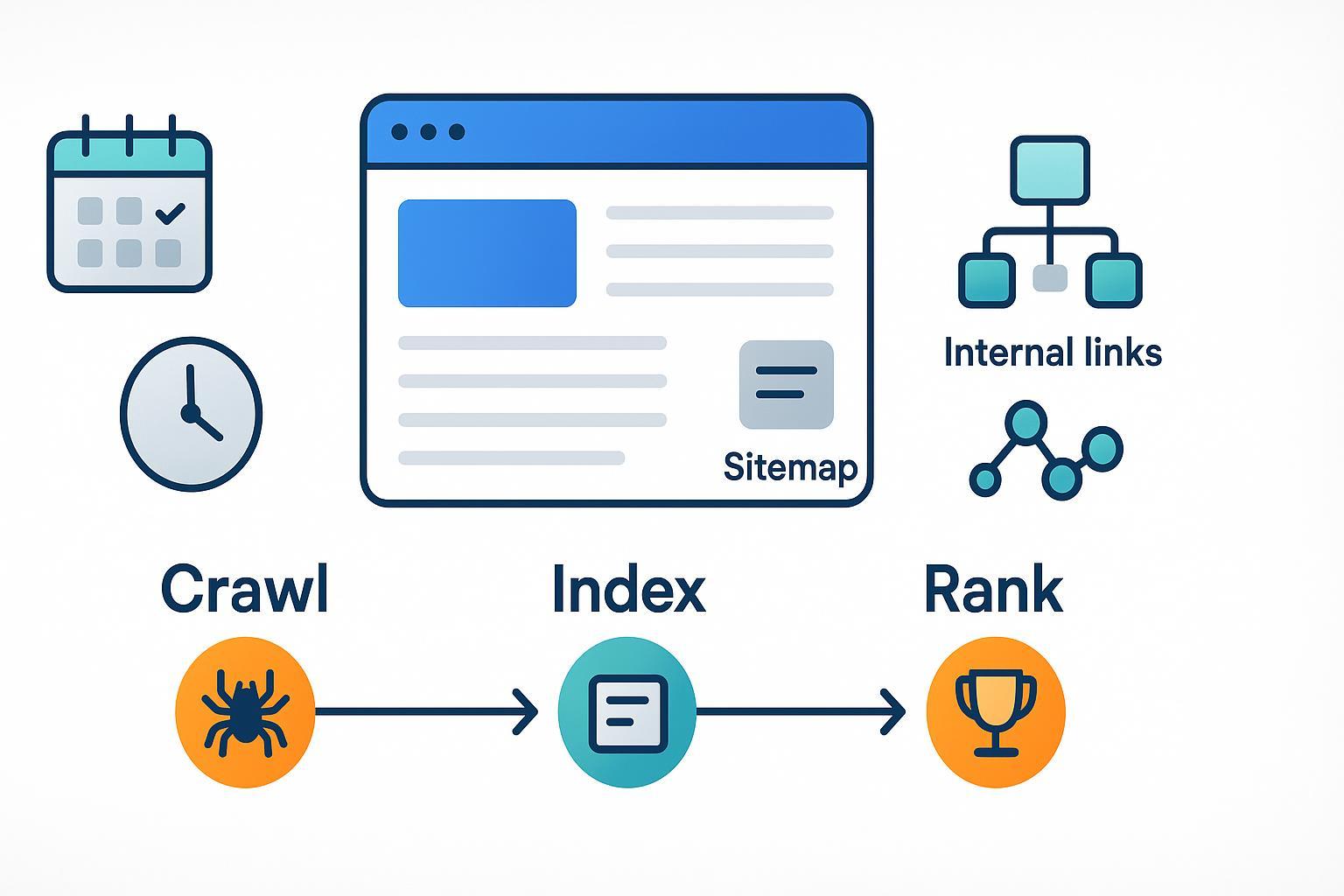
SEO progress happens in stages: discovery/crawling, indexing, and ranking. Each stage has its own timeline and variables. Below are practical, evidence-led answers to the questions people ask most.
1) What’s the difference between crawling, indexing, and ranking?
TL;DR: Crawling is when Google finds and fetches your pages, indexing is when they’re stored and understood, and ranking is how they’re ordered for a search query.
- Crawling: Googlebot discovers URLs through links, sitemaps, and other feeds and requests your pages.
- Indexing: Google processes the content it fetched (including rendering JavaScript) and decides whether to store it in the index.
- Ranking: For each user query, Google selects and orders results from the index based on relevance and many signals.
For clear definitions, see Google’s overview in How Search Works (Google Search Central) and the Crawling & Indexing hub.
You might also want to know: rendering (especially for JavaScript-heavy pages) can delay processing, which affects indexing schedules; see JavaScript SEO basics (Google).
2) How long does indexing usually take for a new page, and can I request indexing?
TL;DR: Indexing can happen within hours for well-linked sites or take days to weeks for new/low-authority sites. You can request indexing in Search Console, but it’s not guaranteed.
- Google does not provide a fixed SLA for indexing. Processing can take time due to rendering and scheduling constraints. See Google’s perspective on variability in How Search Works and periodic notes like Crawling December (Google Search Central blog, 2024).
- You can use the URL Inspection tool’s “Request indexing”. It queues the URL for crawling/processing but doesn’t guarantee inclusion.
- Practical ranges observed by practitioners: hours to days for established, well-linked sites; days to weeks for new sites or batches of many URLs. Treat these as expectations, not promises.
Actions that nudge discovery and indexing:
- Submit/maintain an XML sitemap; see Build and submit a sitemap (Google).
- Link new pages from prominent, already-indexed pages (internal linking helps discovery).
- Ensure mobile accessibility and content parity (Google primarily uses the mobile version); see Mobile-first indexing best practices (Google).
3) How long until I see ranking results, and what affects the timeline?
TL;DR: For low-competition topics, you may see movement in 1–3 months; medium competition often takes 3–6+ months; high competition can take 6–12+ months. Variability is normal.
- Google doesn’t publish ranking timelines. The ranges above are industry expectations and depend on competition, topical authority, content quality, internal linking, and links.
- Context sources on competitiveness and volatility: Semrush keyword competition overview and Search Engine Land’s algorithm history. Use these to understand the landscape, not as guarantees.
What meaningfully affects rank velocity:
- Match search intent and cover the topic deeply and helpfully.
- Build internal links from relevant hub pages to strengthen discovery and context.
- Earn high-quality mentions/links; avoid manipulative tactics.
- Keep pages fast, mobile-friendly, and render primary content without heavy client-side dependencies when possible.
You might also want to know: content quality and topical coverage are core to ranking timelines—see content quality score for a practical framework.
4) What can I do to speed up discovery and indexing?
TL;DR: Make it easy for Google to find and process your pages: sitemaps, sensible internal linking, clean technical signals, and mobile-first readiness.
Checklist:
- Publish with correct status codes (200 for indexable pages), avoid noindex unless intentional, and don’t block essential resources (CSS/JS) in robots.txt.
- Submit/refresh your XML sitemap; track processing in the Sitemaps report (GSC Help).
- Link new URLs from strong, already-indexed pages; add them to hub/category pages.
- Ensure mobile parity and responsive design (see Mobile-first indexing best practices).
- If you rely on JavaScript, validate that core content is rendered server-side or quickly client-side (see JavaScript SEO basics (Google)).
- Use the URL Inspection tool to request indexing after publish/update.
5) How do I check if my page is indexed and track ranking progress?
TL;DR: Use Google Search Console: URL Inspection, Page Indexing report, Performance report, and Crawl Stats for health checks.
- URL Inspection: Shows whether the URL is on Google and recent crawl/render info; includes Request indexing.
- Page Indexing (Pages) report: Lists indexed and excluded URLs with reasons; see Page Indexing report (GSC Help).
- Performance report: Track clicks, impressions, and average position over time; see Performance report (GSC Help).
- Crawl Stats: Spot server issues, crawl rate changes, and response trends; see Crawl Stats report (GSC Help).
Tip: Indexing status may update before performance data appears; reporting lags are normal.
6) Why is my page “Crawled – currently not indexed,” and how do I fix it?
TL;DR: It usually signals quality, duplication, or processing decisions. Strengthen the page, link to it internally, and fix technical blockers.
Common causes and fixes:
- Thin or overlapping content: Expand coverage; differentiate from similar pages; connect intent to solutions. You can review fundamentals in what are keywords, topics, and differences?.
- Weak internal links: Add links from relevant, authoritative pages.
- Duplicate/canonicalization issues: Ensure unique value; use canonical tags appropriately.
- Rendering problems: Verify that essential content is visible in the rendered HTML (see JavaScript SEO basics).
- Server instability: Check Crawl Stats for spikes in errors/timeouts.
7) How do core updates affect timelines, and how long does recovery take?
TL;DR: Core updates can change rankings and traffic during rollouts; recovery depends on improving overall content quality and often aligns with future updates.
- Google explains core updates as broad changes to improve search quality; fluctuations are expected. See core updates explainer (Google).
- Check the Google Search Status Dashboard during update rollouts or incidents.
- The August 2024 core update (Google) notes that focusing on helpful, people-first content is the path forward. Recovery timelines vary; meaningful improvements may be reflected when Google refreshes systems in subsequent updates.
- For historical context on penalties vs. broader updates, see Google Panda vs. Penguin: Key Differences Explained.
8) Do timelines differ for local businesses, ecommerce stores, SaaS, and blogs?
TL;DR: The mechanics are the same, but competition and intent complexity vary.
- Local: Competitive queries often hinge on proximity, reviews, and local citations. Content and technical basics apply; expect ranking movement as you build topical and local authority.
- Ecommerce: Indexing can slow if large catalogs have thin/duplicate descriptions. Use canonicalization, structured data, and robust category/hub pages.
- SaaS/B2B: Longer sales-cycle topics may have stronger incumbent competitors; invest in topical depth and expert content.
- Blogs/Publishers: Freshness can help for newsy topics; evergreen pieces rely on comprehensive coverage and internal linking.
9) What about multilingual or international pages—any special timing considerations?
TL;DR: Timelines mostly depend on competition and crawl demand in each market. Implement hreflang correctly to help Google serve the right version.
- Use proper annotations and reciprocity; see Managing multi-regional and multilingual sites (Google).
- Choose sensible structures (subfolders or ccTLDs) and ensure internal linking exposes localized content. Ranking pace varies with local link graphs and competitors.
10) What should I do if rankings aren’t improving after 3–6 months?
TL;DR: Diagnose systematically—intent alignment, topical depth, internal links, external authority, and technical health.
Stepwise checklist:
- Confirm indexing and crawl health (URL Inspection, Page Indexing, Crawl Stats).
- Re-evaluate search intent and content coverage; expand sections, add examples, FAQs, and multimedia.
- Strengthen internal linking from hub and related pages; avoid keyword cannibalization.
- Earn authoritative mentions/links through PR, partnerships, or useful assets.
- Watch trends in the Performance report (impressions and average position). If position improves but clicks don’t, refine titles/meta and on-page UX.
- Consider SERP volatility due to updates; monitor the Search Status Dashboard. Adjust strategy based on stability.
You might also want to know: if content quality is the bottleneck, explore frameworks like content quality score.
11) Can you share a practical publishing workflow that aligns with these timelines?
TL;DR: Publish cleanly, expose the URL to Google, and monitor.
A simple flow:
- Draft content in your CMS. Ensure on-page basics: descriptive title/meta, clear H1–H3, alt text, and relevant internal links to/from hub pages.
- Publish and add the URL to your XML sitemap; link it from an indexed category or hub page.
- Use URL Inspection to request indexing.
- Monitor weekly: Page Indexing (inclusion/exclusions), Performance (impressions/position), Crawl Stats (server health).
- Iterate based on findings—expand content depth, fix technical issues, and build internal/external links.
As part of this workflow, tools can streamline writing and on-page optimization. One option is QuickCreator. Disclosure: QuickCreator is our product. You can use its editor and AI-assisted workflows to plan and produce SEO-friendly content; it does not control indexing or guarantee rankings.
12) Final expectations: when will you “see results”?
TL;DR: Expect indexing anywhere from hours to weeks; expect ranking movement over months, depending on competition and authority. Measure progress via impressions and positions before fixating on clicks.
- Early signals: indexing status changes, impressions appearing for long-tail queries.
- Mid-stage: average position improves and queries diversify; clicks follow as titles/meta and visibility enhance.
- Long-run: durable rankings come from consistent quality, topical authority, and a healthy site.
If you’re new to search intent and topical planning, start with what are keywords, topics, and differences? for foundational concepts.
