SEO abbreviations: What do terms like GSC and pSEO mean?

Why these abbreviations matter
SEO conversations are full of shorthand. Two you’ll see often are GSC and pSEO. Understanding both can save you hours of guesswork and help you make better decisions about how your site grows.
GSC: Google Search Console, your search performance dashboard
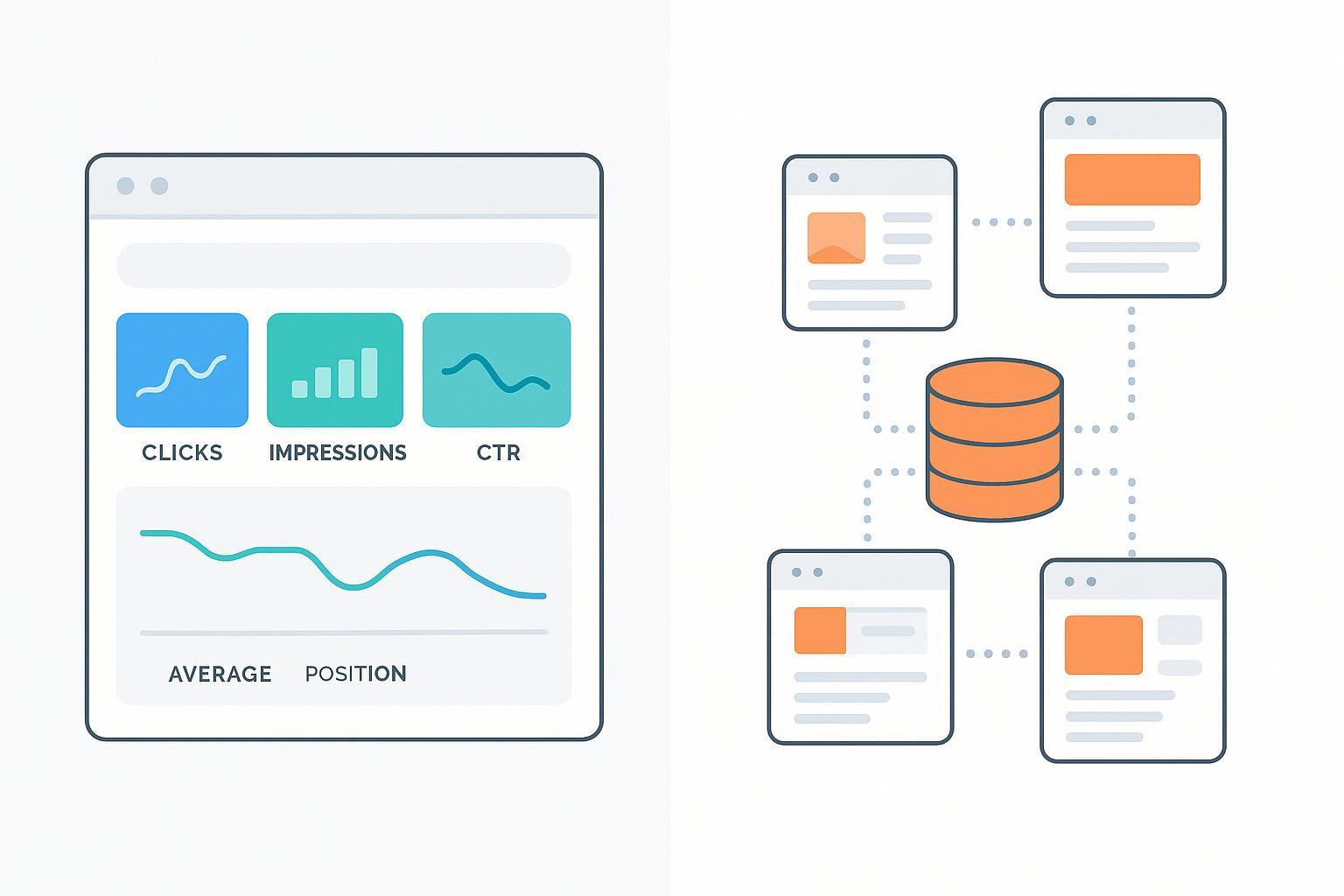
GSC stands for Google Search Console — Google’s free platform for monitoring how your site appears and performs in Google Search. Think of it as your site’s search performance dashboard directly from Google.
-
What you can do in GSC
- See which queries and pages drive traffic and how they trend over time in the Performance report (metrics like clicks, impressions, CTR, and average position are defined in Google’s help docs; see the Performance report (Search results) by Google Help, referenced 2019–2025).
- Check indexing and page status in the Indexing/Pages area and submit or monitor sitemaps for discovery.
- Inspect individual URLs to verify canonical selection, crawl dates, and request reindexing via the URL Inspection tool.
- Review internal/external linking patterns in the Links report.
- Monitor page experience and Core Web Vitals (LCP, INP, CLS); as of 2024–2025, INP replaced FID as a Core Web Vital, per Google’s developer guidance.
-
What GSC is not
- It’s not Google Analytics (GA or GA4). GSC focuses on how you appear and get traffic from Google Search. Analytics tools measure on-site behavior after visitors arrive. For a broad refresher on how SEO fits with other channels, see SEO Explained: A Comprehensive Overview.
-
Practical ways to use GSC
- Diagnose a traffic drop: Compare date ranges in Performance, filter by query/page, then cross-check the Pages report for indexing changes. If experience metrics dipped, review your Core Web Vitals trends in GSC (definitions and thresholds are documented in Google’s Core Web Vitals overview as of 2025).
- Improve CTR: Find queries with high impressions but low CTR in Performance; test clearer titles/meta descriptions and ensure the page aligns tightly with the intent.
For a concise orientation to GSC features from Google, start with How to use Search Console (Google Search Central, 2025).
pSEO: Programmatic SEO, a template-driven content factory
pSEO stands for programmatic SEO — the practice of publishing many SEO-targeted pages using templates filled with structured data (often from a database) to capture long-tail queries at scale. Imagine a carefully managed content factory: each page follows a template but still delivers unique, useful value for a specific search intent.
-
Common pSEO use cases
- Location pages (e.g., “best coffee shops in [city]”) with unique local data and guidance.
- Product variants (size/color/material), integrations (“Slack + Google Sheets”), comparisons (“Tool A vs Tool B”), and directories.
-
Benefits and boundaries
- Benefits: Reach expansive long-tail demand efficiently and keep content updated programmatically. Clear definitions and workflows are covered in Semrush’s 2025 overview of programmatic SEO.
- Boundaries: pSEO is not mass-produced thin or duplicate content. Large-scale templating without unique value creates “index bloat,” which can waste crawl budget and dilute authority. See Search Engine Land’s 2025 index bloat guide for risks and pruning strategies.
-
Practical safeguards
- Ensure each page offers unique value (distinct data, narrative, or utility), not just a swapped city or SKU.
- Use canonical tags and selective noindex for near-duplicates; include only high-value URLs in sitemaps.
- Build strong internal linking (category hubs → subpages) so templates aren’t orphaned.
- Prune or consolidate pages with no impressions for 60–90 days unless there’s clear strategic value; this aligns with the index bloat guidance above.
How GSC and pSEO work together in real life
- Plan with pSEO, validate with GSC: Use pSEO to design scalable, intent-specific templates. After publishing, monitor queries, CTR, and indexing in GSC. If certain template groups show low CTR or “Discovered — currently not indexed,” refine content and internal linking, and consider weighting sitemaps toward the highest-value sections.
- Experience signals matter: When pages compete on similar relevance, Google’s page experience guidance indicates that better Core Web Vitals can act as tie-breakers. See Google’s page experience overview and the 2023 blog note about its role in helpful content.
Disclosure: QuickCreator is our product. Platforms like QuickCreator can help streamline content creation workflows and organize templates for scalable publishing while you monitor performance in GSC. For related reading on search appearances like Discover, see Fix Google Discover Not Available.
Quick glossary of related terms
- SERP: Search engine results page where your listings appear and users click.
- Sitemap: An XML file that lists URLs to aid discovery; submit and monitor in GSC’s Sitemaps.
- Crawl budget: The resources search engines allocate to crawl your site; bloated, low-value pages can waste it.
- Canonical tag: rel="canonical" indicates your preferred URL when duplicates exist.
- Structured data: Schema markup that helps search engines understand content and enable rich results.
A short checklist to do this right
-
For GSC
- Verify your site and submit clean sitemaps.
- Review Performance weekly; action high-impression/low-CTR opportunities.
- Inspect URLs before major launches and track Core Web Vitals trends.
-
For pSEO
- Define templates around real intents; add unique value to every page.
- Link templates into logical hubs; curate sitemaps and canonicalize near-duplicates.
- Monitor in GSC and prune low or zero-impression pages to avoid index bloat.
You might ask yourself: Would a human find this page genuinely helpful and distinct from similar pages on my site? If the answer is shaky, refine before you scale.
