How Google Search Works in 2025: A Simple Explanation for Beginners

If Google Search feels mysterious or overwhelming, you’re not alone. The good news: the basics are simple once you see the flow. In 2025, the fundamentals haven’t changed—Google still discovers pages, understands them, and shows helpful results. Newer AI features can summarize topics, but the same core principles guide what gets found and shown.
Let’s walk through it in plain English, step by step.
The big picture: How Google finds and shows pages
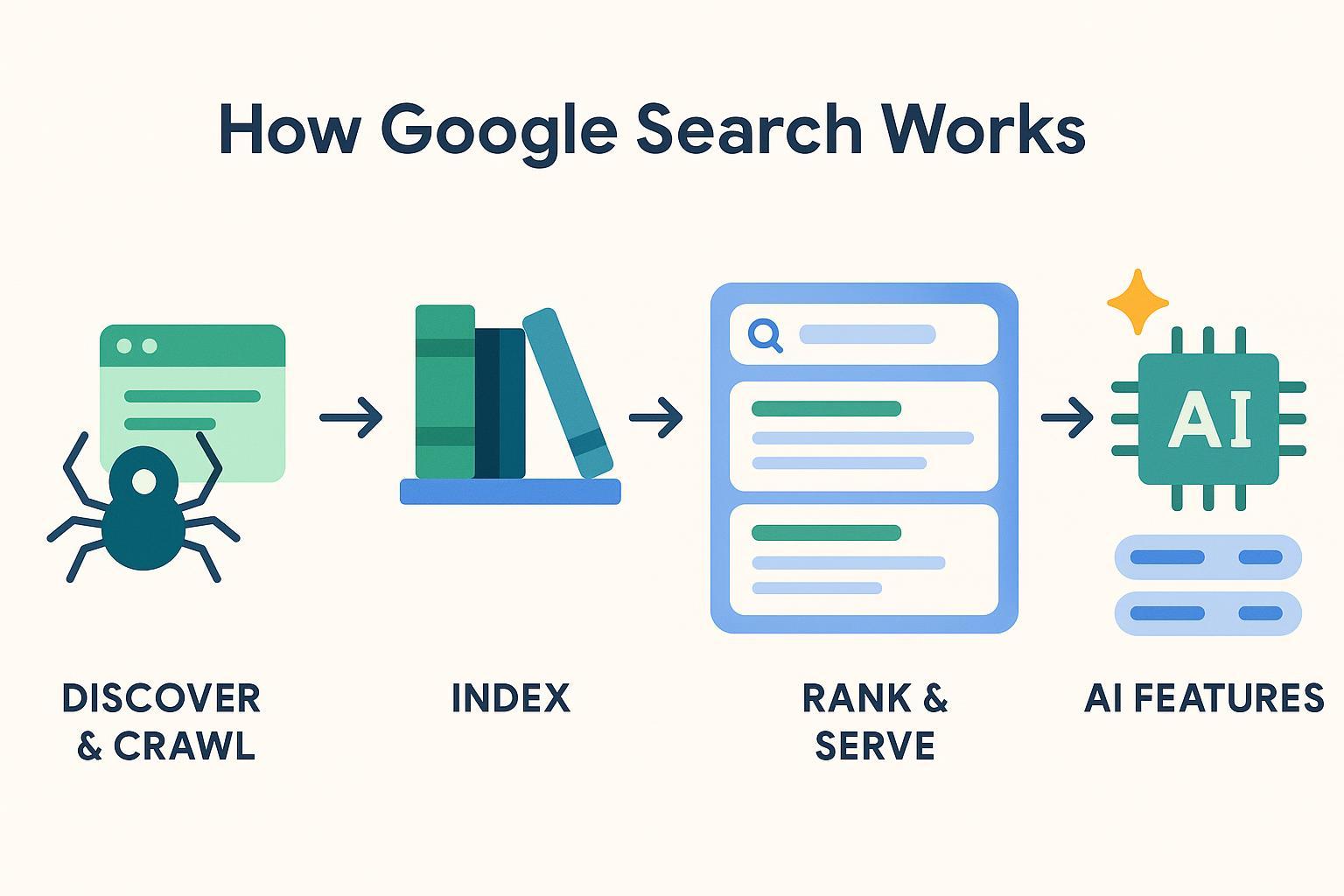
Here’s the simplest mental model. Think of it as a four-stage pipeline:
- Discover & Crawl
- Google’s software (Googlebot) finds pages by following links and checking your sitemap. It fetches the page and key resources (like CSS and JavaScript) so it can understand the layout and content.
- For a friendly overview of the pipeline, see Google Search Central’s explanation in How Search Works.
- Index
- After crawling, Google processes the page’s content and stores information about it—this is the “index.” Not every page ends up indexed; low-quality or blocked pages might not be included.
- Rank & Serve
- When someone searches, Google looks through its index and selects results it believes are relevant and helpful. Many signals are involved; there’s no single “trick.” Google’s systems aim to reward original, people-first content and reduce spammy tactics, as explained in the March 2024 core update and spam policies.
- AI features context (2025)
- For some queries, Google may show AI summaries with links to sources. You don’t “opt in” to this; your best approach is the same: create helpful, trustworthy content. Google provides site-owner guidance in AI features and your website.
That’s it: crawl, index, rank/serve—with AI features sometimes summarizing information for users.
What you can (and can’t) control
You can’t control when or exactly how high your page ranks. You can control whether your pages are easy to find, clearly understood, fast, mobile-friendly, and actually useful to people. In practice, that means:
- Make sure Google can reach and render your pages.
- Help Google discover the right URLs (sitemap, internal links).
- Consolidate duplicates (canonical URLs).
- Focus on helpful, original, people-first content.
- Offer a good experience on mobile and desktop.
If you’re brand-new to SEO and want a friendly primer, this short overview can help: SEO explained: what it is and why it matters.
A beginner-safe setup checklist
Follow this once for your site, then revisit occasionally.
- Set up Google Search Console (GSC)
- GSC is your free dashboard for how Google sees your site. Verify your site, then check Indexing and Page Experience reports. Use URL Inspection to see a page’s crawl/index status.
- Create and submit a clean XML sitemap
- A sitemap is a list of URLs you want Google to find and index. Include only the preferred (canonical), indexable URLs. Submit it in GSC and keep it updated. See Google’s Sitemaps overview for simple, accurate guidance.
- Check robots.txt (don’t over-block!)
- robots.txt controls crawling (what bots are allowed to fetch). It does not guarantee blocking from indexing if the URL is linked elsewhere. Don’t block essential resources like CSS/JS/images, or Google might not understand the page layout correctly. Start with Google’s robots.txt introduction.
- Use canonical URLs for duplicates
- If the same content is accessible at multiple URLs (with parameters, trailing slashes, or HTTP/HTTPS), pick one “canonical” and signal it consistently (rel="canonical", internal links, sitemap, redirects). See Google’s guide on consolidating duplicate URLs.
- Be mobile-ready
- Indexing uses Googlebot Smartphone. Make sure your mobile experience has the same key content and structured data as desktop, and that it’s easy to use on a phone.
- Watch Core Web Vitals (page experience)
- Aim for these thresholds at the 75th percentile of page loads: LCP ≤ 2.5s (loading), CLS < 0.1 (visual stability), INP < 200ms (interactivity). Learn what they are and how to measure them in Google’s Core Web Vitals overview.
- Write people-first content (and avoid spam)
- Google’s guidance encourages original, helpful pages that reflect real experience and expertise. Avoid manipulative tactics or mass-produced low-value content (often called “scaled content abuse”). See the policies summarized in the March 2024 core update and spam policies.
Tip: If you’re deciding what type of post to write first, this quick walkthrough of formats may help you choose: five essential writing types for blog beginners.
Practical workflow example (beginner-friendly)
Let’s imagine you want to publish your first helpful article and get the basics right from day one.
- Draft a people-first outline that answers a real question your audience has. Add your own experience, examples, and clear steps.
- Create a short, descriptive title and a meta description that summarizes the page in natural language.
- Publish the page on your site and make sure it’s linked from at least one other page so Google can discover it.
- Add the page’s canonical URL to your XML sitemap and resubmit/refresh the sitemap in Search Console.
- Check the page in URL Inspection to confirm it’s indexable and not accidentally blocked.
You can do this manually in any CMS. If you prefer an all-in-one workflow, a content tool can help with drafting, metadata, and publishing. For example, QuickCreator supports drafting, simple on-page SEO fields, and one-click WordPress publishing, then you can include the final URL in your sitemap.
Disclosure: QuickCreator is our product.
If you’re considering AI assistance for outlines or first drafts, use it thoughtfully and always review for accuracy and originality. This beginner guide covers responsible use: AI writing tools and SEO for beginners.
Troubleshooting: common beginner issues (and easy fixes)
-
“Submitted URL marked ‘noindex’”
- Cause: The page includes a noindex directive. Fix: Remove noindex if you want it indexed; validate the fix in GSC.
-
“Discovered — currently not indexed”
- Cause: Google knows the URL but hasn’t indexed it yet. Fix: Improve the page’s usefulness (clear purpose, original detail, internal links), ensure the server is stable, then request indexing.
-
Pages look broken when Google renders them
- Cause: robots.txt blocks essential resources (CSS/JS/images). Fix: Allow those resources so Google can fully render the page. See the basics in the robots.txt introduction.
-
Duplicate URLs competing with each other
- Cause: Parameters, capitalization, trailing slashes, or http/https variations. Fix: Pick one canonical, align rel="canonical", internal links, sitemap, and redirects. Google explains how in consolidating duplicate URLs.
-
Slow or jumpy pages
- Cause: Large images, render-blocking scripts, layout shifts. Fix: Use PageSpeed Insights and GSC’s Core Web Vitals report; aim for the thresholds in the Core Web Vitals overview.
Myths vs. truths (quick reality check)
-
“You have to pay to get indexed.”
- False. Google doesn’t accept payment for inclusion in organic results. Discovery happens via links and sitemaps; ranking depends on many signals. See the high-level pipeline in How Search Works.
-
“E-E-A-T is a direct ranking factor.”
- Not exactly. E-E-A-T (experience, expertise, authoritativeness, trust) is a quality framework used in evaluation. Google’s systems aim to surface content that demonstrates these qualities, but it’s not a single switch you can flip.
-
“AI content is banned.”
- Incorrect. Google allows automation when content is helpful and reliable; policies target manipulative, low-value mass production. See the March 2024 core update and spam policies and the site-owner guidance in AI features and your website.
-
“Perfect Core Web Vitals guarantee page-one rankings.”
- No. Good vitals help users and are considered by systems, but they don’t guarantee rankings. They’re part of an overall experience picture. Learn the basics in the Core Web Vitals overview.
Short self-check: are you set up for success?
Answer yes/no to each:
- My site is verified in Search Console, and I can see Indexing and Page Experience reports.
- My sitemap lists only canonical, indexable URLs and is submitted in GSC.
- My robots.txt does not block essential resources (CSS/JS/images) or important pages.
- Duplicate URLs are consolidated with a clear canonical and consistent internal links.
- My content is written for people first, with real experience and helpful detail.
- My pages load quickly and feel responsive on mobile.
If you answered “no” anywhere, that’s your next improvement target.
Where AI fits into Google Search in 2025
Google’s AI features help users grasp complex queries, often by summarizing key points and linking to sources. There’s no special markup to be included; your best strategy is the same as always: create accurate, helpful content that demonstrates real experience, and make sure Google can crawl and understand it. For site owners, Google’s guidance is here: AI features and your website.
Next steps
- Start with one page: write a helpful article, publish it, add it to your sitemap, and check it in Search Console.
- Each week, fix one technical item (sitemap cleanliness, robots.txt, canonicals) and one experience item (speed, clarity, mobile).
- Optionally, use a tool like QuickCreator to streamline drafting and on-page basics while you focus on real-world expertise and clarity.
You’ve got this—keep it simple, keep it helpful, and let the crawl → index → serve flow do its work.
