5 Content Pillars and 20 Post Ideas for Education/EdTech (U.S.) in 2025 — Across LinkedIn, Instagram, and TikTok

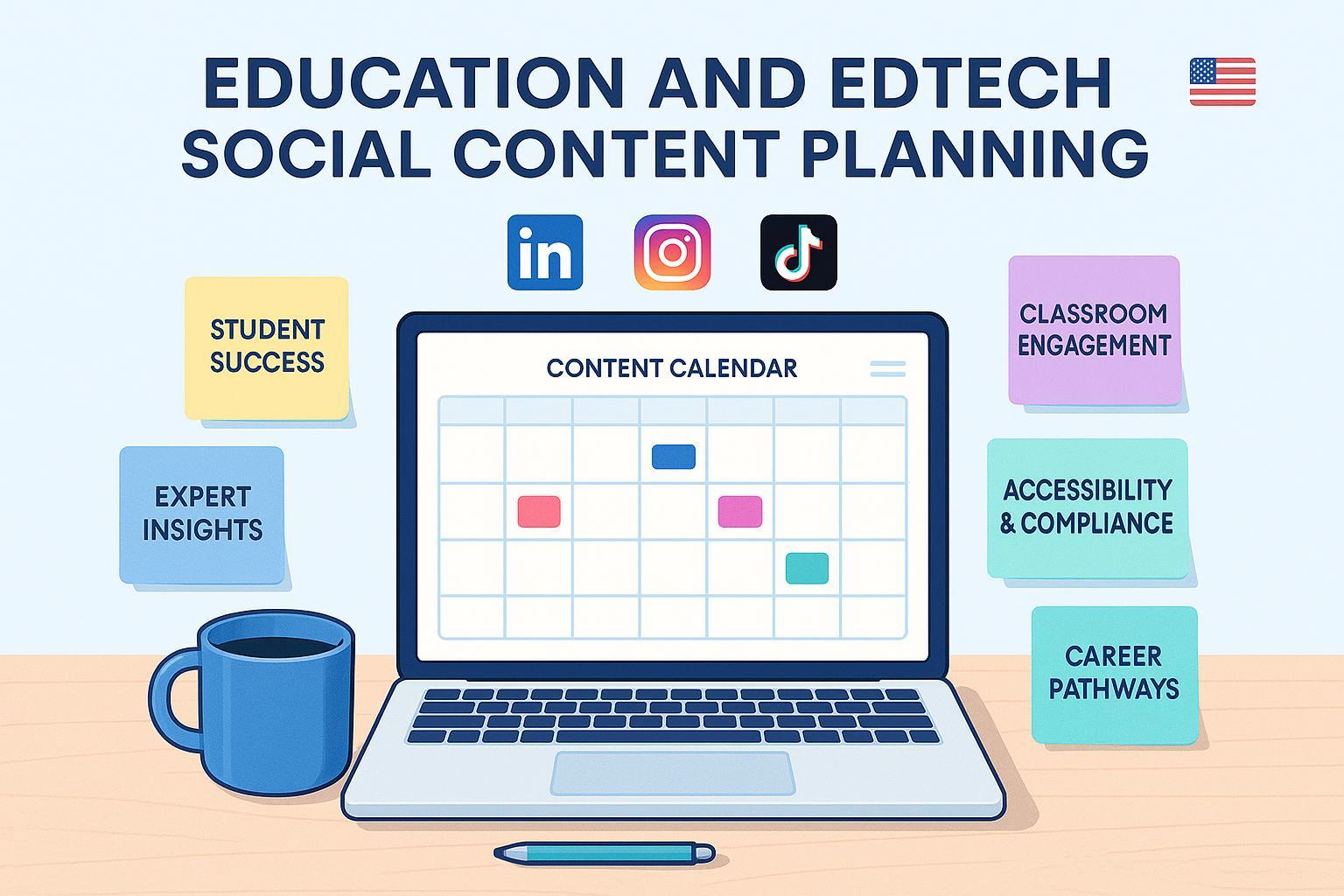
If you lead social for a K–12 district, a university, or an EdTech company, you’re balancing algorithm shifts, limited production time, and strict privacy standards—all while trying to create content people want to watch and share. This guide gives you five education-first content pillars and 20 ready-to-post ideas mapped to LinkedIn, Instagram, and TikTok. Each idea includes the best-fit audience segment, suggested format/length, accessibility and compliance cues, and the KPI to watch.
Selection logic (short version): We prioritized formats that align with 2024–2025 platform signals—meaningful comments and dwell time on LinkedIn (see the Hootsuite LinkedIn algorithm 2025 explainer); watch time, shares, and originality on Instagram (summarized in the Later 2025 Instagram algorithm guide); and hook strength plus retention on TikTok (outlined in the Hootsuite TikTok algorithm 2025 guide). Benchmarks suggest LinkedIn native documents and multi-image posts perform well in 2025, per the SocialInsider LinkedIn benchmarks 2025. For TikTok, remember that 1 in 5 U.S. adults regularly get news on the platform in 2025, per the Pew Research TikTok news analysis (2025), which reinforces its viability for educational narratives.
Accessibility and compliance: Treat WCAG AA as a practical baseline—use captions, alt text, and sufficient contrast, as summarized in the W3C/WAI WCAG overview. For K–12, avoid sharing student PII and follow FERPA guidance from the U.S. Department of Education (see the FERPA overview from the Student Privacy Policy Office). If your content might reach under-13 audiences or collect data, review the FTC’s COPPA FAQ (2025). When in doubt, obtain consent and keep documentation.
Pillar 1: Student and Learner Success (stories, outcomes, and impact)
- Alumni “Outcome Snapshot” Carousel (LinkedIn or Instagram)
- Hook angle: “From Classroom to Career: 3 moves that took Alex from GED to Cloud Engineer.”
- Format & length: LinkedIn native document or Instagram carousel (6–8 slides); 1–2 lines per slide.
- Accessibility & compliance: Add alt text for each image; omit or anonymize sensitive PII; get consent for names and photos.
- Best for: Higher-ed reputation building; Workforce upskilling programs; EdTech outcomes storytelling.
- KPI focus: Saves (IG), comments (LI), profile clicks.
- Evidence cue: LinkedIn carousels/PDFs are strong engagement drivers in 2025, per the SocialInsider LinkedIn benchmarks cited above.
- “Day-in-the-Life” Reel/TikTok with Chapter Markers
- Hook angle: “A day in accelerated nursing: the 4 toughest hours.”
- Format & length: Instagram Reels or TikTok, 30–60 seconds; on-screen chapter labels.
- Accessibility & compliance: Burned-in captions + platform captions; avoid showing minors without consent; blur badges/IDs.
- Best for: Higher-ed recruitment; Workforce programs; EdTech skills platforms.
- KPI focus: Watch time and completion rate.
- Evidence cue: Short-form with fast hooks and retention aligns with TikTok/IG 2025 priorities per the Later and Hootsuite guides.
- Parent/Guardian Q&A Carousel (Instagram) or PDF (LinkedIn)
- Hook angle: “What does ‘standards-based grading’ mean? 5 quick answers for families.”
- Format & length: 7–9 slides; each slide answers one high-friction question.
- Accessibility & compliance: High-contrast templates; alt text; avoid student data; link to district policy page in bio or first comment.
- Best for: K–12 family engagement teams.
- KPI focus: Saves, sends/shares in DMs.
- Evidence cue: Carousels encourage saves and DMs when they package practical Q&A, a pattern noted in 2025 IG algorithm summaries.
- “From Pretest to Project” Progress Story (LinkedIn video or TikTok series)
- Hook angle: “How this 9th-grade robotics team cut rework by 40% with 2 rubrics.”
- Format & length: 60–120 seconds; before/after clips; 2–3-part series if needed.
- Accessibility & compliance: Captions; avoid faces of minors or secure consents; remove school IDs and geotags.
- Best for: K–12 program storytelling; EdTech proof of classroom impact.
- KPI focus: Shares, meaningful comments.
- Evidence cue: Series and narrative retention fit TikTok’s and Instagram’s watch-time emphasis per Hootsuite’s 2025 guidance.
Pillar 2: Expert Insights and Research Translation (make complex ideas usable)
- “Study-to-Strategy” LinkedIn Carousel
- Hook angle: “New reading research → 3 classroom moves you can try Monday.”
- Format & length: LinkedIn native document (7–10 slides); each slide = finding → action.
- Accessibility & compliance: Clear typography; alt text; link to the study in comments, not the post body, to favor dwell time.
- Best for: Teachers/educators, higher-ed faculty outreach, EdTech thought leadership.
- KPI focus: Meaningful comments and saves.
- Evidence cue: LinkedIn favors relevance and dwell time via native documents, as outlined in the Hootsuite LinkedIn algorithm 2025 explainer.
- “AMA with an Instructional Designer” Instagram Reel
- Hook angle: “3 fixes for boring slides (from an ID who’s rebuilt 200+ decks).”
- Format & length: 30–45 seconds; punchy before/after visuals.
- Accessibility & compliance: Captions; avoid rapid flashing; high contrast.
- Best for: Workforce upskilling and L&D audiences; EdTech B2B demand gen.
- KPI focus: Watch time and sends/shares.
- Evidence cue: Strong hooks and originality are prioritized on IG in 2025 per the Later 2025 Instagram algorithm guide.
- “Office Hours” TikTok Series (3–5 parts)
- Hook angle: “Why your rubric yields grade inflation (and what to change).”
- Format & length: 45–90 seconds each; consistent cover text and playlist.
- Accessibility & compliance: Captions; on-screen text for keywords to improve search relevance.
- Best for: Higher-ed pedagogy communities; teacher PD.
- KPI focus: Series completion rate and follows from video.
- Evidence cue: Educational series and keyword-rich captions align with TikTok’s evolving search + retention signals in 2025 (see the Hootsuite TikTok guide above).
- “Myth vs Fact” Carousel (IG) or Document (LI)
- Hook angle: “Myth: ‘AI makes feedback impersonal.’ Fact: 3 prompts that make it more human.”
- Format & length: 6–8 slides; myth on left, fact + tactic on right.
- Accessibility & compliance: Alt text; cite sources in final slide; add content warning if discussing sensitive topics.
- Best for: Educators, admins, and EdTech buyers.
- KPI focus: Saves and thoughtful comments.
- Evidence cue: Native multi-slide formats drive saves and dwell time per SocialInsider 2025 and Hootsuite LI guidance.
Pillar 3: Classroom and Campus Engagement (practical tips and templates)
- “Template Tuesday” LinkedIn Document or IG Carousel
- Hook angle: “Exit Ticket: 4-question template to check understanding fast.”
- Format & length: 6–7 slides; include a printable or downloadable version (link in comments/bio).
- Accessibility & compliance: Alt text; ensure fonts ≥16px equivalent; high-contrast color.
- Best for: K–12 teacher communities; higher-ed TAs; EdTech enablement.
- KPI focus: Saves and comments (“How did it work for you?”).
- Evidence cue: Practical templates in native document/carousel format align with LinkedIn dwell time and IG saves patterns in 2025.
- “Minute-to-Teach-It” Reel/TikTok
- Hook angle: “Teach photosynthesis in 60 seconds using LEGO.”
- Format & length: 30–60 seconds; visual prop + simple steps.
- Accessibility & compliance: Captions; avoid student identifiers; safe audio levels.
- Best for: K–12 engagement; educator creators; EdTech awareness.
- KPI focus: Watch time and shares.
- Evidence cue: Fast hooks and visual instruction map to IG/TikTok retention goals per 2025 platform explainers.
- “Campus Hack” Walkthrough (IG Reel or LI video)
- Hook angle: “3 library resources you probably didn’t know you can use with your student ID.”
- Format & length: 30–45 seconds; quick campus B-roll, on-screen steps.
- Accessibility & compliance: Captions; avoid revealing access codes; consider geotag privacy.
- Best for: Higher-ed student services and awareness.
- KPI focus: Sends/shares and profile actions.
- Evidence cue: Utility-focused micro-tutorials tend to earn sends/shares—signals IG prioritizes per Later’s 2025 summary.
- “Whiteboard Wednesday” Photo-to-Carousel
- Hook angle: “Turn this messy whiteboard into a 5-step lab procedure.”
- Format & length: Before/after images, then steps 1–5.
- Accessibility & compliance: Alt text; expand steps in caption for screen readers.
- Best for: K–12 STEM, higher-ed labs, EdTech tutorial content.
- KPI focus: Saves and comments.
- Evidence cue: Carousels facilitate deeper engagement and saves—useful for algorithms privileging utility and retention.
Pillar 4: Accessibility, Safety, and Compliance by Design
- “Accessibility Checklist” LinkedIn Document
- Hook angle: “Post-ready in 60 seconds: 8 checks for accessible social content.”
- Format & length: 8–10 slides; include contrast, captions, alt text, motion safety.
- Accessibility & compliance: Base guidance on WCAG AA; link to the W3C/WAI WCAG overview in the first comment.
- Best for: All segments; especially institution accounts.
- KPI focus: Saves and comments with additions from the community.
- Evidence cue: WCAG AA is a widely adopted baseline for accessible content.
- “FERPA-Friendly Storytelling” Carousel (IG/LI)
- Hook angle: “Show outcomes, not identities: 5 ways to tell student stories without PII.”
- Format & length: 6–7 slides; do/don’t patterns with examples.
- Accessibility & compliance: Alt text; consent reminders; blur faces where needed; link district policy.
- Best for: K–12 districts and schools.
- KPI focus: Saves and sends to staff groups.
- Evidence cue: Aligns to the U.S. Department of Education’s FERPA principles—see the FERPA overview.
- “COPPA: What Marketers Need to Know in 2025” Explainer Reel
- Hook angle: “Marketing where kids might click? Know COPPA in under a minute.”
- Format & length: 45–60 seconds; 3 dos and 3 don’ts.
- Accessibility & compliance: Captions; avoid legal advice tone; encourage consulting counsel; include link-in-bio to the FTC COPPA FAQ (2025).
- Best for: EdTech marketers and community managers.
- KPI focus: Sends/shares and profile visits.
- Evidence cue: COPPA updates (2025) change practical considerations; referencing FTC keeps guidance canonical.
- “Caption Clinic” Side-by-Side Tutorial (IG Reel/TikTok)
- Hook angle: “Fix these 4 caption mistakes killing your watch time (and accessibility).”
- Format & length: 30–45 seconds; bad vs better examples with on-screen text.
- Accessibility & compliance: High-contrast text; no flashing; keep reading speed manageable.
- Best for: All segments; content creators on staff.
- KPI focus: Watch time and saves.
- Evidence cue: Clear captions support retention signals on IG/TikTok and align with accessibility best practices.
Pillar 5: Career Pathways and Employer Connections
- “Skills-to-Roles Map” LinkedIn Carousel
- Hook angle: “Learned Python? Here are 6 entry-level roles (and projects to show).”
- Format & length: 7–9 slides; each slide = role + example project + one metric to report.
- Accessibility & compliance: Alt text; link to resources in first comment.
- Best for: Workforce upskilling; community colleges; EdTech bootcamps.
- KPI focus: Saves and outbound clicks (via comment link).
- Evidence cue: LinkedIn rewards utility-rich native docs/carousels that prompt dwell and discussion, per Hootsuite’s 2025 overview.
- “Employer AMA” TikTok or IG Live → Cutdowns
- Hook angle: “Recruiter reacts: what makes a standout junior portfolio in 20 seconds.”
- Format & length: Host a 20–30 minute live; publish 3–5 shorts (20–30s each).
- Accessibility & compliance: Live captions; post captions on cutdowns; avoid sharing candidate PII.
- Best for: Workforce programs; higher-ed career services; EdTech job platforms.
- KPI focus: Follows from video and watch time on cutdowns.
- Evidence cue: Lives repurposed to short-form capitalize on watch-time and originality signals on IG/TikTok (2025).
- “Syllabus-to-Resume Line” Carousel (IG/LI)
- Hook angle: “Turn your capstone into a strong resume bullet in 3 steps.”
- Format & length: 6–7 slides; formula + example + fill-in-the-blank template.
- Accessibility & compliance: Alt text; readable fonts; avoid personal records.
- Best for: Higher-ed and adult learners.
- KPI focus: Saves and comments with user examples.
- Evidence cue: Templates increase saves—an engagement type both IG and LI value in 2025.
- “Job Search Mistakes (Fix in 60s)” Reel/TikTok
- Hook angle: “3 mistakes keeping your application invisible to recruiters.”
- Format & length: 30–45 seconds; brisk pacing; on-screen tips.
- Accessibility & compliance: Captions; avoid promises; use disclaimers when giving career advice.
- Best for: Workforce learners; career-switchers.
- KPI focus: Watch time, re-watches, and shares.
- Evidence cue: Strong hooks and retention-first editing align with 2025 TikTok/IG algorithm guidance.
Quick production notes (save this checklist)
- Hooks: Write 3 variants and A/B test the first 3 seconds on Reels/TikTok; on LinkedIn, test the opening 2 lines and the first slide title.
- Formats: Prefer native carousels/documents on LinkedIn and carousels/Reels on IG; create series on TikTok when a topic needs depth.
- Accessibility: Captions on every video; alt text on every image; color-contrast compliant; steady motion. Use WCAG AA heuristics (contrast ≥4.5:1 when possible) as a baseline.
- Compliance: Avoid student PII; get consent for minors; if your content could reach under-13 audiences, ensure COPPA-safe practices; when unsure, route through counsel.
- Measurement: Map goals to metrics—watch time (Reels/TikTok), saves/sends (IG), meaningful comments/dwell (LI). Track per-format performance weekly and iterate.
How to test and iterate in 30 minutes a week
- Monday: Draft 2 hooks per planned post; pick the snappiest for your first run.
- Wednesday: Post and monitor the first 60 minutes (especially for LinkedIn comments and TikTok completion). Reply to thoughtful comments to extend dwell.
- Friday: Review watch-time graphs and saves/sends. Keep what worked; reshoot what didn’t with a new hook or tighter edit.
—
References worth bookmarking
- LinkedIn algorithm and post types: Hootsuite LinkedIn algorithm 2025, SocialInsider LinkedIn benchmarks 2025
- Instagram algorithm updates: Later Instagram algorithm guide 2025
- TikTok behavior and audience: Hootsuite TikTok algorithm 2025, Pew Research 2025 — Americans getting news on TikTok
- Accessibility & privacy: W3C/WAI WCAG overview, FTC COPPA FAQ (2025), FERPA overview (U.S. Dept. of Education)
