Best WordPress Plugins for FAQs, Blocking, Layout, and Cookie Consent (2025)

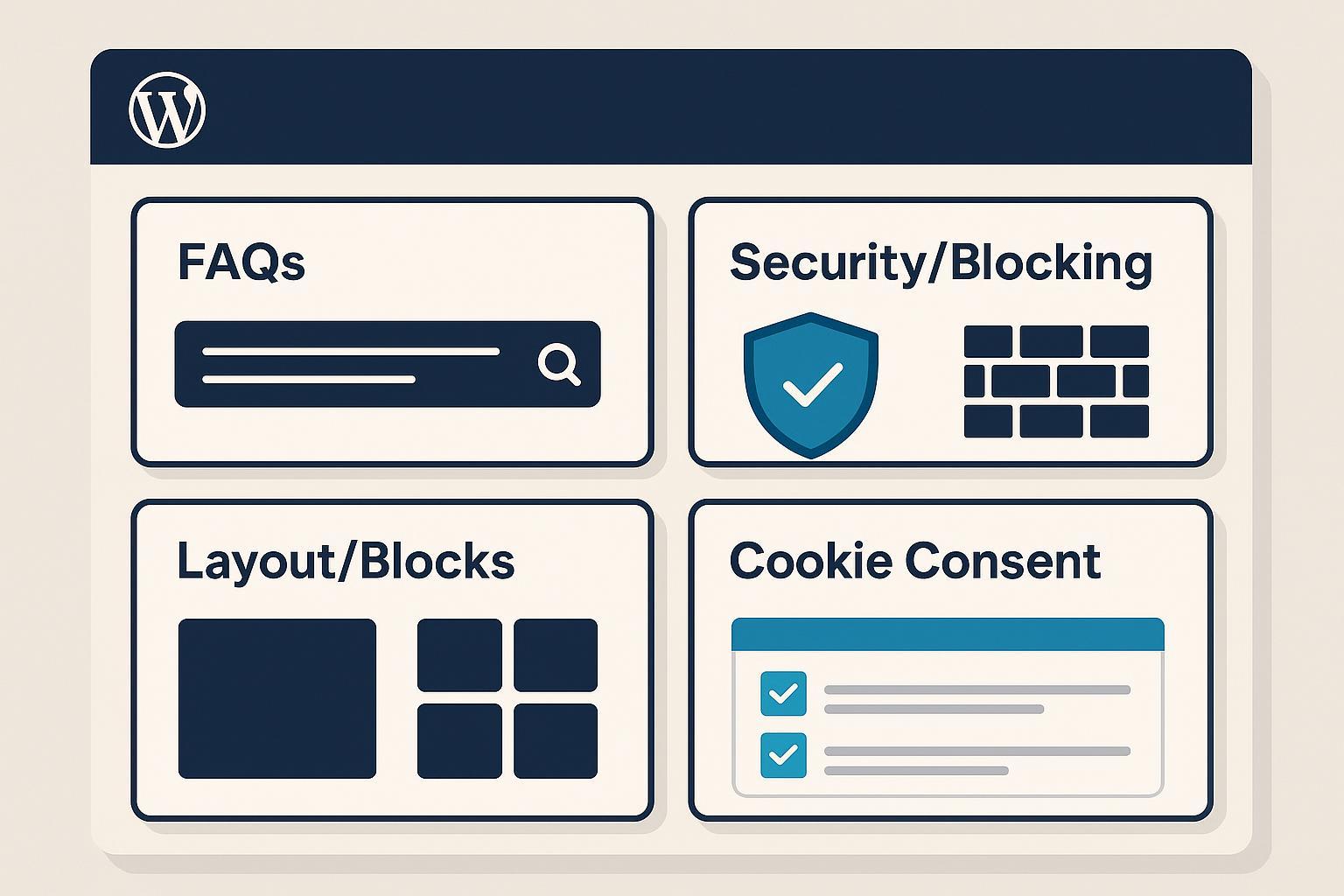
If you’re running a WordPress site in 2025, you’re likely juggling three priorities: clarity (FAQs that actually help), compliance (cookie consent that satisfies GDPR/CCPA and Google), and resilience (blocking spam/bots without slowing down your site). Add modern Gutenberg layout blocks to that mix, and the plugin landscape gets crowded fast.
This curated list cuts through the noise with practical picks across four categories—FAQs, Security/Blocking, Layout/Blocks, and Cookie Consent—so you can ship quickly and confidently.
How we chose (and how to use this guide)
We focused on real-world criteria:
- FAQs: built-in schema support, accessible accordion UI, inline search, and editor compatibility.
- Cookie consent: automatic scanning and prior-consent blocking, Google Consent Mode v2 support, geo-targeting, logs/audit trails, and GTM/GA4 compatibility.
- Security/blocking: depth of protection (WAF, rate limiting, bot management), performance impact, and ease of configuration.
- Layout/blocks: lightweight footprint, accessibility, design control, and FSE maturity.
Implementation tips appear under each pick. For content workflows and on-page checks (schema, accessibility, internal linking), many teams pair plugins with an AI-assisted writer; see the lightweight overview of the QuickCreator AI Blog Writer for planning and publishing discipline.
FAQ Plugins (schema-ready, accessible, and easy to manage)
Heroic FAQs (HeroThemes) — polished UX with built-in schema
- Why it’s a reliable pick: It offers an elegant accordion UI, drag-and-drop management, and built-in FAQ schema output—ideal for support hubs and product pages.
- Standout traits: Gutenberg block, FAQ search, clean styling controls, shortcodes for legacy pages.
- Best for: SMBs and agencies that want a premium, consistent FAQ experience across multiple pages.
- Implementation tip: After publishing, validate your FAQ markup with Google’s Rich Results Test to ensure eligibility and avoid duplicate Q&A across many pages.
- Pricing note: Premium-only; licenses vary by number of sites (subject to change).
Helpie FAQ — flexible, with live search and builder integrations
- Why it’s a reliable pick: Combines responsive accordions with built-in search and editor integrations (Gutenberg, Elementor) and supports FAQ schema.
- Standout traits: AJAX search, WooCommerce display, easy sorting, customizable styles.
- Best for: Content-heavy sites that need inline search to reduce bounce on long FAQ pages.
- Implementation tip: Place search above the first accordion and group questions by category for scannability.
- Pricing note: Freemium; check Pro for advanced layouts and search features.
Ultimate FAQ (Etoile) — robust taxonomy and filters for large catalogs
- Why it’s a reliable pick: Strong categories/tags, search/filter options, and both Gutenberg blocks and shortcodes make it adaptable.
- Standout traits: Accordion/toggle display, WooCommerce integration, custom CSS in Pro.
- Best for: Knowledge bases and stores with large, evolving FAQ sets.
- Implementation tip: Keep answers concise and unique per page to reinforce relevance for potential rich results.
- Pricing note: Free + Premium tiers; exact pricing varies by license and version.
AIOSEO — FAQ Gutenberg block with valid JSON-LD
- Why it’s a reliable pick: The dedicated FAQ block outputs valid FAQPage JSON-LD and integrates with broader schema settings, making it simple for non-technical editors.
- Evidence: See the concise reference in the AIOSEO FAQ Block guide (docs).
- Best for: Teams already using AIOSEO who want schema without an extra plugin.
- Implementation tip: Use short, direct questions and answers; validate with the Rich Results Test after publishing.
- Pricing note: Available in free and Pro variants; feature availability changes by tier.
Cookie Consent (GDPR/CCPA) and Consent Mode v2
Complianz — comprehensive CMP with Consent Mode v2
- Why it’s a reliable pick: Covers automatic cookie scanning, granular script blocking, geo-targeting across multiple laws, and audit-friendly consent logs.
- Evidence: Consent Mode v2 support and Script Center configuration are documented in the Complianz Consent Mode overview.
- Best for: Sites needing multi-region compliance with detailed control over scripts and a proof-of-consent trail.
- Implementation tip: Map GTM consent state to ad_user_data and ad_personalization; schedule periodic scans to catch new third-party scripts.
- Pricing note: Free and premium tiers; features differ by plan.
CookieYes (WebToffee GDPR Cookie Consent) — Google-certified CMP
- Why it’s a reliable pick: Automatic scanning/categorization, prior-consent blocking, geo-targeted banners, consent logs, and clear GTM/GA4 setup flows.
- Evidence: Consent Mode v2 support and CMP partner status are explained in the CookieYes Consent Mode guide.
- Best for: Teams that want a guided, certification-backed setup with minimal guesswork.
- Implementation tip: If auto-scans miss niche scripts, add manual entries and test region targeting using a VPN.
- Pricing note: Free plan with paid tiers for advanced controls; limits vary by plan.
Cookiebot CMP (Usercentrics) — strong auto-scanning and prior-consent blocking
- Why it’s a reliable pick: Known for thorough scanning and automatic blocking of trackers before consent, with Consent Mode v2 support and regional compliance coverage.
- Evidence: See the Cookiebot Consent Mode page for current implementation details.
- Best for: Complex sites with frequent new scripts and enterprise-level compliance needs.
- Implementation tip: Ensure banner variants meet accessibility and conversion standards; review audit logs quarterly.
- Pricing note: Free tier for small sites; paid tiers scale with traffic and features.
Termly — accessible banners with legal document ecosystem
- Why it’s a reliable pick: Provides Consent Mode v2 compatibility, auto scanning/blocking, geo-targeting, and exportable logs, plus generators for policies.
- Evidence: Termly’s WordPress integration and Consent Mode support are covered in their product documentation and WP.org listing.
- Best for: SMBs that want an all-in-one legal toolkit and straightforward consent management.
- Implementation tip: Watch for free-plan visitor limits; upgrade before hitting caps to prevent consent interruptions.
- Pricing note: Free and paid tiers; visitor limits and features differ by plan.
Security & Blocking (layered protection without the bloat)
A pragmatic approach is to layer a DNS/proxy-level WAF with an on-site plugin: filter hostile traffic before it reaches your server, then harden WordPress-specific surfaces.
Cloudflare — DNS/proxy-level WAF, rate limiting, and bot management
- Why it’s a reliable pick: It inspects and filters traffic at the edge, reducing server load and blocking attacks before they reach WordPress.
- Evidence: The Cloudflare WAF overview explains managed rules, bot management, and rate limiting at the edge (docs, 2024–2025).
- Best for: Any site that wants broad protection and performance benefits alongside security.
- Implementation tip: Start with “log” actions for rules, then escalate to “challenge” or “block” to avoid false positives; tune rate limits for login and wp-admin paths.
- Pricing note: Free plan plus paid features for advanced protections.
Wordfence — endpoint WAF, malware scanning, and 2FA
- Why it’s a reliable pick: Provides an application-level firewall, scanners, and login protections directly on your server.
- Evidence: See the Wordfence Firewall help page for how the endpoint WAF and rulesets work (docs, updated regularly).
- Best for: Sites that need deep visibility (live traffic, scan results) and straightforward hardening.
- Implementation tip: Schedule scans during low-traffic windows and enable 2FA for admin roles; consider Premium for real-time rules.
- Pricing note: Free; Premium adds immediate rule updates and support tiers.
Solid Security (formerly iThemes) — hardening and login protections
- Why it’s a reliable pick: Offers brute-force protection, 2FA enforcement, vulnerability scans, and file change detection with sensible defaults.
- Best for: SMBs wanting strong login security without a complex firewall setup.
- Implementation tip: Pair with Cloudflare for WAF-level coverage; enable passkeys or 2FA, and monitor vulnerability alerts.
- Pricing note: Free + Pro subscriptions; features vary by tier.
All In One WP Security & Firewall — modular, beginner-friendly hardening
- Why it’s a reliable pick: Progressive features help you add protection (login lockdown, 2FA, spam prevention, firewall rules) without overwhelming your stack.
- Best for: Beginners and budget-conscious sites that still want meaningful hardening.
- Implementation tip: Apply features incrementally and test caching/CDN interactions after enabling firewall rules.
- Pricing note: Free with an affordable premium option; exact pricing subject to change.
For more context on plugin-level firewalls and trade-offs, WPBeginner’s comparison gives a useful bird’s-eye view; see the WPBeginner security plugins comparison (2024–2025).
Gutenberg Layout/Blocks (fast, accessible, design-ready)
Kadence Blocks — conditional asset loading and accessible patterns
- Why it’s a reliable pick: Kadence emphasizes lightweight, conditional asset loading and solid accessibility work in its block set and patterns.
- Evidence: Performance-focused updates and conditional loading are discussed in the Kadence Blocks performance updates (Kadence blog, 2024–2025).
- Best for: Sites that want flexible design controls without heavy JS/CSS payloads.
- Implementation tip: Activate only the blocks you need; test with Lighthouse and validate color contrast/focus states during QA.
- Pricing note: Free + Pro; advanced blocks and features vary by tier.
GenerateBlocks — lean, modular building for custom layouts
- Why it’s a reliable pick: A minimal set of blocks (Container, Grid, Headline, Button) with modular asset loading and clean HTML/CSS output.
- Evidence: Architectural and performance guidance is covered in the GenerateBlocks documentation.
- Best for: Developers and power users who want performance-first control and predictable markup.
- Implementation tip: Use Containers and Grids for structure; keep custom CSS minimal and reuse global styles.
- Pricing note: Free core; Pro extends dynamic content and templates.
Stackable — large design library with pattern-driven workflows
- Why it’s a reliable pick: Ships a wide set of polished blocks and templates; handy for teams standardizing on visual patterns.
- Best for: Designers building marketing pages quickly without custom code.
- Implementation tip: Favor lighter patterns and audit accessibility before publishing; remove unused block types to trim assets.
- Pricing note: Free + Pro; feature sets vary by plan.
Essential Blocks — broad coverage with modular activation
- Why it’s a reliable pick: Offers a large catalog (including eCommerce-focused blocks) and supports enabling only the blocks you use.
- Best for: Sites needing a few specific blocks without adopting an entire theme ecosystem.
- Implementation tip: Disable unused blocks and retest page speed; confirm keyboard navigation behavior for interactive blocks.
- Pricing note: Free + Pro options; features differ by tier.
For lightweight on-page audits and accessibility checks (contrast, headings, links), this roundup of AI SEO Chrome Extensions (2025) can help you build a pragmatic QA routine.
Putting it all together: quick setup paths
- FAQs: Pick one schema-capable plugin and standardize Q&A style. Validate markup and avoid duplicating identical questions on multiple pages.
- Cookie consent: Choose a CMP with Consent Mode v2, auto scanning, geo-targeting, and logs. Map GTM consent states and test banners from EU/US IPs.
- Security: Layer Cloudflare (edge WAF, bot management) with an on-site plugin (Wordfence/Solid/AIOS). Enable 2FA for admins; tune rate limits and monitor logs.
- Layout/blocks: Favor modular suites (Kadence/GenerateBlocks). Audit accessibility and performance before shipping.
Next steps
If you’re building content alongside these plugins, you can streamline planning, writing, and SEO publishing with QuickCreator. Disclosure: QuickCreator is our product. It’s an AI-powered blog platform that helps teams draft and optimize posts, organize internal links, and publish to WordPress in a single workflow. Use it to keep content quality high while your plugins handle compliance, layout, and security.
Methodology transparency and sources
- We prioritized official documentation and reputable WordPress publications from 2024–2025. Pricing is subject to change; verify within each plugin.
- Representative sources and docs:
- Cloud-level WAF and edge protections: Cloudflare WAF overview
- Plugin-level firewall context: WPBeginner security plugins comparison
- Endpoint WAF specifics: Wordfence Firewall help
- Consent Mode v2 in CMPs: Complianz Consent Mode overview, CookieYes Consent Mode guide, Cookiebot Consent Mode
- FAQ schema block reference: AIOSEO FAQ Block docs
- Block performance/accessibility: Kadence Blocks performance updates, GenerateBlocks documentation
Last updated: 2025-11-05
