Best Local SEO Audit Tools for Agencies in 2025


If you want to boost your agencies’ local SEO performance in 2025, you need the right local SEO audit tools. SEMrush, Moz Local, Ahrefs, BrightLocal, Localo, TrackRight, Local Ranking, Google Search Console, and Google Analytics help agencies manage local SEO audits for many clients. These local SEO tools automate checks, save time, and give you data that can improve results for your clients. For example, Moz Local increases local search visibility for clients by about 25% in just three months, while SEMrush lets agencies manage up to 40 projects at once and cut tech costs. The right local SEO audit tool depends on your agencies’ size, your clients’ needs, and how you run your workflow.
| Tool | Key Local SEO Features | Impact on Agencies and Clients |
|---|---|---|
| Moz Local | Listing management, citation monitoring | Increases local visibility, great for multi-location clients, easy for small agencies |
| SEMrush | Listing management, keyword research, white-label reporting | Supports many clients, improves agency efficiency, reduces tech spend |
| Ahrefs | Rank tracking, backlink analysis, content gaps | Helps agencies build links, supports targeted strategies, boosts results |
Top Local SEO Audit Tools
SEMrush
SEMrush stands out as one of the most powerful seo tools for agencies. You can use its Listing Management tool to sync business data across platforms like Google and Yelp. This feature helps you keep client listings accurate and consistent. The Position Tracking tool lets you track keyword rankings by city or region, so you always know how your clients perform in local searches. SEMrush also gives you a Site Audit and On-Page SEO Checker, which help you spot technical issues and optimize content for local SEO. The Keyword Gap tool helps you find new local keyword opportunities by comparing your clients to their competitors. SEMrush automates reporting and sends alerts, so you can manage and report on many local SEO campaigns without extra work. These features make SEMrush a top choice for seo software for agencies that want to deliver strong results.
SEMrush offers white-label reporting through its Agency Growth Kit, so you can send branded reports to your clients. You can manage many locations and automate updates to Google Business Profiles, which saves time and improves accuracy.
Moz Local
Moz Local is a favorite among agencies that need reliable local seo software. You can manage citations from one place, making sure your clients’ business listings stay consistent across directories. Moz Local automatically syncs business information to major directories, which saves you hours of manual work. The dashboard lets you monitor and respond to reviews for all your clients, helping you manage reputation easily. The GeoRank feature tracks rankings for specific locations and keywords, so you can focus on what matters most. Moz Local also supports content planning and scheduling for multiple locations through social media integration.
Moz Local does not offer native white-label reporting, but you can contact Moz about their Partner Program for branding options. The platform’s automation and centralized management help agencies keep client data accurate and boost local search rankings.
Ahrefs
Ahrefs is a powerful seo agency software for competitor analysis and link building. You can use it to analyze competitors’ backlink profiles and find out where they get their local links. Ahrefs helps you discover which keywords competitors rank for, so you can spot content and keyword gaps. You can review competitor websites, backlink strategies, and local partnerships. This information lets you reverse engineer successful strategies and find new opportunities for your clients. Ahrefs also helps you build relationships with local influencers and businesses by showing you valuable backlink sources.
Ahrefs is not a full local seo software, but its deep competitor insights make it a must-have seo software for agencies that want to improve local rankings and results.
BrightLocal
BrightLocal is designed for agencies that need specialized local seo tools. You can track citations, monitor reviews, and manage rankings from one dashboard. BrightLocal’s citation tracking covers key, live, and pending citations, and gives you metrics like NAP accuracy and domain authority. The review management system pulls reviews from many sites and lets you reply directly from the dashboard. You can create white-label reports with your agency’s branding and set up automated reporting for clients. BrightLocal’s dashboards and templates help you manage multiple clients efficiently.
| Feature | BrightLocal Advantage |
|---|---|
| Citation Tracking | Tracks key, live, pending citations, NAP accuracy, and domain authority |
| Review Management | Monitors reviews from many sites, unified sentiment tracking, direct replies |
| White-label Reporting | Custom branding, client portals, automated reports |
| Multi-location Support | Manage many clients and locations from one dashboard |
BrightLocal’s pricing works well for agencies with many clients, offering unlimited users and scalable tools. This makes it a top choice for seo software for agencies focused on local search and reputation management.
Localo
Localo is a modern local seo software built for agencies that want to audit and optimize Google Business Profiles. You can use its audit tool to check profile completeness, keyword use, photos, reviews, and more. Localo gives you a prioritized task list, so you know exactly what to fix. The agency dashboard lets you manage unlimited client locations, monitor ranking changes, and schedule content in bulk. Localo also offers white-label reporting, team collaboration tools, and competitor analysis. Its position map analysis shows keyword rankings across different locations, helping you spot trends and opportunities.
Localo’s advanced analytics and bulk optimization features make it a strong seo agency software for agencies managing many locations and needing actionable insights.
TrackRight
TrackRight helps agencies track local rankings across multiple locations with ease. You can monitor rankings for Google Maps and local search results, using advanced geogrids to see how rankings change by area. TrackRight lets you track Google My Business and keyword rankings for all your sites. You can schedule automatic report delivery and create branded, customizable reports for clients. The platform supports different listing types, like storefronts and service areas, so you can tailor strategies for each location.
- TrackRight’s clear interface and automated monitoring save time and help you make data-driven decisions. This makes it a valuable seo software for agencies focused on local performance.
Local Ranking
Local Ranking offers automated local seo tools for agencies that want fast audits and easy management. You can use its Google Business Profile Audit tool to check posts, reviews, photos, and categories, and get a score with improvement tips. The Local Rank Tracker simulates real Google Maps searches, so you can see how your clients rank in target locations. Local Ranking also lets you schedule posts across many locations and manage reviews from one dashboard.
- Local Ranking’s automation and affordable pricing make it a smart choice for agencies that need efficient local seo software and multi-location support.
Google Search Console
Google Search Console is a free seo agency software that helps you track local SEO performance. You can monitor impressions, click-through rates, average ranking positions, and total clicks for your clients’ websites. The platform shows which search queries local users use, so you can optimize content for better results. You can set up weekly, bi-weekly, and monthly checks to track progress and prepare detailed reports for clients. Google Search Console also integrates with other local seo tools, giving you a complete view of your clients’ local SEO.
| Metric | Role in Local SEO Performance Tracking |
|---|---|
| Impressions | Shows how often your site appears in local search |
| Click-Through Rate | Measures user engagement with local listings |
| Average Ranking Position | Reveals ranking for local keywords |
| Total Clicks | Counts visits from local search results |
| Queries Analysis | Identifies search terms used by local users |
Google Analytics
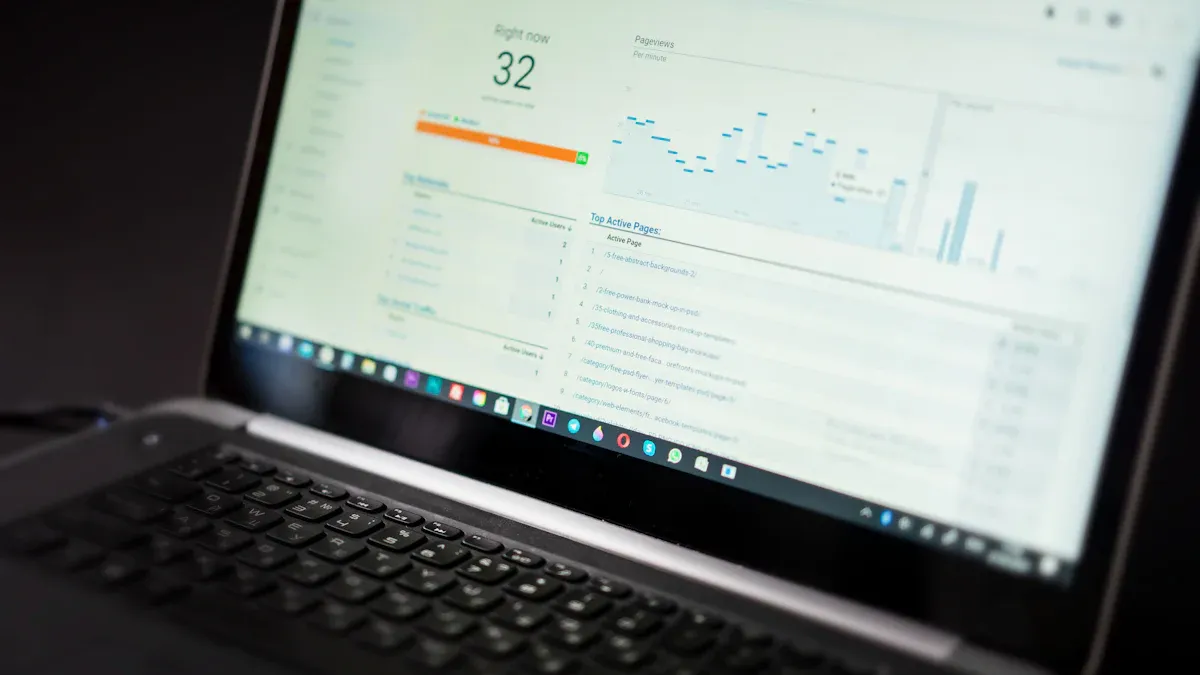
Google Analytics is a must-have seo software for agencies that want to track local search traffic and conversions. You can see which local keywords and pages attract visitors, measure user engagement, and track conversions like form submissions or calls. The platform’s location reports show where your traffic comes from and which areas convert best. You can segment local traffic by city or radius to analyze visitor behavior. Google Analytics also integrates with Search Console, giving you deeper insights into keyword performance and click-through rates.
- Conversion tracking helps you see which marketing strategies work best.
- Location-based segmentation shows which areas generate the most conversions.
- Audience data helps you tailor campaigns for local customers.
- Funnel visualization highlights where users drop off before converting.
- Continuous monitoring lets you adjust strategies for better results.
Google Analytics supports data-driven decisions, helping you optimize local seo tools and campaigns for business growth.
Why Local SEO Audit Matters for Client Results

Boosting Local Search Visibility
You want your clients to stand out in local search. A local SEO audit helps you find what works and what needs fixing. When you check Google Business Profiles, you make sure business details are complete and accurate. This step moves your clients into the local pack and improves their rankings. You also review websites for local content and mobile readiness. Over 63% of searches happen on mobile, so mobile optimization is key. You fix local citations across directories like Yelp and Yellow Pages. This builds trust and authority for your clients. Managing online reviews is another important part. About 75% of people check reviews before choosing a local business. When you encourage reviews and respond to them, you boost your clients’ reputation and local search visibility.
| Audit Element | Contribution to Local Search Visibility |
|---|---|
| Google Business Profile | Moves businesses into the local pack and improves rankings |
| Website Check | Enhances user experience and rankings through local content and mobile optimization |
| Local Citations Audit | Builds trust and authority, leading to higher local rankings |
| Online Reviews Assessment | Improves reputation and conversion, influencing local search performance |
| Competitor Analysis | Finds gaps and helps outperform others in local search |
Improving Agency Efficiency
Agencies need to work fast and smart. Local SEO audit tools help you manage many client projects at once. You get dedicated dashboards for each client, so you never mix up projects. These tools automate tasks like website crawling and keyword grouping. You save time and reduce mistakes. You also get clear, visual reports that show your clients their results. Real-time collaboration features let your team work together easily. You can assign tasks and leave comments right in the tool. White-label reports and live dashboards make it easy to update clients and build trust. Location-based tracking and Google Business Profile management cut down on manual work. This makes your agency more efficient and helps you deliver better local SEO results.
- Local SEO audit tools:
- Automate repetitive tasks
- Centralize client management
- Improve communication with clear reports
- Enable teamwork with collaboration features
Delivering Measurable Results
You want to show your clients real progress. Local SEO audits give you the data you need. You track metrics like organic traffic, conversion rates, keyword rankings, and call tracking data. These numbers show how your local SEO strategy impacts business outcomes. For example, businesses can see up to 150% more local leads and a 200% ROI within six months of regular audits. You use tools like Google Analytics and Google Search Console to measure results. You focus on metrics that matter, such as calls, form fills, and local pack rankings. You avoid overwhelming your clients with too much data. Instead, you highlight the results that prove your agency’s value and help your clients grow.
| Metric | Business Impact | Measurement Tools | Key Recommendations |
|---|---|---|---|
| Organic Traffic | Increases visibility and conversions | Google Analytics, GA4 | Optimize landing pages and keywords |
| Conversion Rate | Shows how well you attract the right audience | Google Analytics | Test and improve user experience |
| Keyword Rankings | Tracks visibility for important search terms | SEMrush, SE Ranking | Focus on keywords that drive results |
| Call Tracking | Measures phone leads from local search | GBP Performance Data | Track call volume and quality |
Regular local SEO audits are not a one-time task. They help you adapt to changes in consumer behavior and search engine optimization algorithms. This ongoing process keeps your clients ahead in local search marketing.
Key Features in SEO Tools for Agencies
Local Rank Tracking
Local rank tracking is a must-have for agencies. You can monitor keyword tracking across many search engines and locations, such as city or ZIP code. This helps you see how your clients perform in the Google 3-Pack and Google Maps. You get accurate, unbiased data because the tool removes personal search history. You can track both mobile and desktop rankings, which is important for understanding local search behavior. Local rank tracking also lets you organize keywords with tags, making reporting clear for each client. You can spot new opportunities and keep an eye on competitors. This feature saves you time and improves local ranking for all your clients.
- Track keyword tracking for every location.
- Automate reporting and avoid manual updates.
- Monitor competitors and find new local ranking chances.
Google Business Profile Audit
A Google Business Profile audit helps you keep business listings accurate and complete. You can update hours, contact details, and photos. Regular audits fix errors and remove fake reviews. This boosts business profile visibility and helps your clients appear in the local pack. You can compare your clients to competitors and find ways to improve. Audits also help you track customer engagement and keyword tracking. With these local SEO capabilities, you show clients real results and keep their listings strong.
Citation and NAP Consistency
Citation and NAP consistency checks make sure your clients’ Name, Address, and Phone number match everywhere online. Search engines trust businesses with consistent information. When you fix NAP errors, you improve local ranking and help clients get found. Inconsistent data can confuse search engines and customers. You can use listing management tools to audit and update citations. This supports local backlinks and citation management, which builds authority and trust for your clients.
- Keep NAP data the same on all platforms.
- Use listing management to fix errors and boost local ranking.
Review and Reputation Management
Review and reputation management is key for local SEO success. You can monitor and respond to reviews from one dashboard. When you encourage positive reviews and reply to feedback, you build trust with local customers. Good reviews help your clients rank higher in local search. You can set up workflows to request reviews and handle negative feedback quickly. This improves your clients’ reputation and drives more business.
Reporting and White-Label Options
Reporting and white-label options help you communicate with clients. You can create branded dashboards and reports with your agency’s logo and colors. Automated reporting saves you time and reduces mistakes. You can schedule reports for each client and customize them with important data like keyword tracking and local ranking. These features make client reporting easy and professional. Clients see your agency’s value and trust your work.
Tip: Use white-label reporting to keep your agency’s brand strong and deliver clear, regular updates to clients.
Integration and Automation
Integration and automation features connect your SEO tools with other platforms. You can centralize data from tools like Google Analytics and automate tasks such as reporting, citation management, and review monitoring. This saves your team hours of manual work. Automation lets you focus on strategy and client growth. Integration supports local SEO performance tracking by giving you a full view of each client’s results.
| Tool | Integration & Automation Features | Benefits to Agencies |
|---|---|---|
| BrightLocal | Automates citation management, ranking tracking, review monitoring | Frees teams from repetitive tasks, supports many clients |
| AgencyAnalytics | Centralizes data, automated reporting, client portals | Simplifies management, improves client communication |
Local SEO Audit Checklist
Google My Business Optimization
You should start your local SEO audit by checking your Google My Business profile. Make sure your business name, address, and phone number are correct. Add high-quality photos and update your hours. This step helps you improve local search visibility and reach more customers in your area.
NAP Consistency
Check your Name, Address, and Phone number (NAP) across all online platforms. You want your NAP to match everywhere. Inconsistent information can hurt your local search rankings. Use technical seo audits to find and fix errors on your website and other listings.
Local Keyword Usage
Review your website content for local keywords. Use words that people in your city or neighborhood search for. Place these keywords in your titles, headings, and meta descriptions. This helps your website show up in local search results and boosts local search visibility.
Online Reviews
Monitor and respond to online reviews. Ask happy customers to leave feedback. Positive reviews help your business stand out in local search. They also build trust with new customers. Use local seo tools to track and manage reviews from different sites.
Local Citations
List your business on local directories like Yelp and Yellow Pages. Make sure your information matches your website. Local citations help search engines trust your business. They also improve your local search visibility.
Mobile Optimization
Test your website on mobile devices. Most people use phones to search for local businesses. Your website should load fast and look good on all screens. Technical seo audits can help you find and fix mobile issues.
Localized Content
Create content that speaks to your local audience. Write about local events, news, or tips. Add your city or neighborhood name to your website pages. Localized content helps you connect with your community and improves your local SEO.
Tip: Use this checklist every month to keep your website strong in local search.
Choosing the Right Local SEO Audit Tool
Assessing Agency Needs
You should start by looking at what your agency needs most. Agencies often work with many clients, so you want a tool that focuses on local seo factors that really impact rankings. Look for automation that saves time and gives you fully automated reporting. Customizable and white-label reporting helps you brand your work for clients. Choose tools that give you clear, actionable insights and cover all local seo elements, such as rankings, reviews, business listings, on-page SEO, Google Business Profile optimization, and competitor analysis. Ongoing monitoring is important so you can track progress and keep your clients’ website performance strong.
- Focus on tools that:
- Automate reporting
- Offer white-label options
- Cover all local seo strategy elements
- Provide easy-to-understand insights
Matching Features to Workflows
Agencies need tools that fit into their daily work. Pick tools that connect with your current systems to avoid manual data entry. Automation should handle repetitive tasks, like scheduled reporting or website checks, without needing coding skills. Make sure the tool can grow with your agency and handle more clients as you expand. Involve your team in the selection process to make sure the tool matches how you work. Use dashboards and custom reports to track workflow performance and keep your local seo strategy on target.
Budget and Pricing
Pricing matters for agencies of all sizes. Many tools offer tiered subscriptions or pay-per-service models. For example, BrightLocal has plans starting at $39 per month, while WhiteSpark lets you pay $1 per location for business profile management. Moz Pro and WebCEO also offer flexible plans and free trials. Use the table below to compare options:
| Tool | Pricing Model | Price Range (Monthly) | Notes |
|---|---|---|---|
| BrightLocal | Tiered subscription | $39-$59 | 14-day free trial, annual discounts |
| WhiteSpark | Pay-per-service | $1/location | Flexible, scalable |
| Moz Pro | Tiered subscription | $49-$299 | 30-day free trial, annual discounts |
| WebCEO | Tiered subscription | $36-$299 | Add-ons, minimum periods |
Support and Training
Agencies value strong support and training. Look for tools that offer expert-led training sessions, official certifications, and a knowledge hub with blogs, video tutorials, and a marketing dictionary. Community forums and social groups help you share tips and solve problems. Programs like BrightLocal Academy and Localo’s expert sessions make onboarding easy and help your team master new features.
Free Trials and Testing
Always test tools before you commit. Most platforms offer free trials, so you can check if the tool fits your agency’s needs. Use this time to see how the tool handles website audits, reporting, and workflow integration. Ask your team for feedback and make sure the tool supports your local seo strategy and helps you deliver great results for your clients.
Choosing the right local SEO audit tools helps agencies deliver better results for clients. Agencies need to look at their needs and pick tools that fit their workflow. You should test top options before making a choice. Agencies can use automation to save time and improve accuracy. Many agencies find that free trials or demos help them decide. Agencies should compare features and pricing. Agencies that use the best tools stand out in the market. You can help agencies grow by making smart choices. Agencies that focus on training get more from their tools. Agencies that track results show real value. Agencies that act now will lead in local SEO.
Tip: Agencies that start with a free trial or demo can see how a tool works before they buy.
FAQ
What is a local SEO audit tool?
A local SEO audit tool checks your business’s online presence. It finds errors in listings, reviews, and keywords. You use it to improve your local search rankings and attract more customers.
How often should you run a local SEO audit?
You should run a local SEO audit every month. Regular checks help you spot problems early. This keeps your clients’ information accurate and their rankings strong.
Can you use more than one local SEO tool at the same time?
Yes, you can use several tools together. For example:
- Use SEMrush for keyword tracking.
- Use BrightLocal for review management.
- Use Google Analytics for traffic data.
Do local SEO audit tools work for all business sizes?
Local SEO audit tools help small, medium, and large businesses. You choose features based on your needs. Many tools offer plans for agencies with many clients.
Tip: Start with a free trial to see which tool fits your agency best.
See Also
Understanding The Importance Of SEO Audits For Business Growth
Step-By-Step SEO Audit Guide To Boost Website Performance
Effective SEO Content Tools To Enhance Website Search Rankings
