Best Keyword Opportunities for Healthcare Services in the United States (2025)

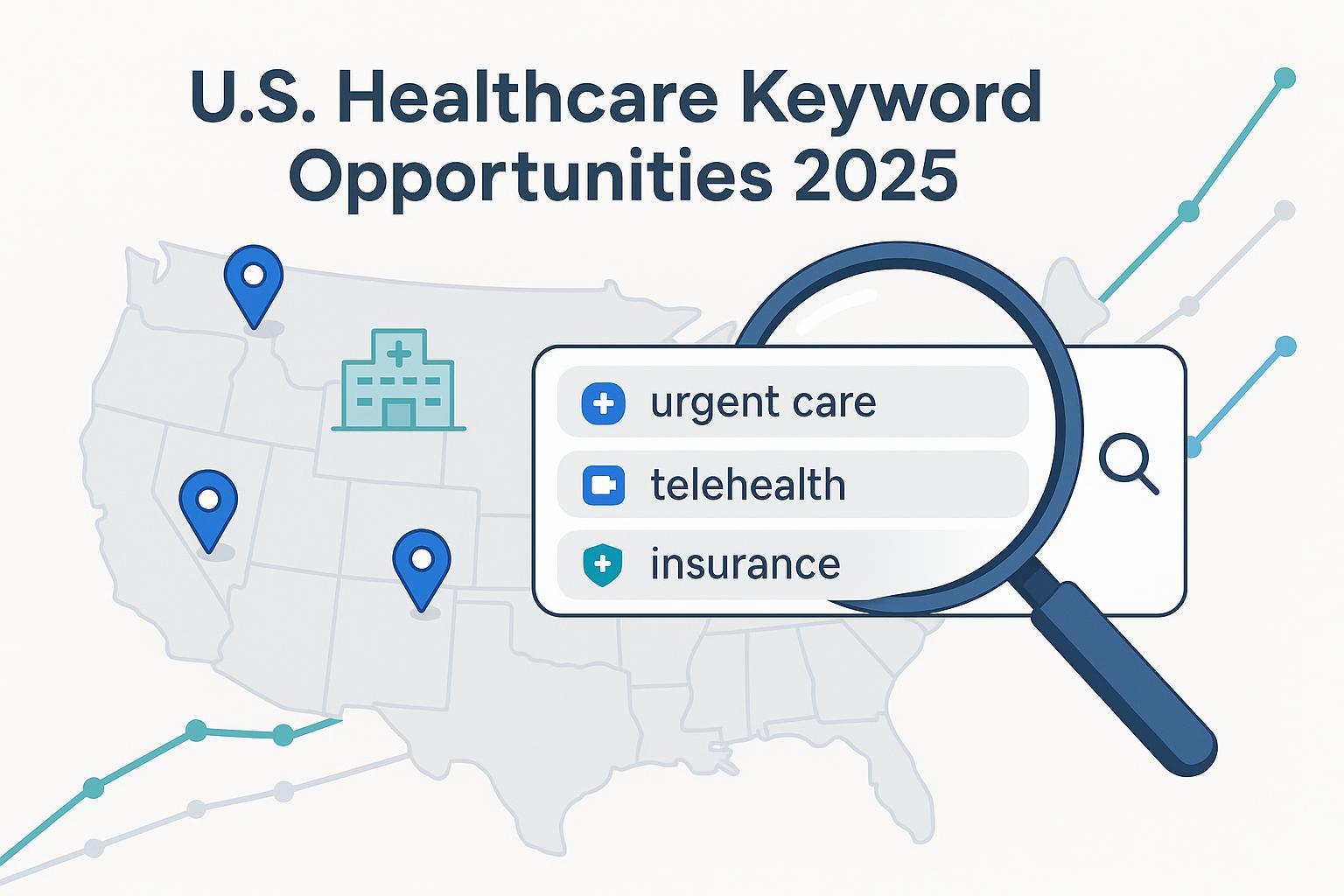
If you lead marketing for a hospital, health system, multi-location clinic, or private practice, 2025 is the year to rebuild your keyword strategy around patient intent. Two forces are reshaping healthcare SERPs in the U.S.: policy changes (telehealth, Medicaid renewals, price transparency) and Google’s AI Overviews, which reward clear, credible answers and strong local presence. Google’s rollout of AI Overviews in mid-2024 highlighted concise, source-backed responses—impacting how people discover providers and services for common health queries, especially local and urgent intents, as described in the Google Search generative AI announcement (May 2024).
What follows is a practitioner-friendly, evidence-informed list of the best keyword opportunity segments for U.S. healthcare services in 2025. Items are grouped by patient intent and service line—not ranked—so you can prioritize based on your footprint and capabilities.
How this list was built
- Focus: U.S.-only. Emphasis on 2024–2025 policy/utilization shifts that materially change search behavior or provider positioning.
- Method: Mapped patient intents (immediacy, insurance, cost, virtual care, specialty needs) to page types, SERP features, and conversion elements that actually move appointments, calls, and eligibility checks.
- Evidence: Authoritative links are embedded where we cite specific policy or utilization context. We avoid volume claims where data is limited.
1) Local availability and immediacy (urgent care, same-day, walk-in)
What it captures: Patients with urgent but non-emergency needs who need availability now or within 24 hours.
Sample keywords and modifiers
- urgent care near me; walk-in clinic [city]
- same-day doctor appointment; open now; open late; weekend
- pediatric urgent care; x-ray; stitches; flu test
Content to create
- City-level urgent care pages with real-time wait times and “open now/tonight/weekend” status.
- An emergency vs. urgent care explainer and a “what to bring” visit checklist.
- FAQ: walk-in policy, insurance accepted, pricing for common visits.
Schema and SERP features
- LocalBusiness/MedicalClinic, Review, FAQPage; ensure Google Business Profile hours, categories, and services are accurate.
- Consider structured answers that fit AI Overviews and People Also Ask.
Conversion elements
- Online check-in/queue, appointment widget, insurance eligibility checker, click-to-call.
Evidence anchor
- AI Overviews and follow-up question flows can change discovery patterns for local health queries—see the Google announcement on AI Overviews (May 2024).
Pitfalls to avoid
- Thin location pages. Add clinician availability windows, capabilities (x-ray, sutures), and billing basics.
2) Insurance and in‑network navigation (commercial, Medicare, Medicaid)
What it captures: Patients trying to minimize out-of-pocket costs by confirming plan acceptance, prior authorization steps, and network status.
Sample keywords and modifiers
- in-network [specialty] with [insurer]; accepts [plan] PPO/HMO
- Medicaid provider near me; Medicare primary care [city]
- prior authorization steps; deductible; referral needed
Content to create
- Insurer-specific landing pages (Accepts [Insurer] for [Specialty/Location]).
- “How insurance verification works” and prior authorization FAQs.
- Medicaid renewal help and what to do if coverage lapsed.
Schema and SERP features
- Organization/MedicalClinic with FAQPage for plan acceptance and PA basics.
Conversion elements
- Real-time eligibility checker; upload insurance card; phone line for benefits questions.
Evidence anchor
- States continue processing Medicaid renewals with flexibilities through 2025; see the CMS Informational Bulletin on renewals (Aug. 29, 2024).
Pitfalls to avoid
- Overpromising coverage. Clarify “we accept X” vs. “in-network for specific plans.” Encourage patients to verify benefits.
3) Telehealth and hybrid care (virtual visits, online therapy, RPM)
What it captures: Patients seeking remote access for convenience, access barriers, or behavioral health—plus ongoing hybrid models.
Sample keywords and modifiers
- telehealth [specialty]; virtual primary care; online therapy
- same-day video visit; after-hours; behavioral health telehealth
- remote patient monitoring (RPM); audio-only availability
Content to create
- “Telehealth [Specialty]” and “Virtual Primary Care” service pages with clear inclusion/exclusion criteria.
- How-to guides for first-time video visits and tech checks.
- Online therapy/psychiatry pages with scheduling and medication policies.
Schema and SERP features
- Service and MedicalClinic schema; FAQPage; VideoObject for tutorials.
Conversion elements
- Instant scheduling for virtual slots; eligibility checker (state/location, insurance); SMS reminders.
Evidence anchor
- Medicare telehealth flexibilities (including at-home services) extend through Sept. 30, 2025—details on the HHS Telehealth Policy Updates page.
Pitfalls to avoid
- Ambiguity about controlled-substance prescribing; keep policy pages updated and route clinical questions to licensed providers.
4) Price transparency and cost queries (cash pay, estimates, common procedures)
What it captures: Patients comparing prices for predictable services (imaging, labs, urgent care) or looking for cash/self-pay options.
Sample keywords and modifiers
- MRI cost [city]; urgent care cost; x-ray price
- cash price [procedure]; self-pay discount; transparent pricing
- price estimator; without insurance; no referral needed
Content to create
- City-level “MRI cost” and “Urgent care cost” pages that explain typical ranges and what affects price (facility fees, contrast, etc.).
- A unified “Pricing & Estimates” hub linked from relevant service pages.
- Clear self-pay packages and discount policy.
Schema and SERP features
- Offer and PriceSpecification schema for shoppable services; FAQPage for estimator questions.
Conversion elements
- Simple estimator workflow; call-back from financial counselors; insurance vs. cash comparison widget.
Evidence anchor
- CMS reinforced Hospital Price Transparency guidance in 2025 (e.g., encoding allowed amounts in machine-readable files); see the CMS updated guidance (May 22, 2025).
Pitfalls to avoid
- Publishing placeholder or incomplete files. Align site prices with machine-readable disclosures and note when ranges vary by site.
5) Mental and behavioral health (therapy, psychiatry, teen services)
What it captures: Sustained demand for therapy and psychiatric care, including teen-focused and virtual options.
Sample keywords and modifiers
- therapist near me; psychiatrist [city]
- teen therapy; CBT; trauma-focused; sliding scale
- virtual therapy; medication management; crisis resources
Content to create
- Specialty pages by modality (CBT, couples, trauma) and population (teen, perinatal, LGBTQ+).
- Clear pathways for urgent concerns and crisis resources (with phone lines prominently displayed).
- Virtual care options and medication policies.
Schema and SERP features
- Person (clinician), MedicalSpecialty, FAQPage; include licensure, credentials, and insurances.
Conversion elements
- Intake forms; online scheduling; insurance verification; telehealth consent.
Evidence anchor
- Mental health needs remain high in the U.S.; see the CDC’s 2025 overview in CDC FastStats: Mental Health.
Pitfalls to avoid
- Ambiguous emergency language. Distinguish routine appointments from immediate crisis support and keep crisis info up to date.
6) Women’s health and maternal care (OB‑GYN, prenatal, postpartum)
What it captures: Ongoing demand across OB‑GYN, prenatal care, ultrasound, high-risk pregnancy, fertility consults, and postpartum support.
Sample keywords and modifiers
- OB‑GYN near me; prenatal care clinic; midwife [city]
- high‑risk pregnancy; maternal‑fetal medicine; ultrasound
- accepts Medicaid; same‑day; evening/weekend; lactation support
Content to create
- OB‑GYN location pages with provider bios and hospital affiliations.
- Prenatal care and ultrasound pages with appointment timelines and insurance guidance.
- Postpartum support resources (lactation, depression screening pathways).
Schema and SERP features
- MedicalClinic and Service schema; FAQPage; Review.
Conversion elements
- Online appointment requests, plan acceptance checker, “new patient” forms.
Pitfalls to avoid
- Generic copy. Tailor by trimester and clearly outline when to contact L&D vs. clinic.
7) Pediatrics and adolescent services (primary care, sports physicals, ADHD eval)
What it captures: Parents seeking trusted pediatric access, weekend/after‑hours options, and seasonal needs like sports physicals.
Sample keywords and modifiers
- pediatrician near me; same‑day pediatric appointment
- sports physical urgent care; camp physical; weekend clinic
- ADHD evaluation [city]; vaccination catch‑up; telehealth follow‑ups
Content to create
- Pediatric location and provider pages with ages served and after‑hours options.
- Seasonal “sports physical” and “back‑to‑school” pages with timelines and forms.
- ADHD evaluation overview and referral pathways.
Schema and SERP features
- MedicalClinic, Organization, FAQPage; highlight after‑hours and weekend availability in GBP.
Conversion elements
- Online scheduling, school/camp forms download, vaccination checklist.
Evidence anchor
- The American Academy of Pediatrics advises planning the preparticipation physical several weeks before the season; see AAP HealthyChildren PPE guidance.
Pitfalls to avoid
- Missing age-specific details (infant, toddler, teen). Spell out services by age and visit type.
8) Imaging and diagnostics (X‑ray, MRI, labs)
What it captures: Shoppable services with high price sensitivity and strong local intent.
Sample keywords and modifiers
- x‑ray near me; walk‑in x‑ray; same‑day imaging
- open MRI [city]; MRI cost [city]; no referral needed
- lab testing near me; fasting labs; STAT results
Content to create
- City-level “Open MRI” and “X‑ray walk‑in” pages with preparation and turnaround times.
- Cost pages that explain factors (contrast, anesthesia, facility fees) with clear ranges.
- Referral vs. self‑referral rules by modality/state.
Schema and SERP features
- Offer/PriceSpecification, MedicalClinic, FAQPage; use breadcrumbs for modality > city.
Conversion elements
- Online scheduling, price estimator, referral upload, results portal sign‑in.
Evidence anchor
- Studies continue to show substantial price variation for imaging in the U.S.; see a 2025 peer‑reviewed analysis of price transparency data in PMC (open access).
Pitfalls to avoid
- Stating “no referral needed” without verifying payer and state rules. Add disclaimers by plan and modality.
9) Chronic disease management and specialty clinics (cardio, endo, pulm)
What it captures: Patients with long‑term conditions seeking coordinated, often hybrid care with RPM and care plans.
Sample keywords and modifiers
- diabetes clinic [city]; endocrinology near me; CGM support
- cardiologist near me; hypertension management; remote BP monitoring
- COPD clinic; sleep apnea evaluation; durable medical equipment
Content to create
- Specialty clinic hubs (e.g., Diabetes Center) with program details, care pathways, and RPM options.
- Insurance coverage FAQs for devices, supplies, and visits.
- Patient education on monitoring, nutrition, and lifestyle—reviewed by clinicians.
Schema and SERP features
- MedicalSpecialty, Service, FAQPage; include clinician credentials.
Conversion elements
- Self‑referral intake, device coverage checker, class/workshop registration.
Pitfalls to avoid
- Overgeneralized claims. Keep outcomes language measured and cite clinical oversight on educational content.
10) Preventive care and screenings (annual exams, mammogram, colonoscopy)
What it captures: Patients looking for covered preventive services and convenient scheduling, including weekend/evening options.
Sample keywords and modifiers
- annual physical near me; wellness visit
- mammogram [city]; same‑day screening; tomosynthesis
- colonoscopy coverage; stool test vs. colonoscopy; after‑hours screening
Content to create
- “Preventive care” hub explaining coverage basics and how to schedule.
- Modality pages for mammography and colorectal screening with prep and result timelines.
- FAQs about insurance coverage for USPSTF A/B services and HRSA Women’s Preventive Services.
Schema and SERP features
- FAQPage, MedicalClinic; include last‑updated dates and clear pathways for abnormal results.
Conversion elements
- Screening eligibility quiz; easy scheduling; prep checklist downloads.
Evidence anchor
- Non‑grandfathered plans generally must cover USPSTF A/B and ACIP immunizations without cost‑sharing; see the KFF summary of preventive services coverage (Feb. 2024).
Pitfalls to avoid
- Mixing preventive and diagnostic billing language. Explain differences clearly to avoid surprise bills.
11) Dental and vision (often self‑pay or limited coverage)
What it captures: High price sensitivity and urgent needs (tooth pain, broken tooth, pink eye), plus financing questions.
Sample keywords and modifiers
- affordable dentist; emergency dentist open now; same‑day crown
- dentist accepts Medicaid; dental financing; membership plan
- optometrist [city]; eye exam cost; contact lens fitting
Content to create
- “Affordable dentist” pages with transparent pricing tiers and financing options.
- Emergency dental visit pages with after‑hours availability and what qualifies.
- Vision pages with exam types, turnaround times, and plan acceptance.
Schema and SERP features
- LocalBusiness/MedicalClinic, Offer, FAQPage; rich results for pricing and reviews.
Conversion elements
- Online booking, financing application links, membership sign‑up, urgent call triage.
Pitfalls to avoid
- Listing “from” prices without ranges or inclusions. Spell out what each package includes.
12) Accessibility, language, and equity (ADA, interpreters, bilingual care)
What it captures: Patients who require accessible facilities, interpreters, or culturally concordant care—and organizations wanting to reflect compliance and inclusion.
Sample keywords and modifiers
- Spanish‑speaking doctor [city]; bilingual clinic; interpreter services
- ASL‑friendly clinic; wheelchair accessible urgent care; accessible imaging
- disability accommodations; sensory‑friendly care; accessible parking
Content to create
- Accessibility and language services pages with what’s available at each site (e.g., lift‑equipped exam tables, interpreters).
- Location pages that explicitly mention ADA features and language capabilities.
- Patient rights and nondiscrimination statements.
Schema and SERP features
- FAQPage; consider listing accessibility features within location content for clarity.
Conversion elements
- Interpreter request form; dedicated accessibility contact; SMS/email confirmations in preferred language.
Evidence anchor
- Keep accessibility disclosures current and specific; align with evolving federal guidance, such as HHS/DOJ rules and Section 504 obligations. (No external link included here to respect link‑density limits—coordinate with counsel for your state.)
How to execute this list without tripping YMYL wires
- Align with AI Overviews: Structure answers in short sections with bullets and FAQs; use precise service names and modifiers. The Google AI Overviews announcement underlines concise, source‑backed responses—mirror that on your pages.
- Build the right page types: Location/service pages, insurer landing pages, cost hubs, telehealth pages, and seasonal pages (e.g., sports physicals). Each should have a clear FAQ.
- Mark up consistently: LocalBusiness/MedicalClinic (and MedicalSpecialty where applicable), FAQPage, Review, and Offer/PriceSpecification for shoppable services.
- Close the loop: Pair every page with a conversion element—appointment widget, eligibility checker, price estimator, or call triage.
- Maintain compliance hygiene: Avoid clinical promises; use measured language; route diagnosis/treatment details to clinician‑reviewed content.
Quick build checklist (copy/paste for your sprint board)
- Local/immediacy: 10–20 city pages with real‑time wait times and “open now/late/weekend.”
- Insurance: Top 5 insurers per market with plan‑level acceptance pages and PA FAQ referencing the CMS Medicaid renewal flexibilities (2024–2025).
- Telehealth: Specialty telehealth pages updated per the HHS telehealth policy updates (through Sept. 30, 2025).
- Cost: A pricing hub aligned with the CMS 2025 price transparency guidance and clear self‑pay offers.
- Behavioral health: Service pages and crisis pathways informed by CDC FastStats: Mental Health (2025).
- Pediatrics: Seasonal sports physical content aligned to AAP HealthyChildren PPE guidance.
- Imaging: City‑level MRI/X‑ray pages with transparent ranges; reference evidence like the 2025 PMC analysis of imaging price variation.
- Preventive: Clear coverage FAQs referencing the KFF preventive services summary (2024).
Last updated: September 25, 2025. Recommend legal/clinical review prior to publication, especially for telehealth, price, and accessibility claims.
