AVIF Images and SEO: What It Is, Why It’s Faster, and How to Ship It Safely

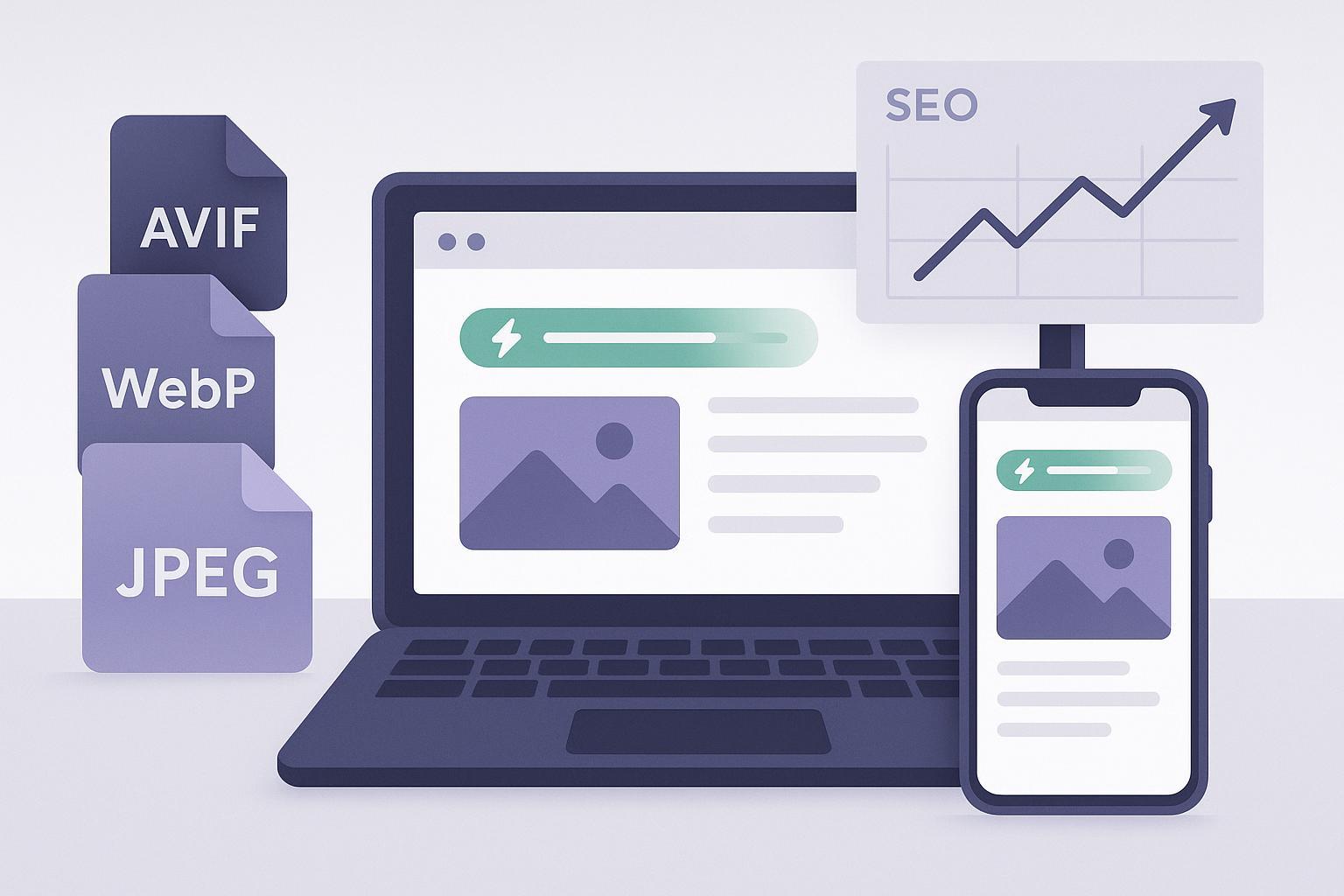
If JPEGs and PNGs are like food packed in regular containers, AVIF is the vacuum‑sealed version—same taste, much smaller package. Smaller image files mean faster pages, stronger Core Web Vitals (especially Largest Contentful Paint, LCP), better UX, and more conversions.
This guide explains what AVIF is, why it helps SEO, how to convert and serve AVIF across common stacks (WordPress, Shopify, headless/custom), and the practical limitations and fallbacks you must keep in place in 2025.
What is AVIF?
AVIF (AV1 Image File Format) is a modern, royalty‑free image format built on the AV1 video codec created by the Alliance for Open Media. AVIF is designed for high compression efficiency (smaller files at comparable visual quality) and modern imaging features like higher bit depth (up to 10/12-bit), HDR, alpha transparency, and even animation. See the Alliance’s codec and format background in the AV1/AVIF specifications overview by the Alliance for Open Media (2024) and a practical feature summary in Cloudinary’s AVIF format overview (2024–2025).
AV1/AVIF specifications background: AOMedia specifications (2024)
Feature overview and real‑world use: Cloudinary’s AVIF format guide (2024–2025)
In plain English: AVIF often produces noticeably smaller files than JPEG at similar perceived quality and is frequently smaller than WebP for many photos and illustrations, though results vary by image content and encoder settings. Google’s image-format guidance recommends using modern formats like AVIF or WebP with fallbacks where needed; see Choose the right image format on web.dev (2024).
Why AVIF helps SEO (and conversions)
Image payload is one of the largest contributors to page weight. Reducing image size directly improves load speed, which feeds into Core Web Vitals. Google’s current Core Web Vitals thresholds are: LCP ≤ 2.5 s, INP ≤ 200 ms, and CLS ≤ 0.1, per Google’s Core Web Vitals documentation (2025). Optimizing images—especially the LCP image—remains one of the highest‑leverage ways to improve these metrics, as highlighted in web.dev’s Optimize LCP (2025) and Top CWV improvements (2024).
Core Web Vitals thresholds and definitions: Google’s Core Web Vitals documentation (2025)
Image and LCP optimization guidance: Optimize LCP (2025) and Top CWV improvements (2024) on web.dev
Modern format recommendations: Choose the right image format (2024) on web.dev
Business impact: Faster pages typically reduce bounce, lift engagement, and improve conversion. While savings depend on the image and settings, teams commonly see substantial reductions versus JPEG and frequent wins over WebP when switching to AVIF. As a planning target, many teams aim for 20–50% smaller file sizes on hero and product images compared to JPEG, then validate with A/B or before/after testing. Your site’s content and quality settings determine the actual outcome—measure in the field.
Indexing and search surfaces: Google Images and Search support AVIF as an image type when referenced properly; see Google Images best practices (2025). That means you can use AVIF in your SEO‑friendly image pipeline without sacrificing discoverability.
AVIF support in Google Images/Search: Google Images best practices (2025)
Quick wins: Ship AVIF in under 30 minutes (by stack)
The safest rollout pattern is “AVIF first, WebP/JPEG fallback,” automated by your CMS plugin or image CDN. Do it once on a staging site, measure, then roll to production.
WordPress (plugins)
Pick one reputable optimizer and follow its AVIF guidance. Three widely used options:
Imagify
Enable AVIF generation in Settings so the plugin creates AVIF versions of uploads and serves compatible formats automatically. See How AVIF works and how it can be enabled (Imagify documentation, 2024) and Recommended settings (2025).
Choose the display/serving method (Rewrite Rules is often recommended). Be mindful of dynamically inserted images and CSS backgrounds noted in the docs.
EWWW Image Optimizer
In settings, turn on AVIF generation and consider Easy IO (their CDN) to negotiate AVIF/WebP with automatic fallback to JPEG/PNG. See EWWW IO Advanced Configuration (2025).
ShortPixel Image Optimizer
Supports creating AVIF and WebP, serving via ShortPixel’s CDN or locally. Enable AVIF, keep originals, and bulk optimize the existing media library. See ShortPixel’s product docs (2024–2025).
Suggested WordPress checklist
Enable AVIF and WebP generation; keep original files.
Generate responsive sizes (thumbnails) and verify srcset behavior with your theme.
If available, enable the plugin’s CDN or integrate a third‑party CDN for automatic format negotiation.
Bulk‑optimize the media library and test a few templates (home, category/PLP, landing/blog post) on staging.
Validate fallbacks by testing in older browsers or using devtools to simulate missing AVIF support.
References
Imagify AVIF enablement: Imagify AVIF documentation (2024) and Recommended settings (2025)
EWWW configuration: EWWW IO Advanced Configuration (2025)
Shopify
Shopify’s CDN serves images efficiently and themes can produce responsive srcsets. For deterministic AVIF delivery with safe fallbacks across diverse clients, many teams layer in an image CDN that automatically negotiates the best format based on Accept headers.
Cloudinary: Add f_auto,q_auto to URLs to negotiate AVIF/WebP with fallbacks automatically; see Cloudinary image optimization (2025).
Imgix: Use auto=format and q=auto; see Imgix automatic rendering parameters (2025) and the performance tutorial on automatic content negotiation (2025).
Cloudflare Images: Use format=auto via URL or implement Workers rules to serve AVIF/WebP with fallback; see Transform via URL and Transform via Workers (2025).
Suggested Shopify checklist
Ensure theme templates use responsive images (srcset/sizes) for hero/product images.
Integrate an image CDN and update your template image URLs to use automatic format parameters (e.g., f_auto,q_auto or auto=format,q=auto).
Verify that your LCP image is correctly prioritized (preload if needed) and that width/height are set.
Test on iOS Safari and older devices; confirm JPEG/WebP fallbacks.
References
Cloudinary image optimization (2025)
Imgix automatic rendering (2025) and negotiation tutorial (2025)
Cloudflare Images transform via URL/Workers (2025)
Headless or custom stacks
If you control the pipeline, use an image CDN to offload conversion and negotiation. If you need build‑time or batch conversion, use CLI tools.
Recommended services
Cloudinary: f_auto,q_auto negotiates AVIF with fallbacks; Cloudinary image optimization (2025).
Imgix: auto=format,q=auto negotiates formats; Imgix automatic rendering (2025).
Cloudflare Images: format=auto; Cloudflare transform via URL (2025).
Build/CLI options
libavif (avifenc): official encoder with quality/speed tradeoffs. See libavif releases/README (GitHub, 2025).
ImageMagick (compiled with AVIF support via libheif): see ImageMagick supported formats (2025).
Example commands
# Using libavif (balanced quality/speed starting point)
avifenc input.jpg output.avif -q 50 --speed 5 --min 0 --max 63
# Notes: lower --speed is slower but can yield better compression; adjust -q for desired quality.

# Using ImageMagick (ensure your build supports AVIF)
magick input.jpg -quality 60 -define heic:speed=5 output.avif
Tip: For gradient‑heavy brand visuals or UI screenshots, start with a slightly higher quality (e.g., q 55–65) to avoid banding, then tune down as tolerated.
A safe fallback pattern (HTML)
Use the picture element to serve AVIF first, then WebP, then JPEG/PNG as a last resort. Also declare intrinsic dimensions and consider preloading your LCP image. These practices align with web.dev’s guidance to optimize LCP and choose modern formats.
<!-- Preload your LCP image’s most likely format for supporting browsers -->
<link rel="preload" as="image" href="/images/hero.avif" imagesrcset="/images/hero.avif 1x, /images/hero@2x.avif 2x" fetchpriority="high">

<picture>
  <source type="image/avif" srcset="/images/hero.avif 1x, /images/hero@2x.avif 2x" sizes="(min-width: 1024px) 1200px, 100vw">
  <source type="image/webp" srcset="/images/hero.webp 1x, /images/hero@2x.webp 2x" sizes="(min-width: 1024px) 1200px, 100vw">
  <img
    src="/images/hero.jpg"
    srcset="/images/hero.jpg 1x, /images/hero@2x.jpg 2x"
    sizes="(min-width: 1024px) 1200px, 100vw"
    width="1200"
    height="800"
    alt="Product hero image"
    loading="eager"
    fetchpriority="high"
    decoding="async"
  >
</picture>
Preload/fetchpriority and LCP guidance: Optimize LCP (2025) on web.dev
Modern format selection and fallbacks: Choose the right image format (2024) on web.dev
LCP‑first image checklist (use this on hero/product templates)
Use AVIF for primary images with WebP/JPEG fallbacks via picture.
Set explicit width and height to avoid layout shifts; ensure responsive srcset/sizes.
Preload the LCP image and mark it high priority (fetchpriority="high").
Lazy‑load non‑critical images below the fold; avoid lazy‑loading the LCP image.
Serve from a fast CDN and minimize redirects or query bloat.
Monitor field data after release in Search Console’s Core Web Vitals report and PageSpeed Insights; iterate on quality settings.
See Google’s Core Web Vitals documentation (2025) and web.dev’s field debugging guide (2024).
Where AVIF stands on browser support in 2025
Support is strong across Chromium browsers (Chrome/Edge) and Firefox. Safari added AVIF support in the 16.4 line and continues to improve; Apple’s Safari 18.1 release notes (Oct 2024) document AVIF‑related fixes for WKWebView. Always keep WebP/JPEG fallbacks to cover older devices, app webviews, and long‑cached assets. For a practical overview of current status, see the AVIF entry on Can I use (2025) and Apple’s Safari 18.1 release notes (2024).
Safari AVIF improvements: Apple Safari 18.1 release notes (2024)
Compatibility overview: Can I use “AVIF” feature entry (2025)
Practical limitations and caveats
Encoding time and CPU cost: AVIF encoding is generally slower/heavier than JPEG/WebP due to AV1’s complexity. Mitigate with CDN on‑the‑fly conversion or background batch processing. See Cloudinary image optimization (2025) for strategy patterns.
Quality nuances: At aggressive settings or with certain chroma subsampling choices, you may see banding or detail loss on gradients and UI elements. Start with moderate quality and test critical brand visuals; Cloudinary’s AVIF vs WebP guide (2025) discusses trade‑offs.
Progressive rendering: AVIF’s loading behavior differs from progressive JPEG. Prioritize correct dimensions, responsive srcset, and LCP preloading to maintain good perceived performance; see Optimize LCP (2025) on web.dev.
Animation and transparency: AVIF supports both, but tooling or CMS pipelines may have inconsistencies. Validate in staging before broad use.
CMS and pipeline constraints: Some older themes or media processors don’t fully handle AVIF thumbnails or srcset generation. Follow plugin docs and validate on staging with a range of templates.
References
Encoding and negotiation strategies: Cloudinary image optimization (2025)
Format tradeoffs: Cloudinary AVIF vs WebP guide (2025)
LCP and perceived loading best practices: Optimize LCP (2025) on web.dev
Measurement: prove the SEO and UX gains
After rollout, measure where it matters—your users’ devices and network conditions.
Establish a baseline
Record LCP, INP, CLS for key templates (homepage, product/listing, landing/blog posts) in Search Console’s Core Web Vitals report; confirm with PageSpeed Insights and your RUM setup if available. Thresholds are summarized in Google’s Core Web Vitals documentation (2025).
Export a sample of hero/product images and record current file sizes.
Roll out AVIF + fallbacks
Implement on staging; validate code, breakpoints, fallbacks, and perceived quality.
Push to production for a subset of templates or a cohort.
Compare before/after
Track LCP distribution shifts and average image weights. Aim for LCP ≤ 2.5 s on the templates that drive revenue or leads.
Watch bounce rate and conversion in Analytics alongside CWV improvements.
Helpful references
Google’s Core Web Vitals documentation (2025)
Debug performance in the field (web.dev, 2024)
Platform pairing: content + images working together
QuickCreator’s managed hosting, CDN caching, SSL, and automated technical SEO stack pair well with image CDNs or WordPress plugins to deliver AVIF with safe fallbacks and solid LCP prioritization. See Google’s recommendations to use CDNs and prioritize LCP resources in Top CWV improvements (2024) on web.dev.
QuickCreator: https://quickcreator.io
Disclosure: QuickCreator is our product.
FAQs (2025)
Is Safari still a problem for AVIF?
Modern Safari versions support AVIF (16.4+). Apple shipped AVIF‑related fixes for WKWebView in Safari 18.1 (Oct 2024). Keep fallbacks for older devices. See Apple Safari 18.1 release notes (2024) and Can I use AVIF (2025).
Is AVIF always smaller than WebP?
Often, but not always. Results depend on the image and encoder settings. Test representative assets; web.dev recommends choosing modern formats with fallbacks and validating quality.
Do I need to convert everything at once?
No. Start with the LCP image on your key templates, then roll out to product/category galleries and blog images.
What quality setting should I use?
As a starting point, try q 50–60 for photographs and raise it for gradient‑heavy brand visuals. Validate on real devices.
Next steps
WordPress: Enable AVIF + WebP in your optimizer (Imagify/EWWW/ShortPixel), keep originals, bulk optimize, and test on staging.
Shopify: Add an image CDN (Cloudinary/Imgix/Cloudflare Images) and switch to automatic format negotiation with responsive srcset.
Headless/custom: Use an image CDN; if you must batch, use libavif or ImageMagick with conservative quality and iterate.
Measure: Track LCP in Search Console’s Core Web Vitals and in PageSpeed Insights; compare image weights before/after.
When you’re ready to publish faster, SEO‑optimized pages without wrestling with the stack, Start for Free with QuickCreator—then plug in your preferred image CDN or WordPress plugin to serve AVIF plus fallbacks.
Sources and further reading
Core Web Vitals thresholds and guidance: Google’s Core Web Vitals documentation (2025)
LCP optimization and modern image formats: Optimize LCP (2025), Top CWV improvements (2024), and Choose the right image format (2024) on web.dev
AV1/AVIF background: AOMedia specifications (2024)
AVIF features and trade‑offs: Cloudinary AVIF format guide (2024–2025); Cloudinary AVIF vs WebP guide (2025)
Image CDN negotiation: Cloudinary image optimization (2025); Imgix automatic rendering parameters and negotiation tutorial (2025); Cloudflare Images transforms via URL/Workers (2025)
WordPress plugins: Imagify AVIF documentation (2024) and Recommended settings (2025); EWWW IO Advanced Configuration (2025); ShortPixel Image Optimizer docs (2024–2025)
Encoder/CLI: libavif GitHub releases/README (2025); ImageMagick supported formats (2025)
Safari updates and compatibility: Apple Safari 18.1 release notes (2024); Can I use AVIF entry (2025)
