How to Use an AI Summary Generator to Create a Comprehensive Summary?


While writing a blog post doesn’t take more than an hour, it typically takes more than four hours to complete the research involved in the process.
Can we reduce this time? Yes, use AI summary generators. Instead of manually reading long, long guides and documents to find the important points, we can now use these tools to provide us with key points in the form of summaries.
However, summary generators aren’t limited to speeding up research. Read this guide to learn how to use these tools to create summaries for multiple purposes!
What is AI Summary Generator?
AI summary generators, also called summarizers or text summarizers, are web-based tools or technologies that use large language models (LLMs) to read, analyze, understand, and condense information in a concise form.
How do they work? With the help of AI and NLP algorithms, summarizers can pinpoint key information in a piece of text. They use these points to create a new, concise piece of content with the same meaning but no unnecessary details.
Which is the Best AI Summary Generator?
Out of many AI summary generators available right now, go for one that:
Summarizes text correctly and consistently without any mistakes or bias.
Is easy to use and comes with a clear interface so you can submit the text easily and get the summary.
Let you adjust the summary length, detail level, and language style to fit your needs.
Supports multiple languages.
Can handle different types of text formats, like articles, blog posts, and documents.
Is either free to use or provides a good value for the price.
Search online with a browser, review all the available tools, and choose the one with the above-mentioned attributes. For example, we did this practice and found AI Summary Generator to be the best in all regards.
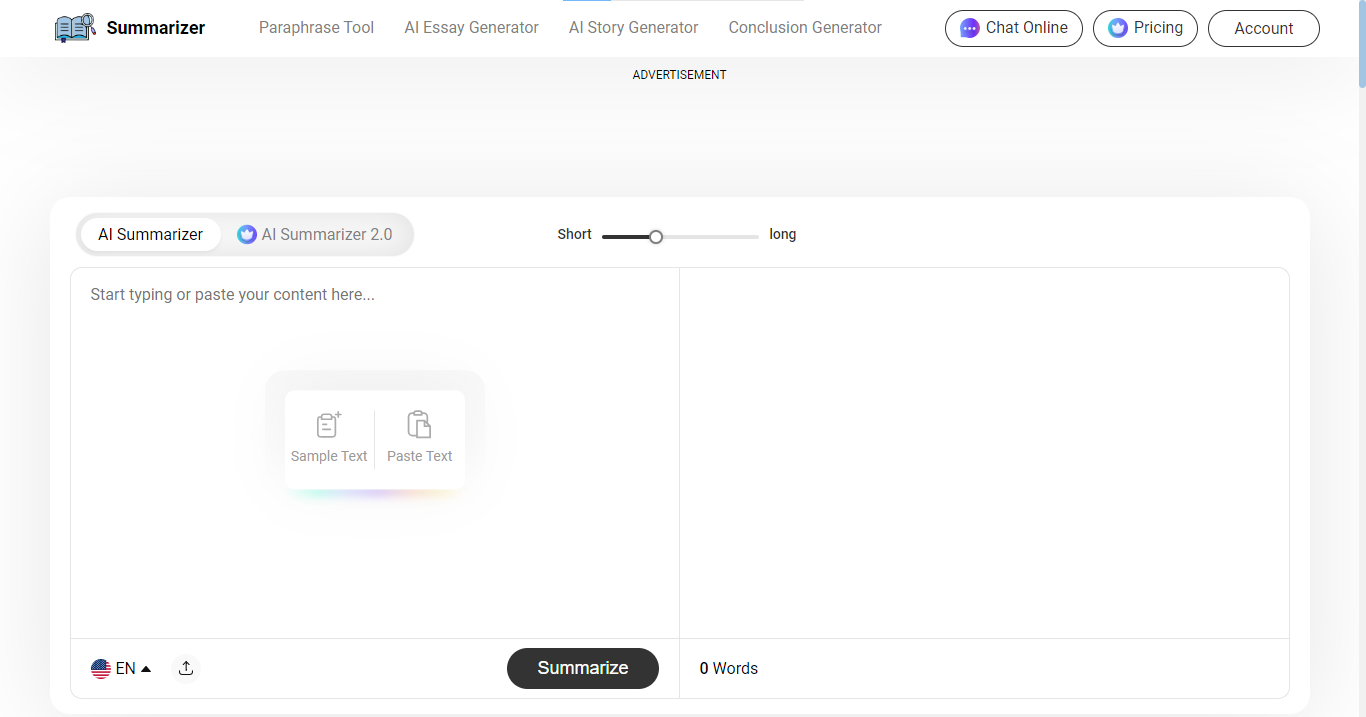
Although it works on the freemium model, the free version of it provides the same accuracy and conciseness as the premium. The advanced AI and NLP algorithms are best-of-class to identify and extract key sentences and phrases.
How to Use An AI Summary Generator In the Best Way?
Once you have chosen an AI summary generator, the next phase is using it to generate fantastic summaries. Typically, common for most of the tools, the following are the steps involved in the process:
1. Decide the Text You Want to Summarize.
First, decide which piece of text you want to summarize. Is it the whole article? Is it a specific section within a document? Doing this is important to create a summary that focuses on one point rather than mixing many.
Take a blog post as an example. A blog post consists of many relevant pieces of content along with the ‘primary’ piece of information a person wants to know.
Suppose someone is looking for ‘what is inflation’ or ‘definition of inflation’ on Google search pages. They typically encounter blog posts with outlines that are relevant but do not cover ‘only’ the definition of inflation. Like this:
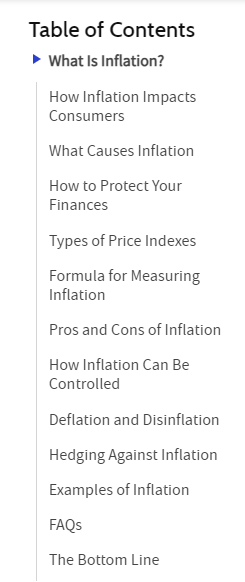
So, instead of the entire blog post, choose only the part(s) that introduces ‘what is inflation’ or others they find helpful. Selecting the necessary, most helpful piece of text is essential to produce a meaningful summary.
2. Submit the Relevant Text Into the Tool.
Once you have decided on which piece of text you want to summarize, select it and copy it to the clipboard. You can also prepare a document file in Docs, PDF, or TXT format that contains the desired text.
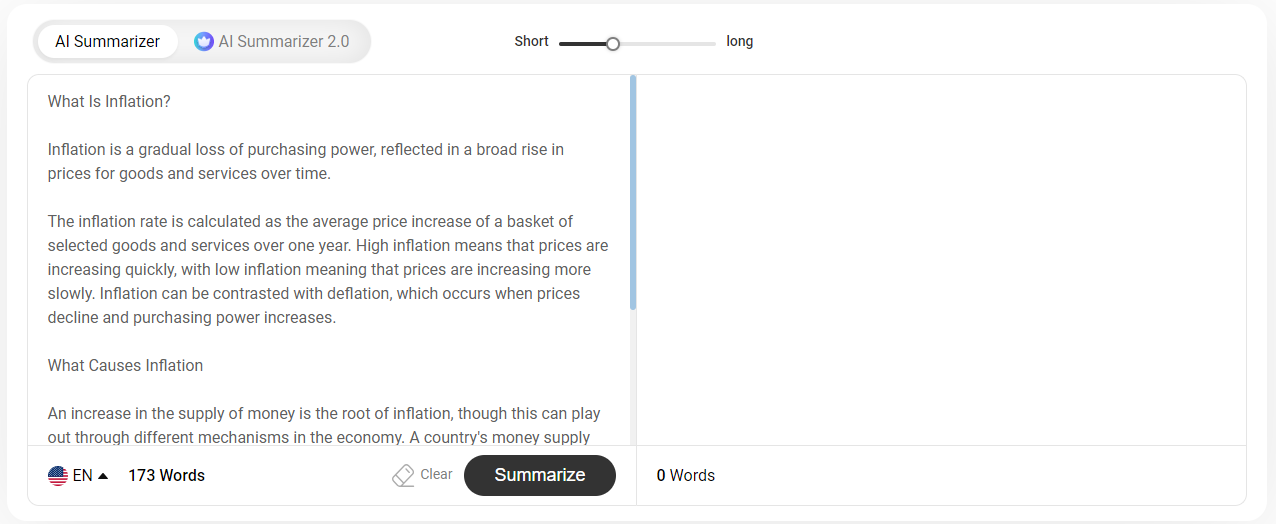
Access the tool’s text input box and submit your desired content. You can either paste the copied content directly into the box by clicking the Paste Text option or upload the file by clicking on the Upload icon.
Once the text is pasted, the text input box looks like this:
3. Make the Necessary Settings and Start the Process.
You’re almost done! Only a few summary-related settings are left that you have to make on your tool to get the fantastic summary you are looking for.
Select the summarization mode. First, choose the summarization mode from the left top of the input box. You can either go for AI Summarizer mode if using the free version or AI Summarizer 2.0 for advanced summaries.

Decide the summary length. See a slider at the top of the input box? Slide it left-to-right and select the desired summary length.

Click on the Summarize button. It is given just below the right side of the split-screen input box. On clicking it, the tool will start the summary-generation process.

The output window looks like this the summary:
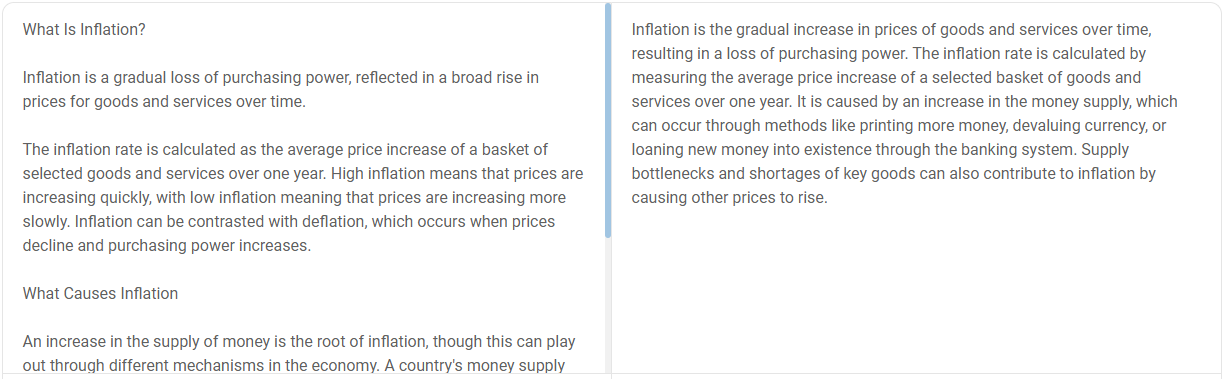
NOTE: You can also change the summarised text’s format from the window. How? Click on the following options, Paragraph, Bullets, and Best Line, from the right-top corner.

In the end, click on the Copy button to copy the text or the Download button to download the summarized text in TXT file format.
How to Proofread the AI-Generated Summaries?
AI summaries can be used as a starting point to work on further but shouldn't be taken as a finished outcome. Being a human, consider the following to finalize a summary:
Fact Check—Compare the summary generated by the original piece of text. Double-check any statistics, dates, or specific information written in the source against the original source.
Logical Flow—The summary should have a logical flow of ideas, events, and cause-effects, etc. Read the summary and make sure it connects in the right way.
Readability—Review the sentence structure and vocabulary. The text should be easy to read and understand for the intended audience.
Conciseness—Make sure the summary captures the key points without unnecessary fluff or repetition.
Bias—AI can inherit biases from the data it is trained on. Read the summary critically to identify any potential bias in the selection or presentation of information.
Originality—AI summarizers take information from the original source and write it uniquely. However, they can sometimes plagiarize, too. So, check the summaries generated for plagiarism.
Why Someone Should Use an AI Summary Generator?
Focusing on the practical utility of AI summary generators, we can use these tools (or the summaries they generate) for the following purposes:
To speed up the research process—No need to manually read all the resources and collect information. Instead, use AI summarizers, submit all the documents (one by one), and get the key information in seconds.
To write conclusions for blog posts—When done with the blog post, simply create its summary with the tool. No need to manually revise each point and include it in the summary or conclusion.
To repurpose content—Turn a research report into a comprehensive blog, create a short description for a social media post from a long guide, etc.
To collect user feedback faster—Have many reviews on your product? Want to know the overall user feedback? Submit all of them into an AI summary generator and collect user feedback faster.
To write key takeaways—Just like writing a conclusion for a blog post, write key takeaways with the AI summarizing tools. Once the summary is generated, click on Show Bullets to convert it into key takeaways.
Conclusion
It is quite easy and less time-consuming to write a summary with the help of an AI summary generator. First, choose a reliable summarizer tool. Next, decide the text you want to summarize, such as an article or a section of a document.
Copy this text and paste it into the AI summary generator's input box, or upload a file containing the text. Next, select the summarization mode and adjust the length of the summary with the help of a slider. Click the "Summarize" button to generate the summary.
Once the summary appears, review it for accuracy, logical flow, and readability. Make any necessary edits to ensure it captures the key points clearly and concisely. Finally, you can copy the summary or download it as a file.
