How QuickCreator Supports Livestream Preparation

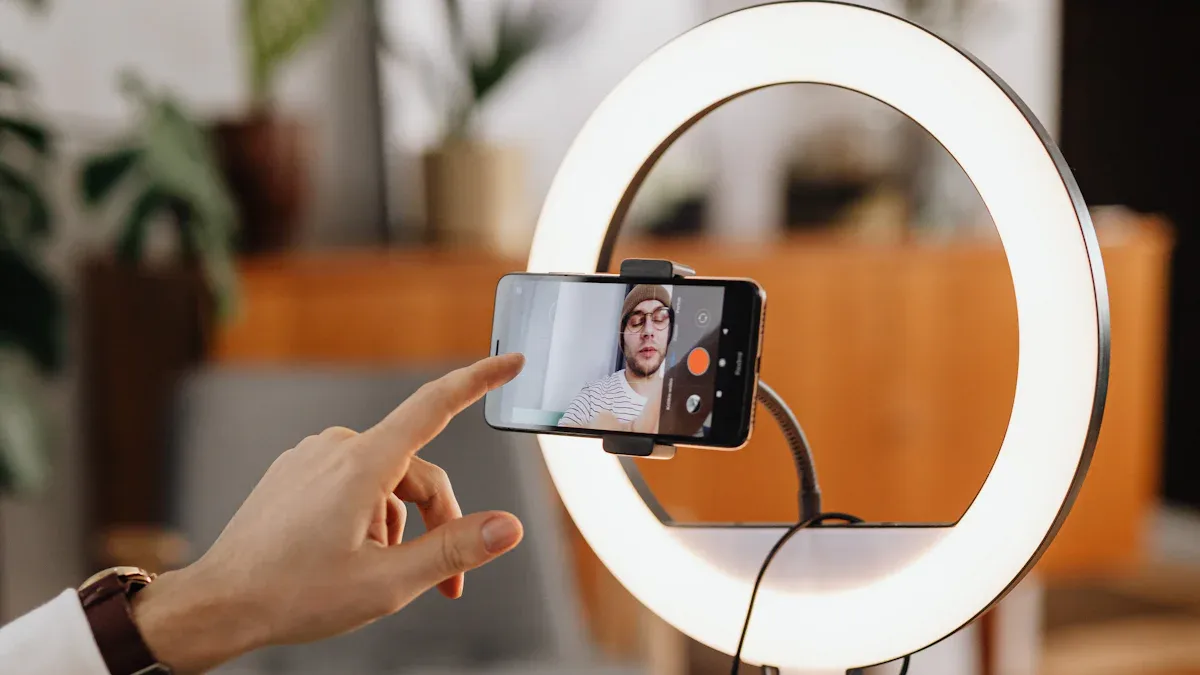
Live streaming is a great way to connect with people. Platforms like Twitch and YouTube Live are becoming very popular. Creators now focus on talking to their audience in real time. QuickCreator Supports make this easier for you. It handles everything, from planning your videos to checking results later. By 2025, videos will be 82% of all internet traffic. This shows how important it is to plan livestreams well. QuickCreator Supports make your livestreams easier and more effective.
Key Takeaways
QuickCreator makes picking topics easy by checking trends and likes.
Use QuickCreator's templates to write scripts faster and stay focused.
Keep your audience interested with tools like polls and live chats.
QuickCreator lets you track your livestream and change things quickly.
After streaming, use QuickCreator's data to see what worked and improve.
QuickCreator Helps with Planning and Content Creation
Making Topic Selection Easy
Picking a topic for your livestream can be hard. QuickCreator makes it simple. Its smart tools check trends, audience likes, and industry news. It suggests topics your viewers will enjoy. You don’t need to guess anymore. Now, you can focus on sharing content that matters.
"QuickCreator's smart tools changed how we create content. We now make great content faster." – Sarah Johnson, Digital Marketing Manager
Here’s how QuickCreator helps you choose topics:
It finds popular topics in your field.
It checks what your audience liked before.
It gives ideas based on data to keep your content fresh.
The results are clear:
Metric | Before QuickCreator | After QuickCreator | Improvement (%) |
|---|---|---|---|
Visits | 30,855 | 78,997 | 156% |
Unique Visitors | 23,455 | 57,280 | 144% |
Page Views | 101,546 | 266,053 | 162% |
Average Visit Duration | 1 min 29 sec | 2 min 46 sec | 86% |
Organic Search Engine Visits | 4,214 | 48,038 | 1,172.46% |

Speeding Up Script Writing
Writing a livestream script doesn’t have to take forever. QuickCreator makes it faster with ready-made templates and smart tips. You can quickly plan your points, improve your message, and make sure your script sounds smooth.
Why this helps:
You save lots of time.
Your script looks more professional.
You can focus on speaking, not worrying about the script.
In 2023, 97% of marketers said content marketing worked for them. Tools like QuickCreator are a big reason why. With its help, you can join the 50% of marketers planning to spend more on content in 2024.
Boosting Audience Engagement
Keeping your audience interested is key to a great livestream. QuickCreator gives you tools to make your viewers stay. You can use polls and custom content to make your livestream special for them.
For example:
Starbucks used custom content and live chats to get more viewers.
McDonald’s made a fun event for Grimace’s Birthday with special meals and shakes.
These ideas work. Companies using QuickCreator saw a 25% rise in engagement:
Metric | Result |
|---|---|
Increase in engagement | 25% boost |
By focusing on what your audience likes, you can turn viewers into fans.
QuickCreator Supports Technical Setup
Picking the Right Platform
Choosing where to stream can feel confusing. QuickCreator makes it simple. It gives you suggestions based on your goals and audience. This helps you pick a platform that fits your brand and gets more viewers.
Here’s how you do it:
Sign up and open the easy-to-use dashboard.
Pick a template that matches your style.
Add your livestream’s title, description, and details.
Upload or record your video right on the site.
Create a fun and inviting registration page.
Trends show why QuickCreator works well:
Trend | What It Means |
|---|---|
Tech bloggers are making more videos and livestreams. | |
Interactive Content Matters | Using AR/VR and other tools makes streams more exciting. |
New Ways to Earn Money | Ads and subscriptions help creators make more money from videos. |
QuickCreator helps you keep up with these trends so your streams shine.
Easy Equipment Tips
You don’t need to know a lot about tech to stream. QuickCreator gives simple advice on what gear to use. Whether you have a webcam or a fancy camera, it helps you get great video and sound quality.
For example, Marketing Managers said organized plans helped them focus on big tasks. Social Media Specialists noticed more likes and shares with AI-made posts. These tools save time and give better results, leaving you more time to be creative.
Fixing Problems Before You Stream
Tech problems can ruin your livestream. QuickCreator’s tools help you test and fix issues early. You can check your setup, find problems, and solve them before going live.
These tools bring great results:
Statistic Type | What Happened |
|---|---|
Click-Through Rates | Improved with A/B testing, making users click more. |
Conversion Rates | Went up by as much as 400% in some cases. |
Campaign Efficiency | Got better with smart choices based on testing data. |
For example, moving an offer higher on a page boosted conversions by 400%. With QuickCreator, you can stream smoothly and impress your audience.
QuickCreator Helps with Promotion and Audience Interaction
Social Media Tools
Most people spend lots of time on social media. QuickCreator helps you use it better. It lets you make posts that grab attention and bring viewers to your livestream. You can plan posts, use hashtags, and check how they perform.
Picture this: You’re hosting a livestream about a new product. QuickCreator helps you create cool posts with pictures, videos, and captions that make people curious. It also tells you the best times to post so more people see them.
Brands using QuickCreator have grown their audience through viral posts. By sharing user-made content and building trust, they connect better with people. Numbers like engagement and conversion rates show these methods work.
Easy Polling Features
Want to know what your viewers like? QuickCreator makes it simple to ask them. You can create polls before, during, or after your livestream. This helps you learn what they want and keeps them interested.
For example, you could ask viewers to pick the next livestream topic. Or, during the stream, ask them about their favorite product feature. These polls make your audience feel important and involved.
Polls also increase interest. When people join in, they stay longer and share your content. QuickCreator’s polls are easy to use and give quick results.
Real-Time Interaction Tools
Keeping viewers interested during a livestream can be hard. QuickCreator gives you tools to talk to them live. You can answer questions, reply to comments, and highlight what they say.
Imagine running a Q&A session. QuickCreator lets you show questions on-screen and answer them directly. This makes your livestream feel fun and personal. You can also use live chat to keep the conversation going.
These tools help you connect better with your audience. When viewers feel included, they’re more likely to become loyal fans. QuickCreator helps you create livestreams people will remember and enjoy.
QuickCreator Supports Execution and Post-Livestream Analysis
Real-Time Monitoring Features
Think about watching your livestream stats as it happens. QuickCreator helps you do this easily. You can see viewer numbers, engagement levels, and stream quality live. This lets you make quick changes to keep viewers interested.
For instance, if engagement drops during a part of your stream, you can switch to something more exciting. QuickCreator’s dashboard shows live data in a simple way.
Why this is helpful:
Long videos get 2.5 times more engagement than short ones.
Interactive content increases conversions by over 40%.
These tools help you make smart choices during your stream. This keeps your audience engaged and your stream successful.
Backup Solutions for Smooth Execution
Tech problems can happen, but they don’t have to ruin your stream. QuickCreator has backup tools to keep things running smoothly.
Here’s why these tools work well:
Commvault helps recover quickly from ransomware, avoiding big issues.
It’s rated top in six out of seven areas in the 2023 Gartner Report for Backup & Recovery.
QuickCreator protects your data and keeps your stream steady. Whether it’s fixing lost files or solving tech problems, these tools give you confidence.
Tip: Test your setup before streaming. QuickCreator’s tools can find problems early.
Post-Event Analytics and Insights
When your livestream ends, the real work starts. QuickCreator’s analytics show how your stream did. You can check viewer activity, stream quality, and engagement.
Why this matters:
Kaltura says knowing these numbers helps improve future streams.
Case studies boost B2B conversions by 25%, showing the power of good insights.
QuickCreator helps you study the data deeply. You’ll learn what worked, what didn’t, and how to improve next time.
Metric | Value |
|---|---|
Photo vs. Video Engagement | Photos got almost double the engagement of videos on Instagram for fashion brands. |
Interactive Content Conversion | Interactive content raised conversions by over 40% compared to static content. |
Engagement Rates | Long videos had 2.5 times more engagement than short ones. |
Lead Generation | Whitepapers created 3x more leads than blog posts. |
Conversion Rates | Guides improved conversions by 30% compared to product pages. |
Case Studies Conversion Impact | Case studies boosted B2B conversions by 25%. |
Trust Building | 78% of buyers used case studies when deciding to buy. |
Content Preference | Case studies ranked third as the best content type for B2B marketers. |
With QuickCreator, you’ll have the tools to review your stream and plan better for the next one.
QuickCreator helps you get ready for livestreams with easy tools. It makes every step simple, from planning to reviewing. You can create streams that look great and keep viewers interested.
Here’s how it helps you work better:
Metric | What It Does |
|---|---|
Tells how long people stay to watch your stream. | |
Click-Through Rate (CTR) | Checks if your titles and pictures make people click. |
Tracks if your actions, like links, lead to sign-ups or visits. |
Want to make livestreaming easier? QuickCreator is here to help you succeed.
FAQ
How does QuickCreator help beginners with livestream preparation?
QuickCreator makes livestream prep simple and easy. It has tools for planning, writing scripts, and promoting your stream. You don’t need to know much about tech. Its clear dashboard shows you each step, making the process fun and stress-free.
Can QuickCreator improve my livestream’s audience engagement?
Yes! QuickCreator has features like polls, live chat, and interactive tools. These keep your viewers interested and involved. You can make your audience feel special and connected to your brand.
Is QuickCreator compatible with all livestream platforms?
It is! QuickCreator works with platforms like YouTube Live, Twitch, and Facebook Live. It helps you pick the best platform for your audience and goals. Setting up your stream is quick and easy.
Does QuickCreator offer analytics after the livestream?
Yes, it does! QuickCreator shows detailed stats about your stream. You can see viewer activity, engagement, and performance. Use this info to make your next livestream even better.
Do I need expensive equipment to use QuickCreator?
No, you don’t. QuickCreator works with simple gear like webcams and mics. It also suggests affordable tools to improve video and sound. You can start streaming without spending too much money.
See Also
Streamlined Content Production: A Quick Creator's Updated Guide
Writesonic AI And QuickCreator: A Battle of Content Masters
Enhancing Audience Interaction Using TikTok Analytics Tools Guide
Comprehensive Instructions for Establishing Your Startup's Blogging Platform
The Complete Beginner's Handbook for Content Creation and Publishing
