On-site Q&A Bot (PDP Chat) FAQ for Ecommerce & SaaS (2024)

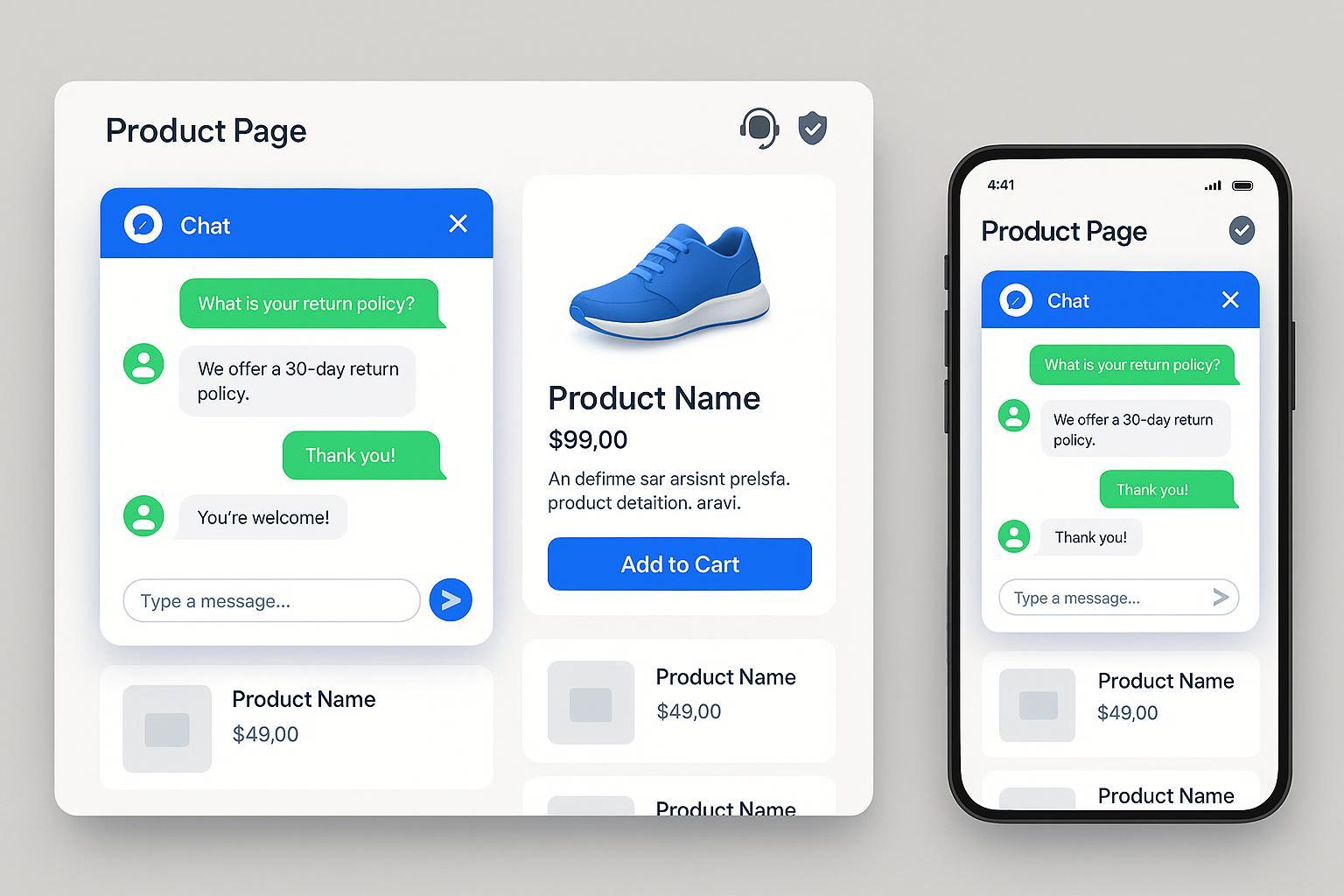
1. What exactly is an on-site Q&A bot for a Product Detail Page—and how does it work?
An on-site Q&A bot (sometimes called PDP chatbot) is an AI-powered assistant embedded right on a product detail page of an ecommerce or SaaS website. It’s designed to answer shoppers’ questions in real time—think product availability, compatibility, shipping, pricing, promotions, and more.
Modern bots use advanced natural language processing (NLP) to understand customer queries, pull data from your product catalog or CRM, and respond conversationally. They can guide users through purchase decisions, recommend related items, and—even if your site is busy—offer instant support 24/7. For a practical overview, see FAQ Chatbot Guide – Onilab.
2. What real value does a PDP Q&A bot bring to ecommerce and SaaS sites in 2024?
The biggest benefits include:
- Faster answers, higher conversion: Customers get instant help on specific products, reducing friction and driving sales.
- Reduced support load: Common queries are resolved without human intervention, freeing your team for complex issues.
- Personalization: Bots can recommend based on user data, location, or browsing history—like virtual product advisors.
- Seamless escalation: If the bot hits a wall, it hands off context to a live agent so the experience never feels interrupted.
- Always-on support: Perfect for global users across time zones.
Recent research shows that PDP chatbots can lift add-to-cart rates by up to 30% when implemented with contextual intelligence (Biz4Group, The Interline).
3. How do I set up and integrate a PDP chatbot with my store or SaaS product?
Good news—setup has become way easier in 2024:
- Platform integration: Most chatbot solutions connect to Shopify, WooCommerce, Shopware, Salesforce, or custom APIs with simple plug-and-play connectors. SaaS teams can use REST/GraphQL APIs for deeper setups (Botpress).
- Customization: You can tailor chat flows to match product types, promos, or specific PDP layouts. Many systems offer visual editors—no coding needed.
- Connecting data: Real-time product info, inventory levels, user profiles, and promotions can sync to the bot using webhooks and secure API calls.
- Troubleshooting: If the bot doesn’t trigger correctly, check your page selectors, integration keys, and chat widget script placement. Many vendors offer built-in diagnostics and support playbooks (Sendbird).
4. What should I know about data privacy and compliance for a PDP chat bot?
Privacy is huge for modern bots. In 2024, you need to:
- Get explicit user consent before collecting personal data; inform users when/why data is needed.
- Follow GDPR/CCPA (and for SaaS, SOC2) guidelines: only collect what you need, secure everything via encryption, and offer clear opt-out or deletion rights.
- Display privacy policies clearly near the chat widget.
- Cookie compliance: Explicit opt-in is required for non-essential cookies; use banners or prompts.
- Privacy by design: Build your chat flows so data handling is transparent—never store sensitive info unless absolutely necessary (Dialzara, Kommunicate).
You might also want to regularly audit your bot’s data activity and update compliance protocols.
5. What happens if the chatbot can’t answer a question or a user needs human help?
Escalation is now seamless:
- Automated detection: The bot recognizes complicated or unanswerable queries and triggers a handoff workflow.
- Context sharing: All chat history, user details, and product context transfer instantly to the support agent—no “start over” frustration.
- Intelligent routing: The bot can categorize the issue (e.g., pre-sale, shipping, complaint) and route to the correct specialist or department.
- User experience: Often, a live chat window pops up, or the user is prompted to schedule a callback.
Operational best practice: Always provide visible options for escalation, and clearly indicate when a human will respond (Botpress).
6. How can I measure and improve my chatbot’s performance on product pages?
Track these key metrics:
- Self-service rate: How many questions are fully answered by the bot.
- Correct response ratio: Recognized queries/accurate answers.
- Engagement & drop-offs: Where users bail in the chat flow (reveals friction points).
- Conversions: How many chats result in add-to-cart or purchase actions.
Most solutions offer analytics dashboards that overlay flowcharts—so you can quickly A/B test messages and review user journeys (Tidio).
Tips to optimize:
- Tune responses using real chat logs.
- Regularly update FAQs and product info feeds.
- Use sentiment analysis to refine tone and messaging.
7. How do PDP chatbots handle accessibility and multilingual needs?
Chatbots should support all users:
- Accessibility: Keyboard navigation, screen reader compatibility, clear visuals (contrast, button size). Meeting WCAG standards enables disabled users’ access.
- Multilingual: Bots now auto-detect user language and maintain context throughout the conversation. Offering multiple languages can boost engagement by ~30% for non-English audiences (Sendbird).
Pro tip: Test accessibility with real users and continuously refine translations for cultural nuance.
8. Can the chatbot personalize recommendations and proactively engage users?
Absolutely. With real-time CRM or ecommerce data feeds, a PDP chatbot can:
- Suggest the best size, color, or variant based on previous purchases
- Trigger product recommendations if a user hesitates, or offer help after cart abandonment
- Send personalized promo codes and highlight shipping options tailored to location
- Initiate conversation based on scroll depth, idle time, or exit intent
This drives deeper engagement and feels like a “virtual shopping assistant” rather than a simple help tool.
9. What practical maintenance and troubleshooting routines should I follow?
Successful bots are actively managed:
- Update FAQ and product info feeds regularly—sync new inventory, policies, seasonal campaigns.
- Monitor bot logs, analytics, and feedback to spot errors or misunderstood queries.
- Version control: Back up chat flow templates and document updates; use rollback when needed.
- Test escalation rules and integrations: Simulate complex user scenarios to ensure seamless handoff.
- Review accessibility and compliance periodically.
Hijacking success: Pilot changes on a small PDP first, get feedback, then scale.
10. Advanced integration: Is it possible to connect a PDP chatbot with my existing business and marketing tools?
Yes—this is where things get powerful:
- API/Webhook support: Modern bots can sync with ERPs, CRMs, inventory systems, shipping providers, and more. Watch for REST, GraphQL, or specialized SaaS connectors (Arena.im).
- Live data feeds: Bots can auto-update users on delivery ETA, stock status, or even initiate cross-channel promos.
- Marketing automation: Trigger emails, texts, retargeting campaigns based on chat outcomes.
Key best practices:
- Secure API calls (OAuth, rotate keys).
- Always test flows end-to-end before launch.
- Use analytics to optimize business impact.
11. What are emerging best practices for PDP chatbots in 2024?
- Define chatbot roles clearly: sales, support, lead gen, or all of the above
- Integrate with real-time systems for instant answers
- Prioritize user experience and accessibility for all
- Build for compliance and privacy from the start
- Continuously iterate and refine with analytics and user feedback
- Always provide transparent handoff, avoiding dead ends in conversations (Typebot, GetTalkative)
Want more depth? Check out the Chatbot.com FAQ Guide and Chatsimple.ai best practices.
Got another question about PDP chatbots or want advice for your ecommerce/SaaS team? Let us know and we’ll update this FAQ with your top concerns, keeping everything up-to-date and practical for the future.
