NVIDIA TensorRT-LLM vs ONNX Runtime: Which Is Better for LLM Inference Optimization (2025)?

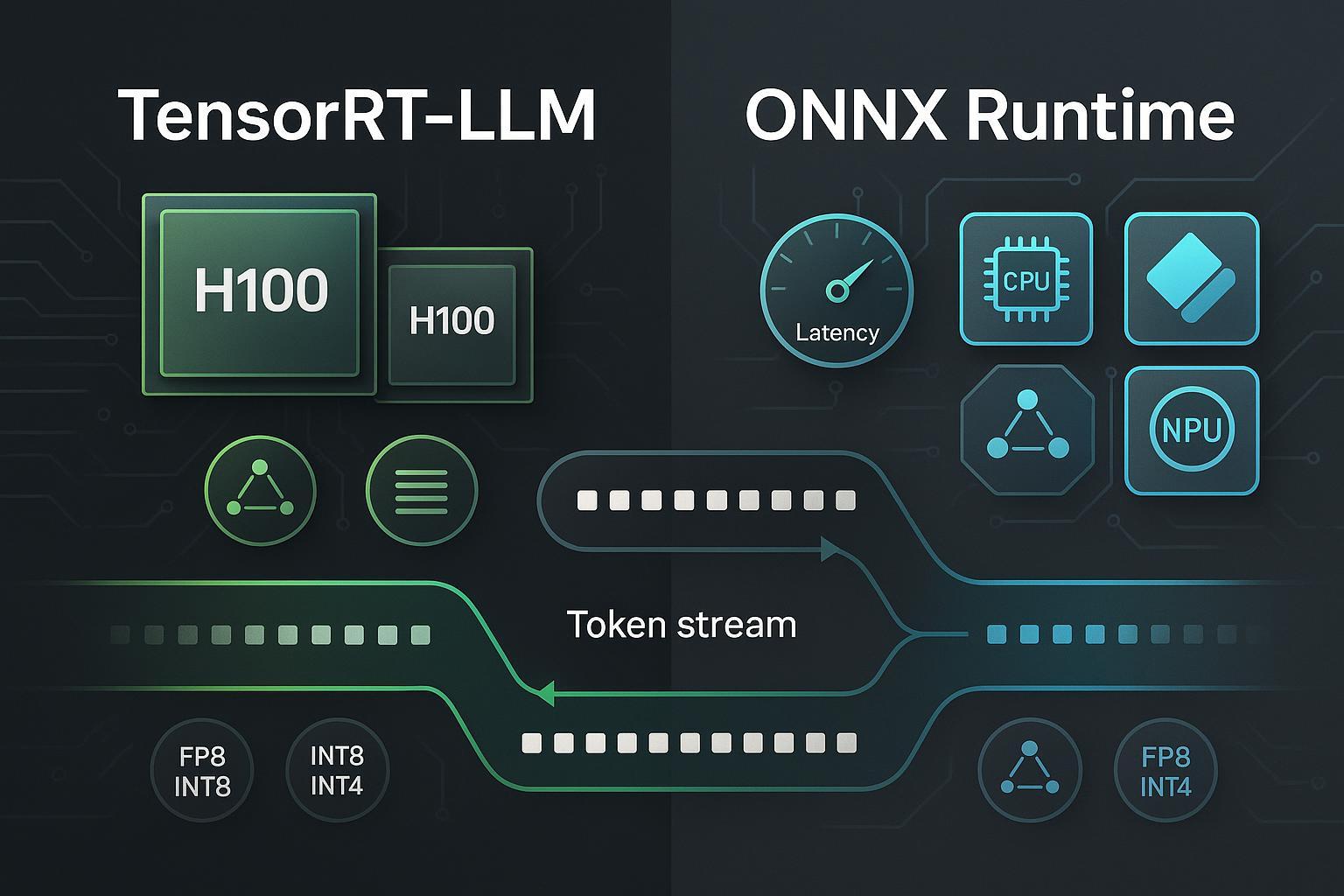
Large language models (LLMs) are demanding at inference time—latency, tokens-per-second, memory footprint, and cost all hinge on how well you optimize the serving stack. Two widely used paths today are NVIDIA TensorRT-LLM (TRT-LLM) and ONNX Runtime (ORT). Both aim to squeeze more performance out of your hardware, but they do so with different philosophies: TensorRT-LLM goes deep on NVIDIA GPU optimizations, while ONNX Runtime offers a cross-hardware inference layer with multiple Execution Providers.
Note: Some readers ask about “Google Pomelli.” Based on current information, it’s an experimental AI marketing tool from Google Labs, not an LLM inference optimizer; therefore it’s excluded from this comparison.
Background: What actually slows down LLM inference?
At a high level, three factors dominate:
- Attention and KV cache management: caching past tokens efficiently and keeping memory bandwidth in check.
- Batching and scheduling: keeping GPUs saturated (through in-flight batching or dynamic request grouping) without harming tail latency.
- Precision and quantization: using FP8/FP16/INT8/INT4 to reduce compute and memory while controlling accuracy.
If you’re new to AI content and LLM basics, this short explainer offers a friendly introduction: AI-generated content and how LLMs are used. For hardware planning context (especially if you’ll host models locally), see essential Ollama hardware requirements.
Quick comparison at a glance
| Category | NVIDIA TensorRT-LLM | ONNX Runtime |
|---|---|---|
| Hardware scope | NVIDIA GPUs (data center + RTX, Jetson via TensorRT/Triton pathways) | Cross-platform via Execution Providers: CPU, CUDA, TensorRT, DirectML (Windows), OpenVINO (Intel), QNN (Qualcomm), CoreML (Apple) |
| Key attention optimizations | PagedAttention, in-flight batching; speculative decoding; recurrent drafting (NVIDIA 2024) | Optimized attention kernels (e.g., GroupQueryAttention) depending on EP; operator fusion |
| Precision/quantization | FP8/FP16/INT8; calibration workflows | Weight-only INT8 via MatMulNBits; QDQ/other flows depending on EP; ecosystem paths for INT4 |
| Parallelism & scaling | Tensor parallelism, pipeline parallelism, expert (MoE) parallelism; Triton/NIM integration | Data-parallel and graph-level optimizations; scaling strategies depend on orchestration layer; broad OS/platform support |
| Tooling | PyTorch-first backend, Triton Inference Server, NIM for managed endpoints | Olive CLI for ONNX optimization; Hugging Face Optimum ORT integration; EP configuration across platforms |
| Best-fit scenarios | NVIDIA-only, maximum throughput; large-batch serving; MoE/multimodal on high-end GPUs | Mixed hardware fleets; Windows/edge; portability-first deployments; quantization-heavy workflows |
Deep dive: NVIDIA TensorRT-LLM
NVIDIA’s TensorRT-LLM targets peak performance on NVIDIA GPUs with specialized attention kernels, KV cache strategies, and batching. In December 2024, NVIDIA introduced encoder–decoder acceleration with in-flight batching (reducing padding overhead and improving utilization), detailed in the NVIDIA Developer Blog on encoder–decoder models. Around the same time, NVIDIA documented speculative decoding achieving up to 3.6× throughput improvements in certain settings, per the 2024 NVIDIA Developer Blog on speculative decoding. They also added recurrent drafting compatible with in-flight batching later that month, as covered in the NVIDIA Developer Blog on recurrent drafting (2024).
Precision-wise, TRT-LLM focuses on FP8/FP16 and INT8, with calibration workflows for building optimized engines. Parallelism options include tensor, pipeline, and expert (MoE) parallelism, which are crucial for very large or mixture-of-experts models. Deployment commonly uses Triton Inference Server, with clear “getting started” guidance for LLMs (for example, Phi-3 with TRT-LLM) in the NVIDIA Triton LLM guide. For managed endpoints and enterprise-grade controls, NVIDIA NIM can wrap TensorRT-LLM-backed models; see the official NIM deployment guide.
Pros
- Best-in-class throughput/latency on NVIDIA GPUs when tuned.
- Advanced attention mechanisms (PagedAttention), KV cache efficiency, and sophisticated batching.
- Rich parallelism (TP/PP/MoE) for scale; strong Triton/NIM integration.
- Mature precision stack (FP8/FP16/INT8) with calibration.
Cons
- NVIDIA-only focus—portability across non-NVIDIA accelerators isn’t the goal.
- Setup complexity and version alignment (drivers, CUDA, TensorRT) can be non-trivial.
- Some features are model/version-specific; testing is required for each workload.
Best for
- High-throughput NVIDIA deployments (H100/H200/Blackwell, RTX 40-series) where performance is the top priority.
- Large-batch serving, enterprise autoscaling with Triton/NIM.
- MoE or large multimodal models requiring parallelism and cache optimizations.
Deep dive: ONNX Runtime
ONNX Runtime is a cross-platform inference engine with a portfolio of Execution Providers (EPs) for different hardware targets. The official releases page lists CPU, CUDA, TensorRT, DirectML (Windows), OpenVINO (Intel), QNN (Qualcomm), and CoreML (Apple), alongside LLM-centric additions like MatMulNBits (weight-only INT8) and attention kernel improvements such as GroupQueryAttention—see the Microsoft ONNX Runtime releases (2024–2025). Microsoft’s performance-tuning guide also clarifies EP selection behavior and notes that, when available and supported, TensorRT EP can outperform CUDA EP for certain models, outlined in the ONNX Runtime performance tuning documentation (2024).
ORT’s strengths are portability and tooling. With Olive CLI, teams can run ONNX optimization passes, and Hugging Face Optimum integrates with ORT to streamline export and quantization workflows for transformer models (even though INT4 paths often depend on ecosystem/custom ops, use weight-only INT8 as your baseline). For Windows-first deployments, DirectML EP provides GPU acceleration without leaving the Microsoft ecosystem; for Intel edge/cloud, OpenVINO EP is a practical path; for Qualcomm NPUs, QNN EP is the route.
Pros
- Broad hardware coverage and OS portability via EPs.
- Practical quantization workflows (weight-only INT8 MatMulNBits) and graph/operator fusion.
- Strong ecosystem tooling (Olive, Hugging Face Optimum), good for rapid prototyping.
Cons
- Peak performance on NVIDIA may trail TensorRT-LLM when both are fully optimized.
- EP maturity varies; you must validate stability and feature support per platform.
- INT4 pathways are less standardized; require careful accuracy testing.
Best for
- Mixed hardware fleets (Windows, Intel, Apple, Qualcomm) where portability matters.
- Edge and Windows-first deployments.
- Quantization-heavy pipelines that benefit from standardized export and optimization tools.
Scenario-based recommendations
-
You run exclusively on high-end NVIDIA GPUs and care about maximum tokens/sec and lowest latency: choose TensorRT-LLM. Enable in-flight batching and speculative/recurrent drafting where appropriate, and serve via Triton or NIM for autoscaling and operations maturity.
-
You need one inference layer across diverse hardware (Windows desktops with consumer GPUs, Intel edge boxes, Apple laptops, Qualcomm NPUs) or you value portable packaging for vendors and customers: choose ONNX Runtime with the right EP per target (DirectML, OpenVINO, QNN, CoreML, CUDA/TensorRT on NVIDIA).
-
Your team leans heavily on quantization to reduce cost at scale: start with ORT weight-only INT8 (MatMulNBits) and evaluate accuracy/performance; experiment with INT4 via ecosystem tooling only after validating business impact.
-
You serve MoE or multimodal giants on top-tier NVIDIA hardware and can invest in tuning parallelism and KV caching: TensorRT-LLM plus Triton/NIM is typically the path to predictable performance at scale.
-
Edge nuances: Jetson deployments often ride TensorRT via Triton; Windows AI PCs favor ORT + DirectML. Validate driver and EP maturity early in your proof of concept.
For broader AI tooling context beyond inference engines, see this neutral overview: a comprehensive guide to AI-generated content (2024).
Deployment and operations: what changes day 2?
-
Triton/NIM (TRT-LLM): Triton provides model repositories, dynamic batching, and gRPC/HTTP endpoints, while NIM offers managed endpoints, environment consistency, and enterprise-grade controls. Start with the official Triton LLM getting-started and plan production with the NIM deployment guide.
-
ORT EP selection and tuning: Follow Microsoft’s guidance to choose the most performant EP per platform and fall back gracefully. The performance tuning doc (2024) outlines how to configure EPs, handle memory, and track improvements.
-
Version alignment: TRT-LLM requires careful CUDA/TensorRT driver alignment; ORT demands EP-version and platform checks (e.g., DirectML and GPU driver compatibility). Bake version checks into CI and container builds.
-
Observability and autoscaling: Triton/NIM have built-in metrics and scaling patterns; ORT integrates into your orchestration of choice (Kubernetes, serverless, edge launchers) with EP-specific telemetry. Design for TTFT and p95 latency budgets, not just average tokens/sec.
Benchmarks: how to interpret 2025 numbers
MLCommons’ MLPerf Inference v5.1 (September 2025) includes LLM tasks and shows the direction of industry performance on modern accelerators; use these results as macro indicators rather than product shootouts—see the official MLPerf Inference v5.1 results (2025). Benchmarking claims that cite dramatic speedups should be checked for model, precision, batch size, and prompt types, as well as kernel features (e.g., in-flight batching or speculative decoding) and versioning.
In your own environment, compare apples-to-apples: same model (e.g., Llama 3.1 8B), identical precision (FP16 vs INT8), same batch sizes, identical prompts, and consistent container/driver stacks. Measure TTFT (time to first token), steady-state tokens/sec, memory footprint, and cost per million tokens.
FAQ
-
Can I use ONNX Runtime on NVIDIA GPUs and still get good performance? Yes—use the CUDA or TensorRT EP. Microsoft’s guidance notes that TensorRT EP can outperform CUDA in some cases when supported; see the performance tuning guide (2024). For maximum NVIDIA performance, TensorRT-LLM is still your go-to.
-
Does TensorRT-LLM help with encoder–decoder models (e.g., T5)? Yes. NVIDIA added encoder–decoder acceleration with in-flight batching in late 2024; details are in the NVIDIA Developer Blog (Dec 2024).
-
What’s the simplest way to get started with each? For TRT-LLM, try the Triton LLM getting-started guide. For ORT, begin with prebuilt packages and select an EP per your hardware, then explore Olive and Hugging Face Optimum for export/quantization.
-
Is INT4 stable on ONNX Runtime? INT4 is more ecosystem-driven and may rely on custom ops; start with weight-only INT8 (MatMulNBits) as a baseline, as documented in the ONNX Runtime releases (2024–2025). Always validate accuracy.
-
Should I trust headline speedup numbers? Treat them as directional. For instance, NVIDIA discusses up to 3.6× via speculative decoding (Dec 2024) in the NVIDIA Developer Blog, but your mileage will depend on model, prompts, and system configuration.
Conclusion: choose by scenario, not hype
There isn’t a single “winner.” If you live on NVIDIA and your priority is maximum performance at scale, TensorRT-LLM with Triton or NIM is a compelling stack. If you need one engine for many hardware types or you’re building for Windows/edge, ONNX Runtime’s EP ecosystem and tooling offer a practical, portable path.
Most teams benefit from testing both on a representative workload: standardize your benchmarking, keep versions aligned, and make a cost/performance call grounded in TTFT, throughput, accuracy, and operational complexity.
