How to Use La Growth Machine and Clay Together for Growth: The Beginner’s Complete Step-by-Step Guide

Everything you need to launch your first data-enriched outreach workflow—no coding, confusion, or frustration. Tailor-made for first-time operational teams looking for fast, scalable results.
Why Use La Growth Machine and Clay Together?
Clay helps you enrich and organize leads (think: better contact info, social profiles, roles, and more).
La Growth Machine (LGM) automates your outreach (email, LinkedIn, Twitter, etc.) across multiple channels for maximum response.
Combined, they create a seamless pipeline: smarter lead data → personalized multichannel outreach—at scale and with minimal manual work.
Typical Results:
Up to 70%+ reply rates (in proven workflows)
Launch your first campaign in under an hour, even as a total beginner
Beginner teams report "wins on day one" and hours saved each week (see official template results)
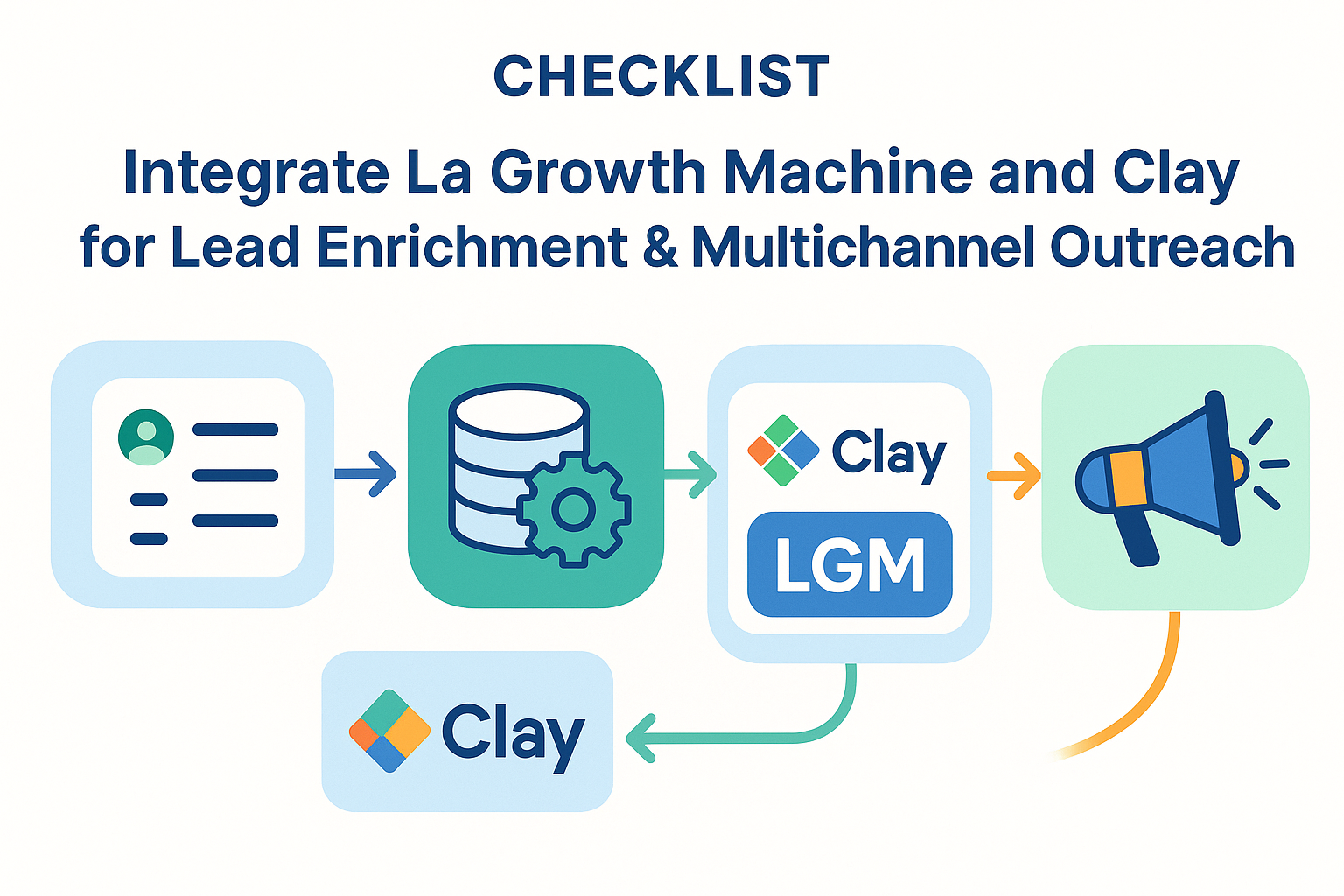
Workflow Overview: The Bird’s-Eye View
Prepare accounts (Clay & LGM)
Import/build lead list in Clay
Enrich data (find emails, LinkedIn, job info)
Integrate with LGM: push enriched leads
Build & launch outreach campaign in LGM
Monitor & optimize: track results, tweak sequence
Visual Guide:
[Lead List] → [Clay: Enrichment] → [Integration] → [LGM: Multichannel Outreach] → [Responses]
What You’ll Need: Requirements & Quick Checklist
✅ | Item | Resource Link |
|---|---|---|
Clay account (free trial available) | ||
La Growth Machine account | ||
Starter lead/contact list (CSV/XLSX or use Clay templates) | ||
LGM API key | ||
Chrome or Firefox browser | – | |
Stable internet connection | – | |
Basic permission/admin rights | – |
Time for first-time setup: 30–60 minutes (including enrichment and first campaign launch)
Step 1: Set Up Your Clay and La Growth Machine Accounts
Register on both platforms:
Check access and permissions:
You need Admin/Integration rights on both
Get your LGM API key
Save your account logins
Beginner Tip: Open both accounts in side-by-side browser tabs for seamless setup.
Quick Checklist
Clay account activated
LGM account activated and API key retrieved
Permissions confirmed
Estimated Time: 5–10 minutes
Step 2: Build and Enrich Your Lead List in Clay
Import your list:
Upload a CSV/XLSX OR use a Claybook template
Enrich your data:
Select sources to add info (emails, roles, companies, LinkedIn URLs, etc.)
Follow Clay’s step-by-step enrichment tutorial (see Claybooks documentation for enrichment guides)
Prepare required fields:
Email, LinkedIn URL (
https://www.linkedin.com/in/username/), First Name, etc.Avoid Sales Navigator URLs
Keep custom field entries under 1000 characters
Review and validate info:
Spot-check sample rows for accuracy
Quick Checklist
List imported or built in Clay
All required fields populated
No LinkedIn Sales Navigator links
Custom fields < 1000 characters
Double-check data accuracy (Clay preview feature)
Estimated Time: 10–15 minutes
Step 3: Integrate Clay with La Growth Machine
Set up integration:
In Clay, go to Integrations, select La Growth Machine
Paste your LGM API key (see how)
Map your fields:
Match Clay data columns (e.g., First Name, LinkedIn URL) to LGM fields
Ensure required fields are correctly assigned
Test with a sample record:
Select “Push to LGM” on 1–3 enriched leads
Confirm they appear in LGM’s Audience section
Troubleshoot, if needed (see below)
Resource: Official Clay x LGM Integration Guide
Quick Checklist
LGM API connected in Clay
Fields mapped (esp. LinkedIn URL, email, names)
Test push successful (leads appear in LGM)
Estimated Time: 5–10 minutes
Step 4: Build and Launch Your Multichannel Outreach Campaign
In LGM, go to Audience:
Select the imported/enriched audience
Set up messaging identities:
Connect channels (Email, LinkedIn, Twitter)
Personalize your sequence:
Use LGM’s sequence builder—start with an official template or build from scratch
Use custom attributes from Clay (like {{FirstName}}, {{JobTitle}})
Review your campaign:
Check daily send limits
Make sure each message step matches your audience’s needs
Keep it short and relevant!
Launch and monitor:
Click launch
Monitor opens/replies inside LGM dashboard
Quick Checklist
Imported/enriched audience selected
Messaging channels/identities connected
Personalization tokens set up
Sequence reviewed and tested
Campaign launched & monitoring in place
Estimated Time: 10–20 minutes
Troubleshooting & FAQ: Don’t Panic!
Issue | Solution |
|---|---|
Leads not transferring/syncing | Recheck API connection; ensure field mapping is accurate; refresh and try again |
Fields missing in LGM | Double-check mapping and field names in Clay; keep all custom fields < 1000 chars |
LinkedIn URLs rejected | Only use standard URLs with https:// (not Sales Navigator links) |
Email/channel not sending | Make sure identity is verified; check LGM account quotas and connectivity |
Template upload fails | Download the latest template version; check format per official docs |
"Test push" not working | Try with just one record; clear browser cache, retry API linking |
If all else fails:
Estimate: Most first-time errors are resolved in minutes using these checks.
Downloadable Templates & Resources
RB2B x LGM Campaign Starter: Get the workflow & copy template
Claybooks library: Browse Clay workflow templates
Beginner-friendly enrichment template: Download CSV sample
Step-by-step video walkthrough: Watch official tutorial
Success Metrics & What to Expect
Stage | Typical Time | Success Signal |
|---|---|---|
Accounts connected | 5–10 min | Both platforms & API active |
List enriched in Clay | 10–15 min | New data fields appear |
Leads appear in LGM | <5 min | Correctly mapped in Audience |
Campaign launched | 10–20 min | Confirmation in LGM dashboard |
First responses | <1 hour–1 day | Replies, bounces, and engagement visible |
Most new users see replies & book meetings in the first week!
Pro Tips for Growth Teams
Start small: Test integration/campaign flow with just a handful of records first
Use personalization tokens—don’t blast generic messages
Monitor sending limits & spread outreach over several days
Save time with Claybooks & LGM campaign templates
Revisit/optimize: check what messages & channels get the best results, iterate often
Next Steps & More Learning
Ready to automate growth? Bookmark this guide, download the templates, and launch your first workflow today—one small step for you, one giant leap for your team’s pipeline!
References:
