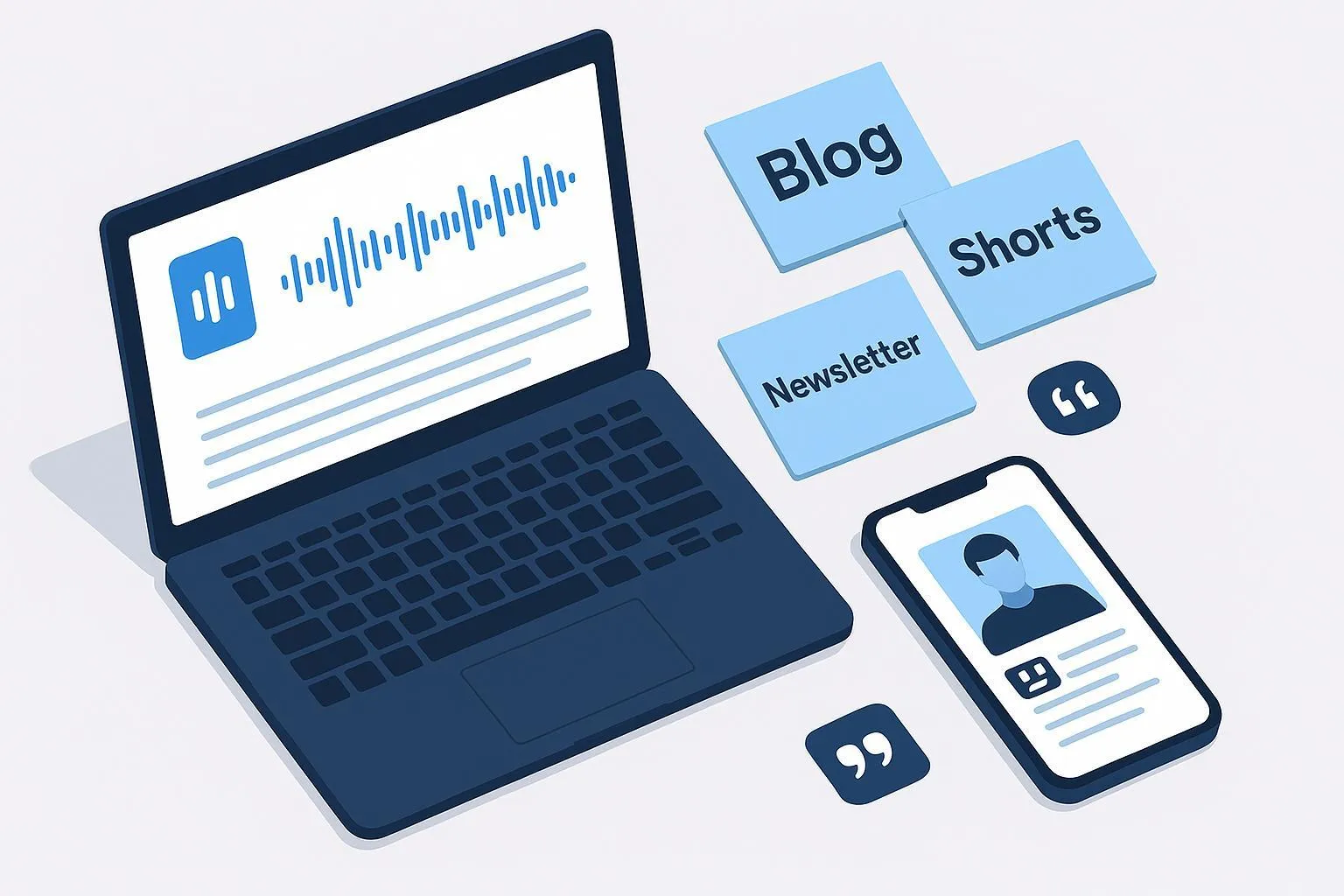
Interviews are raw ore. With the right workflow, one recording can become a blog post, a podcast episode, a YouTube video, a week of shorts, a newsletter, and even a sales snippet library. This guide gives you a practitioner-grade system—end to end—so you can move from capture to clips to measurable results without guesswork.
Before You Hit Record: Rights and Setup
Start with permissions so you can safely reuse the material everywhere. Get a written guest release that covers: the right to edit and repurpose across media, use of name/likeness, distribution platforms, duration (e.g., perpetual), and approvals process. Use a lawyer-reviewed template or adapt a reputable starter and have counsel review it. Practical outlines of grant-and-release language are available from esign.com’s interview/media releases; adapt for your jurisdiction and needs.
- Why it matters: Without clear rights, you may be unable to post clips on new platforms, run paid promotions, or include quotes in sales decks.
- What to include: grant of rights, release of claims, use of name and likeness, media/formats, distribution platforms, approvals, and data/privacy language for regulated contexts.
For capture, set yourself up so downstream edits are painless:
- Record separate audio tracks for each participant and prefer local, lossless capture when remote. This preserves quality and editing control; see the remote interview guidance by Riverside on separate-track recording (2024–2025).
- Use redundancy: primary local capture plus a cloud backup. If you’re on a video call, keep a local DAW or device rolling as your safety.
- Aim for 48 kHz/24‑bit audio and 1080p or 4K video; 4K gives you room to reframe for shorts later.
Cite-worthy resources for this phase include the practical capture and environment tips in Riverside’s interview best practices, which emphasize separate tracks and coaching guests on mic technique (2025): see the detailed guidance in the company’s interview recording overview.
Capture for Repurposing (Not Just for the Live Moment)
Coach the guest briefly: headphones on, mic 6–8 inches from mouth, quiet room with soft furnishings. If you’re remote, confirm the guest can record a local track; if not, consider sending a simple USB mic ahead of time.
Design your prompts to produce modular answers. Ask for crisp definitions, short stories, numbered lists (“three ways this fails”), and quotable lines. While recording, drop markers when you hear an “aha” moment or a clean take. You’ll thank yourself later when you scan the timeline.
Backups matter. Keep the platform’s cloud recording plus your own local capture. If a track corrupts, the conversation isn’t lost.
From Recording to Raw Materials: Transcribe, Label, Index
Generate an automated transcript right after the session and correct names and acronyms while the conversation is fresh. Add speaker labels and timestamps. Then create a simple tagging scheme so future-you can find assets fast. Useful tags: topic, persona, funnel stage, product/feature, quote quality (e.g., pithy/technical), and sensitivity (external-ready or internal-only).
Build a searchable repository—this can be a folder with consistent file names or a basic database. Pair each highlight with: start time, end time, one-sentence summary, and the tag set. Think of it as your clip inventory.
The Extraction Workflow (Timeboxed)
Speed comes from tight passes and clear decisions. Here’s a three-pass method that turns a 30–60 minute interview into multiple assets without dragging on for days.
Pass 1: Skim the transcript for hooks and highlights. Flag contrarian takes, clear definitions, short how-tos, and story beats with stakes and outcomes. Timebox: 15 minutes.
Pass 2: Decide the outputs. For example: one blog recap (hybrid narrative + Q&A), one podcast episode (audio-only), one long-form YouTube export, five short clips (15–45 seconds each), and a newsletter section (3–5 distilled insights). Timebox: 10 minutes.
Pass 3: Rough the assets. Pull clips at marked timestamps; copy exact quotes into a working doc; sketch the blog outline (intro context + 4–5 H2 questions). Timebox: 45 minutes.
The 90-minute sprint blueprint
- 15 min: Tag 8–10 highlights in the transcript.
- 10 min: Choose 5 short clips and the blog angle.
- 45 min: Cut clips with on-screen captions and rough blog outline.
- 20 min: Prep podcast audio, add intro/outro, normalize loudness; schedule posts with UTM-tagged links.
Transform by Channel (Repeatable Patterns)
You don’t need different source recordings—just smart packaging.
Blog post Write a fast narrative opener that frames the guest’s expertise and the problem. Then organize the body as thematic Q&As or a synthesis of key takeaways. Keep lead answers within 40–60 words for snippet potential. Close with related resources and an embed of the full episode. For a strategic overview on repurposing content flows and SEO thinking, Descript’s practical primer offers a useful framing (2025) you can adapt to interviews without adopting any specific tool claims.
Podcast audio Use a simple edit chain: gentle noise reduction, high‑pass filter around 80–100 Hz, light EQ to remove “boxiness,” tame sibilance with a de‑esser, moderate compression, and then loudness normalization. For spoken word, a widely adopted operational target is −16 LUFS integrated for stereo (−19 LUFS mono) with true peak around −1 dBTP; Auphonic documents defaults aligned to these norms (ongoing reference). Package with show notes, chapters, and proper tags.
Long‑form video (YouTube) Front‑load the hook, add timestamped chapters in the description, and export at 1080p or 4K with 48 kHz audio. Craft a clear thumbnail and write a scannable description with relevant keywords used naturally. Keep your brand’s lower thirds and end slate consistent.
Short‑form clips (TikTok, Reels, Shorts) Lead with the hook in the first 1–3 seconds. Keep text within safe zones and style captions for readability. Batch 5–10 clips per interview. Export 9:16 at 1080×1920 and avoid covering UI overlays.
YouTube Shorts’ official duration now extends up to 3 minutes (as of an Oct 2024 update), so some moments can breathe; always verify the latest details in YouTube Help before publishing.
| Platform | Aspect ratio | Recommended resolution | Max duration (creator-side) |
|---|---|---|---|
| YouTube Shorts | 9:16 | 1080×1920 | Up to 3 minutes (recent update) |
| Instagram Reels | 9:16 (feed may crop to 4:5) | 1080×1920 | Commonly up to 90s; longer durations roll out by account |
| TikTok | 9:16 | 1080×1920 | Uploads up to 10 minutes |
Newsletter Boil the interview down to 3–5 insights with one standout quote. Link to the full episode/blog and tag links with UTMs so you can measure clicks by campaign and creative. Keep the layout clean, add alt text to images, and consider a plain‑text fallback.
Sales/enablement snippet library Save your best objection‑handling answers and crisp definitions. Tag by persona, problem, and funnel stage. Keep external‑ready clips separate from internal‑only training snippets and note the rights status.
Accessibility and Branding Baseline
Accessibility isn’t a “nice to have”—it’s table stakes and it multiplies your reuse options. Provide synchronized captions for prerecorded video with audio (e.g., your YouTube upload), and transcripts for audio‑only formats. WCAG 2.2’s success criteria cover captions for prerecorded content and call for audio description when essential visual information isn’t in the audio track; review the current checklist before publishing. Strive for highly accurate captions, include speaker IDs where helpful, and ensure on‑screen text has sufficient contrast.
Branding should feel consistent without getting in the way: standardize lower thirds, fonts, colors, intro stings, and end slates. Keep alt text conventions for thumbnails and blog images so accessibility and brand voice line up.
Distribution, Tracking, and Measurement
Publish where your audience already spends time, then syndicate selectively. Stagger posts to avoid flooding feeds and pin your strongest clip.
Track results with a shared UTM naming convention. Use lowercase utm_source, utm_medium, utm_campaign, and add utm_content for creative variants. Consistency is the win here—Google Analytics 4 will report cleanly when you’re disciplined. For a practical walkthrough of campaign tagging and GA4 reporting, the step‑by‑step guidance from Loves Data is a good refresher (2024).
Define success by format and review weekly:
- Podcast: downloads per episode, completion rate, and subscriber growth.
- YouTube: average view duration and retention curve; thumbnail click‑through rate.
- Blog: Search Console impressions/clicks for target entities and queries; scroll depth.
- Shorts/Reels/TikTok: share/save rate and follows from clips.
- Newsletter: click‑through rate and replies (open rate is less reliable).
Use a simple iteration loop: test two hooks or two thumbnails on your next upload, compare performance after 48–72 hours, and adopt the winner. Update the blog post with embedded top‑performing clips and a timestamped “Updated with new insights” note.
Common Pitfalls and Fast Fixes
- Low capture quality: Fix it at the source—separate tracks, quiet room, mic technique. Remote interview platforms that capture local, lossless tracks markedly reduce internet artifacts; Riverside’s interview guidance lays out the approach and guest coaching tips.
- Platform mismatches: Keep to platform specs and verify UI overlays, especially for short‑form. YouTube Shorts’ up‑to‑3‑minute change is helpful, but always check the latest Help docs before batching exports.
- Skipping accessibility: Add captions/transcripts and review timing and readability. WCAG 2.2 provides the baseline requirements; build them into your checklist so you don’t ship without them.
- Inconsistent branding: Create a simple brand kit for interviews—lower thirds, fonts, color values, intro/outro sequences—and apply it everywhere.
- Neglecting analytics: Tag links with UTMs, define KPIs per format, and schedule weekly review time. If you don’t measure, you can’t repurpose intelligently next time.
References and deeper dives
- Recording quality and separate tracks: see Riverside’s comprehensive interview recording tips and local capture overview (2025): the guide explains separate-track capture, environment prep, and guest coaching.
- Audio loudness norms: Auphonic’s feature documentation summarizes widely adopted podcast targets at −16 LUFS stereo (−19 LUFS mono) with true peak around −1 dBTP (ongoing).
- Accessibility requirements: review the Web Content Accessibility Guidelines (WCAG 2.2) and WebAIM’s checklist for practical implementation (2023–2024).
- YouTube Shorts duration update: confirmed in YouTube Help (Oct 2024) noting Shorts up to 3 minutes.
- Repurposing strategy framing: Descript’s content repurposing overview (2025) offers a high-level pattern library you can adapt to interviews.
- UTM conventions and GA4: Loves Data’s campaign tracking walkthrough (2024) keeps tagging consistent and reports clean.
Links (cited inline above):
- Riverside interview recording: https://riverside.com/blog/recording-interviews
- Auphonic features and defaults: https://auphonic.com/features
- WCAG 2.2: https://www.w3.org/TR/WCAG22/
- YouTube Shorts update: https://support.google.com/youtube/answer/15424877
- Descript repurposing overview: https://www.descript.com/blog/article/how-to-repurpose-content
- UTM/GA4 primer (Loves Data): https://www.lovesdata.com/blog/google-analytics-campaign-tracking/
Ready to try it? Start with one recorded interview and run the 90‑minute sprint. You’ll exit with a blog outline, five clips, a publishable podcast cut, and a clear plan to measure what works. What will you learn from your first batch of clips?