How AI Helps You Maintain a Consistent Tone

Consistency isn’t an accident; it’s a system. AI can absolutely help you lock in a recognizable tone across blogs, emails, social posts, and support replies—but only if you translate your brand voice into clear rules, feed strong examples, and keep humans in the loop. This guide shows you how to build that system, step by step.
1) Codify your voice so AI (and people) can follow it
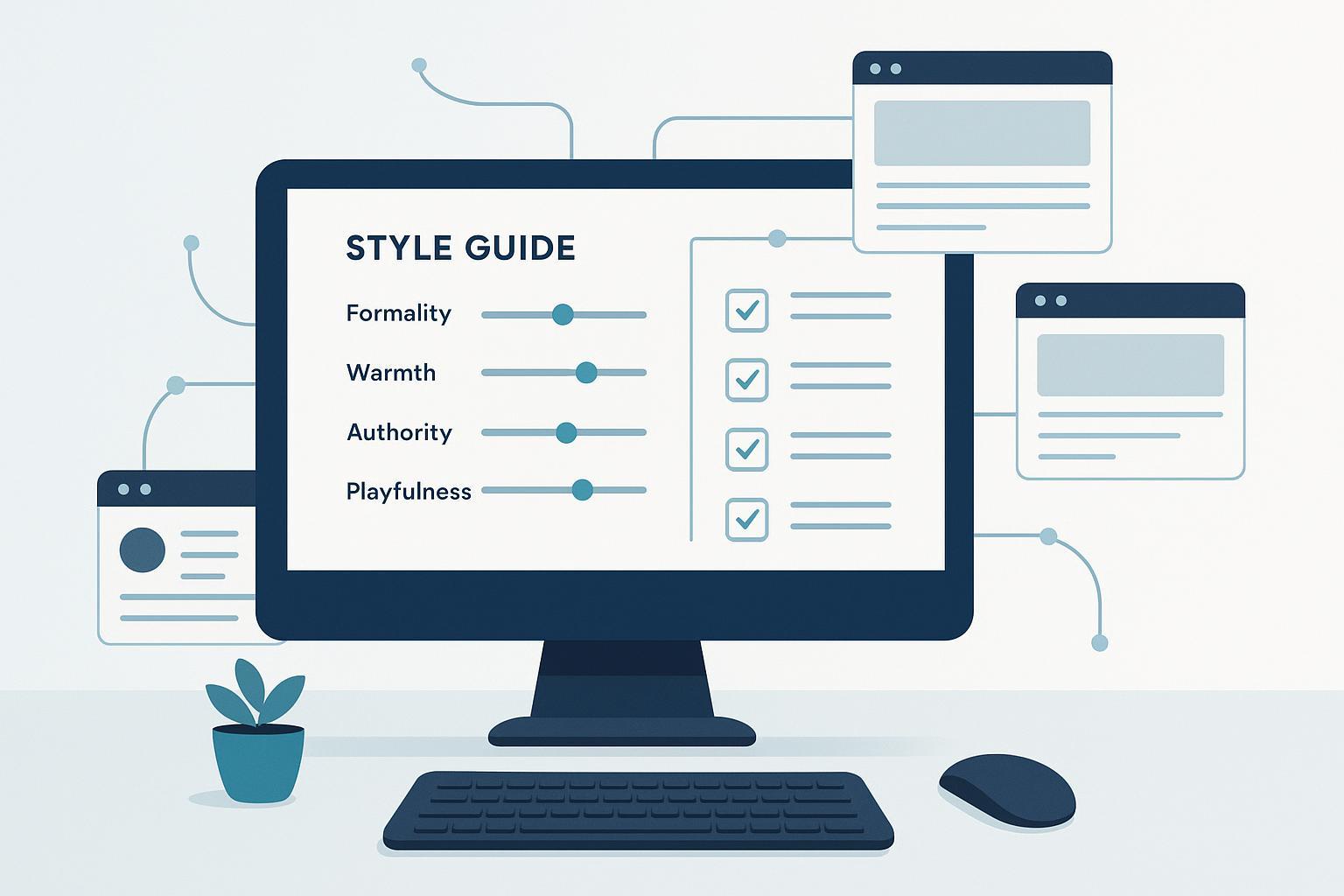
Think of tone like a set of sliders—not just adjectives. When you make traits measurable and pair them with examples, both writers and models know what “good” looks like.
Below is a compact template you can adapt. Score targets are illustrative; replace with your brand’s numbers and add short notes.
| Trait | Target (1–10) | Notes |
|---|---|---|
| Formality | 4 | Conversational, not chatty; use contractions |
| Warmth | 7 | Friendly, empathetic, direct “you” voice |
| Authority | 8 | Evidence-led claims; plain language |
| Playfulness | 3 | Light touches; avoid jokes in support contexts |
Turn these sliders into do/don’t rules and a mini glossary. For example: “Use active voice, short sentences (12–18 words), and specific verbs. Avoid vague intensifiers and buzzwords.” Contemporary guidance emphasizes turning voice into enforceable instructions and example passages, not just adjectives—see Copy.ai’s 2024–2025 overview on building brand-consistent generation in its guide How to generate on-brand content at scale with AI (Copy.ai, 2024–2025), linked here for context: Copy.ai — How to generate brand-consistent content with AI.
On‑brand exemplar (replace with your own):
We make complex tools feel simple. Start with the outcome, back it up with a quick proof, and show the next step in one sentence. That’s how readers move from “interesting” to “I can do this.”
These components—sliders, do/don’ts, glossary, and exemplars—become the backbone for prompts and review checklists.
2) Build a reusable prompt library inside your brand book
Prompts are part of your brand system, just like your logo files. In 2024, Speak Agency argued that teams should add GPT prompt snippets to brand books to speed onboarding and normalize AI interactions; see the argument and rationale in Speak Agency — The new must‑have guideline that’s missing from your brand book (2024). For structure, Agnikii’s 2025 prompt design notes recommend a reusable pattern that separates role, input, rules, references, and evaluation; see Agnikii — Prompt engineering & AI prompt design guide (2025).
Here’s a mix‑and‑match pattern you can paste into your brand hub and customize:
ROLE & CONTEXT
Act as a [ROLE] writing for [AUDIENCE] to achieve [PURPOSE]. Output [FORMAT] of ~[LENGTH].

VOICE & RULES
Tone sliders: Formality [X/10], Warmth [Y/10], Authority [Z/10], Playfulness [W/10].
Do: [PREFERRED CONSTRUCTIONS], [APPROVED TERMS].
Don’t: [BANNED PHRASES], [STYLE NO-NOS].
Style moves: lead with outcome, then evidence, then next step.

REFERENCES
Use these exemplars and guide: [LINKS OR PASTED EXCERPTS].

DRAFTING TASK
Create [N] options. Show rationale for choices affecting tone.

VERIFICATION (SELF-CHECK)
Score against sliders; flag any glossary or compliance issues; propose 3 rewrites to fix the biggest gaps.
Keep your prompt library versioned. Add examples by channel (email, blog, support). Note when to dial sliders up or down for specific contexts (for instance, lower playfulness in incident comms).
3) Train AI with examples and brand profiles
AI learns tone from patterns in real language. The more precise and representative your examples, the better the model mirrors your voice across formats.
Two complementary views from 2024–2025 sources can guide you:
- Minimum viable: Some platforms can bootstrap brand voice from a handful of strong examples and concise rules; see the platform perspective in Copy.ai — How to generate brand‑consistent content with AI (2024–2025).
- Durable generalization: For cross‑format fidelity, curate 10–20 on‑brand examples per major content type and iterate as you test; see GetFishtank — How to train generative AI to speak in your brand voice (2025).
A practical, tool‑agnostic workflow:
- Draft a concise brand voice profile: mission, audience, 3–6 trait sliders, do/don’ts, glossary, and a few exemplar passages per channel.
- Curate training examples: start with at least 3 strong samples if you’re constrained; aim for 10–20 per content type over time. Label each sample with its context and why it’s on brand.
- Configure a brand profile in your tool or centralize it in a wiki. Include the prompt pattern from Section 2.
- Calibrate through rewrite tasks: paste an off‑brand paragraph and ask the model to fix tone per your sliders and glossary. Compare to exemplars and update rules.
- Lock guardrails: add banned phrases, required taglines, and formatting norms to your prompts or platform policies.
- Refresh quarterly: prune outdated examples, add winners, and re‑run calibration tests.
Micro‑rewrite example (how you’ll calibrate):
- Off‑brand: “Our solution is an innovative, comprehensive platform that leverages synergies to maximize outcomes.”
- On‑brand rewrite: “Here’s the simple win: one dashboard, clear priorities, and faster handoffs. That’s how teams finish work sooner.”
Notice the shift: plain words, concrete benefits, shorter sentences, no buzzwords.
4) A 10‑minute human‑in‑the‑loop QA routine
When you add a short, consistent review pass, tone drift drops fast. Here’s a dependable sequence you can run on any asset in under ten minutes.
- Trait scan (1 minute): Check the draft against your sliders. Does formality feel right for the channel? Flag any jarring shifts.
- Lexicon check (2 minutes): Search for banned phrases and confirm approved terms appear where relevant. Replace vagueness with specific nouns and verbs.
- Structure and rhythm (2 minutes): Ensure the opening gives the outcome first, then proof. Trim long sentences. Break up chunky paragraphs.
- Self‑verification (2 minutes): Run your verification prompt block. Have the model score its own draft, list gaps, and propose three fixes.
- Human rewrite (2–3 minutes): Apply the best fixes. Read aloud for flow. If it still feels off, paste a favorite exemplar and ask for a closer match.
Small habit, big payoff. You’ll push more work to “first‑pass acceptable” and reserve deeper edits for high‑stakes pieces.
5) Governance that prevents tone drift
Consistency scales when governance is baked in, not bolted on. Enterprise guidance in 2025 stresses role‑based approvals, audit trails, and brand validation inside the creation flow so humans remain accountable owners even as AI drafts more content—see Typeface — Content quality control and brand governance with AI (2025). Define creators, brand reviewers, compliance/legal reviewers, and final approvers. Keep a central brand hub with versioned voice guides, prompt libraries, and change logs. Connect your CMS/DAM so provenance—who wrote what, which prompts or profiles were used—travels with the asset.
6) Monitor what matters (KPIs and cadence)
You can’t improve what you don’t measure. Track a few operational and performance signals, and set a steady audit rhythm. Best‑practice notes in 2024 emphasize continuous feedback loops paired with editor oversight—see RevvGrowth — AI in content marketing: best practices (2024).
- Edit time per asset (minutes): aim to reduce against your baseline as your library matures.
- Consistency compliance rate: percentage of audited assets that pass tone and terminology checks on first review.
- Revision count to approval: trend it down quarter over quarter.
- Prompt win rate: share of first‑pass drafts that meet standards without rework.
- Channel performance as a secondary signal: CTR, time on page, or replies (compare on‑brand vs. off‑brand variants).
- Audit cadence: light monthly spot checks; deeper quarterly reviews with side‑by‑side exemplar comparisons and glossary checks.
Keep the KPI set lean so teams actually use it. Fold results back into your prompts and examples.
7) Troubleshooting common failures
- Outputs feel generic or stuffy: Strengthen your examples and do/don’t rules. Ask for shorter sentences and outcome‑first openings. Reference an exemplar directly in the prompt.
- Inconsistent tone across channels: Add channel‑specific exemplars and dial the sliders per context. Require a verification step before approvals.
- Hallucinated claims or overconfident language: Add a “source evidence” rule and require inline citations or links for any fact claim.
- Privacy worries: Minimize sensitive data in prompts. Prefer providers with clear enterprise privacy controls and no training on your inputs. Maintain audit logs and disclosures in your governance docs.
Ready to get moving? Start with a simple tone slider, write ten do/don’ts, and collect five great examples. Bake the prompt block into your brand book, run the 10‑minute QA on your next draft, and expand from there. If you keep the rules clear, the examples strong, and the governance steady, AI will help your voice sound like you—everywhere.
