How to leverage AI-powered form data collection for better customer insights and content creation

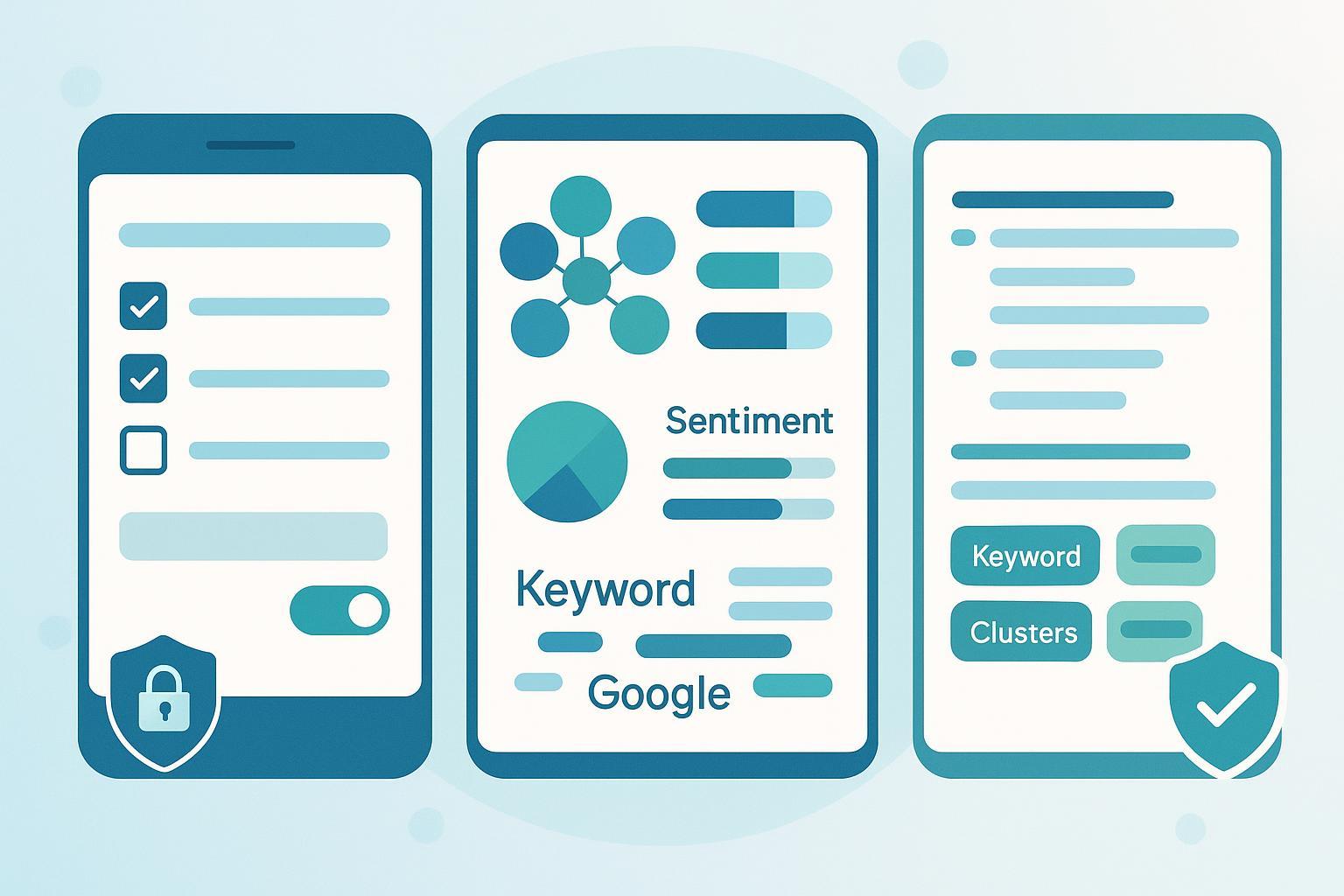
If you collect customer feedback or lead data through web forms, you’re sitting on a goldmine of first‑party insights. This guide shows you—step by step—how to design compliant, AI‑ready forms, analyze open‑ended responses with NLP, and turn those insights into SERP‑backed content that customers actually search for and read.
- Difficulty: Intermediate (marketing ops + content strategy)
- Time to implement v1: 2–4 weeks (depending on approvals and tooling)
- Prerequisites: documented privacy notice and consent approach, a form builder, secure data storage, basic AI/NLP toolkit, and a content briefing workflow
- What you’ll build: a repeatable pipeline from compliant form collection → AI analysis → validated content briefs → published content you can measure and improve
Note: This guide provides practical, non‑legal steps. For legal interpretations, consult your counsel.
Step 1 — Design compliant, AI‑ready forms
Your form must do two things well: collect only what’s necessary (so users actually complete it) and capture consent transparently so you can use the data in good faith.
- Make transparency explicit and close to the submit action
- State who you are, what you’re collecting, why you’re collecting it, how long you retain it, how users can exercise their rights, and how to withdraw consent. The EU’s GDPR requires clear, accessible notices covering these elements (Articles 12–14 and Recital 39 in the 2016/679 text). See the official text in the EU GDPR articles on transparency and data principles.
- If you serve California residents, provide a “notice at collection” describing categories of personal information and purposes, along with an opt‑out of sale/sharing link where applicable, per the California OAG CCPA overview.
- Ask only what you need (data minimization)
- Map each field to a specific purpose. If you can’t articulate a purpose, remove the field. Practical guidance on minimization and retention can be found in TrustArc’s data minimization brief for GDPR/CCPA.
- Publish or internally document a retention schedule (e.g., 12 months for support tickets, 24 months for newsletter preferences) and honor it.
- Use question types that produce analyzable data
- Use closed questions (radio, Likert scales, dropdowns) for consistent signals and reserve open questions for high‑value qualitative insights. For UX patterns that improve completion rates and reduce errors, see CXL’s form design best practices.
- Provide prompts/examples for open fields to reduce noise. Example: “Tell us one thing that almost stopped you from buying today. Example: ‘I couldn’t find sizing info.’”
- Reduce friction with progressive profiling and logic
- Spread data collection across multiple touchpoints, and use logic to ask only relevant questions.
- If you use Typeform, review Typeform’s Logic Jumps help guide to tailor paths. For Jotform, consult Jotform’s conditional logic documentation.
- Make consent granular and reversible
- Provide separate toggles for distinct purposes (e.g., product updates, marketing emails, research follow‑ups). Avoid pre‑ticked boxes.
- Add a “manage preferences” link in all communications and make withdrawal as easy as giving consent (GDPR Art. 7) per the EU GDPR articles.
How to check your progress
- Your form displays a short, plain‑language notice near submit and links to a full Privacy Notice.
- Each field has a documented purpose; non‑essential fields are removed.
- Consent toggles exist for each distinct purpose and store a timestamp, version of notice, and user preferences.
- Mobile: single column, large tap targets, inline validation; a quick device test shows no layout breaks.
Common pitfalls
- Bundled consent (“By submitting, you agree to everything”). Fix: separate toggles and purposes.
- Asking sensitive data early. Fix: progressive profiling and just‑in‑time rationale (“We ask this to personalize…”) with a skip option.
- Long, dense forms on mobile. Fix: split into steps; use autofill and minimal fields.
Step 2 — Collect and centralize responses securely
You need reliable data flow and an auditable consent trail.
- Connect your form to a structured destination
- For Google Forms, use Sheets or a database through the Google Forms API to extract responses and metadata programmatically.
- For Typeform or Jotform, use native integrations or webhooks to stream to your data store and CRM.
- Store consent context with the response
- Capture consent version, timestamp, and selected purposes alongside each submission.
- Ensure your CRM/ESP honors preferences automatically (e.g., suppression lists).
- Define a simple schema and keep it stable
- Example: submission_id, timestamp, channel/source, persona tag (if known), Q1–Qn for structured items, free_text for open‑ended responses, consent_purposes[], consent_version.
- Track schema changes with versioning so downstream analysis doesn’t break.
- Restrict access by role; log reads/exports. Apply your retention schedule with automated deletion or anonymization jobs.
How to check your progress
- You can export a CSV with all consent fields intact and trace a record to the exact notice version shown.
- A test submission flows end‑to‑end from form → store → CRM within minutes.
- Access logs show who viewed or exported the data in the last 30 days.
Common pitfalls
- Consent stored in a separate system that doesn’t sync. Fix: store consent context with each submission ID.
- Silent schema changes breaking analysis. Fix: require change requests and maintain a schema version field.
Step 3 — Analyze open‑ended responses with AI/NLP (with QA)
Use AI to scale qualitative analysis, but build human checks into the process. Here’s a practitioner‑friendly pipeline.
- Clean and normalize
- Remove obvious noise (URLs/emails), normalize case, and fix common typos. Create a domain stopword list (e.g., brand name, boilerplate phrases) so topics are not dominated by irrelevant tokens.
- Explore the data before modeling
- Check response length, common bigrams/trigrams, and top phrases to validate that prompts are eliciting useful details. For a practical introduction to exploratory data analysis for NLP, see the Neptune.ai guide to EDA in NLP.
- Thematic coding and topic modeling
- Start with a small, manually coded sample to create a codebook (themes like “pricing confusion,” “missing features,” “shipping delays”).
- Scale with topic modeling (e.g., LDA/NMF or BERTopic). Tune the number of topics and validate coherence with a domain expert. Keep raw quotes linked to topics so you can audit.
- Sentiment and emotion detection
- Use domain‑tuned transformer models and calibrate with a labeled sample. Emotions (e.g., frustration, delight) can add nuance beyond positive/negative. For an overview of emotion analysis methods, see the arXiv Emotion Analysis survey (2024).
- Named entity recognition (NER)
- Extract product names, feature terms, competitor mentions, and locations. Maintain a dictionary for domain terms to improve recall.
- FAQ and intent extraction
- Identify frequently asked questions and intents by clustering similar sentences (e.g., embeddings + HDBSCAN). Rank by frequency and impact (e.g., associated negative sentiment or revenue stage).
- Quality assurance and human‑in‑the‑loop
- Manually review 5–10% of records across segments to verify theme, sentiment, and entity accuracy.
- Track a simple confusion matrix for sentiment; aim for high agreement on high‑stakes categories. Keep an issues log and retrain or adjust prompts when drift occurs.
How to check your progress
- You can show 3–7 stable, business‑relevant themes with supporting quotes for each.
- A 10% stratified sample shows ≥80–90% agreement between AI labels and human reviewers for sentiment on critical categories.
- A short list of FAQs aligns with what your support team hears in tickets or chats.
Common pitfalls
- Overfitting to the first dataset. Fix: review fresh samples monthly; retrain or adjust prompts when drift is detected.
- Themes too generic to be useful. Fix: refine the codebook; add sub‑themes (e.g., “pricing confusion → unclear discount rules”).
- Ignoring minority segments. Fix: stratify samples by persona/channel and compare error rates.
Step 4 — Turn insights into SERP‑backed content briefs and keyword clusters
Now, convert Voice‑of‑Customer (VoC) insights into pages that answer real questions people search for.
- Map customer phrasing to queries
- Collect exact phrases customers use (e.g., “how to compare plans,” “sizing guide runs small”). Use these as seed terms in your workflow and expand with complementary tools; here’s a curated list of free keyword research tools to validate demand.
- Analyze search intent and SERP structure
- Review the top results for your target query: what is the dominant intent (informational vs. transactional), what formats win (how‑to guides, comparison pages), and what People Also Ask questions appear. If you’re new to systematic SERP work, this primer on SERP analysis can help you avoid common pitfalls.
- Cluster keywords to avoid cannibalization
- Group keywords by SERP overlap (shared ranking URLs) so each cluster maps to one page. Practical walk‑throughs explain how to do this with SERP data; see the Keyword Insights keyword clustering guide for thresholds and examples.
- Draft a SERP‑backed content brief
- Include: primary keyword, cluster members, target reader and stage, outline (H2/H3), questions to answer (from PAA and your FAQ extraction), required evidence (quotes, stats, screenshots), and internal links.
- Ensure the customer’s exact phrasing appears in headings and intro so the page feels immediately relevant. For a deeper how‑to, see this walkthrough on creating SERP‑backed content briefs.
- Practical example: moving from theme to page
- Theme: “Pricing confusion → unclear discount rules.”
- Queries: “how discounts work on [Your Product],” “apply coupon,” “subscription discount policy.”
- Outline: H2 “How discounts work,” H3 “Coupon vs. auto‑applied,” H3 “Common errors,” H3 “FAQs.”
- Evidence: 3 anonymized quotes from form data; a corrected screenshot of the checkout UI; a simple policy table.
First‑mention product disclosure and neutral example
- You can assemble these briefs in many tools. For example, QuickCreator can help turn VoC themes into structured outlines and keyword clusters with SERP context. Disclosure: QuickCreator is our product.
How to check your progress
- Each brief’s H2/H3s align with top‑ranked SERP patterns and People Also Ask.
- Customer phrases from your forms appear verbatim in the brief where relevant.
- Your clusters minimize overlap; each target page has a clear, distinct purpose.
Common pitfalls
- Creating pages without SERP validation. Fix: compare your outline to the top 5 pages and PAA before writing.
- Ignoring negative insights. Fix: address objections head‑on with transparent explanations and proofs.
Step 5 — Publish, monitor, and iterate
- Write and optimize
- Draft in your preferred editor. Use plain language and include the evidence you identified. For on‑page tightening and entity coverage, see this guide to AI content optimization.
- Publish with clean technical hygiene
- Ensure fast load, mobile responsiveness, accessible headings, and internal links to related content.
- Measure performance and close the loop
- Track rankings, CTR, time on page, and assisted conversions. Feed new form inputs into your analysis monthly to spot emerging themes. For scaling the operational cadence, review these campaign best practices to run faster without breaking quality.
How to check your progress
- Post‑publish, your pages begin to surface for the identified clusters within a few weeks (timelines vary by site authority and competition).
- You revisit briefs quarterly with fresh VoC and SERP changes and maintain a changelog.
Common pitfalls
- One‑and‑done content. Fix: set a review cadence (e.g., quarterly) tied to new VoC themes.
- Thin pages that restate competitors. Fix: stitch customer quotes and your product’s evidence into the narrative.
Risk management and troubleshooting
Hallucinated or inaccurate AI outputs
- Symptom: Fabricated FAQs or misattributed quotes.
- Fix: Ground analysis in your actual response corpus; keep a source link for each quote; require human approval on net‑new FAQs.
- Checkpoint: For each new FAQ, you can point to 3+ source responses.
- Symptom: Over‑represents a vocal segment; certain personas show systematically different sentiments.
- Fix: Stratify your human QA sample by persona/channel; weight segments if needed; broaden collection channels (e.g., post‑purchase, churn, trials).
- Checkpoint: A quarterly review shows comparable error rates across key segments.
- Symptom: You can’t prove what notice/version a respondent saw; preferences aren’t honored in email/SMS.
- Fix: Store consent version and purpose flags alongside every submission; sync suppression to CRM/ESP; honor opt‑outs and “Do Not Sell or Share” where applicable under the California OAG CCPA overview.
- Checkpoint: In an export, you can filter records by consent purpose and version in seconds; your DSR response time meets statutory windows.
Data retention and security
- Symptom: Stale records linger indefinitely; too many people have access.
- Fix: Enforce your retention schedule; automate deletion/anonymization; apply least‑privilege access and audit logs.
- Checkpoint: A monthly job removes expired records; access logs are reviewed for anomalies.
Model drift and degraded accuracy
- Symptom: Themes multiply or shift without business rationale; sentiment no longer matches reality.
- Fix: Maintain an issues log; recalibrate with fresh labeled samples; re‑tune topic counts; review new product launches or seasonality.
- Checkpoint: Quarterly calibration restores target agreement rates on the QA sample.
Quick reference checklist (save this for your rollout)
Form and consent
- Plain‑language notice near submit + link to full Privacy Notice
- Separate consent toggles per purpose; no pre‑ticked boxes
- Field‑to‑purpose mapping done; non‑essential fields removed
- Retention schedule documented; deletion/anonymization automated
Data and integrations
- Responses flow to a centralized store with schema versioning
- Consent version and preferences stored with each record
- Access controls and logs enabled; exports auditable
- Cleaning and EDA completed; codebook drafted from a manual sample
- Topic modeling validated with human review; quotes linked to themes
- Sentiment/emotion calibrated with labeled samples; NER dictionaries maintained
- 5–10% human QA sampling in place; issues log maintained
- Customer phrasing mapped to seed queries; demand validated
- SERP intent and PAA analyzed; clusters formed to avoid cannibalization
- Briefs include evidence requirements and internal link plan
- Post‑publish performance reviewed monthly; briefs updated quarterly
Source notes and further reading
- GDPR transparency, lawful basis, consent, and data principles (2016/679): see the EU GDPR official text (Articles 5, 6–7, 12–14; Recital 32, 39).
- California consumer privacy obligations and notices: the California OAG CCPA overview.
- Data minimization and retention practices: TrustArc’s GDPR/CCPA data minimization brief.
- Form UX and completion tactics: CXL’s form design best practices.
- Conditional logic references: Typeform’s Logic Jumps help and Jotform’s conditional logic documentation.
- Programmatic access to Google Forms: Google Forms API documentation.
- Exploratory data analysis for NLP: Neptune.ai’s EDA for NLP guide.
- Emotion analysis overview: the arXiv Emotion Analysis survey (2024).
- SERP‑based keyword clustering: Keyword Insights’ clustering guide.
This guide is for educational purposes and does not constitute legal advice. Always consult your legal team for jurisdiction‑specific requirements.
