How to Create Shoppable Slides/Carousels on Instagram, TikTok, Pinterest, Shopify, and Websites (2025)

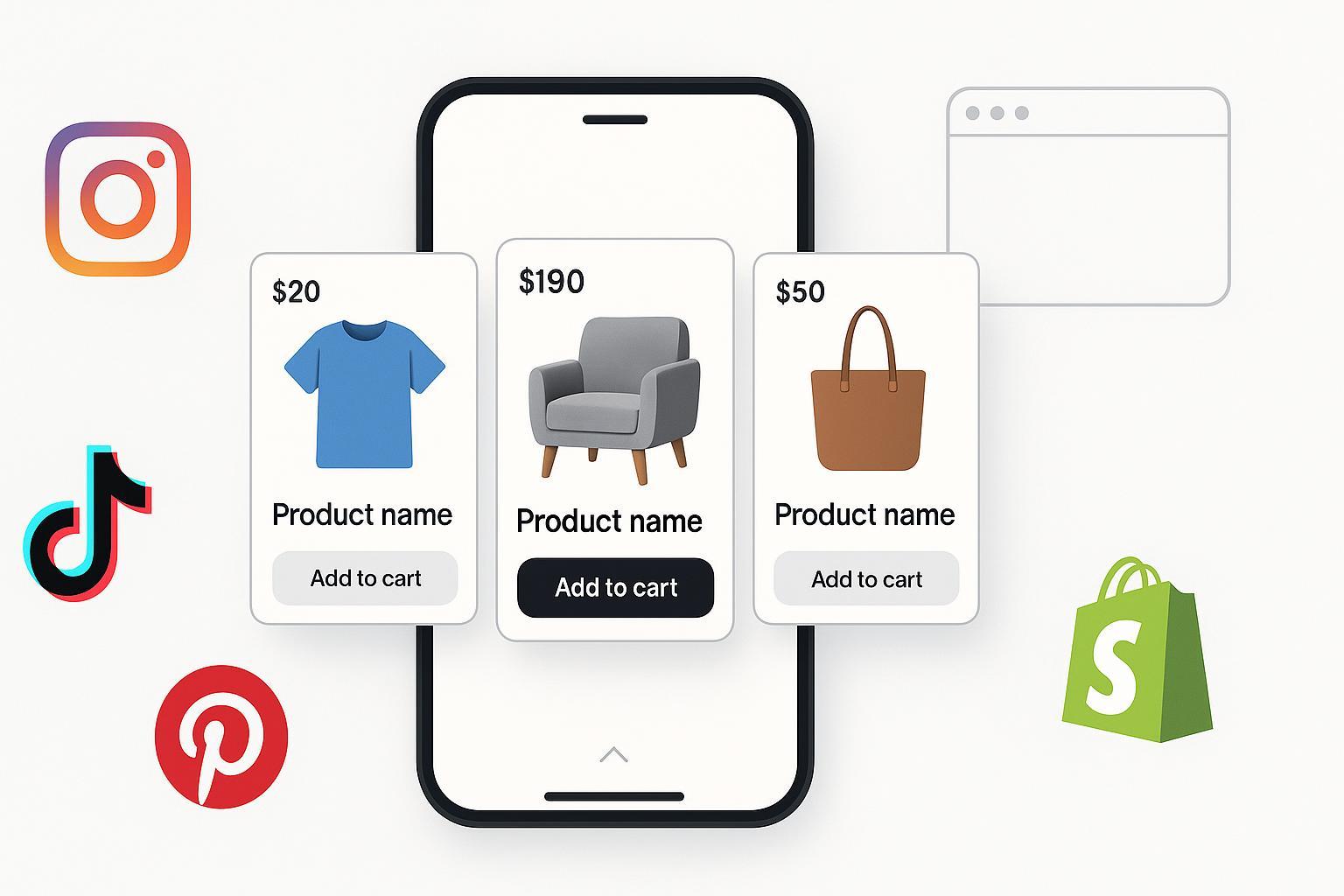
Shoppable carousels turn swipeable images or cards into a storefront: each slide links to a product page or in-app checkout. This guide shows you, step by step, how to build and verify shoppable carousels across Instagram, TikTok, Pinterest, Shopify, and standard websites using 2025 features.
- Time: 1–3 hours per platform (first-time setup); 15–30 minutes per new carousel.
- Difficulty: Intermediate (catalog + tracking familiarity helps).
- What you’ll get: Platform-ready carousels, approved product tagging, verified events, and a testing plan.
Before You Start: Eligibility, Catalog, and Policy Checklist
Do these once, then reuse across platforms.
- Business account + supported region:
- Instagram requires meeting its Commerce Eligibility Requirements and supported-country availability; check the latest in-app and in Help Center according to the Meta Commerce eligibility requirements (Instagram Help, 2025).
- TikTok Shop eligibility/availability varies by country; confirm in Seller Center for your market (see TikTok’s guidance such as the Video Shopping Ads considerations (TikTok Ads Help, 2025)).
- Pinterest requires a business account and adherence to merchant guidelines; see the Pinterest Business portal (2025).
- Own and verify your domain: For Instagram, verify your domain in Meta Business Settings; see Set up Instagram Shopping (Meta Help, 2025).
- Product catalog ready: IDs (SKU/GTIN), name, price, currency, availability, image_link (min 1024px recommended), description, brand. Keep PDP data matched to feed.
- Policies: No prohibited products, clear shipping/returns, accurate pricing. Instagram references these in the Commerce eligibility requirements (Meta, 2025).
- Pixels/tags: Prepare GA4, Meta Pixel/Conversions API, TikTok Pixel/Events API, Pinterest Tag. You’ll validate later using official diagnostics like Meta Events Manager Test Events (Facebook Business Help, 2025) and TikTok’s Pixel setup and testing (TikTok Ads Help, 2025).
Pro tip: Keep a “catalog hygiene” routine—daily or hourly feed syncs, mismatch alerts, and a change log for prices and availability.
Instagram: Shoppable Carousel Posts (Organic) and Ads
Prerequisites
- Instagram Professional (Business) account.
- Connected product catalog in Meta Commerce Manager; domain verified if linking to your site.
- Account submitted and approved for product tagging (Shopping) per Set up Instagram Shopping (Meta Help, 2025) and Commerce eligibility requirements (Meta, 2025).
Create and Tag a Shoppable Carousel (Organic)
- Open Instagram app > Create (+) > Post > Select multiple (carousel) > choose 3–10 images.
- On the edit screen, tap Tag products.
- Search/select products from your connected catalog; place tags on each image as needed.
- Add caption/hashtags; share.
- Reference: Instagram outlines product tagging in posts in its Help Center; if one link breaks, search “Tag products in your posts” within Help for your locale, e.g., the entry point like Tag products in your posts (Instagram Help, 2025).
Run as Ads (optional)
- Boost the carousel or create an ad in Ads Manager using the post; ensure commerce approval is in place. Use website destination if Instagram Checkout isn’t available in your region.
Verify
- Catalog: Commerce Manager > Catalog > Diagnostics for feed errors and policy flags, as covered in Catalog diagnostics (Facebook Business Help, 2025).
- Tracking: Events Manager > select Pixel > Test Events per Meta Events Manager Test Events (2025). Trigger a ViewContent from your carousel click and confirm product ID, price, and currency.
Optimize
- First slide = hook (benefit, problem-solution). Keep text large and readable.
- Use lifestyle + detail alternation across slides; place strongest CTA near slide 2–3.
- Test “Checkout on website” vs in-app checkout (if supported) for conversion rate.
Common Pitfalls and Fixes
- Tags not available: Confirm commerce approval and region; re-check Shopping status in-app per Set up Instagram Shopping (Meta Help, 2025).
- Price mismatch or “out of stock”: Fix feed cadence so it matches PDP; reprocess in Catalog Diagnostics.
- Domain mismatch: Verify the same domain you send traffic to under Brand Safety > Domains.
Quick QA (must pass)
- Each slide shows the correct product tag.
- Click-through lands on the right PDP; UTM parameters present.
- Pixel ViewContent fires with the same item ID as your catalog.
TikTok: Shoppable Carousels via TikTok Shop (VSA) or Website Link-Out
Prerequisites
- TikTok Business account; region where TikTok Shop or anchors are available. Confirm via Seller Center; formats and rules are summarized in Video Shopping Ads considerations (TikTok Ads Help, 2025).
- Product catalog loaded in TikTok Shop (if using VSA) and compliant with policies.
- TikTok Pixel set up for your site if you link out; see Get started with TikTok Pixel (TikTok Ads Help, 2025).
Option A — Video Shopping Ads (VSA) with Product Anchors (TikTok Shop)
- In Ads Manager: Create > Objective supporting VSA.
- Select 1–20 products from your TikTok Shop; the default CTA uses a Product Anchor link. Details in VSA considerations (TikTok Ads Help, 2025).
- Upload your carousel-style creative (multiple product scenes) or use native templates.
- Submit. Anchors are reviewed; for anchor steps see Create a TikTok Shop anchor (TikTok Ads Help, 2025).
Option B — Standard Carousel Ads (non-Shop regions)
- In Ads Manager: Create > Choose Carousel Ad format (see How to create a Carousel Ad (TikTok Ads Help, 2025)).
- Add 2–10 cards; set each card’s destination to your website PDPs with UTM parameters.
- Launch with Catalog Sales or Traffic/Sales objective (availability varies by market).
Verify
- Events: Ads Manager > Events Manager > select Pixel > Test Events; use Diagnostics to resolve issues per Pixel testing walkthrough (TikTok Ads Help, 2025).
- Anchors: Confirm the anchor opens the correct product and inventory is synced.
Optimize
- Keep each card’s headline under ~30–40 chars; show price early.
- Use creator-style voiceover or captions; lead with the strongest product.
- Test card order and number of cards (3–5 often performs best).
Common Pitfalls and Fixes
- Anchor rejected: Ensure product URL and metadata are valid and policy-compliant; resubmit following Anchor creation guidelines (TikTok Ads Help, 2025).
- No VSA in your country: Use Carousel Ads that click out to your site; ensure pixel events work.
- Pixel missing items[]: Pass item_id and price in events; verify in Events Manager.
Quick QA (must pass)
- Each card’s link or anchor opens the intended product.
- Pixel fires view_item/add_to_cart with correct parameters.
- No rejected creatives or anchors after review.
Pinterest: Shoppable Carousels via Catalogs, Collections, and Carousel Pins
Prerequisites
- Pinterest business account and active catalog in Merchant Center (Ads > Catalogs). Entry portal: Pinterest Business (2025).
- Domain claimed; Pinterest Tag installed and firing key events.
- Consider Verified Merchant Program once catalog + tag meet guidelines; Pinterest notes requirements in the VMP FAQ for small businesses (Pinterest Business, 2025).
Create Shoppable Carousels
- Collections Ads (catalog-driven): Ads Manager > Create > Sales/Consideration objective > Collections format > Build from product source.
- Carousel Pins/Ads: Ads Manager > Create > Choose Carousel > Upload 2–5 images or pull from catalog; set destination links to PDPs.
Verify
- Catalog status: Ads > Catalogs > Diagnostics for feed errors.
- Tag: Validate PageVisit, AddToCart, Checkout/Purchase using Pinterest’s Tag Helper (Chrome) and in Ads Manager’s conversion section.
Optimize
- Use keyword-rich product titles/descriptions; Pinterest leans on search intent.
- Lead image should be bright, vertical-friendly, and text-light.
- Test lifestyle-first vs product-first sequences.
Common Pitfalls and Fixes
- Disapproved items: Fix required fields, image size/format, and price/availability mismatches, then reprocess in Catalogs > Diagnostics.
- Low reach: Improve relevancy with better keywords, seasonal boards, and fresh creatives.
Quick QA (must pass)
- Each carousel card links to the correct PDP with UTMs.
- Tag fires with item_id on PDPs.
- No critical feed errors in Diagnostics.
Shopify Store: Onsite Shoppable Sliders (Online Store 2.0)
Prerequisites
- Live product catalog in Shopify; Online Store 2.0 theme.
- Decide: use your theme’s built-in slider section or add a lightweight section/app.
- Performance budget: Keep LCP under ~2 seconds on mobile.
Build a Shoppable Slider (Theme-first)
- Shopify Admin > Online Store > Themes > Customize.
- Add section: Featured collection or Product grid.
- Enable slider/carousel (theme-dependent) and show price, variant options, and “Add to cart.”
- Save and test on mobile.
- Shopify’s sections philosophy is explained in Sections and blocks best practices (Shopify Dev, 2025).
Alternative: Add a Section/App
- Evaluate OS 2.0-compatible section libraries for sliders. Examples to review for fit and performance include GridMaster Theme Sections (Shopify App Store, 2025), LoTS: Library of Theme Sections (Shopify App Store, 2025), and Section Store: Theme Sections (Shopify App Store, 2025). Test weight, lazy loading, and accessibility before installing.
Verify
- Variant handling: Avoid loading all variants at once; see Shopify guidance on supporting high-variant products (Shopify Dev, 2025).
- Analytics: Fire view_item_list, select_item, add_to_cart; confirm in GA4 DebugView and Meta/TikTok/Pinterest pixels.
Optimize
- Prioritize bestsellers in the first 3–5 slides; expose ratings and price.
- Lazy-load offscreen images; use WebP/AVIF; prefetch next slide image.
Common Pitfalls and Fixes
- Slider jank or CLS: Use fixed aspect ratios and reserve space; minimize JS.
- App bloat: Audit Lighthouse and remove heavy plugins.
Quick QA (must pass)
- Slider swipes smoothly on mobile; keyboard focus works.
- Add to cart works with correct variant.
- GA4 and pixels capture item_id and value.
Standard Websites (CMS/Ecommerce): Shoppable Carousels with SEO + Measurement
Prerequisites
- Choose approach: CMS plugin, ecommerce module, or a lightweight JS slider with custom links.
- Add structured data: Use schema.org/Product JSON-LD with offers; see schema.org/Product reference (2025) and Google’s Product variant structured data (Google Developers, 2025).
Build
- Implement a responsive carousel (e.g., your theme’s slider or a minimal JS library).
- Each card links to its PDP with UTMs; include price, rating, and availability UI.
- Add JSON-LD for each product shown.
Verify
- GA4: Implement view_item_list, select_item, add_to_cart; validate using GA4 ecommerce validation (Google Developers, 2025).
- Pixels: Verify Meta, TikTok, and Pinterest events using their diagnostics and helpers like Meta Events Manager Test Events (2025) and TikTok’s Pixel testing walkthrough (2025).
- Performance: Meet Core Web Vitals targets; see Web Vitals overview (web.dev, 2025). Ensure accessibility per WCAG 2.2 (W3C, 2023/2024–2025): keyboard operability, alt text, pause/stop for auto-rotation.
Optimize
- Put your highest-converting products in the first 3 slides; show social proof.
- Keep tap targets 44px+; avoid auto-rotation beyond 5 seconds unless controls exist.
Common Pitfalls and Fixes
- Broken structured data: Validate in Rich Results Test; correct missing offers/availability.
- Slow carousel: Compress images, defer non-critical JS, and lazy-load offscreen slides.
Quick QA (must pass)
- Each slide links correctly with UTMs.
- JSON-LD validates for every product.
- GA4 and pixels record list views and item selections.
Metrics That Matter + Testing Plan (2025)
Tracking basics
- Use UTMs on all link-outs: utm_source, utm_medium, utm_campaign, utm_content (card name), utm_term (SKU/variant if useful).
- Event mapping:
- GA4: view_item_list, select_item, view_item, add_to_cart, begin_checkout, purchase; parameters include items[]. See GA4 events reference (Google Developers, 2025).
- Meta: ViewContent, AddToCart, InitiateCheckout, Purchase; see Meta Pixel conversion tracking (Meta Developers, 2025).
- TikTok: ViewContent/view_item, AddToCart, CompletePayment; see Events and parameters (TikTok Ads Help, 2025).
Deduplication
- If you run both browser and server events, pass a shared event_id and follow platform rules for deduplication like Meta Conversions API deduplication (Meta Developers, 2025).
Success benchmarks (starting points; adjust by niche)
- CTR to PDP from carousel: 1.5–3% (organic) and 2.5–5% (paid).
- Add-to-cart rate from carousel traffic: 5–12% on high-intent audiences.
- Mobile LCP under 2.0–2.5 s for onsite sliders.
Creative testing matrix
- Test variables: first-slide hook, number of cards (3–5 vs 6–8), price visibility, UGC vs studio, CTA phrasing, card order.
- Run 1–2 changes per iteration; keep spend/audience stable for clean reads.
Quick Troubleshooting Reference
- Tags won’t appear (Instagram): Re-check Shopping approval/region and catalog connectivity per Set up Instagram Shopping (Meta Help, 2025); verify domain.
- TikTok anchor rejected: Validate product links and metadata; follow Anchor creation steps (TikTok Ads Help, 2025).
- Pinterest feed errors: Fix required fields and image specs in Merchant Center Diagnostics via Pinterest Business (2025).
- Shopify slider slow: Reduce JS, lazy-load, and follow Shopify’s sections best practices (Shopify Dev, 2025).
- GA4 or pixel missing items: Ensure items[] carries item_id, item_name, price; verify in each platform’s diagnostics such as GA4 ecommerce validation (Google Developers, 2025).
Launch Checklist (print or copy)
Commerce readiness
- [ ] Business account(s) enabled; region supports shopping features
- [ ] Domain verified (Meta) and claimed (Pinterest)
- [ ] Catalog feed passes Diagnostics (no critical errors)
Creative and tagging
- [ ] First slide hooks attention; text readable on mobile
- [ ] Every slide/card links to the correct PDP with UTMs
- [ ] Product tags/anchors appear and open properly
Tracking and data
- [ ] GA4 events (view_item_list/select_item) and purchase path validated
- [ ] Meta/TikTok/Pinterest pixels fire with correct item_id and value
- [ ] Dedup IDs configured for server + browser where applicable
Performance and accessibility
- [ ] Mobile LCP under 2–2.5 s; images optimized (WebP/AVIF)
- [ ] Keyboard operable, focus visible; alt text provided; pause/stop for auto-rotation
Re-check policies near launch
- [ ] Instagram Commerce eligibility and regional availability
- [ ] TikTok Shop availability and VSA policies
- [ ] Pinterest merchant guidelines and ad policies
—
You’re set. Build once, verify carefully, and iterate fast—your shoppable carousels will pull their weight across social and your store.
