How to Build a Content Waterfall (Hook → Payoff) That Converts in 2025

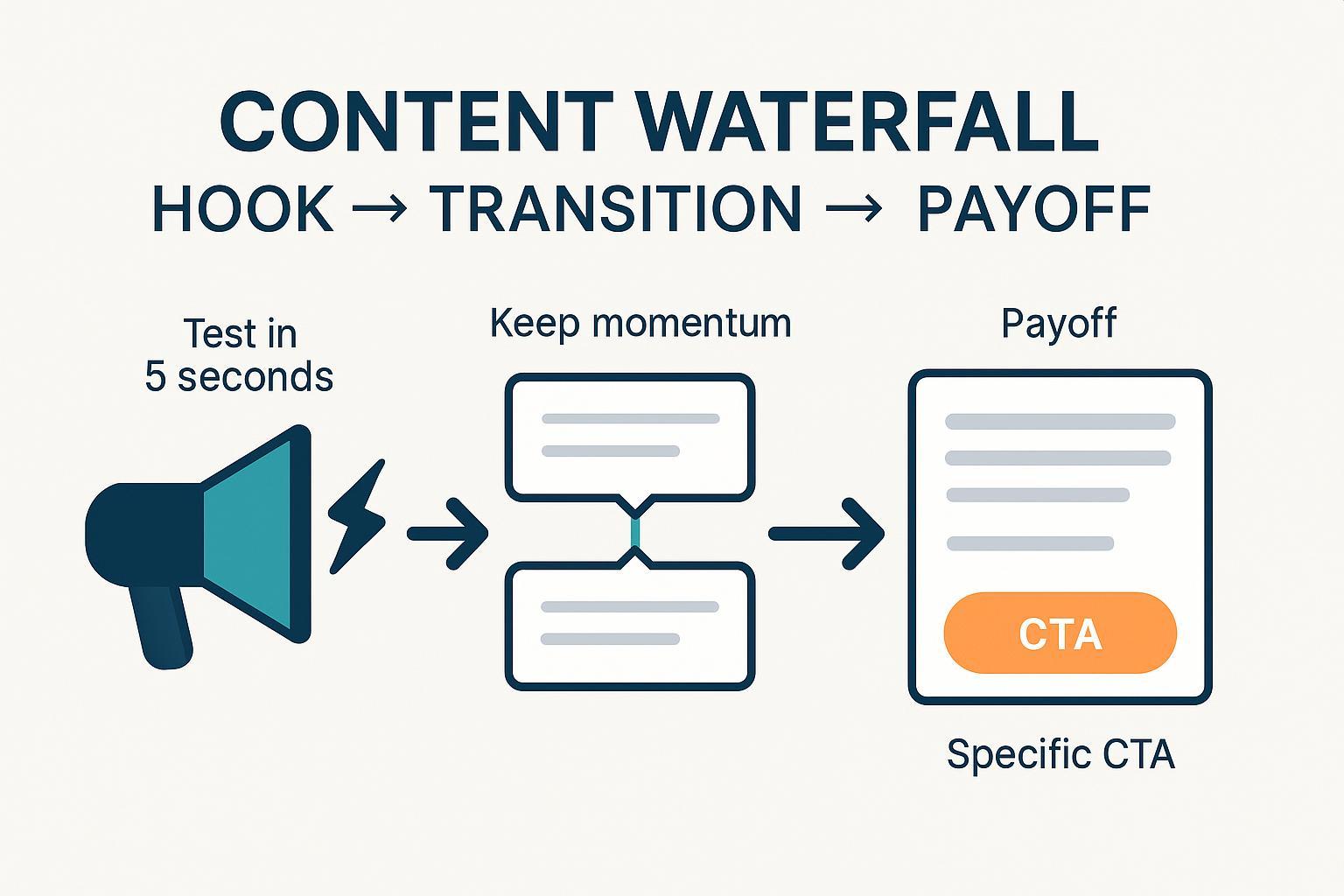
If you’ve heard “content waterfall” and thought “repurposing,” you’re not wrong—but that’s only half the story. This guide shows you how to build a narrative Content Waterfall inside a single asset—from a scroll-stopping Hook, through smooth Transitions, to a clear Payoff (CTA). You’ll get templates, examples for landing pages/blogs/social, QA checklists, and troubleshooting steps you can run today.
- Difficulty: Intermediate
- Time to implement: 60–90 minutes (30-minute quick start included)
- Prerequisites: Clear goal, audience, value proposition, and at least 3 real customer insights/objections
Why this works: You’re aligning what grabs attention (Hook), what keeps attention (Transitions), and what converts attention (Payoff). For context on realistic conversion targets, compare your landing page to the industry medians highlighted by the Unbounce benchmark resources: see the median and quartiles on the Unbounce average landing page conversion rates page and its companion Unbounce Conversion Benchmark Report based on 2024 datasets.
Narrative vs. Repurposing Waterfalls (Know the Difference)
- Narrative Content Waterfall: A single-asset flow: Hook → Transition(s)/Bridge → Payoff (CTA). You use this inside a landing page, blog post, email, or video script.
- Repurposing Waterfall: A distribution model: pillar content → mid-length assets → micro-content across channels. Use this to scale reach after your core narrative works.
When to use which:
- Building or fixing one asset’s structure? Use the narrative waterfall.
- Scaling one message across channels? Use the repurposing waterfall.
Pro tip: Nail the narrative waterfall first. Then repurpose confidently.
Step 0 — Set the Goal and Audience
- Define the single conversion goal (e.g., “Book a demo,” “Join the list,” “Read the full guide”).
- Capture 3–5 voice-of-customer insights: biggest pain, desired outcome, objections, moments of doubt.
- Decide the “awareness stage” of your audience (problem-aware, solution-aware, product-aware). This informs your Hook and Payoff.
Verification
- Can a stranger summarize your offer and next step in 1 sentence after a 5-second glance? If not, the goal/value isn’t clear yet.
Step 1 — Craft the Hook
Purpose: Stop the scroll and set a precise expectation of value.
Pick a Hook type (choose 1–2 to test):
- Pain/Promise: “Stop paying for leads that never convert.”
- Proof-led: “How a fintech cut trial churn by 31% in 60 days.”
- Story-led: “I burned $8k on ads—until one 10-minute fix changed everything.”
- Data/Stat: “The 90-second tweak that raised read-through by 22%.”
- Contrarian: “You don’t have a traffic problem. You have a transition problem.”
Fill-in-the-blank templates
- Pain/Promise: “If you’re tired of [pain], here’s the fast way to [desired outcome].”
- Proof-led: “[Credible entity] achieved [specific result] in [timeframe] by [mechanism].”
- Data/Stat: “Why [metric] jumps by [X–Y%] when you [key action].”
- Contrarian: “Forget [common advice]. Do this instead: [unique mechanism].”
Craft 10–20 options fast. Score each 1–5 on:
- Clarity: Would a new visitor get the promise in 5 seconds?
- Relevance: Is it directly tied to your audience’s job-to-be-done?
- Specificity: Does it name a concrete outcome, timeframe, or mechanism?
- Credibility: Does it feel believable without extra context?
Quick validation
- Run a 5-second test with 5–10 people not on your team. Ask: “What is this about? What will I get?” Aim for ≥80% accurate recall.
- On social/video, monitor early hold/skip behavior; improve first-frame clarity over baseline week-over-week.
Pitfalls and fixes
- Pitfall: Clickbait promise that the content can’t fulfill → Fix: Preview the real payoff and match the CTA.
- Pitfall: Vague benefit (“Improve marketing”) → Fix: Name the specific outcome (“Lower CAC by reducing wasted clicks”).
Step 2 — Build Transitions that Maintain Momentum
Purpose: Keep readers moving by reducing cognitive load and answering “why should I keep going?”
Use a simple bridge pattern:
- Problem → Agitation → Mechanism → Outcome
Write with these devices:
- Signposting: “Here’s how we’ll do it in three steps…”
- Micro-summaries: Close sections with “So far, you’ve…”
- Questions that pull forward: “What about mobile users?”
- Pattern interrupts: A short stat, quote, or subhead to reset attention.
Scannability rules
- 2–4 sentence paragraphs. Descriptive subheads every 150–300 words. Bullets for sequences.
- Front-load key information. Define jargon when first used.
Pitfalls and fixes
- Pitfall: Tangents that break flow → Fix: Give each section one objective; cut or defer side points.
- Pitfall: Walls of text on mobile → Fix: Short paragraphs, whitespace, bullets, and subheads.
Step 3 — Deliver the Payoff (CTA that Converts)
Purpose: Make the next step obvious, valuable, and safe.
Checklist
- Offer clarity: State the concrete outcome (“See pricing,” “Get a 15-minute demo”).
- Specific microcopy: Avoid “Submit.” Use “Get the template,” “Start free trial.”
- Risk reversal: Free trial, guarantee, easy cancel, or sample preview.
- Social proof near CTA: 1 line with specific result or recognizable logos.
- Ethical urgency: Real limits or deadlines; never fake scarcity.
- Mobile-first: Tappable button; minimal fields.
Benchmark context
- Compare your landing page CVR against the industry medians and quartiles summarized on the Unbounce average conversion rates page and the Unbounce Conversion Benchmark Report using their 2024 data. Use this as directional context; set targets by your vertical and baseline.
Pitfalls and fixes
- Pitfall: Mismatch with the Hook (promised X, asked for Y) → Fix: Ensure the CTA fulfills the previewed payoff.
- Pitfall: Weak CTA copy → Fix: Add the outcome and the mechanism: “Get the ROI calculator.”
Format Playbooks (Annotated Mini-Examples)
- Landing Page
- Hook (H1): “Cut trial churn by 31% in 60 days—without adding headcount.”
- Transition: “Here’s the 3-part onboarding sequence we’ll install this week.”
- Proof bridge: “Used by 1,842 SaaS teams; case study: Fintrix cut churn from 12.4% → 8.5%.”
- Payoff (CTA): Primary button: “Book a 15-min demo.” Sub-CTA: “See pricing.” Risk reversal: “Cancel anytime.”
- Blog Post
- Hook (title/lede): “You don’t have a traffic problem. You have a transition problem.”
- Transition: PAS framework, with subheads every 200 words; micro-summaries after each section.
- Proof bridge: Quote + data pull-out; screenshots that show before/after read-through.
- Payoff: “Download the Transition Builder checklist” or “See the annotated template.”
- Social Post (LinkedIn)
- Hook (first line): “Your CTA isn’t ‘weak.’ Your bridge is broken.”
- Transition: 3–5 short lines, 1 idea each, with a pattern interrupt (stat or emoji sparingly).
- Payoff: “Comment ‘CHECKLIST’ for the template” or link to resource.
Validate and Optimize
Fast QA
- 5-second test: Can people recall the value and next step? If not, rewrite Hook or H1.
- Read-through: Check scroll depth; aim for ≥50% of the page for core users and improve over time.
- CTA visibility: Ensure the primary CTA is seen and tapped on mobile; track CTR and CVR.
A/B testing basics
- Pre-calc sample size and commit to a test duration. Avoid mid-test peeking; analyze after full cycles. Use a reputable calculator and follow disciplined methods.
Instrumentation tips
- Use behavior analytics (heatmaps, scroll maps, session replays) to verify that transitions are working and CTAs are visible.
- For email, focus on CTR/CTOR rather than opens (inflated by privacy features). For social/video, track first-frame holds and completion rates relative to your baseline.
Common Mistakes Cheat Sheet
- Hooks: Overpromise; vague benefits; hiding the payoff. Fix with explicit, specific value and a truthful preview.
- Transitions: Jargon and tangents; no signposting. Fix with clear structure, short paragraphs, and connective microcopy.
- Payoff: Generic CTAs; no risk reversal or proof; mobile friction. Fix with specific microcopy, trust markers, and fewer fields.
- Validation: Cherry-picking metrics; calling winners early. Fix with disciplined A/B methods and consistent primary KPIs.
Templates (Copy/Paste, Fill-in-the-Blank)
Hook templates
- “If you’re [audience] who [pain], use this to [desired outcome] in [timeframe].”
- “Why [metric] improves by [X% range] when you [mechanism].”
- “Everyone says [common belief]. Here’s why that’s costing you [specific cost].”
Transition bridge templates
- “Here’s the plan: [Step 1 in one line] → [Step 2] → [Step 3].”
- “Quick recap: You now have [summary]. Next, you’ll [next step].”
- “You might be wondering [objection]. Here’s the short answer: [resolution].”
Payoff templates
- “Get the [asset] that helps you [benefit] in [timeframe].”
- “Start your [length] free trial—cancel anytime.”
- “Book a [duration] demo to see [specific outcome] live.”
Checklists (Ship-Ready QA)
Hook checklist
- [ ] Names a specific outcome or problem
- [ ] Passes a 5-second comprehension test
- [ ] Matches the actual payoff/CTA
Transition checklist
- [ ] Subheads every 150–300 words; 2–4 sentence paragraphs
- [ ] Clear signposting and micro-summaries
- [ ] Jargon defined; no tangents
Payoff checklist
- [ ] CTA states the next step and benefit
- [ ] Risk reversal and social proof included
- [ ] Mobile-friendly layout; minimal fields
The 30-Minute Quick Start
- Minute 0–5: Define the goal and audience objection to overcome.
- Minute 5–12: Draft 10 hooks; pick the top 2 by clarity/specificity.
- Minute 12–20: Outline transitions with a 3-step bridge and subheads.
- Minute 20–25: Write the payoff with a specific CTA and risk reversal.
- Minute 25–30: Run a quick 5-second test with 3 people and fix the H1/lede. Ensure CTA visibility on mobile.
Citations and Further Reading
- Landing page conversion context from Unbounce’s 2024 datasets: see the Unbounce average landing page conversion rates page and the Unbounce Conversion Benchmark Report.
Note on other best practices: For first-impression testing, scannability, and platform-specific hook metrics (e.g., first 3-second holds), consult canonical resources like Nielsen Norman Group, platform business help centers (Meta/TikTok/YouTube), and credible experimentation guides. Verify numbers on their current pages before citing.
—
You now have a repeatable, verifiable Content Waterfall workflow you can run for landing pages, blog posts, and social content—and scale via repurposing once the narrative works.
