Creator Safe Lists: What They Are, How to Build One, and the Best Tools in 2025

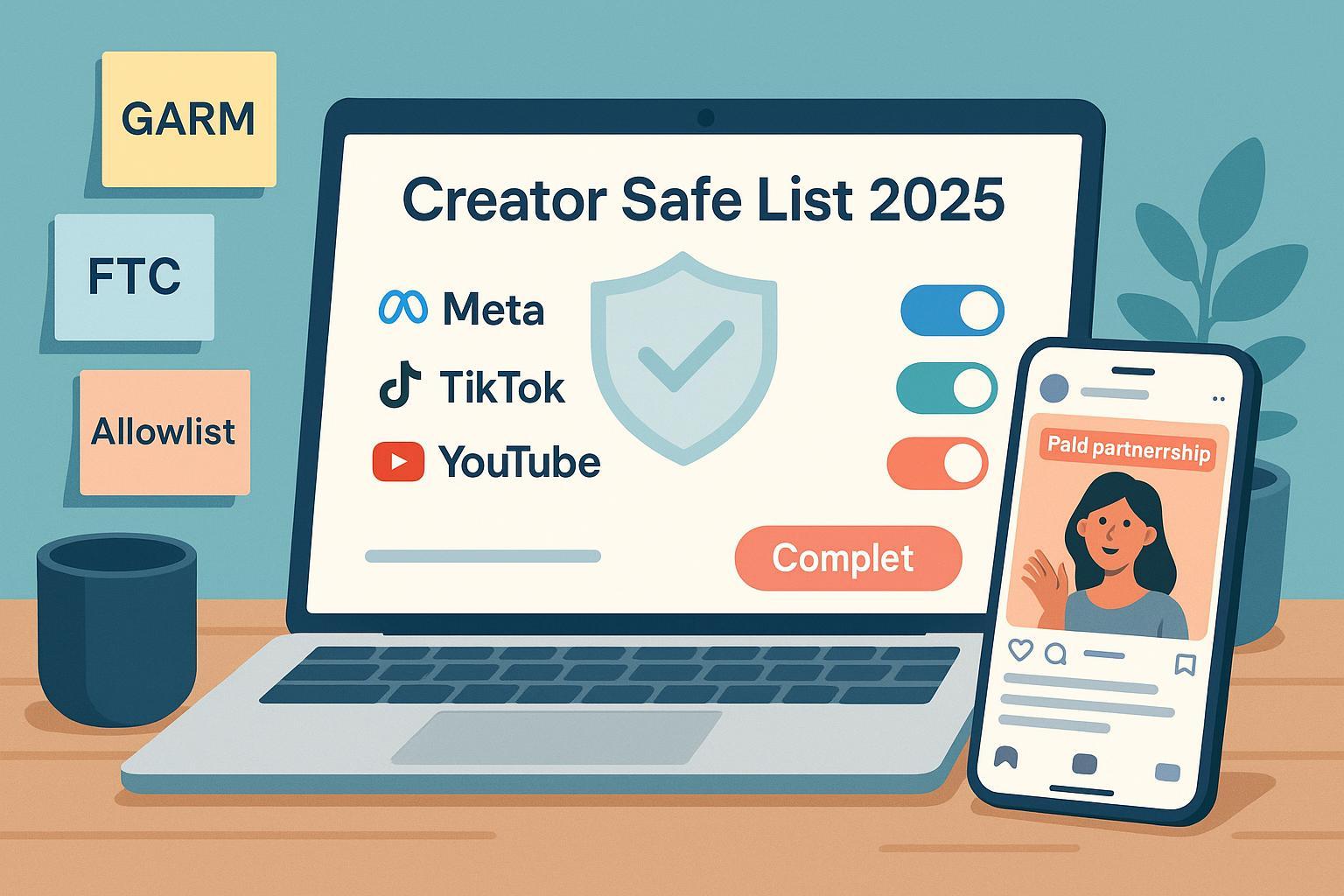
If you’re scaling creator partnerships but worried about ad adjacency risk, inconsistent disclosures, or approvals bottlenecks, you need a creator safe list. In 2025, a creator safe list (aka an allowlist/safelist) is a vetted roster of creators you’ve pre-approved for partnerships and paid amplification so your ads only run from handles and next to content that meet your safety and suitability bar. This guide shows you how to build one step by step—then curates the tools stack to run it, with links to official policies and platform docs.
Note on terminology: “Brand safety” aims to avoid harmful or illegal content; “brand suitability” tunes where your brand can appear based on risk tolerance. Many platforms and verification vendors align to the now-archived GARM taxonomy; the organization ceased activities in 2024, but its categories remain a de facto benchmark referenced by vendors and platforms in 2025 (see the World Federation of Advertisers’ page on GARM’s status and archives).
- WFA background on GARM’s discontinuation (2024) and context: WFA About GARM
- GARM taxonomy access via archive plus vendor alignment: IAS brand safety & suitability overview (explicit GARM alignment)
How creator safe lists work (quick primer)
- Allowlist vs. blocklist
- An allowlist is your pre-approved set of creators. Only these creators can be engaged and/or amplified.
- A blocklist is a do-not-engage list (e.g., creators with policy violations). Many brands use both.
- Partnership Ads and Spark Ads
- On Instagram/Facebook, “Partnership Ads” (formerly Branded Content Ads) let you run paid ads from a creator’s handle once the creator grants permission at the post level or via Ad Permissions. See Meta’s developer docs on post-level permissioning for Partnership Ads (Instagram API).
- On TikTok, Spark Ads require the creator’s authorization code or in-app approval before an advertiser can promote the post. See the official TikTok Spark Ads overview and authorization steps.
- Disclosure and legal basics (U.S.)
- Creators must disclose material connections clearly and conspicuously. Advertisers and creators share liability according to the FTC Endorsement Guides FAQs (2023 update). The FTC also finalized a rule in 2024 banning fake reviews/testimonials; see the FTC’s final rule announcement (2024).
Step-by-step: Build a creator safe list in 2025
- Define your brand safety floor and suitability tiers
- Use the GARM-style taxonomy as a reference to document prohibited categories (safety floor) and suitability tiers (low/medium/high risk within allowed categories). For background and category examples, review GARM’s archived materials and vendor pages that state alignment, such as the IAS brand safety & suitability overview.
- Set vetting criteria and scoring
- Content history: scan 6–12 months of posts for risky themes, excessive profanity, or sensitive topics.
- Audience quality: look for suspicious spikes, low authentic engagement, or non-relevant geos.
- Disclosure history: has the creator used platform disclosure tools consistently? (FTC says platform tools may not be sufficient on their own—ensure the disclosure is clear per the FTC Endorsement Guides FAQs).
- Sentiment and context: assess tone and context, not just keywords.
- Secure permissions and rights for paid amplification
- Meta: align on post-level permissioning or Ad Permissions workflows for Partnership Ads; reference Meta’s post-level permissioning guide. Comply with Meta Advertising Standards.
- TikTok: collect and track Spark Ads codes or in-app approvals per the TikTok Spark Ads help center.
- YouTube/Google: use BrandConnect where eligible and apply brand safety/placement controls documented in Google Ads brand safety and placement controls.
- Launch, monitor, and maintain
- Measurement: use verification partners (IAS, DV, Zefr) where available to evaluate suitability in feeds and video formats; see examples under “Measurement vendors.”
- Governance: define removal criteria, incident response, and quarterly re-vetting. Document owner, SLA, and escalation paths.
Pro tip: Start with a pilot cohort (10–30 creators), build SOPs, then scale once workflows are smooth and permissions are predictable.
The 2025 stack: frameworks, platform controls, measurement, influencer ops, and monitoring
Pricing notes: Ranges below are indicative and subject to change. Many vendors price by contract tier, seats, and media volume; request quotes for your scenario.
A) Policy & standards frameworks
- GARM Brand Safety & Suitability Framework — The lingua franca for safety floors and suitability tiers
- Best for: Teams that need a shared vocabulary across media, creative, and legal.
- Not for: Brands seeking prescriptive legal advice; this is a taxonomy, not a policy.
- Key capabilities
- Shared categories and tiers used across platforms/vendors
- Starting point for internal policy and scoring
- Pros: Widely recognized alignment across vendors in 2025.
- Cons: GARM ceased activities in 2024; rely on archived resources and vendor implementations.
- Pricing: Free (industry reference).
- Evidence: WFA About GARM (2024 status); IAS overview citing GARM alignment
- FTC Endorsement Guides — U.S. disclosure rules you must operationalize
- Best for: Advertisers and creators working in or reaching U.S. audiences.
- Not for: Jurisdiction-specific legal advice beyond the U.S.
- Key capabilities
- Clear/conspicuous disclosure principles
- Shared advertiser/creator liability
- Pros: Authoritative, frequently referenced.
- Cons: Requires process changes; platform tools alone may not suffice.
- Pricing: Free.
- Evidence: FTC Endorsement Guides FAQs (2023)
B) Platform-level allowlisting & branded content controls
- Meta Partnership Ads (Instagram/Facebook)
- Positioning: Run ads from creators’ handles with post-level permissions and paid partnership labeling.
- Best for: Brands scaling creator handle ads while retaining policy control.
- Not for: Teams without creator permissions; those unwilling to manage approvals.
- Key capabilities
- Post-level permissioning and Ad Permissions API
- Paid partnership label and ad delivery from creator handle
- Pros: Strong performance potential from creator-handle trust; granular approvals.
- Cons: Requires creator cooperation and permissions management.
- Pricing: Media buys via Meta auction; platform/partner tools vary.
- Evidence: Post-level permissioning for Partnership Ads (Instagram API); Meta Ad Standards; IAS expands suitability measurement to Meta (2024)
- TikTok Spark Ads
- Positioning: Boost creators’ organic posts natively with authorization codes or in-app approvals.
- Best for: Short-form video campaigns that benefit from native engagement signals.
- Not for: Workflows without clear creator authorization.
- Key capabilities
- Spark Ad Codes/in-app approvals
- Brand safety controls and inventory filters
- Pros: Native feel, preserves social proof; expanding partner ecosystem.
- Cons: Authorization overhead; coverage varies by market/format.
- Pricing: Media via TikTok auction; verification partners billed separately.
- Evidence: Spark Ads overview & authorization; TikTok brand safety controls
- YouTube BrandConnect + Google Ads/YouTube brand safety controls
- Positioning: Pair creator collaborations with robust placement and inventory controls across YouTube.
- Best for: Brands needing scale on YouTube plus clear suitability settings.
- Not for: Markets/verticals where BrandConnect isn’t available.
- Key capabilities
- Creator collaboration workflows (eligible regions)
- Brand safety and placement controls in Google Ads
- Pros: Mature platform controls; Shorts and feed coverage evolving.
- Cons: Availability and measurement vary by format/region.
- Pricing: Media via Google Ads; BrandConnect availability dependent on markets.
- Evidence: YouTube BrandConnect overview; Google Ads brand safety & placement controls; Demand Gen upgrade details
- Google Display & Video 360 (DV360) inclusion/placement controls
- Positioning: Programmatic governance layer for YouTube and partners; complements creator amplification.
- Best for: Enterprises coordinating inclusion logic and brand suitability at scale.
- Not for: Teams without DV360 access or programmatic needs.
- Key capabilities
- Demand Gen inventory source controls at ad group level
- Advertiser-level brand suitability/category exclusions
- Pros: Centralized governance; templatable settings.
- Cons: Requires programmatic expertise; YouTube configuration has changed with Demand Gen.
- Pricing: Platform fees/contracted; media CPMs vary.
- Evidence: DV360 Demand Gen inventory controls; YouTube line items upgrade to Demand Gen
C) Brand safety and suitability measurement
- Integral Ad Science (IAS)
- Positioning: GARM-aligned brand safety/suitability measurement across major platforms.
- Best for: Cross-platform advertisers needing consistent classification.
- Not for: Small buys without enterprise contracts.
- Key capabilities
- Suitability measurement for YouTube/Meta; misinformation detection
- Viewability/IVT and performance insights
- Pros: Broad coverage; public statements on GARM alignment.
- Cons: Coverage nuances by format (e.g., Shorts/Reels) and market.
- Pricing: Enterprise contracts; contact sales.
- Evidence: IAS brand safety & suitability overview; IAS on YouTube/Google expansions (Performance Max/Demand Gen)
- DoubleVerify (DV)
- Positioning: Suitability controls/measurement for YouTube, TikTok, Meta with content-level signals.
- Best for: Advertisers wanting MRC-accredited metrics plus suitability.
- Not for: Teams without volume to justify enterprise contracts.
- Key capabilities
- Measurement across Shorts and social feeds (region/format dependent)
- AI-powered classification aligned with industry frameworks
- Pros: Expanding coverage; respected accreditation history.
- Cons: Rollout timing by format/geography can vary.
- Pricing: Enterprise contracts; contact sales.
- Evidence: DV expands measurement to YouTube Shorts (GARM-aligned settings)
- Zefr
- Positioning: Contextual suitability verification purpose-built for walled gardens.
- Best for: Advertisers prioritizing content-level transparency inside major platforms.
- Not for: Needs beyond YouTube/Meta/TikTok ecosystems.
- Key capabilities
- AI-powered exclusion and suitability lists
- Atrium dashboard for content-level context
- Pros: Deep garden-native expertise; explicit GARM alignment.
- Cons: Coverage depends on platform partnerships and regions.
- Pricing: Enterprise contracts; contact sales.
- Evidence: Zefr + Meta expanded suitability solution; Zefr misinformation measurement on YouTube
D) Influencer/creator platforms with allowlisting workflows
- CreatorIQ
- Positioning: Enterprise influencer CRM with permissions, approvals, and paid amplification workflows.
- Best for: Large programs with strict compliance and cross-team coordination.
- Not for: Small teams needing lightweight tools.
- Key capabilities
- Ad Permissions for Facebook/Instagram content
- TikTok disclosure enforcement and Spark Ads workflow aides
- Pros: Mature enterprise workflow depth.
- Cons: Requires onboarding; pricing not public.
- Pricing: Contact sales.
- Evidence: Ad Permissions for FB/IG content; TikTok disclosure enforcement
- impact.com / Tagger
- Positioning: Contracting, rights/usage, and boosting-friendly workflows with granular permissions.
- Best for: Brands negotiating usage rights and exclusivity alongside allowlisting.
- Not for: Teams that don’t manage complex licensing.
- Key capabilities
- Roles/permissions, tracking links, usage rights guidance
- Education on pricing for usage/boosting
- Pros: Robust contracting; practical pricing guides.
- Cons: Feature access varies by plan; custom pricing.
- Pricing: Contact sales; allowlisting/usage fees negotiated with creators often range based on spend and exclusivity. For context, impact.com outlines how usage rights are priced in its guide on how much to charge for usage rights (ranges vary; subject to change).
- Evidence: Partner roles & permissions; Tracking links overview
- GRIN
- Positioning: E‑commerce‑oriented creator CRM with whitelisting/licensing guidance and paid amplification workflows.
- Best for: DTC brands managing product seeding plus paid boosts.
- Not for: Large agencies seeking cross-brand consolidation.
- Key capabilities
- How-to content for Meta allowlisting and TikTok Spark Ads
- Creator licensing vs. whitelisting education
- Pros: E‑commerce focus and practical guides.
- Cons: Pricing not public; feature depth varies by plan.
- Pricing: Contact sales.
- Evidence: Influencer content whitelisting (Meta & TikTok Spark Ads); What is creator licensing
- Aspire
- Positioning: Mid-market influencer ops with native Meta Partnership Ads support and Spark Ads workflows.
- Best for: Teams wanting integrated approvals and paid amplification in one place.
- Not for: Heavy bespoke enterprise needs.
- Key capabilities
- UGC paid ads and Meta Partnership Ads management
- Spark Ads integration and permission requests
- Pros: Balanced usability and depth for mid-market.
- Cons: Pricing not public; integrations evolve.
- Pricing: Contact sales.
- Evidence: UGC paid ads & Meta Partnership Ads overview; TikTok Spark Ads integration
- Upfluence
- Positioning: Influencer CRM with rights negotiation and content tracking to support allowlisting workflows.
- Best for: Teams that need CRM plus rights management.
- Not for: Those seeking a dedicated allowlisting module.
- Key capabilities
- Rights negotiation and budget guidance
- Content publication and tracking
- Pros: Solid CRM workflows; broad feature set.
- Cons: Public docs on allowlisting are limited; pricing not public.
- Pricing: Contact sales.
- Evidence: Budget/rights considerations; Content publication & tracking
E) Monitoring & governance add-ons
- Brandwatch (or Sprinklr)
- Positioning: Social listening and risk monitoring to maintain your safe list over time.
- Best for: Enterprise teams with continuous vetting requirements.
- Not for: Programs without always-on monitoring.
- Key capabilities
- Real-time alerts, sentiment analysis, risk flags
- Governance workflows for moderation/escalation
- Pros: Strong enterprise posture and integrations.
- Cons: Cost/complexity; configuration needed to cut noise.
- Pricing: Enterprise; contact sales.
- Evidence: Brandwatch guides; Sprinklr social risk management
- Google Ads/DV360 governance settings (2025 hygiene)
- Positioning: Template your brand safety/placement controls across campaigns to avoid drift.
- Best for: Teams amplifying creator content alongside YouTube and Google properties.
- Not for: Those without Google Ads/DV360 access.
- Key capabilities
- Demand Gen placement and inventory controls (Google Ads)
- DV360 advertiser-level suitability and exclusions
- Pros: Systematically enforces your suitability bar.
- Cons: Controls differ by product; requires periodic review.
- Pricing: Platform/programmatic standard terms.
- Evidence: Google Ads Demand Gen upgrade details; DV360 inventory source controls
How we chose (methodology & weights)
We grouped items by function rather than ranking them 1–16 because the “best” choice depends on your use case. Selection criteria and indicative weights:
- Capability match to creator allowlisting/safety (30%)
- Evidence and integrations with Meta/TikTok/YouTube (20%)
- Learning curve and ops complexity (15%)
- Value/pricing transparency (15%)
- Ecosystem/compatibility (10%)
- Support/reliability and documentation quality (10%)
Data sources prioritized official help centers and policy pages (FTC, WFA/GARM archives, Meta, TikTok, Google/YouTube) plus vendor documentation from IAS, DoubleVerify, and Zefr.
Pricing policy: Where public pricing was not available, we listed “contact sales.” Any ranges for licensing/usage rights are indicative and subject to change; for context on usage rights pricing, see impact.com’s guidance on how much to charge for usage rights.
Evidence map (claims → primary sources)
- FTC disclosure clarity and shared advertiser/creator liability → FTC Endorsement Guides FAQs (2023)
- GARM organizational status and continued taxonomy usage via vendors → WFA About GARM; IAS alignment overview
- Meta Partnership Ads require creator permissioning → Instagram API post-level permissioning
- TikTok Spark Ads require creator authorization → TikTok Spark Ads help
- YouTube/Google placement and brand safety controls → Google Ads brand safety & placement controls
- DV360 Demand Gen inventory controls and YouTube line item upgrade → DV360 inventory controls; DV360 upgrade details
- Measurement vendor GARM alignment/coverage examples → IAS overview; DV on YouTube Shorts suitability; Zefr + Meta expansion
Quick glossary
- Allowlist (safelist): The pre-approved roster of creators you can collaborate with and/or amplify.
- Blocklist: A do-not-engage list of creators or content categories.
- Brand safety vs. suitability: Safety avoids harmful/illegal content; suitability fine-tunes adjacency by risk tolerance.
- Partnership Ads (Meta): Ads run from a creator’s handle with post-level permissions.
- Spark Ads (TikTok): Ads that boost an existing organic post with creator authorization.
Implementation checklist (copy/paste)
- Define safety floor and suitability tiers (reference GARM-style taxonomy) and document prohibited categories.
- Create vetting rubric: content history, audience quality, disclosure history, sentiment/context.
- Set approvals: decide who signs off and how (platform tools vs. API/partner workflows).
- Standardize permissions: Partnership Ads (post-level or Ad Permissions), Spark Ads codes/approvals, YouTube placement controls.
- Contract and rights: document usage, boosting windows, exclusivity, and disclosure requirements.
- Measurement plan: choose IAS/DV/Zefr or equivalents where available; define incident thresholds.
- Monitoring: set alerts via Brandwatch/Sprinklr; define removal criteria and re-vetting cadence.
- Governance: assign an owner, escalation path, and quarterly policy review.
What to watch in 2025
- Platform transitions: Google’s Demand Gen changes how YouTube placement/suitability is configured; align templates accordingly per Google Ads Demand Gen documentation.
- Coverage nuances: Shorts, Reels, and emerging placements may have different measurement availability across IAS/DV/Zefr—confirm before launch.
- Compliance updates: The FTC continues to clarify and enforce endorsements and reviews. Keep an eye on the FTC Endorsements hub.
Next steps
- Start with a pilot: pick 10–30 creators, run permissions workflows (Meta/TikTok), and document SOPs.
- Formalize policy: publish your safety floor, suitability tiers, and disclosure rules internally; host a living document your teams can reference.
- Operationalize: choose one influencer platform and one measurement partner that fit your scale and budget.
If you need a simple place to document your safe list policy, SOPs, and checklists—and publish resource pages for your team—you can spin up a lightweight hub on your own site.
Disclosure: QuickCreator is our product. For that documentation hub use case, you can build and publish internal/external policy pages quickly with QuickCreator. Keep in mind, it’s not an allowlisting or brand-safety tool; it’s a publishing platform that can help you centralize your playbooks.
