Content Repurposing Ideas for 2025: 32 Actionable Plays That Scale Without Starting From Scratch

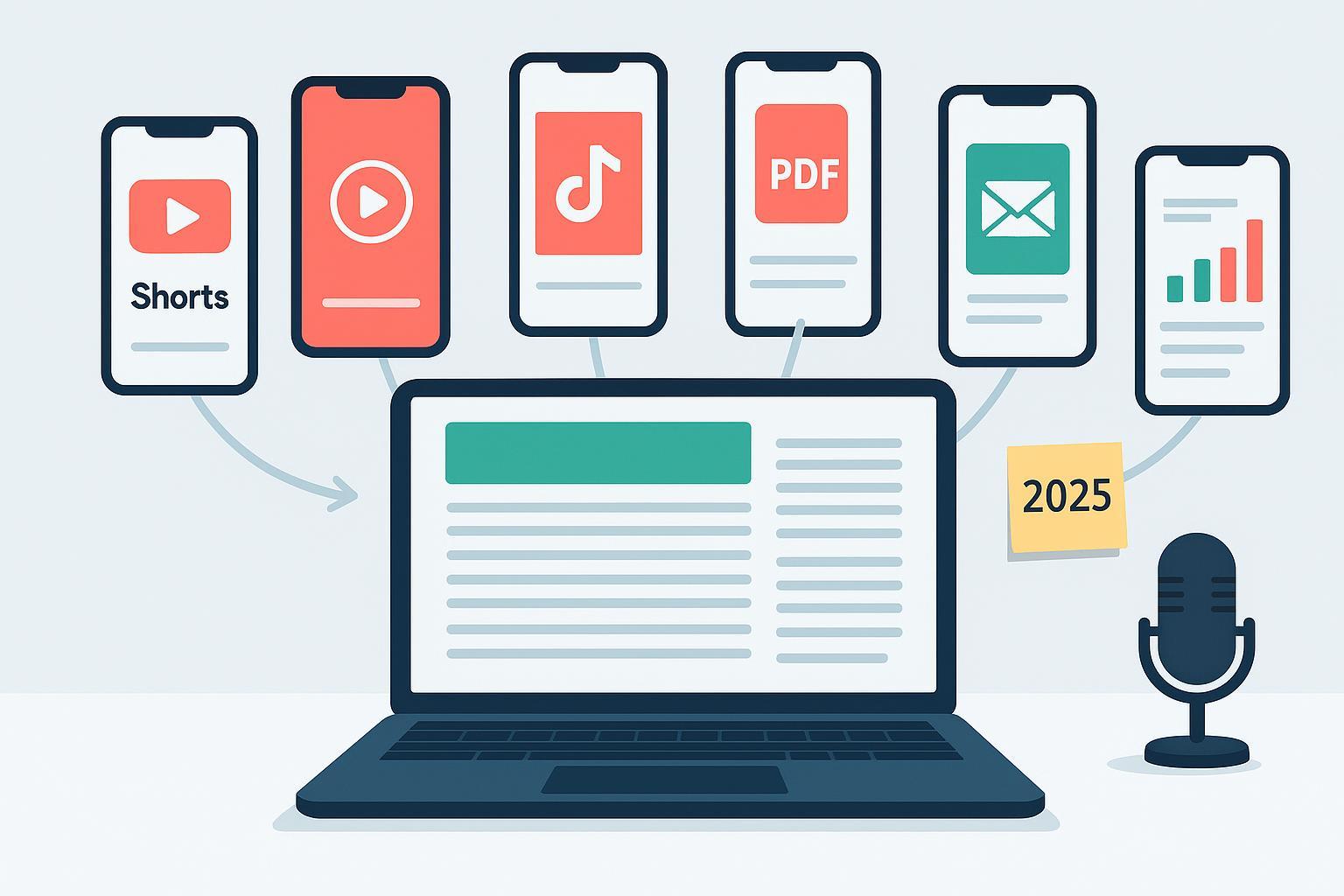
If you’re trying to grow without burning out your team, repurposing is your best operating system in 2025. Industry roundups point to AI-accelerated workflows, multi-format content, and distribution depth as the year’s practical edge—see WordStream’s overview of the top content marketing trends for 2025 and Sprinklr’s take on marketing trends and automation across content ops (2025). The Content Marketing Institute continues to recommend repeatable repurposing processes backed by technology and editorial QA, as captured in their repurposing playbooks and research hubs. Throughout, tag every derivative with UTMs and measure influence on reach, SEO, leads, and community.
From Long-Form Video (YouTube, webinars, talks)
1) Long video → a series of 9:16 clips with burned‑in captions
Cut 30–90 second moments into vertical clips (9:16), add auto-captions, and tailor hooks per platform. YouTube recognizes vertical Shorts up to three minutes after 2024’s update—see YouTube Help on three‑minute Shorts (2024–2025)—while TikTok’s ad specs confirm 1080×1920 as a common resolution and up to 10 minutes for in‑feed ads (organic limits vary; verify at publish time) per TikTok Ads Help in‑feed specs. Best for reach and discovery; not for dense, context-heavy topics without added captions. Measurement: completion rate and new viewers; benchmark against industry reports (e.g., Rival IQ/Emplifi) and your 28‑day baseline.
2) Add YouTube chapters + a pinned comment roadmap
Chaptering improves watch navigation and SERP snippets. Follow the official rules (start at 00:00, ≥10 seconds each) from YouTube Help: add chapters. Pin a comment that mirrors the timestamps and includes a “start here” for first‑time viewers. Best for long explainers and webinars; not for rapid-fire shorts. Measurement: average view duration by chapter and clicks on chapter timestamps.
3) Produce a vertical trailer that teases the full cut
Create a 30–60 second trailer highlighting one strong promise and one payoff. Instagram has expanded Reels length to up to three minutes in 2025 (rolling out by region/account; verify before publish) per Instagram Creators’ 2025 update. Best for reach; not for topics that require full context. Measurement: trailer-to-full video click-through rate (use UTMs in the link in bio/description).
4) Record a side‑by‑side commentary remix
Film a quick reaction or annotation track and place it next to a cropped segment. It’s an easy way to refresh an existing point with new context. Best for experts with POV; not for compliance‑sensitive industries without approvals. Measurement: saves and shares; watch percentage vs. the original.
5) Build a “Myth vs. Fact” montage from the source video
Extract three myths raised in comments, then splice short rebuttals with on‑screen text. Best for education; not for nuanced topics that can be misread without nuance. Measurement: comments that reference clarity or changing minds; track topic sentiment over time.
6) Turn Q&A segments into an FAQ hub and support docs
Cut Q&As into individual clips and pair each with a concise written answer. Publish in a help-center or blog FAQ that your sales and support teams can link. Best for lead qualification and post‑sale support; not for ephemeral topics. Measurement: organic clicks to FAQ entries and assisted conversions.
7) Strip the audio into a podcast episode and audiograms
Export the audio as a clean podcast episode. Create 20–40 second audiograms with captions for social. CMI and ClearVoice outline transcript- and notes‑driven SEO benefits of this approach; see CMI repurposing practices and ClearVoice’s SEO‑minded repurposing guide. Best for community retention; not for heavily visual tutorials. Measurement: podcast retention at 25/50/75%, subscriber growth, and newsletter signups attributed via UTMs.
8) Test thumbnail/message variations for CTR learning
Create two or three thumbnail and title variants on the long-form upload. Use consistent test windows and track CTR, AVD, and return viewers. Best for channels with steady traffic; not for one‑off uploads. Measurement: title/thumbnail CTR deltas and downstream watch time.
From Audio (Podcasts, X Spaces, live rooms)
9) Turn quote pulls into a LinkedIn document carousel
Convert 6–10 standout quotes into stat cards and export a PDF for a document post. Third‑party consensus places limits around 100 MB and up to 300 pages; verify specs at publish time. See summaries like Sprout Social’s LinkedIn carousel guidance (2024). Best for B2B reach; not for quotes that need long context. Measurement: document completion clicks and follows from the post.
10) Cut 30–60 second teaser Reels/Shorts with on‑screen chapters
Overlay minimal “Chapter 1/2/3” tags to orient new viewers. Use burned‑in captions for silent autoplay. Best for discovery; not for confidential topics. Measurement: saves and profile visits.
11) Publish a “show notes” newsletter edition
Transform the episode outline into a scannable newsletter with one key chart, a pull‑quote, and a direct link to the full episode. Best for email list growth; not for one‑liner episodes. Measurement: open and click-through rates; episode plays driven by the send (UTMs on links).
12) Create a Q&A blog post from the transcript
Use the transcript to structure a Q&A that targets a long‑tail query cluster. Best for SEO support; not for episodes without topical focus. Measurement: organic clicks and time on page; internal link clicks to related resources.
13) Spin a topic thread for LinkedIn/X
Summarize the episode in 6–8 posts with one fresh data point or example you didn’t include in audio. Best for conversation; not for legal-guarded industries without review. Measurement: reply depth and quality; profile link clicks.
14) Run a community poll series based on themes
Ask one poll question per theme and summarize results in a follow‑up post linking back to the episode. Best for engagement; not for niche topics with tiny audiences. Measurement: poll participation and repeat engagement.
From Long‑Form Text (Blogs, whitepapers, guides)
15) Turn a pillar into a narrated explainer video
Use text‑to‑video tools to storyboard 60–120 seconds that hits the core problem, process, and payoff. Best for reach; not for highly technical pieces that need screen demos. Measurement: video completion and assisted sessions from video embeds.
16) Condense key frameworks into a LinkedIn document carousel
Lift the 3–5 most useful frameworks or checklists into a visual document post. As above, verify LinkedIn doc specs at publish time. Best for B2B awareness; not for content that hinges on proprietary diagrams. Measurement: shares and saves.
17) Compile an “Ask 5 experts” roundup from existing quotes
Pull quotes you already have (events, podcasts, blogs) into a single expert roundup with light commentary. Best for credibility; not for topics with stale quotes. Measurement: referral traffic from contributor shares.
18) Break the article into a three‑part email mini‑course
Draft three short lessons (problem, process, playbook) that culminate in a checklist download. Best for lead nurturing; not for newsy, time‑bound content. Measurement: drip completion rate and form fills.
19) Convert FAQs into help‑center entries
Extract recurring questions and publish concise answers with a short clip or image. Best for support deflection and SEO; not for highly variable policies that change weekly. Measurement: help‑center search success and reduced ticket volume.
20) Design a visual infographic for Pinterest/LinkedIn
Translate stats and process steps into a vertical infographic with alt text for accessibility. Best for visual learners; not for topics without numbers or steps. Measurement: saves, pins, and referral traffic to the pillar.
21) Publish a TL;DR thread with a clear next step
Summarize the post in 6–10 bullets or short sentences, end with one call to action, and tag sources. Best for reach; not for sensitive topics where oversimplification could mislead. Measurement: link clicks to the pillar via UTMs.
22) Localize for one or two priority regions
Lightly adapt examples, currency, screenshots, and idioms. Best for markets with proven demand; not for one‑off tests without follow‑through. Measurement: regional organic sessions and conversions.
From Events and Webinars
23) Offer a gated replay plus a transcript recap article
Host the replay with a short form, then publish a public recap article with highlights and timestamps. Kaltura outlines AI‑assisted repurposing across formats and channels—see Kaltura’s repurposing use cases. Best for lead gen and SEO; not for confidential trainings. Measurement: form fills, demo requests, and organic entrances to the recap.
24) Cut a “Top 5 moments” reel
Create a 45–90 second montage of the most replay‑worthy moments with on‑screen labels. Best for discoverability; not for events light on clear takeaways. Measurement: view‑through rate and shares.
25) Run a post‑event drip: one clip per day for five days
Five short emails or social posts, each focused on one moment and a resource link. Best for nurture; not for audiences fatigued by frequency. Measurement: click‑through and assisted conversions across the sequence.
26) Assemble a speaker quote pack for sales enablement
Turn speaker insights into branded slides for sales decks and outbound. Best for ABM; not for B2C products where sales decks aren’t used. Measurement: sales feedback and usage in active deals.
27) Turn live Q&A into a searchable knowledge base
Log every question and answer, then publish and cross‑link related clips. Best for retention; not for private/internal discussions. Measurement: search impressions and support team references.
From Data and Research
28) Convert your chart pack into LinkedIn/Pinterest infographics
Export 5–8 charts with one‑line explanations and a link to the full study. Best for reach; not for data without clear axes or definitions. Measurement: saves and referral traffic to the study.
29) Draft PR pitch angles with seasonal hooks
Frame 2–3 storylines that tie your findings to timely events or news cycles. Best for earned media; not for small samples without methodological notes. Measurement: replies and placements.
30) Ship an interactive calculator or mini‑tool from your model
Translate a common formula or scoring method into a simple web tool and embed it in a blog post. Best for lead gen; not for proprietary models you can’t reveal. Measurement: tool usage, form fills, and assisted conversions.
31) Publish a benchmark update post with methodology
Summarize year‑over‑year changes, explain your sample and definitions, and link to raw tables. For external context on platform engagement ranges, see the annual roundups like Rival IQ’s Social Media Industry Benchmark Report (2025 edition). Best for authority; not for one‑off surveys. Measurement: organic backlinks and newsletter signups.
32) Create a one‑page sales handout with visual stats
Package the three most compelling stats, a customer quote, and a simple diagram. Best for outbound; not for complex products that need discovery first. Measurement: meeting set rate from sequences using the handout.
Light‑lift tooling ideas (optional, neutral, and subject to change)
If you prefer to accelerate the workflows above, consider a small stack. Examples only—compare features and confirm current pricing on vendor sites.
- Video clipping/captions: Opus Clip, Descript, VEED (paid plans often “from” tens of USD/month, subject to change). A popular option for AI clip generation is highlighted on Opus’ AI Clip Maker page.
- Design and carousels: Canva, Adobe Express (paid plans commonly “from” low tens USD/month, subject to change). See Canva’s pricing overview for current tiers.
- Transcripts/subtitles: Otter.ai, Rev (per‑minute pricing varies; “from” rates change by service level).
- Scheduling: Buffer, Hootsuite (per‑channel or tiered plans; verify current offers and limits).
Measurement guardrails you’ll actually use
Tie every derivative asset to a campaign via UTMs (source, medium, campaign—and utm_id if you use ads). In GA4, track influence beyond last‑click by reviewing assisted conversions and attribution paths; Google’s overview on improving ROI in Advertising reports is a good starting point—see Google Analytics Help: Drive better ROI with GA4 (2025). For short‑form and social reach expectations, align your baselines with annual third‑party reports (Rival IQ, Emplifi) rather than anecdotes; Emplifi’s 2025 compilation summarizes platform‑level trends that help set realistic ranges—see Emplifi’s Social Media Benchmarks Report (2025). Keep a simple ops log that tracks hours saved by AI‑assisted steps versus outputs shipped—think of it like a production ledger for your content factory.
Quick publishing notes for 2025
- Specs evolve. YouTube Shorts length, Instagram Reels duration, TikTok organic limits, and LinkedIn document specs change—verify on platform help pages before you publish.
- Pricing changes. Any tool amounts here should be treated as “from” and “subject to change.”
- Editorial QA matters. AI will speed you up, but human review keeps accuracy high. If a claim needs a source, link the canonical page once and keep link density tidy.
If you’ve got one solid pillar, you’ve got weeks of platform‑native content. Pick five ideas, tag them properly, and let’s see what the data says next.
