Captivating Your Audience: Introducing Quick Creator's Overview Landing Page for eBooks and Whitepapers
Importance of an attractive overview
In today's digital age, where information is readily available at our fingertips, capturing the attention of your audience has become an increasingly difficult task. As a marketer, it is important to create content that not only educates but also engages your target audience. eBooks and whitepapers are a great way to do this because they provide in-depth knowledge on specific topics. However, with so much competition out there, how can you make sure that your eBook or whitepaper stands out? The answer lies in creating an attractive overview.
Why an attractive overview is important
The purpose of an overview for any piece of content is to give readers a sense of what they can expect from the rest of the material. An effective overview should be able to convey the topic and key points covered in the eBook or whitepaper accurately. By crafting an engaging and informative introduction, you set expectations for what's ahead while enticing readers to continue reading.
When it comes to eBooks and whitepapers specifically, having a strong overview becomes even more critical as these types of materials tend to be longer than other marketing assets such as blog posts or social media updates. Without attention-grabbing headlines and clear descriptions upfront about what will be discussed throughout the document, people may lose interest before even getting started.
Benefits of creating a good overview
There are several benefits associated with creating an attractive eBook or whitepaper summary page:
Catching reader's attention
Your first impression counts when trying to captivate someone’s interest - especially since most people have short attention spans online nowadays! A well-crafted outline catches their eyes by using visually appealing design techniques like bold headings or images strategically placed within paragraphs – all signaling quality content worth reading through till finish point.
Setting clear expectation
An excellent summary page sets up accurate expectations around what type(s)of information within will help solve customer pain-points best suited based on their interests/needs/desires relating back towards brand objectives, thereby ensuring they keep reading until the end. This way, you can be confident that your audience will receive a comprehensive understanding of the main points covered in your eBook or whitepaper.
Establishes credibility
Creating an attractive overview establishes your authority on the subject matter and conveys professionalism. By taking the time to craft a well-written summary page, readers are more likely to trust that what follows is worth their time and attention.
Examples
To illustrate how impactful an appealing overview can be, let's look at some examples:
A company created an eBook covering various social media marketing strategies for small businesses. The opening section contains a bold headline followed by bullet points highlighting different topics discussed throughout each chapter.
Another business designed a whitepaper describing how implementing certain SEO tactics effectively could benefit e-commerce sites' sales growth rates over-time periods; its opening paragraph features statistics-backed statements emphasizing search engines' importance in modern-day digital marketing efforts.
These summaries not only clearly outline what information is going to be provided but also have visuals that make them stand out from other content online - making it easier for users who might otherwise skip past long-form content without giving it proper consideration.
Tips for writing a compelling overview
When it comes to creating an overview for your eBook or whitepaper, you want to make sure that it is compelling and engaging enough to captivate your audience. A well-crafted overview can entice readers into downloading the full document and ultimately convert them into customers. In this section, we will provide actionable tips for writing a compelling overview.
Highlight the problem the eBook or whitepaper solves
The first tip for writing a compelling overview is to highlight the problem that your eBook or whitepaper solves. By doing so, you are able to immediately grab your reader's attention by addressing a pain point they may be experiencing. This also allows them to quickly determine whether or not this content is relevant to their needs.
One example of highlighting the problem in an overview could look something like this: "Are you struggling with low website traffic? Our latest eBook offers solutions and strategies on how to increase organic traffic."
By acknowledging their specific issue and providing insight into what they can expect from reading your content, readers are more likely to engage with your material.
Include a call-to-action
Another important element of any effective overview is including a clear call-to-action (CTA). This prompts readers towards taking action after reading through the materials provided in the document. An example CTA in an overview might say something like: "Ready to learn more about increasing website traffic? Download our free guide now!"
This simple addition encourages readers who have been engaged by your topic area thus far, making them feel compelled towards download/reading further materials based on their interests alone.
Use clear and concise language
In order for an effective summary section of content such as eBooks/whitepapers landing pages -it should be written using clear and concise language that resonates with its target audience- one which uses easy-to-understand terminology without being too technical; leaving out jargon where possible while still effectively communicating key points within context surrounding problems/solutions discussed throughout the document.
For example, instead of using a technical term such as "Search Engine Optimization" you can simply state "boosting website traffic with search engines" which is not only easier to understand but also less intimidating.
Make it visually appealing
In addition to using clear and concise language, an effective overview should also be visually appealing. This helps break up the text and makes it more inviting for readers to engage with. Some ways to make your overview more visually compelling could include adding relevant images or graphics that help illustrate key points in the content.
Another way to add visual appeal would be by including bullet points as opposed to long paragraphs; this change will provide structure while improving readability for users who may skim read through the summary section quickly before deciding whether or not they want access full materials provided in eBook/whitepaper itself.
Include social proof
Social proof can be defined as any kind of evidence-based on other people's opinions/actions that prove what you are offering is valuable. Including social proof within an overview serves two purposes: firstly, it establishes credibility by showcasing how others have benefited from your content previously; secondly, it provides a sense of community where potential customers feel like part of something bigger than themselves. An example statement incorporating social proof into an overview might look something like this: "Join over 1000+ satisfied customers who have utilized our strategies outlined in our latest whitepaper."
By highlighting previous successful outcomes achieved by other readers/customers- It creates interest among new visitors towards reading eBooks/Whitepapers via landing pages since there’s already existing positive experiences shared throughout this platform.
Introduction to Quick Creator's overview landing page template
Are you struggling to create captivating landing pages for your eBooks and whitepapers? Quick Creator's AI-powered landing page creator might just be the solution you need. In this article, we will introduce Quick Creator's overview landing page template and explain how it can help marketers create engaging overviews in a quick and easy way. Overview of Quick Creator's AI-powered landing page creator
Quick Creator's landing page creator is an artificial intelligence (AI) tool that allows you to quickly build high-converting landing pages for your marketing campaigns. It offers a range of features such as drag-and-drop functionality, pre-designed templates, A/B testing capabilities, analytics tracking, and lead generation forms. With its user-friendly interface and intuitive design elements, even non-technical users can easily create professional-looking pages without needing any coding or design skills.
One key benefit of using Quick Creator's AI-powered landing page creator is that it saves time by automating many aspects of the process. For example, instead of spending hours designing custom layouts from scratch or hiring expensive designers to do it for you, you can simply choose from one of the pre-built templates available within the platform. Additionally, because the system uses machine learning algorithms to optimize your content based on user behavior data collected over time, there’s no need to constantly tweak designs manually.
Overview of Quick Creator's overview landing page template
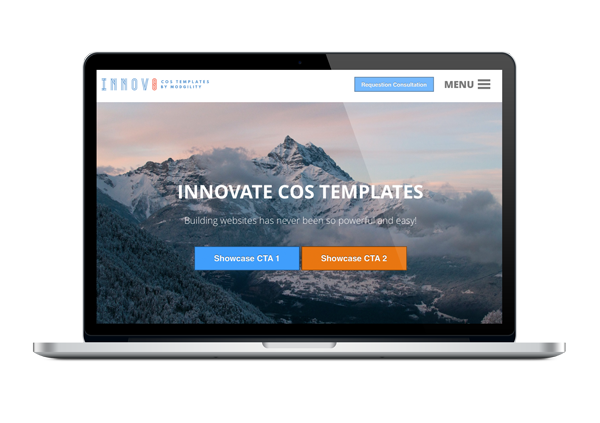
The overview landing page template offered by Quick Creator provides a simple yet effective way to showcase your eBook or whitepaper content in a visually appealing manner. The template includes sections where you can highlight key features/benefits of your product/service along with testimonials/reviews from satisfied customers.
Another great feature included in this template is an interactive table-of-contents section that allows readers to quickly navigate through different chapters/sections within the document without having to scroll down lengthy pages. This makes it easier for viewers who may not have time read through everything at once but still want access to specific sections.
How to use Quick Creator's overview landing page template
To get started with using the overview landing page template, simply log into your Quick Creator account and navigate to the "Templates" section. From there, select the "Overview Landing Page" option and then choose the appropriate eBook or whitepaper that you want to create a landing page for.
Next, fill out all of the necessary fields including headline, subheadline, call-to-action (CTA) button text, description text etc. Additionally, upload any relevant images or graphics that will help make your content more visually appealing. Once you've completed these steps click on "Preview" mode so you can see what your final design will look like before publishing it live online. Finally don't forget to add tracking codes for Google Analytics or other analytics platforms so that you can track performance metrics such as bounce rate and conversion rates. By following these simple steps marketers can easily create engaging overviews through Quick Creator's AI-powered landing page creator without needing any additional expertise in coding or design skills!
Conclusion
In conclusion, creating an attractive overview is crucial in captivating your audience and generating interest in your eBook or whitepaper. A compelling overview should be concise, informative and engaging, while highlighting the main points of your content. By using Quick Creator's overview landing page template, you can easily create a professional-looking page that showcases your content effectively. The benefits of using this tool are numerous: it saves time and effort by providing pre-designed templates, it ensures consistency with branding guidelines, and it allows for easy customization to match specific needs. As marketers strive to create high-quality content that stands out from the competition, utilizing tools like Quick Creator's landing page creator can give them a competitive edge and help them achieve their goals. See Also