The Power of Mobile Optimization in Healthcare Redesign: Boosting User Experience
Mobile-first approach
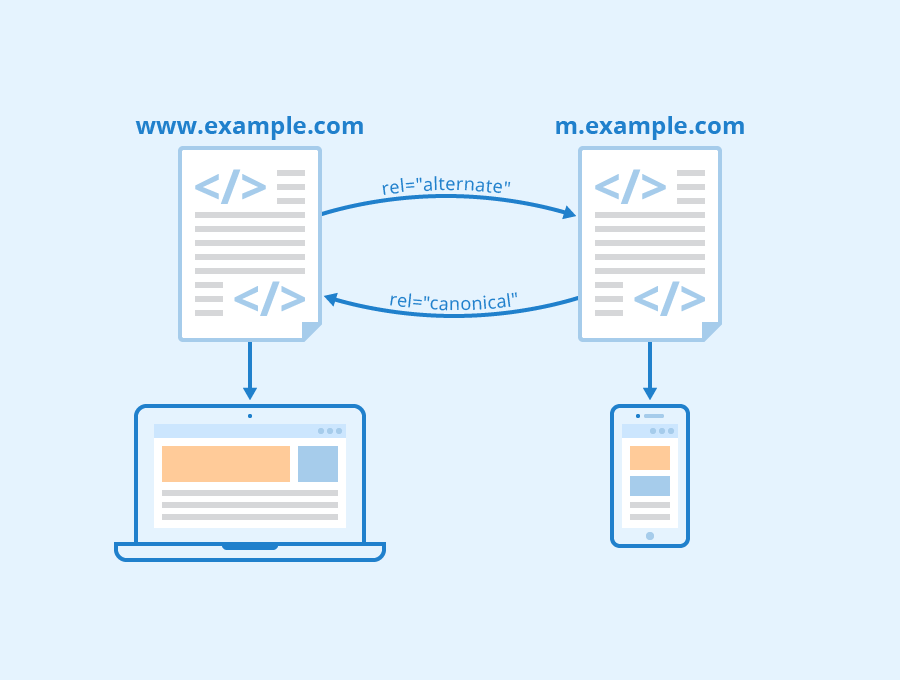
In today's digital era, mobile devices have become an integral part of our lives. With the rise in smartphone usage, it has become essential for healthcare website owners and developers to design their websites with a mobile-first approach. A mobile-first approach involves creating a responsive web design that prioritizes the experience of users on smaller screens such as smartphones or tablets.
Designing for mobile devices first can significantly improve user experience by making sure that the website is easily navigable and accessible on smaller screens. This means having clear and concise content, easy-to-use navigation menus, fast-loading pages, and optimized images that are appropriate for smaller screen sizes. When visitors can effortlessly access information from their smartphones or tablets without any hassle, they are more likely to stay longer on your site, which ultimately increases engagement rates. Moreover, designing with a mobile-first approach also benefits search engine optimization (SEO). Google's algorithm favors responsive websites because they provide a better user experience across all devices. In fact, Google announced back in 2015 that "mobile-friendliness" would be included as one of its ranking factors when determining search results rankings. By ensuring your healthcare website is designed responsively with a focus on small-screen experiences first and foremost you'll increase your chances of being found online organically through search engines–which will drive more traffic to your site over time. Here are some tips for designing responsive websites using a mobile-first approach:
Prioritize Content
The most important aspect of designing with a mobile-first approach is to prioritize content above everything else. You need to ensure that every piece of content you publish serves its purpose while keeping it short and sweet at the same time since shorter paragraphs tend to work better than long ones do when viewed on small screens.
Optimize Images
Images play an important role in enhancing user engagement but too many large images could slow down load times which damages SEO efforts so make sure each image used on your site is optimized for mobile devices and is relevant to the content it accompanies.
Keep Navigation Simple
A simple navigation menu ensures that visitors can easily find what they're looking for on your website. Use clear calls-to-action (CTAs) in the form of buttons, links, or icons which are easy to tap with a finger without causing any frustration.
Test Your Design
Before launching your healthcare website make sure you test its design on different screen sizes using testing tools such as Google's Mobile-Friendly Test. This will help ensure that users have a seamless experience regardless of the device being used.
Best practices for responsive design
In today's digital age, mobile optimization has become a crucial element for healthcare website redesign. With the increasing use of smartphones and tablets to access the internet, it is essential to design responsive websites that adapt seamlessly to different screen sizes and devices. This not only enhances user experience but also improves search engine ranking and increases website traffic. In this section, we will discuss some best practices for designing responsive websites.
Design for different screen sizes
The first step in creating a responsive website is understanding your audience's needs. Healthcare website owners need to ensure that their content is accessible on all devices regardless of their size or resolution. Therefore, it is essential to design for multiple screen sizes upfront rather than adapting desktop designs later.
One way of achieving this is by using fluid grids instead of fixed-width layouts. Fluid grids enable web designers to create flexible layouts that can adjust automatically based on screen size, device orientation, and resolution. Additionally, it would be best if you considered reducing image file sizes without sacrificing quality as high-resolution images can slow down page loading speed.
Use a responsive framework
Using a responsive framework simplifies the process of designing adaptive layouts across various devices while ensuring consistent branding throughout your site's pages. It provides pre-built CSS stylesheets which allow developers to customize them according to their preferences.
When choosing a responsive framework, consider one with broad browser support; most frameworks have documentation available on browser compatibility issues that assist you in making informed decisions about what works best for your target audience.
Frameworks such as Bootstrap and Foundation are popular among developers since they provide robust features like built-in JavaScript plugins and visual components like buttons or navigation bars that work well across multiple browsers/devices out-of-the-box.
Test Your Designs
It is important always testing your designs because there isn't any guaranteeing how users will perceive your site once deployed online at scale - particularly when considering variables such as connection speeds (3G/4G/Wi-Fi) and device types (iOS/Android).
Ensure that you test your designs on multiple devices with different screen sizes, resolutions, and operating systems such as Android or IOS. The testing process should ensure that everything from images to text renders correctly.
Optimization of website speed and mobile-friendly content
Website speed optimization
Website speed is one of the most crucial factors that impact user engagement and conversion rates. According to a report by Google, over half of website visitors will leave a site if it takes longer than three seconds to load on their mobile device. Therefore, optimizing website speed should be at the top of your list when redesigning your healthcare website for mobile devices. There are several tips for optimizing website speed on mobile devices. Firstly, you can optimize images by compressing them without losing quality or reducing resolution. Large image files can slow down page loading times significantly. Secondly, compressing code such as HTML, CSS and JavaScript files can also help reduce the size of web pages and increase loading speeds. Finally, setting up caching mechanisms like browser caching or server-side caching can also improve page loading speeds. Mobile-friendly content
Mobile-friendly content refers to content designed specifically for small-screened devices like smartphones and tablets. It's essential to make sure that all text-based information is readable without users having to zoom in too much or scroll horizontally - this includes headlines, body copy and other types of text-based content.
To optimize content for mobile devices consider formatting changes such as breaking up long paragraphs into shorter ones with subheadings or bullet points where necessary; using larger font sizes; adjusting line spacing so that text isn't too cramped together; minimizing menu options which require scrolling through multiple screens etc.. Additionally, it's important not only to provide high-quality copy but also ensure fast load time since slow-loading pages frustrate users regardless whether they access from desktops or mobile phones.
User engagement and conversion rates
The impact of website speed optimization cannot be overstated when it comes to improving user engagement levels resulting in higher conversions particularly on Healthcare websites which requires significant trustworthiness from its audience base due value proposition offered in HealthCare industry service offerings include patient care services & medical treatment plans etc..
In addition, providing a mobile-friendly website is an excellent way to boost user engagement levels. When users have an enjoyable experience navigating through the site, they are more likely to stay longer, which results in higher chances of converting them into leads or customers.
The strategies for improving both can be summarized as follows: optimize your website speed on mobile devices by compressing images and code files, set up caching mechanisms such as browser and server-side caching; optimizing content for small-screened devices like smartphones and tablets by formatting changes such as breaking up long paragraphs into shorter ones with subheadings or bullet points where necessary, using larger font sizes etc.; Finally improve user engagement rates by ensuring fast load time since slow-loading pages frustrate users regardless whether they access from desktops or mobile phones.
Impact of mobile optimization on website usability and user experience
Mobile optimization is crucial in improving website usability and enhancing user experience. With the rise of mobile devices, more users are accessing websites on their smartphones or tablets. Therefore, healthcare websites that are optimized for mobile devices will provide a seamless experience for their users.
One benefit of mobile optimization is faster page load times. According to Google, 53% of mobile site visits are abandoned if pages take longer than three seconds to load. Healthcare websites must prioritize optimizing their website speed to reduce bounce rates and increase conversions.
Another benefit of mobile optimization is improved navigation and readability. Mobile-optimized healthcare websites present content in an easy-to-read format with clear headings, bullet points, and larger fonts suitable for smaller screens while maintaining consistency with desktop versions.
Mobile-responsive design also increases accessibility by making it easier for patients to find relevant information quickly without having to zoom in or out repeatedly.
An example of a successful healthcare website with excellent mobile optimization is WebMD’s responsive design which enhances its user experience by providing intuitive navigation and fast loading speeds across all screen sizes without compromising functionality or imagery quality. Similarly, Mayo Clinic's website has an adaptive layout that adjusts seamlessly based on the size of the device being used by the patient or visitor thus ensuring optimal viewing regardless of whether they use laptops/desktops/tablets/smartphones.
A final example would be Clevelandclinic.org whose responsive web-design provides quick access via links visible at a glance allowing patients & visitors alike easy navigation around this comprehensive health resource hub.
Conclusion
In conclusion, mobile optimization is a crucial aspect of healthcare website redesign. With the number of mobile users increasing every day, it has become essential for healthcare websites to optimize their pages for mobile devices. By doing so, they can improve user experience and increase engagement on their website. Implementing best practices such as responsive design, faster page loading times and simplified navigation can help achieve better website performance and enhance user satisfaction. As healthcare website owners and developers, adopting these practices will not only benefit patients but also contribute to the overall success of your business in today's digital world. See Also