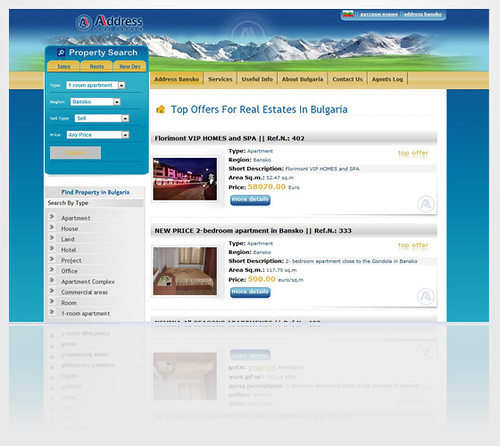
Boost Your Real Estate Website with Google Search Console: Set Up, Analyze, and Optimize
Introduction
As a digital marketer in the real estate industry, it's essential to have a website that stands out from the competition. One way to achieve this is by utilizing Google Search Console, a free tool offered by Google that can help boost your website's performance and increase its visibility on search engines. By setting up and analyzing data within the console, you can identify areas for improvement and optimize your website accordingly. In this blog post, we'll explore how real estate website owners and digital marketers can benefit from using Google Search Console to enhance their online presence. Setting up Google Search Console
Google Search Console is a powerful tool that can help you improve your real estate website's search engine rankings, identify technical issues and monitor the performance of your site. Setting up Google Search Console is an important step in optimizing your website for search engines. Here's how to set it up. Creating a Google Search Console account
The first step in setting up Google Search Console is to create an account. If you already have a Google account, simply go to the Google Search Console homepage and sign in using your existing credentials. If you don't have a Google account, you'll need to create one before proceeding.
Once you've signed into your account or created a new one, click on the "Add Property" button and enter the URL of your real estate website. You'll then be asked to verify that you own the site by either adding a meta tag or uploading an HTML file to your server.
Adding your Real Estate website to Google Search Console
After verifying ownership of your real estate website, it's time to add it to Google Search Console. To do this, click on the "Add Property" button again and select "Website". Enter the URL of your site again and click "continue".
You'll now be prompted with different verification methods such as adding DNS record or connect through partner provider like Shopify etc., Choose any method which suits best for you according yo our requirements.
After successful connectiong/verification process completion ,you will see all details about traffic analysis,index status,sitemap submission option,and much more at dashboard section.
Understanding the different types of reports in Google Search Consoles
Now that we've covered how to set up and verify ownership of our real estate website within google search console,it’s essential as well as equally important to understand each type report generated by GSC.These reports are extremely beneficial when making SEO optimizations for better ranking.
Here are some key metrics provided by each report:
Search Analytics report
Search analytics reports provide an overview of your website's performance in Google search results, including the number of clicks, impressions and click-through rate (CTR) for each keyword. This data can help you identify which keywords are driving traffic to your site and which ones need improvement. Index Coverage report
The index coverage report shows how many pages on your site have been indexed by Google and whether there are any errors or warnings that need attention. This is especially important if you're experiencing problems with indexing or crawling.
Sitemaps report
The sitemap report provides information about the URLs included in your XML sitemap file(s), such as when they were last crawled, their status and any issues that need to be addressed.
Links report
Links Report will display all external links pointing towards our real estate website.It will includes domain name linked to us ,anchor text used,and also shows wehter it was nofollow link or dofollow link.
In Conclusion:
Setting up Google Search Console is a crucial step for improving SEO rankings for real estate websites.By following above mention steps,it becomes easier to get started with GSC.Once set up,you should also monitor different types of reports regularly so as to keep track where improvements can be made.
Optimizing website performance
A website's performance plays a significant role in improving its search engine ranking. By optimizing your real estate website, you can provide a better user experience to your visitors and attract more potential clients. In this section, we will discuss actionable tips for fixing crawl errors, optimizing meta descriptions, share real-life examples of how website optimization techniques can improve website performance and emphasize the importance of continuous monitoring and improvement. Fixing crawl errors
Crawl errors occur when Googlebot is unable to access certain pages on your site due to broken links or server errors. These issues can negatively impact your search engine rankings as they prevent pages from being indexed. To fix crawl errors:
Review the list of pages that return 404 error codes and redirect them to relevant pages using 301 redirects.
Check for broken internal links on your site by using tools such as Screaming Frog or Xenu Link Sleuth.
Correct any server error codes (such as 500) that may be preventing Googlebot from accessing specific pages.
By fixing these issues promptly, you ensure that Google has access to all relevant content on your site, which improves indexing rates and subsequently boosts overall SEO performance.
Optimizing meta descriptions
Meta descriptions are HTML snippets that appear below the URL in search results. They play an important role in attracting users' attention while also providing brief information about what each page contains. To optimize meta descriptions: Keep them short (between 150 -160 characters).
Include relevant keywords related to the content on the page.
Make sure they accurately describe what users should expect when clicking through.
Optimizing meta descriptions not only helps improve click-through rates but also ensures that visitors find exactly what they were looking for upon arriving at your site.
Real-life examples of website optimization techniques
Real estate websites have seen an increase in traffic after implementing website optimization techniques. For example, a real estate company in Florida noticed that their site was slow and outdated. After optimizing the site by improving server response time, reducing image sizes, and compressing CSS code, the site's speed increased significantly. As a result, they saw an increase in leads from search engines.
Another real estate company based in New York City had issues with crawl errors due to broken internal links on their website. By fixing these issues promptly using Google Search Console's Crawl Errors report and correcting any server error codes (such as 500), they were able to improve indexing rates and subsequently boost overall SEO performance.
Continuous monitoring and improvement
Optimizing your real estate website is not a one-time task; it requires continuous monitoring and improvement over time. Regularly check for crawl errors or broken links using tools such as Google Search Console or other third-party crawlers like SEMrush or Ahrefs.
Additionally, regularly reviewing analytics data can provide insight into user behavior on your site while also highlighting areas where you may need to optimize further (e.g., high bounce rates). Continuously updating meta descriptions with relevant keywords can also help improve click-through rates over time.
Conclusion
In conclusion, optimizing your real estate website with Google Search Console is a crucial step in improving its overall performance. By setting up the tool correctly, analyzing search data and identifying errors and opportunities for improvement, you can significantly boost your website's visibility on search engines. This will not only increase traffic to your site but also attract more potential customers and ultimately lead to higher conversions rates. With the wealth of information available through Google Search Console, it would be unwise for any digital marketer or real estate website owner to overlook this powerful tool. So take advantage of this free resource today and start optimizing your real estate website for success! See Also